
Overview
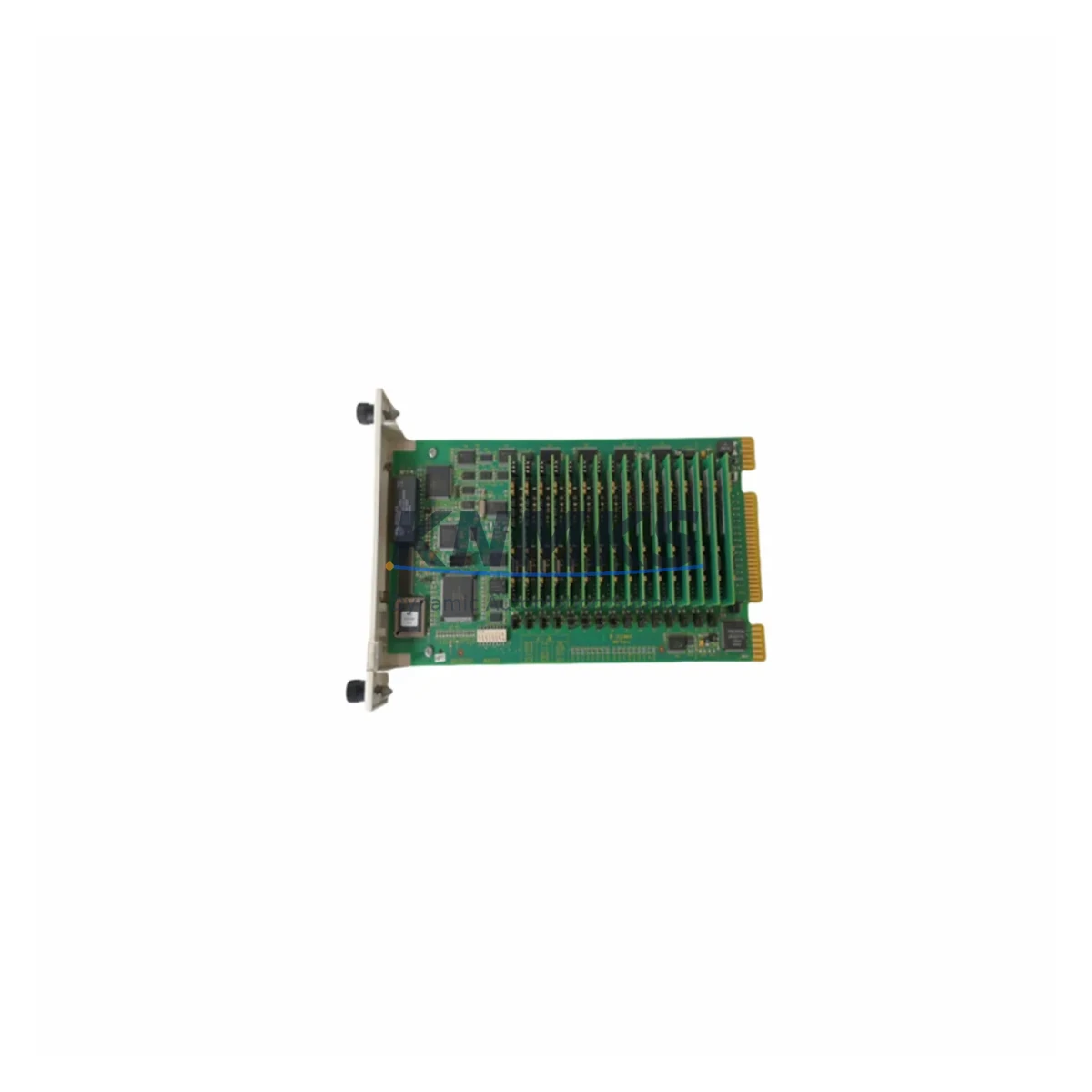
ABB INPCT01 Maintenance-Proven Spare Part for Factory Uptime
The ABB INPCT01 Computer Transfer Module is a critical spare part for INFI 90 distributed control systems deployed across power generation, oil & gas, chemical processing, and pulp & paper facilities. As a direct original-specification replacement, the INPCT01 restores inter-processor communication integrity and process data transfer between INFI 90 nodes without requiring software reconfiguration or system re-engineering. Every unit supplied by KNMKS is pre-tested, ships with a support terms confirmed by quotation, and is drawn from multi-region stock to support both emergency callouts and planned annual shutdowns.
Maintenance engineers managing aging INFI 90 infrastructure understand that the INPCT01 sits at the heart of controller-to-controller data exchange. A degraded or failed module manifests as intermittent communication faults, process variable dropouts, or complete loss of redundancy between primary and backup controllers. Rapid identification and like-for-like replacement with a verified INPCT01 spare is the fastest path to restoring full system availability and avoiding cascading process shutdowns.
Spare Maintenance Table
| Parameter | Specification |
|---|---|
| Part Number | INPCT01 |
| Brand | ABB |
| Series | INFI 90 |
| Module Type | Computer Transfer Module (CTM) |
| Product Category | DCS Communication Module |
| Compatible Systems | ABB INFI 90, Bailey INFI 90, Network 90 |
| Backplane Interface | INFI 90 Module Bus |
| Operating Voltage | +5 VDC (backplane supplied) |
| Operating Temperature | 0°C to 60°C |
| Weight | 340 g |
| Origin | Germany |
| Pre-Shipment Testing | Yes — functional and communication verified |
| Support terms | 12 Months |
| Delivery | Global dispatch from multi-region stock |
| Condition | Original / Refurbished-to-spec |
Maintenance Planning for Continuous Operation
When scheduling replacement of the INPCT01, a thorough inspection of the surrounding control cabinet is essential to prevent repeat failures and ensure the restored system operates reliably through the next maintenance interval. Maintenance engineers should simultaneously inspect the INNIS01 Network Interface Module, which manages peer-to-peer communication across the INFI 90 loop, and the INICT01 Inter-Controller Transfer Module, which works in tandem with the INPCT01 to maintain data coherence between redundant controllers.
Power integrity is a common root cause of CTM failures. Verify the INPSU01 or INPSU02 Power Supply Module output rails are within specification before installing the replacement INPCT01 — an out-of-tolerance +5 VDC rail will stress the new module immediately. Inspect the backplane connector pins and the INRPG01 Redundancy Processor Group seating to confirm no bent pins or oxidized contacts are present.
I/O integrity checks should cover adjacent INAI01 Analog Input Modules and INAO01 Analog Output Modules to confirm that process variable data is being correctly passed through the restored communication path. Where the INFI 90 system interfaces with a supervisory network, the INNIS01 or INNPM01 Network Process Module should be verified for active link status post-replacement. Fuse holders and terminal blocks within the same cabinet section should be inspected for signs of thermal stress or loose terminations that may have contributed to the original fault condition.
Procurement engineers are advised to maintain a minimum of one INPCT01 in on-site spares inventory for every INFI 90 system in service. Given the end-of-production status of the INFI 90 platform, sourcing lead times from the open market can extend to 8–16 weeks. KNMKS maintains forward stock of the INPCT01 and related INFI 90 modules to support both emergency same-week dispatch and long-term supply agreements for multi-site operators.
Site Replacement Workflow
Before removing the failed INPCT01, document the current slot address, module configuration switches, and any diagnostic LED states. Power down the affected module bay following the INFI 90 hot-swap or cold-swap procedure applicable to your system revision. Remove the module by releasing the front-panel ejector levers and sliding the card clear of the backplane.
Inspect the replacement INPCT01 for matching hardware revision and switch configuration against the removed unit. Insert the new module firmly until the backplane connector is fully seated and the ejector levers lock. Restore power to the bay and observe the module status LEDs — a solid RUN indication confirms successful initialization. Validate inter-controller communication from the operator station by confirming that all process variables previously routed through the INPCT01 are updating correctly and that no communication fault alarms remain active.
For systems running in redundant controller configurations, perform a controlled switchover to confirm that the standby controller assumes control correctly through the restored INPCT01 data path. Log the replacement in the site maintenance management system with the module serial number, installation date, and support terms expiry (12 months from shipment date). This record supports future lifecycle planning and support terms claim processing if required.
Spare Parts Support FAQ
Q1: Is the INPCT01 supplied by KNMKS compatible with all INFI 90 system revisions?
Yes. The INPCT01 is compatible across INFI 90, Bailey INFI 90, and Network 90 installations. Hardware revision markings are verified prior to shipment, and our technical team can confirm compatibility against your specific system revision and backplane type before the order is placed.
Q2: What does the support terms confirmed by quotation cover?
The support terms confirmed by quotation cover functional failure under normal operating conditions from the date of shipment. Each INPCT01 is pre-tested for communication function and electrical integrity before dispatch. In the event of a support terms claim, KNMKS provides a replacement unit or documented resolution support subject to inspection of the returned module.
Q3: How quickly can KNMKS dispatch an INPCT01 for an emergency shutdown situation?
KNMKS maintains multi-region stock of the INPCT01 to support emergency dispatch. In-stock units can typically ship within 24–48 hours of order confirmation. Contact admin@knmks.com or call +86 18359268345 to confirm current stock availability and arrange priority freight.
Q4: Can KNMKS support a long-term supply agreement for INPCT01 and related INFI 90 modules?
Yes. KNMKS offers long-term supply agreements for multi-site operators and OEM maintenance contractors requiring guaranteed stock of INFI 90 spare parts. Agreements can cover the INPCT01 alongside related modules such as the INNIS01, INPSU01, INICT01, and INAI01 series, with agreed pricing, reserved stock, and priority dispatch terms.
© 2026 KNMKS. All rights reserved.
Original Source: https://knmks.com
Contact: admin@knmks.com | +86 18359268345
Product Identification
- Brand / Ecosystem
-
ABB
ABB - Model / Series
- INPCT01
- Product Family
- PLCs & Controllers
- Availability Status
- Available on request after model and quantity confirmation
- Inquiry Type
- B2B RFQ, replacement inquiry and project spare-part request
- Pre-Quote Check
- Exact SKU, brand, series, quantity, nameplate photos and destination country are checked before quotation
System Path
Where this product fits in the KNMKS automation structure.
Specification & Inquiry Focus
- Control platform
- PLC, PAC and modular controllers
- Common needs
- CPU, rack, power and I/O expansion
- Project support
- Replacement, cabinet build and maintenance
Buyer Confirmation
Information KNMKS checks before replying.
- Exact model
- INPCT01
- Brand / ecosystem
- ABB
- Product family
- PLCs & Controllers
- Application note
- Replacement, maintenance, project build or spare-part list
- Useful photos
- Nameplate, installed unit, cabinet layout or connector side
- Delivery details
- Quantity, destination country and target schedule
Document Support
Files and notes can be confirmed during quotation.
- Product photos or nameplate confirmation when available
- Packing and delivery notes before quotation confirmation
- Support scope and delivery terms confirmed per inquiry
- Export document coordination for qualified B2B requests
Inquiry Support
- Model cross-checking before quotation
- CPU, power, rack and expansion module matching
- Support for replacement and project inquiry
What to Send Us
- Brand and exact model number: ABB INPCT01
- Quantity and required delivery time
- Application, replacement requirement or nameplate photo
- Destination country and shipping preference
RFQ Preparation
This is a product inquiry page built for RFQ communication.
Fast Model Check
Send this model to KNMKS for confirmation.
Include quantity, destination country and photos if this is a maintenance replacement. The inquiry will be saved with a reference number after submission.
Brand & Compatibility Note
KNMKS displays automation product information for well-known industrial brand ecosystems and compatible replacement references. Brand names are used for product identification and compatibility reference only; final availability and commercial terms are confirmed per quotation.
 Manufacturing
 Machine Tools
 Packaging
 Energy & Power



 HMI & Displays
 Servo Systems
 Variable Frequency Drives
 Sensors