
Overview
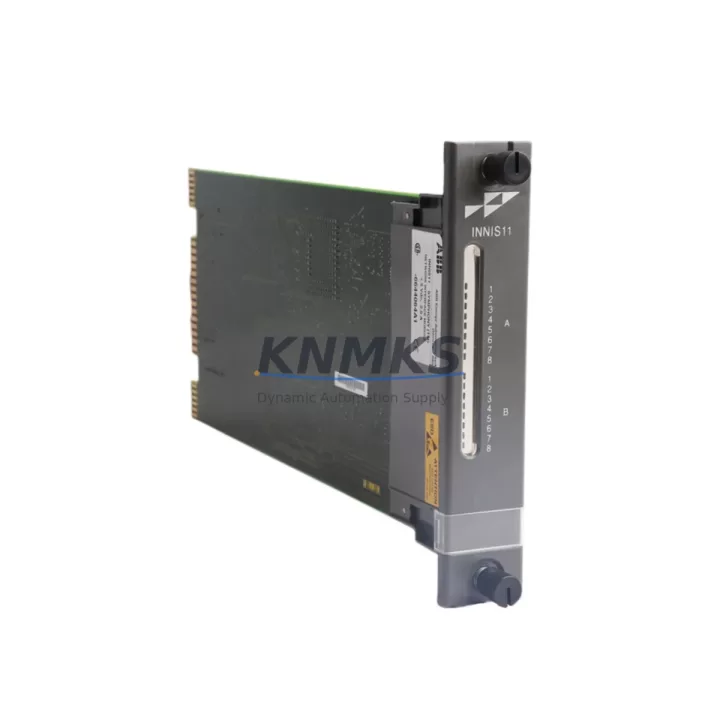
ABB INNIS11 Maintenance-Proven Spare Part for Factory Uptime
The ABB INNIS11 is an original PROFIBUS DP slave interface module designed for the ABB AC500 S500 modular PLC platform. As a critical fieldbus communication component, the INNIS11 enables reliable data exchange between the AC500 CPU and distributed PROFIBUS DP master networks — making it an essential spare for any maintenance engineer responsible for continuous process control, discrete manufacturing, or utility automation systems built on the AC500 architecture.
Sourced directly from authorized supply channels, every INNIS11 unit we ship is inspected, function-tested, and backed by a support terms confirmed by quotation. Whether you are replenishing your MRO spare parts inventory, executing a planned annual shutdown, or responding to an unplanned fieldbus fault, the INNIS11 is available for fast dispatch to minimize your system downtime.
Spare Maintenance Table
| Parameter | Specification |
|---|---|
| Part Number / SKU | INNIS11 |
| Brand | ABB |
| Series | AC500 / S500 |
| Module Type | PROFIBUS DP Slave Interface Module |
| Communication Protocol | PROFIBUS DP (EN 50170) |
| Baud Rate Support | Up to 12 Mbit/s |
| Connector Type | 9-pin D-Sub (DB9) PROFIBUS standard |
| Mounting | S500 I/O bus backplane slot |
| Compatible CPUs | AC500 PM5xx, PM5xx-ETH series |
| Operating Temperature | -25 °C to +60 °C |
| Protection Class | IP20 |
| Power Supply | Via S500 backplane bus |
| Origin | Germany |
| Weight | 260 g |
| Support terms | 12 Months |
| Condition | Original, New / Tested Surplus |
| Shipping | Worldwide — DHL / FedEx / SF Express |
Maintenance Planning for Continuous Operation
When the INNIS11 is flagged during a routine control cabinet inspection or a PROFIBUS segment fault is detected, experienced maintenance engineers know that a single fieldbus interface failure can cascade into a full production line halt. Proactive spare parts planning for the INNIS11 should always include a review of the surrounding system components to ensure a complete and rapid recovery.
Start with the AC500 CPU module (e.g., PM554-T or PM564-R-ETH): confirm firmware version compatibility with the INNIS11 GSD file and verify that the CPU backplane bus is free of corrosion or mechanical damage before seating the replacement module. Next, inspect the S500 terminal units and I/O modules (such as DC532 digital input or DA502 analog output modules) mounted on the same backplane — a loose bus connector or a failed I/O module can mimic a fieldbus communication fault and lead to misdiagnosis.
The PROFIBUS DP cable and bus termination resistors are frequent failure points in aging installations. Verify cable shielding continuity, check that both ends of the PROFIBUS segment are correctly terminated, and confirm that the INNIS11’s station address DIP switches are set to match the master configuration before powering up. In high-vibration environments, also inspect the TB521 or TB523 terminal base that the INNIS11 mounts onto — cracked terminal bases are a common root cause of intermittent fieldbus errors.
For sites running mixed PROFIBUS and Modbus TCP architectures, the CM572-DP communication module or an AC500 Ethernet CPU variant may be present in the same cabinet. Confirm that network segment isolation is maintained and that the PROFIBUS master scanner cycle time is correctly configured after module replacement. Additionally, check the 24 VDC power supply unit feeding the S500 rack — an under-voltage condition during startup can prevent the INNIS11 from initializing correctly and will generate misleading diagnostic codes in the CPU event log.
For facilities managing long-term AC500 system life extension, maintaining at least one INNIS11 in your on-site spare parts kit — alongside a spare CPU module and a set of I/O terminal units — is a recognized best practice for reducing mean time to repair (MTTR) on PROFIBUS-based control systems.
Site Replacement Workflow
Step 1 — Isolate and document: Before removing the faulty INNIS11, record the current PROFIBUS station address from the DIP switch settings and capture a screenshot or printout of the PROFIBUS master configuration (GSD file assignment, I/O mapping, and diagnostic address) from your engineering workstation running ABB Automation Builder or PS501 Control Builder.
Step 2 — Safe removal: De-energize the S500 rack via the main cabinet isolator. Remove the INNIS11 from its terminal base by releasing the locking tab. Inspect the terminal base connector pins for damage or contamination before installing the replacement unit.
Step 3 — Configure the replacement: Set the PROFIBUS station address DIP switches on the new INNIS11 to match the documented settings. Seat the module firmly onto the terminal base until the locking tab clicks into place.
Step 4 — Power-up and verify: Re-energize the rack and observe the INNIS11 status LEDs. A solid green BF (Bus Fault) LED off and SF (Station Fault) LED off indicates successful PROFIBUS DP communication. Confirm all mapped I/O signals are live in the CPU diagnostic display before returning the line to production.
Step 5 — Update maintenance records: Log the replacement date, new module serial number, and any observed cable or connector issues in your CMMS. Schedule a follow-up inspection of the PROFIBUS segment within 30 days to confirm stable operation.
This workflow is compatible with legacy AC500 installations running older PM5xx CPUs and is equally applicable to upgraded systems using PM5xx-ETH Ethernet-enabled CPUs, ensuring forward compatibility as your control system evolves.
Spare Parts Support FAQ
Q1: Is the INNIS11 compatible with all AC500 CPU variants?
The INNIS11 is designed for the ABB AC500 S500 I/O platform and is compatible with the full range of AC500 PM5xx and PM5xx-ETH CPU modules. It operates as a PROFIBUS DP slave and communicates with any PROFIBUS DP master — including third-party masters — via the standard GSD file. Always verify the GSD file version matches your master configuration before commissioning.
Q2: How is each unit tested before shipment?
Every INNIS11 unit undergoes a functional power-on test and visual inspection prior to dispatch. Units sourced from OEM-authorized channels are shipped in original or equivalent protective packaging with full traceability documentation available on request. A support terms confirmed by quotation cover manufacturing defects and functional failures under normal operating conditions.
Q3: Can the INNIS11 replace older or discontinued ABB PROFIBUS interface modules?
The INNIS11 is the current-generation PROFIBUS DP slave interface for the AC500 S500 platform and is the recommended replacement for earlier S500 fieldbus interface variants. Compatibility depends on the terminal base type and CPU firmware version. Our technical team can assist with cross-reference verification before your order is confirmed.
Q4: What is your lead time and long-term supply commitment?
In-stock units are dispatched within 1–3 business days via DHL, FedEx, or SF Express with full tracking. For customers requiring ongoing supply agreements or blanket orders to support multi-site maintenance programs, we offer long-term sourcing commitments with priority allocation. Contact our team at admin@knmks.com or +86 18359268345 to discuss your inventory requirements.
© 2026 KNMKS. All rights reserved.
Original Source: https://knmks.com
Contact: admin@knmks.com | +86 18359268345
Product Identification
- Brand / Ecosystem
-
ABB
ABB - Model / Series
-
INNIS11
AC500 Series - Product Family
- PLCs & Controllers
- Availability Status
- Available on request after model and quantity confirmation
- Inquiry Type
- B2B RFQ, replacement inquiry and project spare-part request
- Pre-Quote Check
- Exact SKU, brand, series, quantity, nameplate photos and destination country are checked before quotation
System Path
Where this product fits in the KNMKS automation structure.
Specification & Inquiry Focus
- Control platform
- PLC, PAC and modular controllers
- Common needs
- CPU, rack, power and I/O expansion
- Project support
- Replacement, cabinet build and maintenance
Buyer Confirmation
Information KNMKS checks before replying.
- Exact model
- INNIS11
- Brand / ecosystem
- ABB
- Product family
- PLCs & Controllers
- Application note
- Replacement, maintenance, project build or spare-part list
- Useful photos
- Nameplate, installed unit, cabinet layout or connector side
- Delivery details
- Quantity, destination country and target schedule
Document Support
Files and notes can be confirmed during quotation.
- Product photos or nameplate confirmation when available
- Packing and delivery notes before quotation confirmation
- Support scope and delivery terms confirmed per inquiry
- Export document coordination for qualified B2B requests
Inquiry Support
- Model cross-checking before quotation
- CPU, power, rack and expansion module matching
- Support for replacement and project inquiry
What to Send Us
- Brand and exact model number: ABB INNIS11
- Quantity and required delivery time
- Application, replacement requirement or nameplate photo
- Destination country and shipping preference
RFQ Preparation
This is a product inquiry page built for RFQ communication.
Fast Model Check
Send this model to KNMKS for confirmation.
Include quantity, destination country and photos if this is a maintenance replacement. The inquiry will be saved with a reference number after submission.
Brand & Compatibility Note
KNMKS displays automation product information for well-known industrial brand ecosystems and compatible replacement references. Brand names are used for product identification and compatibility reference only; final availability and commercial terms are confirmed per quotation.
 Manufacturing
 Machine Tools
 Packaging
 Energy & Power



 HMI & Displays
 Servo Systems
 Variable Frequency Drives
 Sensors