
Overview
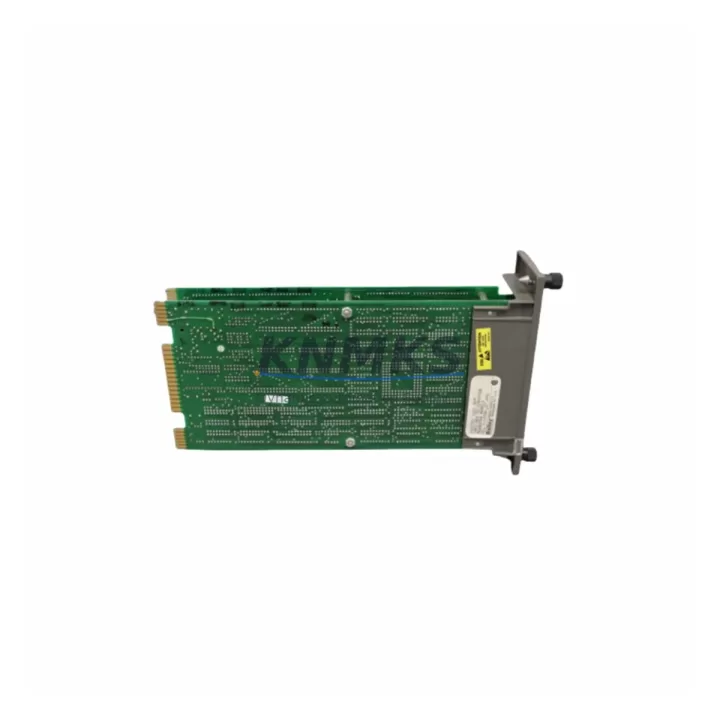
ABB INICT01 Migration-Ready Interface Module for Legacy Control Systems
The ABB INICT01 is a migration-ready interface module engineered for AC500 PLC platforms operating in legacy industrial environments. As automation systems age and original ABB interface modules reach end-of-life or end-of-support status, the INICT01 provides a verified drop-in replacement path that preserves existing wiring topology, rack geometry, and communication architecture. Whether your facility is executing a scheduled control cabinet upgrade or responding to an unplanned module failure, the INICT01 is pre-tested, in-stock, and ready for immediate dispatch with a support terms confirmed by quotation.
Engineering teams undertaking AC500 modernization projects frequently encounter the INICT01 in mixed-generation control cabinets alongside the PM573-ETH CPU module, the TB521 terminal base, and the DC532 digital I/O module. The INICT01 occupies a standard AC500 rack slot and interfaces directly with the internal backplane bus, eliminating the need for additional signal conditioning or custom wiring adapters during replacement. Before installation, technicians should confirm that the target rack — typically a TA526 or TA521 — has sufficient slot clearance and that the backplane firmware revision is compatible with the INICT01 hardware generation.
For sites migrating from earlier AC500 generations or from third-party platforms, the INICT01 supports the standard AC500 communication protocol stack, enabling transparent integration with existing PROFIBUS DP or Modbus RTU field networks without requiring changes to the master PLC program. Where the legacy system used a CS31 bus interface, a protocol bridge or updated communication module may be required; this should be evaluated during the pre-migration site survey.
Migration Compatibility Table
| Parameter | Detail |
|---|---|
| SKU | INICT01 |
| Brand / Series | ABB / AC500 |
| Module Type | Interface Module (PLC Communication) |
| Rack / Backplane Compatibility | AC500 TA526, TA521 terminal bases; standard AC500 backplane bus |
| Communication Protocols | PROFIBUS DP, Modbus RTU, CS31 (verify bridge requirement for CS31) |
| Power Supply Requirement | 24 V DC via AC500 rack backplane; verify rack PSU capacity before installation |
| Terminal / Wiring Compatibility | Direct terminal base mount; no rewiring required for same-generation TB521 base |
| Replacement Scope | Drop-in replacement for end-of-life INICT01 units; verify firmware revision match |
| Firmware Compatibility | Compatible with AC500 V2.x and V3.x firmware; confirm CPU firmware version prior to swap |
| Installation Space | Standard AC500 single-slot module; confirm rack slot availability |
| Pre-Shipment Testing | Yes — functional test completed before dispatch |
| Support terms | 12 months from date of delivery |
| Origin | Germany (DE) |
| Dispatch | Multi-region stock; fast global dispatch available |
Retrofit Planning for Existing Automation Systems
A successful INICT01 retrofit begins with a structured pre-migration audit of the existing control cabinet. The first priority is to document the current rack configuration: identify all occupied slots, confirm the installed PM573-ETH or PM564 CPU module firmware version, and record the terminal base type — most commonly the TB521 — to ensure the replacement INICT01 will seat correctly without mechanical modification.
Power budget verification is a critical step that is frequently underestimated. The AC500 rack power supply — often a CP-E 24/5.0 or equivalent — must have sufficient headroom to support the INICT01 alongside all co-installed I/O modules such as the DC532 digital input/output module and any AI523 analog input modules. If the existing PSU is operating near capacity, a power audit should be completed before the replacement module is installed.
Communication link continuity must be maintained throughout the migration window. For systems using PROFIBUS DP, the INICT01 must be assigned the correct GSD-defined station address before the network is re-energized. For Modbus RTU configurations, baud rate, parity, and stop-bit settings stored in the original module configuration must be replicated exactly in the replacement unit. Where the control system includes an HMI panel — such as an ABB CP600 operator panel — the HMI project should be backed up and the communication driver settings verified against the new module address map before the panel is reconnected.
Signal isolation requirements should also be reviewed. In cabinets where the INICT01 interfaces with third-party field devices or legacy sensors, signal isolators or repeaters may be present in the wiring path. These components should be inspected and tested as part of the retrofit to avoid introducing ground loops or signal degradation after the module swap. Programming cable access — typically via the USB or RS-232 port on the CPU module — should be confirmed available for post-installation program verification and online diagnostics.
Downtime Control During System Migration
Minimizing unplanned downtime during an INICT01 replacement requires a disciplined pre-outage preparation protocol. Before the maintenance window opens, the full AC500 PLC program — including all function blocks, data blocks, and communication configuration — should be exported from the Automation Builder engineering environment and stored on a secure offline backup. This ensures that if the CPU module requires a cold restart after the interface module swap, the original program logic can be reloaded without delay.
During the physical swap, the rack should be de-energized at the cabinet isolator rather than at the module level to prevent backplane transients that could corrupt the CPU memory. The INICT01 module should be removed and reinserted with the rack powered down, and the terminal base locking mechanism should be inspected to confirm secure seating before power is restored.
After power-up, the recommended commissioning sequence is: (1) verify CPU status LED indicates RUN mode, (2) confirm communication link status on the INICT01 diagnostic LEDs, (3) perform an online comparison of the loaded program against the backup to detect any unintended changes, and (4) execute a controlled I/O force test on a representative sample of field signals to confirm end-to-end signal integrity. For systems with HMI integration, the operator panel should be the last element reconnected and verified to avoid spurious alarm generation during the commissioning phase.
With pre-tested stock available for immediate dispatch, the total elapsed time from order placement to module installation can be compressed to 24–72 hours for most regions, significantly reducing the risk of extended production outages caused by long lead times on obsolete or end-of-life components.
Retrofit Support FAQ
Q1: Is the INICT01 a direct drop-in replacement for the original ABB INICT01 installed in my AC500 rack?
Yes. The INICT01 is mechanically and electrically compatible with the standard AC500 terminal base and backplane bus. No rewiring or rack modification is required for same-generation installations. Confirm the terminal base type (TB521 or equivalent) and firmware revision before installation to ensure full compatibility.
Q2: What pre-shipment testing is performed on each INICT01 unit?
Every INICT01 unit undergoes functional testing prior to dispatch, including backplane communication verification and interface signal integrity checks. A test report is available on request. All units are covered by a support terms confirmed by quotation from the date of delivery.
Q3: How do I verify that my existing AC500 CPU firmware is compatible with the replacement INICT01?
Check the firmware version displayed in the Automation Builder device configuration or on the CPU module diagnostic LED sequence. The INICT01 is compatible with AC500 V2.x and V3.x firmware generations. If your CPU is running an earlier firmware version, a firmware update via the USB programming port may be required before the replacement module is commissioned.
Q4: What is the typical lead time and do you maintain stock for emergency replacements?
Yes. Multi-region stock is maintained specifically to support emergency replacement scenarios and scheduled maintenance outages. Standard dispatch is available within 24–48 hours for most destinations. Contact admin@knmks.com or call +86 18359268345 to confirm current stock availability and expedited shipping options for your region.
© 2026 KNMKS. All rights reserved.
Original Source: https://knmks.com
Contact: admin@knmks.com | +86 18359268345
Product Identification
- Brand / Ecosystem
-
ABB
ABB - Model / Series
-
INICT01
AC500 Series - Product Family
- PLCs & Controllers
- Availability Status
- Available on request after model and quantity confirmation
- Inquiry Type
- B2B RFQ, replacement inquiry and project spare-part request
- Pre-Quote Check
- Exact SKU, brand, series, quantity, nameplate photos and destination country are checked before quotation
System Path
Where this product fits in the KNMKS automation structure.
Specification & Inquiry Focus
- Control platform
- PLC, PAC and modular controllers
- Common needs
- CPU, rack, power and I/O expansion
- Project support
- Replacement, cabinet build and maintenance
Buyer Confirmation
Information KNMKS checks before replying.
- Exact model
- INICT01
- Brand / ecosystem
- ABB
- Product family
- PLCs & Controllers
- Application note
- Replacement, maintenance, project build or spare-part list
- Useful photos
- Nameplate, installed unit, cabinet layout or connector side
- Delivery details
- Quantity, destination country and target schedule
Document Support
Files and notes can be confirmed during quotation.
- Product photos or nameplate confirmation when available
- Packing and delivery notes before quotation confirmation
- Support scope and delivery terms confirmed per inquiry
- Export document coordination for qualified B2B requests
Inquiry Support
- Model cross-checking before quotation
- CPU, power, rack and expansion module matching
- Support for replacement and project inquiry
What to Send Us
- Brand and exact model number: ABB INICT01
- Quantity and required delivery time
- Application, replacement requirement or nameplate photo
- Destination country and shipping preference
RFQ Preparation
This is a product inquiry page built for RFQ communication.
Fast Model Check
Send this model to KNMKS for confirmation.
Include quantity, destination country and photos if this is a maintenance replacement. The inquiry will be saved with a reference number after submission.
Brand & Compatibility Note
KNMKS displays automation product information for well-known industrial brand ecosystems and compatible replacement references. Brand names are used for product identification and compatibility reference only; final availability and commercial terms are confirmed per quotation.
 Manufacturing
 Machine Tools
 Packaging
 Energy & Power



 HMI & Displays
 Servo Systems
 Variable Frequency Drives
 Sensors