
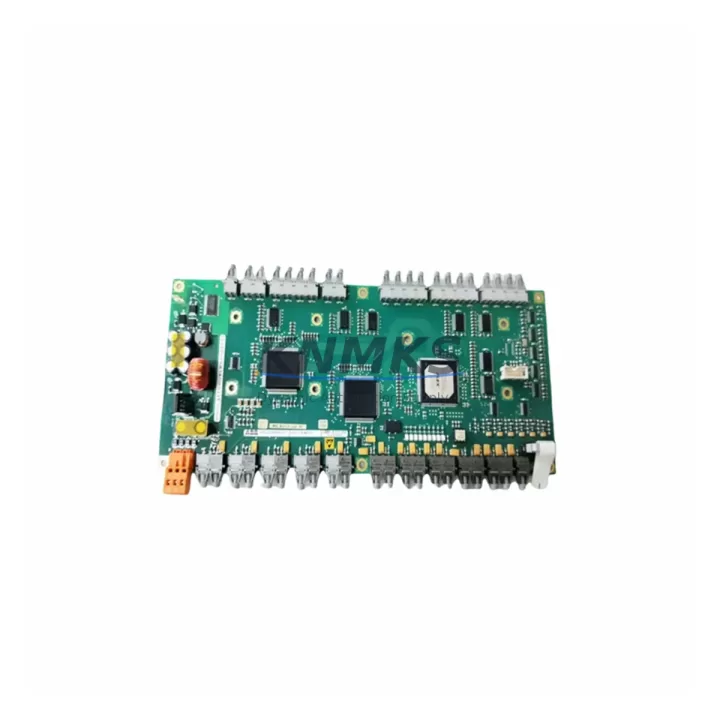
Overview
ABB IMSPM01 Maintenance-Proven Spare Part for Factory Uptime
The ABB IMSPM01 is a serial communication module designed for the ABB AC500 PLC platform, providing RS-232 and RS-485 interface capability for industrial automation systems. As a maintenance-proven spare part, the IMSPM01 is a critical component in sustaining continuous factory operation across process control, discrete manufacturing, and utility automation environments. Whether you are managing a scheduled annual overhaul, responding to an unplanned communication fault, or building a strategic spare parts inventory, the IMSPM01 delivers the compatibility, reliability, and verified performance that maintenance and procurement engineers depend on.
Sourced as an original ABB component and dispatched from multi-region stock, each IMSPM01 unit undergoes pre-shipment functional testing and is covered by a support terms confirmed by quotation. Fast global dispatch ensures that emergency replacement scenarios — where every hour of downtime carries measurable production cost — are resolved with minimal delay. Long-term supply agreements are available for facilities managing extended AC500 system lifecycles or phased migration programs.
Spare Maintenance Table
| Parameter | Specification |
|---|---|
| SKU / Part Number | IMSPM01 |
| Brand | ABB |
| Series | AC500 |
| Module Type | Serial Communication Module |
| Interfaces | RS-232, RS-485 |
| Compatible Platform | ABB AC500 PLC (PM5xx, PM5xx-ETH CPU families) |
| Mounting | Direct plug-in to AC500 CPU or communication slot |
| Protocol Support | Modbus RTU, ASCII, custom serial protocols |
| Operating Temperature | 0°C to +60°C |
| Supply Voltage | Powered via AC500 backplane bus |
| Origin | Germany (DE) |
| Product Condition | Original, pre-tested |
| Support terms | 12 Months |
| Dispatch | Multi-region stock, fast global dispatch |
| Application | Process control, discrete manufacturing, utility automation |
| Maintenance Use Case | Emergency replacement, annual overhaul, spare inventory |
Maintenance Planning for Continuous Operation
When replacing the IMSPM01 in an AC500 control cabinet, a thorough site inspection of the surrounding electrical environment is essential to prevent repeat failures and ensure a clean restoration of communication integrity. Maintenance engineers should begin by verifying the AC500 CPU module — typically a PM554, PM564, or PM583 — is operating within normal parameters and that the firmware version is compatible with the replacement IMSPM01 unit. A mismatch in firmware revision can cause the module to fail initialization even when the hardware is fully functional.
The 24 VDC power supply feeding the AC500 rack should be checked for voltage stability and ripple, as degraded power quality is a common root cause of serial communication module failures. If the system uses an ABB CP600 or CP400 series HMI connected via RS-485 to the IMSPM01, the HMI communication parameters — baud rate, parity, stop bits — must be verified and matched to the replacement module configuration before restart. Incorrect serial parameters will prevent the HMI from re-establishing communication with the PLC after the swap.
Terminal blocks and field wiring connected to the RS-232 or RS-485 port should be inspected for corrosion, loose terminations, and correct shielding grounding. In environments with high electromagnetic interference — common in motor drive cabinets where ABB ACS580 or ACS880 variable frequency drives are installed nearby — improper cable shielding is a frequent cause of serial communication degradation. Signal isolation barriers or RS-485 repeaters may be warranted if cable runs exceed recommended lengths.
I/O modules in the same AC500 rack, such as the SM560-S safety module or standard digital and analog I/O cards, should be confirmed as operational and free of diagnostic faults before the communication module replacement is declared complete. Any active fault flags in the AC500 diagnostic buffer should be cleared and the system cycled to confirm clean startup. Fuse protection on the 24 VDC rail supplying the rack should also be inspected — a blown or weakened fuse can cause intermittent power drops that manifest as communication module resets rather than obvious power failures.
For facilities maintaining a strategic spare parts inventory, it is recommended to stock at least one IMSPM01 alongside compatible AC500 CPU modules and the associated power supply unit to cover the most common single-point failure scenarios in a serial communication-dependent control loop.
Site Replacement Workflow
Step 1 — Isolation and Safety: Place the AC500 PLC in STOP mode via the programming tool (Automation Builder or PS501 Control Builder Plus). Isolate the 24 VDC supply to the rack following site lockout/tagout procedures. Document the current IMSPM01 configuration parameters — port settings, protocol, baud rate — from the project file before removal.
Step 2 — Module Removal: Disconnect all RS-232 and RS-485 field cables from the IMSPM01 port connectors, labeling each cable for correct re-termination. Release the module locking mechanism and extract the IMSPM01 from its slot in the AC500 rack.
Step 3 — Replacement Installation: Insert the replacement IMSPM01 into the same slot. Reconnect all field cables in the correct order. Restore 24 VDC power to the rack and allow the CPU to complete its boot sequence.
Step 4 — Configuration Restore: Using Automation Builder, download the existing project to the CPU and verify that the IMSPM01 communication parameters are correctly applied. Confirm that the module status LED indicates normal operation (steady green).
Step 5 — Functional Verification: Cycle the PLC to RUN mode and verify end-to-end communication with all connected devices — HMI, field instruments, or remote I/O — on the RS-232 and RS-485 bus. Log the replacement event in the site maintenance record with the new module serial number and support terms start date.
This workflow minimizes downtime, preserves system compatibility, and ensures the replacement IMSPM01 is fully validated before the production line is returned to service.
Spare Parts Support FAQ
Q1: Is the IMSPM01 compatible with all AC500 CPU variants?
The IMSPM01 is designed for the ABB AC500 platform and is compatible with the PM5xx and PM5xx-ETH CPU families. Compatibility with specific CPU firmware versions should be confirmed against the ABB AC500 system manual or by contacting our technical support team prior to installation.
Q2: What does the support terms confirmed by quotation cover?
The support terms confirmed by quotation cover manufacturing defects and functional failures under normal operating conditions. Each unit is pre-tested prior to shipment to verify RS-232 and RS-485 port functionality, module initialization, and backplane communication. Support requests are supported with direct technical assistance and replacement dispatch.
Q3: How quickly can the IMSPM01 be dispatched for an emergency replacement?
Units are held in multi-region stock to support fast global dispatch. Emergency orders are prioritized and can typically be shipped within 24–48 hours of order confirmation, subject to destination and logistics availability. Contact our sales team for urgent requirements.
Q4: Can long-term supply agreements be arranged for ongoing AC500 maintenance programs?
Yes. For facilities managing extended AC500 system lifecycles, phased migration programs, or annual maintenance schedules requiring recurring IMSPM01 procurement, long-term supply agreements with reserved stock allocation are available. This eliminates lead time risk and ensures consistent spare parts availability across multi-site operations.
© 2026 KNMKS. All rights reserved.
Original Source: https://knmks.com
Contact: admin@knmks.com | +86 18359268345
Product Identification
- Brand / Ecosystem
-
ABB
ABB - Model / Series
-
IMSPM01
AC500 Series - Product Family
- PLCs & Controllers
- Availability Status
- Available on request after model and quantity confirmation
- Inquiry Type
- B2B RFQ, replacement inquiry and project spare-part request
- Pre-Quote Check
- Exact SKU, brand, series, quantity, nameplate photos and destination country are checked before quotation
System Path
Where this product fits in the KNMKS automation structure.
Specification & Inquiry Focus
- Control platform
- PLC, PAC and modular controllers
- Common needs
- CPU, rack, power and I/O expansion
- Project support
- Replacement, cabinet build and maintenance
Buyer Confirmation
Information KNMKS checks before replying.
- Exact model
- IMSPM01
- Brand / ecosystem
- ABB
- Product family
- PLCs & Controllers
- Application note
- Replacement, maintenance, project build or spare-part list
- Useful photos
- Nameplate, installed unit, cabinet layout or connector side
- Delivery details
- Quantity, destination country and target schedule
Document Support
Files and notes can be confirmed during quotation.
- Product photos or nameplate confirmation when available
- Packing and delivery notes before quotation confirmation
- Support scope and delivery terms confirmed per inquiry
- Export document coordination for qualified B2B requests
Inquiry Support
- Model cross-checking before quotation
- CPU, power, rack and expansion module matching
- Support for replacement and project inquiry
What to Send Us
- Brand and exact model number: ABB IMSPM01
- Quantity and required delivery time
- Application, replacement requirement or nameplate photo
- Destination country and shipping preference
RFQ Preparation
This is a product inquiry page built for RFQ communication.
Fast Model Check
Send this model to KNMKS for confirmation.
Include quantity, destination country and photos if this is a maintenance replacement. The inquiry will be saved with a reference number after submission.
Brand & Compatibility Note
KNMKS displays automation product information for well-known industrial brand ecosystems and compatible replacement references. Brand names are used for product identification and compatibility reference only; final availability and commercial terms are confirmed per quotation.
 Manufacturing
 Machine Tools
 Packaging
 Energy & Power



 HMI & Displays
 Servo Systems
 Variable Frequency Drives
 Sensors