
Overview
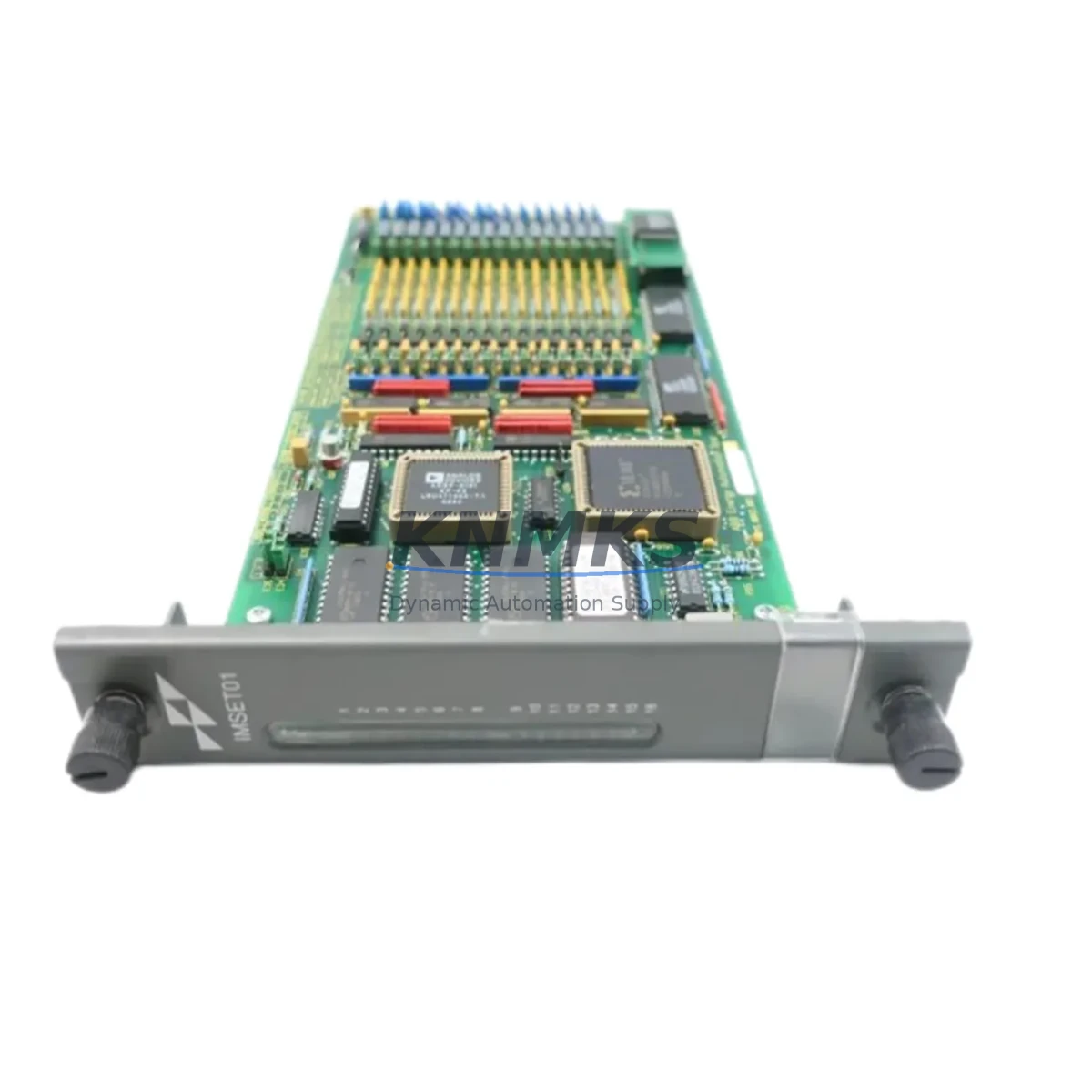
ABB IMSET01 Maintenance-Proven Spare Part for Factory Uptime
The ABB IMSET01 is a Sequence of Events (SOE) Time Keeper Module designed for the ABB Infi-90 Distributed Control System (DCS). In process industries — including power generation, oil & gas, chemical processing, and pulp & paper — the IMSET01 plays a critical role in timestamping discrete events across the control network, enabling accurate post-trip analysis, fault isolation, and regulatory compliance reporting. When this module fails or degrades, the entire SOE logging chain is compromised, leaving maintenance engineers without the event resolution data needed to diagnose root causes and prevent repeat shutdowns.
Sourced as an original ABB spare, each IMSET01 unit we supply is individually inspected, function-tested, and dispatched with a support terms confirmed by quotation. Our inventory is maintained specifically to support emergency replacement, planned annual overhauls, and long-term spare parts stocking programs for facilities running legacy Infi-90 architectures.
Spare Maintenance Table
| Part Number | IMSET01 |
| Brand | ABB |
| Series | Infi-90 DCS |
| Module Type | Sequence of Events (SOE) Time Keeper Module |
| Country of Origin | Germany |
| Compatibility | ABB Infi-90 DCS, INFI-NET control network, compatible backplane slots in Infi-90 cabinets |
| Communication | INFI-NET / Nodebus interface |
| Timestamping Resolution | 1 ms SOE resolution (typical for Infi-90 SOE architecture) |
| Power Supply Requirement | Supplied via Infi-90 backplane (5 VDC logic, 24 VDC I/O bus — verify with cabinet PSU) |
| Installation | Direct backplane insertion into Infi-90 module rack; no external wiring required for time-keeper function |
| Application Environment | Industrial control rooms, DCS cabinets, power plant MCCs, process plant control enclosures |
| Maintenance Recommendation | Replace on first SOE timestamp drift or event-log gap; inspect battery backup (if applicable) during annual shutdown |
| Condition | Original spare, individually tested before dispatch |
| Support terms | 12 months from date of shipment |
| Lead Time | In-stock units dispatched within 1–3 business days |
Maintenance Planning for Continuous Operation
When scheduling replacement of the IMSET01 during a planned outage or emergency callout, experienced maintenance engineers treat the SOE module swap as the starting point for a broader cabinet health check — not an isolated task. The Infi-90 cabinet housing the IMSET01 typically shares a backplane and power bus with adjacent I/O modules such as the IMDSO14 (Digital Output Module) and IMDSI02 (Digital Input Module), both of which feed the discrete signals that the SOE system timestamps. If the IMSET01 has been logging intermittent errors, it is worth verifying that these I/O modules are not the upstream source of signal noise or contact bounce that is stressing the time-keeper.
The cabinet power supply — commonly an IMPS02 or equivalent Infi-90 PSU module — should be load-tested during the same maintenance window. A sagging 5 VDC rail is a known cause of SOE module resets and timestamp corruption in aging Infi-90 installations. Simultaneously, inspect the IMMNI02 or IMCPM02 communication and process management modules sharing the same node, as INFI-NET communication faults can cascade into SOE data gaps that are misdiagnosed as IMSET01 failures.
For facilities running hybrid architectures, the IMRIO02 Remote I/O module and associated terminal blocks and signal isolators in the field junction boxes should be checked for loose terminations and insulation degradation — particularly in high-vibration or high-humidity environments. Fuse integrity on the 24 VDC I/O bus should be confirmed using the cabinet’s fuse monitoring strip or individual fuse holders before the replacement module is powered up. Finally, if the plant HMI is running on an older Infi-90 Operator Console (OIS) or a bridged SCADA workstation, confirm that the SOE viewer application is receiving synchronized time from the new IMSET01 before signing off the maintenance record.
Procurement engineers building annual spare parts budgets for Infi-90 systems are advised to hold at least one IMSET01 on the shelf alongside critical companion modules. Given that ABB has transitioned its primary DCS platform to System 800xA, sourcing original Infi-90 spares through specialist distributors with verified stock and test capability is essential for managing supply risk on legacy systems expected to remain in service for another 5–10 years.
Site Replacement Workflow
1. Pre-replacement verification: Confirm the IMSET01 fault via the Infi-90 diagnostic display or OIS alarm summary. Document the current SOE configuration parameters (node address, time synchronization source) before removal.
2. Safe isolation: Follow site LOTO procedures. The Infi-90 backplane allows hot-swap on some configurations — verify with your site-specific system documentation before attempting live replacement. If in doubt, schedule replacement during a controlled shutdown window.
3. Module removal and inspection: Extract the faulty IMSET01 and inspect the backplane connector for bent pins, corrosion, or carbon tracking. Clean the slot with approved contact cleaner if contamination is present.
4. Replacement insertion: Seat the new IMSET01 firmly into the backplane slot. Confirm the module status LED sequence matches the expected power-on behavior described in the ABB Infi-90 SOE module manual.
5. Configuration restore: Re-enter the node address and time synchronization settings. Verify that the OIS or SCADA SOE viewer is receiving correctly timestamped events within the first 5 minutes of operation.
6. Functional test and sign-off: Trigger a known discrete input event and confirm it appears in the SOE log with the correct timestamp and 1 ms resolution. Record the replacement in the plant maintenance management system (CMMS) and update the spare parts inventory.
This workflow is designed to minimize control system downtime and ensure the replacement IMSET01 is fully validated before the maintenance team leaves the site.
Spare Parts Support FAQ
Q1: Is the IMSET01 you supply an original ABB module or a third-party replacement?
Every IMSET01 we supply is an original ABB-manufactured module. We do not stock third-party clones or unauthorized reproductions. Each unit is individually tested for functionality before dispatch, and the support terms confirmed by quotation cover both DOA (dead on arrival) and early-life failure scenarios.
Q2: How do I confirm compatibility with my specific Infi-90 cabinet configuration?
The IMSET01 is designed for the ABB Infi-90 DCS backplane architecture. Compatibility depends on your cabinet’s backplane revision and INFI-NET node configuration. We recommend sharing your cabinet layout drawing or existing module part numbers with our technical team (admin@knmks.com) before ordering if you have any uncertainty. We can cross-reference against known compatible configurations.
Q3: Can you support long-term supply for our Infi-90 maintenance program?
Yes. We maintain dedicated inventory for legacy ABB Infi-90 spares and can support scheduled annual procurement, emergency call-off orders, and consignment stocking arrangements. Contact us to discuss a supply agreement tailored to your plant’s maintenance cycle and criticality classification.
Q4: What does the support terms confirmed by quotation cover, and what is the return process?
The support terms confirmed by quotation cover manufacturing defects and functional failure under normal operating conditions. If a module fails within the confirmed support period, we will arrange collection, inspection, and replacement dispatch at no additional cost. Support requests should be initiated by contacting admin@knmks.com with the order reference and a brief fault description. We target a replacement dispatch within 3 business days of claim confirmation.
© 2026 KNMKS. All rights reserved.
Original Source: https://knmks.com
Contact: admin@knmks.com | +86 18359268345
Product Identification
- Brand / Ecosystem
-
ABB
ABB - Model / Series
- IMSET01
- Product Family
- PLCs & Controllers
- Availability Status
- Available on request after model and quantity confirmation
- Inquiry Type
- B2B RFQ, replacement inquiry and project spare-part request
- Pre-Quote Check
- Exact SKU, brand, series, quantity, nameplate photos and destination country are checked before quotation
System Path
Where this product fits in the KNMKS automation structure.
Specification & Inquiry Focus
- Control platform
- PLC, PAC and modular controllers
- Common needs
- CPU, rack, power and I/O expansion
- Project support
- Replacement, cabinet build and maintenance
Buyer Confirmation
Information KNMKS checks before replying.
- Exact model
- IMSET01
- Brand / ecosystem
- ABB
- Product family
- PLCs & Controllers
- Application note
- Replacement, maintenance, project build or spare-part list
- Useful photos
- Nameplate, installed unit, cabinet layout or connector side
- Delivery details
- Quantity, destination country and target schedule
Document Support
Files and notes can be confirmed during quotation.
- Product photos or nameplate confirmation when available
- Packing and delivery notes before quotation confirmation
- Support scope and delivery terms confirmed per inquiry
- Export document coordination for qualified B2B requests
Inquiry Support
- Model cross-checking before quotation
- CPU, power, rack and expansion module matching
- Support for replacement and project inquiry
What to Send Us
- Brand and exact model number: ABB IMSET01
- Quantity and required delivery time
- Application, replacement requirement or nameplate photo
- Destination country and shipping preference
RFQ Preparation
This is a product inquiry page built for RFQ communication.
Fast Model Check
Send this model to KNMKS for confirmation.
Include quantity, destination country and photos if this is a maintenance replacement. The inquiry will be saved with a reference number after submission.
Brand & Compatibility Note
KNMKS displays automation product information for well-known industrial brand ecosystems and compatible replacement references. Brand names are used for product identification and compatibility reference only; final availability and commercial terms are confirmed per quotation.
 Manufacturing
 Machine Tools
 Packaging
 Energy & Power



 HMI & Displays
 Servo Systems
 Variable Frequency Drives
 Sensors