
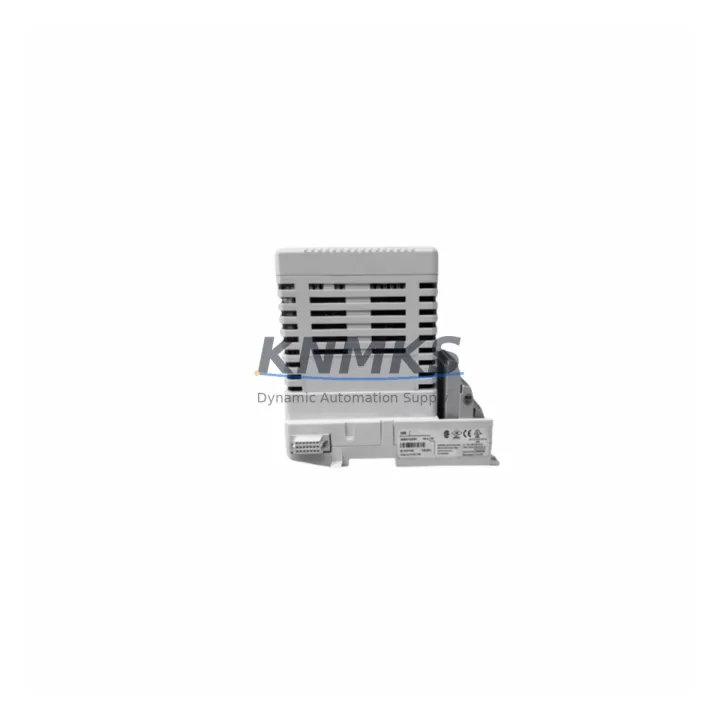
Overview
ABB IMNPM01 Migration-Ready Digital Output for AC500: Legacy System Retrofit and Compatibility Upgrade
The ABB IMNPM01 is a digital output module designed for the AC500 programmable logic controller platform, widely deployed across process automation, machine control, and utility infrastructure projects. As legacy AC500 installations approach end-of-support cycles, engineering teams managing scheduled outages, emergency replacements, or phased control cabinet upgrades require verified drop-in alternatives that preserve existing terminal wiring, backplane addressing, and program logic without requiring full system redesign.
The IMNPM01 supports direct installation into AC500-compatible racks and backplanes, maintaining compatibility with the standard I/O bus architecture used across the AC500 family. For sites running mixed-generation hardware — including older PM571, PM581, or PM591 CPU modules — the IMNPM01 can be integrated without firmware re-flashing of the host controller, provided the installed firmware version meets the minimum compatibility baseline documented in the AC500 system manual. Engineers should confirm the firmware revision of the active CPU before commissioning to avoid I/O mapping conflicts during startup.
Migration Compatibility Table
| Parameter | IMNPM01 Specification | Retrofit Notes |
|---|---|---|
| Module Type | Digital Output | Direct replacement for equivalent AC500 DO modules |
| Backplane Interface | AC500 I/O Bus | Compatible with standard AC500 expansion racks |
| Mounting | DIN Rail / Rack Mount | Confirm slot clearance in existing control cabinet |
| Terminal Wiring | Screw terminal, standard pitch | Existing field wiring reusable; verify conductor gauge |
| Communication Protocol | AC500 internal I/O bus | No protocol reconfiguration required for same-series swap |
| Firmware Compatibility | AC500 CPU firmware dependent | Verify CPU firmware version before commissioning |
| Module Addressing | Slot-based, auto-assigned | Confirm slot address matches original program variable mapping |
| Installation Space | Standard AC500 module width | No cabinet modification required for like-for-like swap |
| Pre-Shipment Testing | Yes — function verified | Each unit tested prior to dispatch |
| Support terms | 12 Months | Covers manufacturing defects and functional failure |
Retrofit Planning for Existing Automation Systems
Successful integration of the IMNPM01 into a legacy AC500 installation requires a structured pre-replacement checklist. Before removing the failed or end-of-life module, engineers should document the existing slot position, I/O variable addresses in the PLC program, and field terminal assignments. This prevents address remapping errors that can cause output misfires or HMI alarm floods during the first power-on after replacement.
For sites using the AC500 with a CM572-DP PROFIBUS communication module or a CM577-ETH Ethernet communication module, the IMNPM01 replacement does not affect the communication layer — the network configuration remains intact and the host SCADA or DCS system will not require re-engineering. However, if the control cabinet also includes a TA521 or TA526 terminal adapter for field wiring consolidation, the adapter’s wiring harness should be inspected for insulation fatigue before reconnection, particularly in high-cycle or high-temperature environments.
Power supply capacity is a critical verification step. AC500 expansion racks draw regulated 24 VDC from the rack power supply, and adding or replacing output modules changes the total current draw. Engineers should confirm that the existing PS501 or equivalent rack power supply has sufficient headroom after the IMNPM01 is installed, especially in fully populated racks. If the rack is near capacity, a supplementary power supply or load redistribution across racks may be required before commissioning.
For sites that have integrated AC500 with third-party HMI panels — including CP600 series operator panels or external SCADA displays — the HMI tag database should be reviewed to confirm that output variable names and addresses referenced in screen objects match the post-replacement program configuration. A mismatch between HMI tag addresses and the updated PLC variable table is a common source of commissioning delays that can be avoided with a pre-outage tag audit.
Where the retrofit scope extends beyond a single module swap to include I/O expansion or rack reconfiguration, engineers should also account for the physical installation space within the control cabinet. The IMNPM01 occupies a standard AC500 module slot width; however, adjacent modules, cable ducts, and terminal blocks must be assessed to confirm that the replacement can be performed without relocating other components.
Downtime Control During System Migration
Minimizing unplanned downtime during an IMNPM01 replacement requires preparation that begins before the maintenance window opens. The original PLC program should be backed up to an offline storage location — either via the Automation Builder programming environment or a direct project export — so that the program logic, variable table, and hardware configuration are preserved independently of the CPU’s onboard memory. This backup serves as the recovery baseline if commissioning reveals unexpected behavior after the module swap.
During the physical replacement, field outputs connected to the IMNPM01 should be placed in a safe state — either through a controlled shutdown sequence or by isolating the output circuit at the field device level — before the module is removed from the rack. This prevents uncontrolled actuator movement or process upsets caused by the loss of output signals during the swap interval.
After the replacement module is seated and the rack is powered, the PLC program should be forced online in monitor mode before switching to run mode. This allows the engineer to verify that all output addresses are correctly mapped, that the module is recognized by the CPU, and that no diagnostic faults are active before restoring normal process control. For critical applications, a partial output test — activating each channel individually and confirming field device response — should be completed before handing the system back to operations.
With pre-tested stock available for immediate dispatch, the IMNPM01 supports same-day or next-day shipment for emergency replacement scenarios, reducing the total duration of unplanned outages caused by module failure in legacy AC500 installations.
Retrofit Support FAQ
Q: Is the IMNPM01 a direct replacement for the original ABB AC500 digital output module in my existing rack?
A: Yes. The IMNPM01 is designed for direct slot-for-slot installation in AC500-compatible racks. No backplane modification or rack reconfiguration is required for a like-for-like replacement. Confirm the slot address and I/O variable mapping in your PLC program before commissioning.
Q: Do I need to update the CPU firmware before installing the IMNPM01?
A: Firmware compatibility depends on the installed version of the AC500 CPU. In most cases, no firmware update is required for a same-series module swap. However, if the CPU is running a firmware version that predates the IMNPM01’s release, a firmware update may be necessary. Consult the AC500 firmware compatibility matrix or contact our technical team before proceeding.
Q: Can I reuse the existing field wiring and terminal connections?
A: Yes, in the majority of retrofit scenarios. The IMNPM01 uses standard screw terminals with the same pitch as the original module. Existing field wiring can be reconnected directly, provided conductor gauge and insulation condition are within specification. Inspect terminal blocks and wiring harnesses for wear before reconnection.
Q: What support terms and pre-shipment testing does the IMNPM01 include?
A: Every IMNPM01 unit is function-tested prior to dispatch and covered by a support terms confirmed by quotation against manufacturing defects and functional failure. Global stock is maintained for immediate dispatch to support both emergency replacements and scheduled maintenance outages.
© 2026 KNMKS. All rights reserved.
Original Source: https://knmks.com
Contact: admin@knmks.com | +86 18359268345
Product Identification
- Brand / Ecosystem
-
ABB
ABB - Model / Series
-
IMNPM01
AC500 Series - Product Family
- PLCs & Controllers
- Availability Status
- Available on request after model and quantity confirmation
- Inquiry Type
- B2B RFQ, replacement inquiry and project spare-part request
- Pre-Quote Check
- Exact SKU, brand, series, quantity, nameplate photos and destination country are checked before quotation
System Path
Where this product fits in the KNMKS automation structure.
Specification & Inquiry Focus
- Control platform
- PLC, PAC and modular controllers
- Common needs
- CPU, rack, power and I/O expansion
- Project support
- Replacement, cabinet build and maintenance
Buyer Confirmation
Information KNMKS checks before replying.
- Exact model
- IMNPM01
- Brand / ecosystem
- ABB
- Product family
- PLCs & Controllers
- Application note
- Replacement, maintenance, project build or spare-part list
- Useful photos
- Nameplate, installed unit, cabinet layout or connector side
- Delivery details
- Quantity, destination country and target schedule
Document Support
Files and notes can be confirmed during quotation.
- Product photos or nameplate confirmation when available
- Packing and delivery notes before quotation confirmation
- Support scope and delivery terms confirmed per inquiry
- Export document coordination for qualified B2B requests
Inquiry Support
- Model cross-checking before quotation
- CPU, power, rack and expansion module matching
- Support for replacement and project inquiry
What to Send Us
- Brand and exact model number: ABB IMNPM01
- Quantity and required delivery time
- Application, replacement requirement or nameplate photo
- Destination country and shipping preference
RFQ Preparation
This is a product inquiry page built for RFQ communication.
Fast Model Check
Send this model to KNMKS for confirmation.
Include quantity, destination country and photos if this is a maintenance replacement. The inquiry will be saved with a reference number after submission.
Brand & Compatibility Note
KNMKS displays automation product information for well-known industrial brand ecosystems and compatible replacement references. Brand names are used for product identification and compatibility reference only; final availability and commercial terms are confirmed per quotation.
 Manufacturing
 Machine Tools
 Packaging
 Energy & Power



 HMI & Displays
 Servo Systems
 Variable Frequency Drives
 Sensors