
Overview
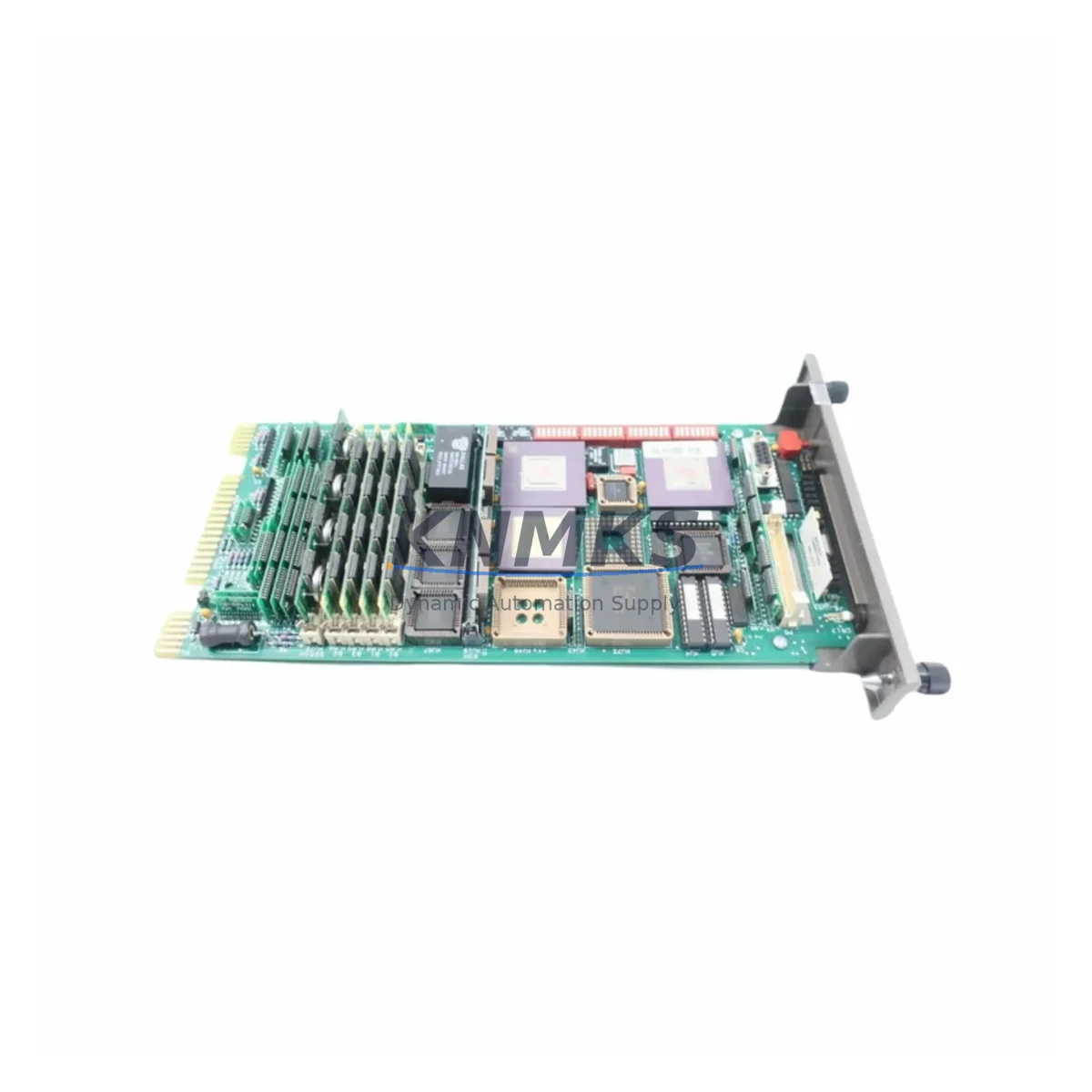
ABB IMASM02 Maintenance-Proven Spare Part for Factory Uptime
The ABB IMASM02 is an original analog input module engineered for the IMASM series within ABB’s distributed control system (DCS) architecture. Designed for continuous industrial operation, this module delivers reliable signal acquisition across multi-loop process environments including oil & gas, power generation, chemical processing, and pulp & paper facilities. Maintaining an in-stock IMASM02 as a certified spare is a proven strategy for reducing unplanned downtime and protecting production continuity in aging and active ABB DCS installations alike.
For maintenance engineers managing ABB control cabinets, the IMASM02 represents a critical node in the analog signal chain. Its failure — whether from signal drift, connector fatigue, or firmware incompatibility — can cascade into loop instability, false alarms, or complete process shutdown. Sourcing a pre-tested, original replacement unit with documented compatibility is the fastest path to restoring normal operation without risking secondary damage to adjacent modules or field instruments.
Procurement engineers sourcing IMASM02 units for annual maintenance budgets or emergency stock programs benefit from confirmed OEM-grade quality, traceable batch documentation, and a support terms confirmed by quotation covering functional defects. Each unit dispatched from our warehouse undergoes pre-shipment functional verification to ensure it meets ABB’s original performance specifications before it reaches your site.
Spare Maintenance Table
| SKU / Part Number | IMASM02 |
| Brand | ABB |
| Series | IMASM Series |
| Module Type | DCS Analog Input Module |
| Signal Type | Analog Input (4–20 mA / 0–10 V, series-dependent) |
| Channel Count | Multi-channel (per IMASM series specification) |
| Backplane Compatibility | ABB IMASM Series DCS Backplane |
| Communication Interface | Internal DCS bus (IMASM series protocol) |
| Operating Temperature | 0°C to +60°C (standard industrial range) |
| Power Supply | Supplied via DCS backplane (no external PSU required) |
| Country of Origin | Germany |
| Condition | Original / OEM-grade |
| Pre-Shipment Testing | Yes — functional verification before dispatch |
| Support terms | 12 Months |
| Typical Application | Process control, loop monitoring, field signal acquisition |
| Replacement Compatibility | Direct replacement within IMASM series DCS racks |
Maintenance Planning for Continuous Operation
When replacing the IMASM02 in an ABB DCS cabinet, a thorough site inspection of the surrounding electrical environment is essential to prevent repeat failures and ensure stable loop performance. Maintenance engineers should begin by verifying the integrity of the DCS backplane — connector pins, slot alignment, and bus termination — since a degraded backplane can damage a new module within hours of installation.
The IMASM series power supply module (such as the IMASM01 or equivalent PSU card) should be load-tested before the new IMASM02 is seated. Voltage ripple or under-voltage conditions on the backplane bus are a leading cause of premature analog module failure. Simultaneously, inspect the field wiring terminal blocks and I/O marshalling panels for corroded terminals, loose ferrules, or reversed polarity on 4–20 mA loops — issues that are often masked until a new module is installed.
Signal isolation is another critical checkpoint. If the process environment involves ground loops or high-frequency electrical noise, consider verifying the condition of signal isolators or barriers installed upstream of the IMASM02 inputs. Faulty isolators can introduce offset errors or damage sensitive analog front-end circuits. For installations with intrinsic safety requirements, confirm that associated Zener barriers or galvanic isolators remain within calibration tolerance.
Communication integrity between the IMASM02 and the DCS controller should be validated post-installation using the ABB engineering workstation. Check that the IMASM series communication module (e.g., IMASM04 or equivalent) correctly enumerates the replaced slot and that no configuration mismatch alarms are generated. If the system uses a redundant controller module, confirm that both primary and secondary controllers acknowledge the new module before returning the loop to automatic mode.
Finally, review the condition of panel fuses and circuit protection for the affected I/O group. A blown fuse or tripped protection device is often the first symptom of a field-side fault that caused the original module failure — replacing the IMASM02 without addressing the root cause will result in repeat failure. Documenting all findings in the site maintenance log supports long-term reliability tracking and informs future spare parts budgeting.
Site Replacement Workflow
Step 1 — Isolate and document: Place the affected DCS loop in manual mode at the operator workstation. Record the current process variable, output signal, and any active alarms. Photograph the existing module label, slot position, and wiring configuration before removal.
Step 2 — Safe removal: De-energize the I/O group per site lockout/tagout (LOTO) procedure. Disconnect field wiring from the terminal block, label each wire, and carefully extract the IMASM02 from the backplane slot using the module ejector lever. Avoid touching the backplane connector pins.
Step 3 — Inspect and clean: Inspect the vacated backplane slot for debris, bent pins, or oxidation. Clean with approved contact cleaner if necessary. Verify that the replacement IMASM02 firmware version is compatible with the installed DCS software revision — consult the ABB IMASM series compatibility matrix if in doubt.
Step 4 — Install and configure: Seat the new IMASM02 firmly into the backplane slot until the ejector lever locks. Reconnect field wiring in the documented sequence. Re-energize the I/O group and observe the module status LED for normal indication.
Step 5 — Validate and return to service: At the engineering workstation, confirm that the module is recognized, channel values are within expected range, and no diagnostic alarms are active. Perform a loop check against the field instrument. Return the loop to automatic mode and monitor for 15–30 minutes before closing the work order.
This workflow minimizes downtime, preserves system compatibility, and ensures the replacement IMASM02 is fully validated before production resumes.
Spare Parts Support FAQ
Q1: Is the IMASM02 available for immediate dispatch?
Yes. We maintain multi-region stock of the ABB IMASM02 to support emergency replacement and planned maintenance schedules. Orders confirmed before the daily cut-off are typically dispatched the same business day, with express freight options available for critical shutdowns.
Q2: What support terms coverage is provided with the IMASM02?
Every IMASM02 unit is covered by a support terms confirmed by quotation against functional defects from the date of dispatch. Each unit undergoes pre-shipment functional testing to verify analog channel performance, backplane communication, and status indication before leaving our facility.
Q3: How do I confirm compatibility with my existing ABB DCS installation?
The IMASM02 is designed as a direct replacement within the IMASM series DCS rack. To confirm compatibility, provide your existing module part number, DCS software revision, and backplane model. Our technical team will verify fit before shipment to eliminate on-site compatibility risk.
Q4: Can you support long-term or annual supply agreements for the IMASM02?
Yes. We support blanket purchase orders and annual supply agreements for maintenance teams managing multi-site ABB DCS installations. Long-term agreements include priority stock reservation, fixed pricing, and dedicated account support to ensure uninterrupted spare parts availability throughout your maintenance cycle.
© 2026 KNMKS. All rights reserved.
Original Source: https://knmks.com
Contact: admin@knmks.com | +86 18359268345
Product Identification
- Brand / Ecosystem
-
ABB
ABB - Model / Series
- IMASM02
- Product Family
- PLCs & Controllers
- Availability Status
- Available on request after model and quantity confirmation
- Inquiry Type
- B2B RFQ, replacement inquiry and project spare-part request
- Pre-Quote Check
- Exact SKU, brand, series, quantity, nameplate photos and destination country are checked before quotation
System Path
Where this product fits in the KNMKS automation structure.
Specification & Inquiry Focus
- Control platform
- PLC, PAC and modular controllers
- Common needs
- CPU, rack, power and I/O expansion
- Project support
- Replacement, cabinet build and maintenance
Buyer Confirmation
Information KNMKS checks before replying.
- Exact model
- IMASM02
- Brand / ecosystem
- ABB
- Product family
- PLCs & Controllers
- Application note
- Replacement, maintenance, project build or spare-part list
- Useful photos
- Nameplate, installed unit, cabinet layout or connector side
- Delivery details
- Quantity, destination country and target schedule
Document Support
Files and notes can be confirmed during quotation.
- Product photos or nameplate confirmation when available
- Packing and delivery notes before quotation confirmation
- Support scope and delivery terms confirmed per inquiry
- Export document coordination for qualified B2B requests
Inquiry Support
- Model cross-checking before quotation
- CPU, power, rack and expansion module matching
- Support for replacement and project inquiry
What to Send Us
- Brand and exact model number: ABB IMASM02
- Quantity and required delivery time
- Application, replacement requirement or nameplate photo
- Destination country and shipping preference
RFQ Preparation
This is a product inquiry page built for RFQ communication.
Fast Model Check
Send this model to KNMKS for confirmation.
Include quantity, destination country and photos if this is a maintenance replacement. The inquiry will be saved with a reference number after submission.
Brand & Compatibility Note
KNMKS displays automation product information for well-known industrial brand ecosystems and compatible replacement references. Brand names are used for product identification and compatibility reference only; final availability and commercial terms are confirmed per quotation.
 Manufacturing
 Machine Tools
 Packaging
 Energy & Power



 HMI & Displays
 Servo Systems
 Variable Frequency Drives
 Sensors