
Overview
ABB IMAS011 Spare Part for AC500 S500 Analog Output: Factory-Proven Maintenance Component for Continuous Industrial Uptime
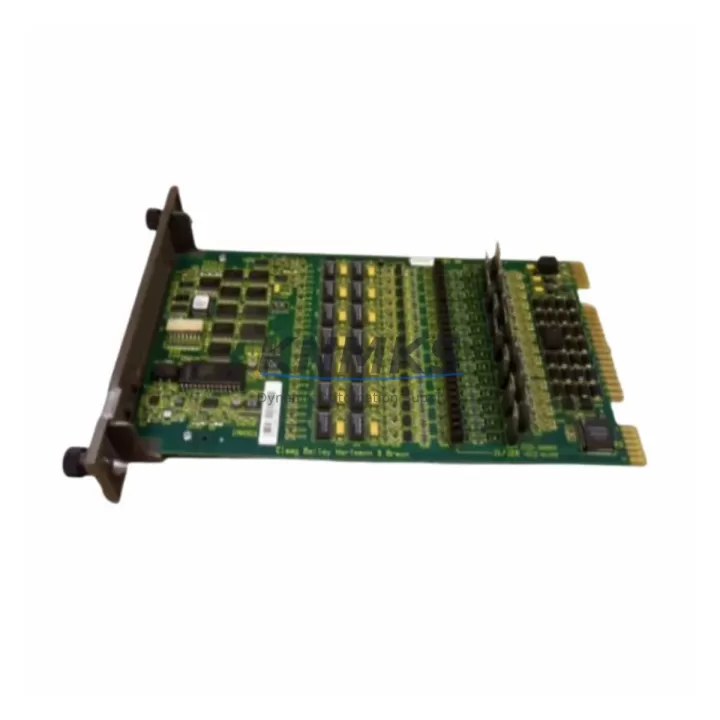
The ABB IMAS011 is an original analog output module designed for the ABB AC500 and S500 PLC platform — one of the most widely deployed modular control architectures in process automation, machine control, and utility infrastructure. When a production line halts due to a failed analog output channel, every minute of downtime translates directly into lost throughput and escalating recovery costs. Stocking a verified IMAS011 spare ensures your maintenance team can execute a rapid, like-for-like replacement without waiting on lead times or risking compatibility issues with non-original substitutes.
Maintenance engineers working on AC500-based control cabinets understand that the IMAS011 is rarely a standalone failure point. Its failure mode — loss of 4–20 mA or 0–10 V output signals — typically manifests as erratic actuator behavior, valve positioning errors, or drive speed anomalies. Before condemning the module outright, a disciplined fault isolation workflow should verify the 24 VDC bus supply feeding the S500 I/O rack, inspect the terminal block wiring for loose connections or corrosion, and confirm that the CPU module (such as the PM573 or PM591) is not generating persistent I/O bus faults. If the IMAS011 is confirmed faulty, replacement is straightforward — but the surrounding infrastructure deserves equal scrutiny.
Procurement engineers sourcing IMAS011 units for long-term MRO inventory should note that ABB’s AC500 platform has an extended product lifecycle, but original modules sourced through authorized channels carry full traceability and factory test certification. Each IMAS011 unit shipped from our inventory undergoes pre-shipment functional verification, ensuring the module powers up correctly, communicates on the S-Bus backplane, and delivers accurate analog output across all channels before it leaves our facility.
Spare Maintenance Table
| Parameter | Specification |
|---|---|
| Part Number / SKU | IMAS011 (ABB) |
| Compatible Platform | ABB AC500 / S500 PLC Series |
| Module Type | Analog Output Module |
| Output Channels | 4 channels (typical for IMAS011 class) |
| Output Signal Range | 4–20 mA / 0–10 V (configurable per channel) |
| Supply Voltage | 24 VDC (via S500 I/O bus / backplane) |
| Communication Interface | S-Bus (ABB proprietary I/O bus) |
| Mounting | S500 I/O rack / backplane slot |
| Country of Origin | Germany (DE) |
| Operating Temperature | 0°C to +60°C (standard industrial range) |
| Protection Class | IP20 (cabinet-mounted) |
| Weight | Approx. 200 g |
| Pre-Shipment Test | Yes — functional verification before dispatch |
| Support terms | 12 Months from date of shipment |
| Condition | Original / New or Tested Surplus |
Maintenance Planning for Continuous Operation
A structured maintenance plan for any AC500-based control system should treat the IMAS011 not in isolation, but as part of an interconnected analog output subsystem. When scheduling annual cabinet inspections or responding to an unplanned outage, the following components should be evaluated alongside the IMAS011:
The 24 VDC power supply module (such as the ABB CP-E 24/5.0 or equivalent) feeding the S500 I/O rack is the first point of investigation. A degraded power supply delivering voltage outside the 24 VDC ±15% tolerance will cause intermittent analog output errors that mimic module failure. Verify output voltage under load before replacing the IMAS011.
The S500 backplane and I/O bus connectors should be inspected for oxidation, mechanical damage, or improper seating. A loose backplane connection can cause the CPU to report the IMAS011 as absent or generate cyclic communication errors. Clean and reseat all modules during planned maintenance windows.
The CPU module (PM573, PM591, or PM595 depending on system generation) should be checked for active diagnostics related to the analog output rack. ABB’s Automation Builder or PS501 Control Builder software provides channel-level diagnostics that can confirm whether the fault is in the module, the wiring, or the field device.
Field wiring to actuators, control valves, and variable frequency drives connected to the IMAS011 outputs should be inspected for insulation breakdown, ground loops, or excessive cable length causing signal attenuation. A signal isolator or loop-powered isolator inserted between the IMAS011 output and long cable runs can significantly reduce noise-induced errors in demanding industrial environments.
Finally, the terminal blocks and marshalling panels connecting the IMAS011 to field devices should be torque-checked and inspected for corrosion — particularly in humid or chemically aggressive environments. Loose terminals are a leading cause of intermittent analog signal faults that are often misdiagnosed as module failure.
Site Replacement Workflow
Replacing an IMAS011 in a live AC500 system follows a disciplined sequence to minimize downtime and avoid secondary faults:
1. Isolate and document: Before removing the module, use Automation Builder to capture the current I/O configuration and channel assignments. Note the slot position in the S500 rack. If the system is running, coordinate with operations to place the affected loop in manual control at the DCS or SCADA level.
2. Power down the I/O rack segment: De-energize the 24 VDC supply to the affected rack segment. Do not hot-swap S500 modules unless the system is explicitly configured for hot-swap operation — consult the AC500 system manual for your specific CPU generation.
3. Remove and replace: Extract the faulty IMAS011 by releasing the module latch and sliding it out of the backplane slot. Insert the replacement unit, ensuring full engagement with the backplane connector. Re-energize the rack and verify that the CPU recognizes the module without generating bus errors.
4. Verify outputs: Using Automation Builder or a calibrated loop tester, verify that each analog output channel delivers the correct signal across the full 4–20 mA or 0–10 V range. Confirm that field devices (valves, drives, positioners) respond correctly before returning the loop to automatic control.
5. Update maintenance records: Log the replacement with the module serial number, date, and technician ID. Replenish your spare parts inventory to maintain the recommended minimum stock level for critical analog output modules.
Spare Parts Support FAQ
Q: Is the IMAS011 compatible with all AC500 CPU generations?
A: The IMAS011 is designed for the ABB S500 I/O platform, which is compatible with AC500 CPUs including the PM573, PM591, and PM595 series. Always verify the firmware version of your CPU against ABB’s compatibility matrix, as older CPU firmware versions may require an update to support later module revisions.
Q: What is included in the pre-shipment test?
A: Each IMAS011 unit undergoes a functional power-on test, backplane communication verification, and analog output channel accuracy check across the full signal range before dispatch. A test report is available upon request.
Q: Can you guarantee long-term supply for the IMAS011?
A: We maintain strategic inventory of IMAS011 and related AC500 S500 modules to support long-term MRO programs. For customers requiring guaranteed supply over a 12–36 month horizon, we offer blanket order arrangements with reserved stock allocation. Contact our sales team to discuss your requirements.
Q: What does the support terms confirmed by quotation cover?
A: The support terms confirmed by quotation cover manufacturing defects and functional failure under normal operating conditions from the date of shipment. It does not cover damage resulting from incorrect installation, overvoltage, or environmental conditions outside the module’s rated specifications. Support requests are supported with advance replacement to minimize your downtime.
© 2026 KNMKS. All rights reserved.
Original Source: https://knmks.com
Contact: admin@knmks.com | +86 18359268345
Product Identification
- Brand / Ecosystem
-
ABB
ABB - Model / Series
-
IMAS011
AC500 Series - Product Family
- PLCs & Controllers
- Availability Status
- Available on request after model and quantity confirmation
- Inquiry Type
- B2B RFQ, replacement inquiry and project spare-part request
- Pre-Quote Check
- Exact SKU, brand, series, quantity, nameplate photos and destination country are checked before quotation
System Path
Where this product fits in the KNMKS automation structure.
Specification & Inquiry Focus
- Control platform
- PLC, PAC and modular controllers
- Common needs
- CPU, rack, power and I/O expansion
- Project support
- Replacement, cabinet build and maintenance
Buyer Confirmation
Information KNMKS checks before replying.
- Exact model
- IMAS011
- Brand / ecosystem
- ABB
- Product family
- PLCs & Controllers
- Application note
- Replacement, maintenance, project build or spare-part list
- Useful photos
- Nameplate, installed unit, cabinet layout or connector side
- Delivery details
- Quantity, destination country and target schedule
Document Support
Files and notes can be confirmed during quotation.
- Product photos or nameplate confirmation when available
- Packing and delivery notes before quotation confirmation
- Support scope and delivery terms confirmed per inquiry
- Export document coordination for qualified B2B requests
Inquiry Support
- Model cross-checking before quotation
- CPU, power, rack and expansion module matching
- Support for replacement and project inquiry
What to Send Us
- Brand and exact model number: ABB IMAS011
- Quantity and required delivery time
- Application, replacement requirement or nameplate photo
- Destination country and shipping preference
RFQ Preparation
This is a product inquiry page built for RFQ communication.
Fast Model Check
Send this model to KNMKS for confirmation.
Include quantity, destination country and photos if this is a maintenance replacement. The inquiry will be saved with a reference number after submission.
Brand & Compatibility Note
KNMKS displays automation product information for well-known industrial brand ecosystems and compatible replacement references. Brand names are used for product identification and compatibility reference only; final availability and commercial terms are confirmed per quotation.
 Manufacturing
 Machine Tools
 Packaging
 Energy & Power



 HMI & Displays
 Servo Systems
 Variable Frequency Drives
 Sensors