
Overview
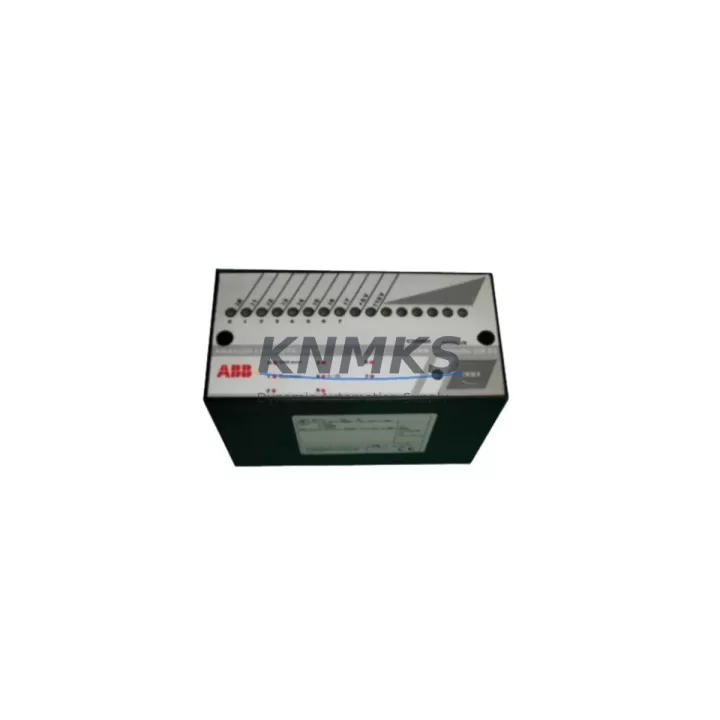
ABB ICSE08B5 Migration-Ready Analog Input for Legacy Control Systems
The ABB ICSE08B5 is an 8-channel analog input module designed for the ABB AC500 PLC platform, widely deployed across process automation, machine control, and utility infrastructure. As legacy AC500 installations approach end-of-service milestones, the ICSE08B5 has become a critical spare part and retrofit component for engineers managing system continuity, panel upgrades, and phased migration projects. Whether you are replacing a failed module in an active production line or planning a structured control cabinet modernization, the ICSE08B5 provides a verified, wiring-compatible path forward without requiring full system replacement.
Each unit supplied by KNMKS is sourced from authorized distribution channels or qualified secondary market inventory, subjected to pre-shipment functional testing, and covered by a support terms confirmed by quotation. This ensures that replacement modules arrive ready for immediate installation, reducing unplanned downtime and eliminating the uncertainty associated with untested surplus stock.
Migration Compatibility Table
| Parameter | ICSE08B5 Specification | Retrofit Notes |
|---|---|---|
| Platform | ABB AC500 | Compatible with PM571, PM581, PM591, PM595 CPUs |
| Channels | 8 x Analog Input | Verify channel mapping against existing I/O list before swap |
| Signal Range | 0–10 V / 0–20 mA / 4–20 mA | Confirm DIP switch or software configuration matches field wiring |
| Terminal Wiring | Screw terminal, front-connect | Retain original terminal labels; re-use existing cable looms where possible |
| Backplane Interface | AC500 I/O bus connector | Slot position must match original module address in CPU configuration |
| Module Address | Set via backplane slot position | Confirm address in Automation Builder project before power-up |
| Firmware | Compatible with AC500 V2.x / V3.x firmware | Update CPU firmware if running versions below V2.4.0 |
| Installation Space | Standard AC500 I/O rail mount | No mechanical modification required for direct slot replacement |
| Communication | AC500 internal I/O bus | No separate fieldbus configuration required for local I/O |
| HMI Compatibility | CP600 / CP400 series panels | Verify HMI tag addresses if analog scaling was customized |
| Support terms | 12 Months | Covered from date of shipment; pre-shipment tested |
Retrofit Planning for Existing Automation Systems
Integrating the ICSE08B5 into an existing AC500 control system requires a structured approach that accounts for both hardware and software dependencies. Before removing the legacy module, engineers should export the current Automation Builder project and document all analog channel configurations, including signal type, scaling parameters, and engineering unit assignments. This baseline ensures that the replacement module can be commissioned to identical parameters without relying on field memory or undocumented site modifications.
In multi-rack AC500 installations, the ICSE08B5 is typically installed alongside the TB521-ETH or TB511 terminal base units, which provide the physical backplane connection and field wiring interface. If the existing terminal base shows signs of wear or contact oxidation, replacing it concurrently with the analog input module eliminates a common source of intermittent signal faults. Similarly, if the control cabinet includes an AC500 SM560-S safety module or a CI590-CS31-HA PROFIBUS coupler, verify that the I/O bus segment addressing remains consistent after the module swap, as address conflicts can prevent the CPU from recognizing the new module during startup.
Power supply capacity is a frequent oversight in retrofit projects. The ICSE08B5 draws power from the AC500 backplane bus, and installations that have incrementally added I/O modules over time may be operating near the power budget limit of the existing PS501 or PS502 power supply module. Before commissioning, calculate the total backplane current draw across all installed modules and confirm that available headroom exceeds the ICSE08B5 rated consumption by at least 20%. If margin is insufficient, a supplementary power supply or load redistribution across racks should be planned before the maintenance window.
For sites running Modbus TCP or PROFINET alongside the AC500 platform, the analog input data from the ICSE08B5 is typically mapped through the CM589-PNIO or CM579-MODTCP communication modules. Confirm that the process data object (PDO) mapping in the communication module configuration reflects the correct slot position of the replacement ICSE08B5, particularly if the original module occupied a non-standard rack position. Mismatched PDO mapping is a leading cause of post-retrofit communication faults that are difficult to diagnose without access to the original project documentation.
Downtime Control During System Migration
Minimizing production interruption during an analog input module replacement requires preparation that begins well before the scheduled maintenance window. The most effective approach is to pre-configure a spare ICSE08B5 offline using a bench-top AC500 rack or a simulator environment within Automation Builder, validating channel scaling and signal response before the unit reaches the plant floor. This offline validation step typically reduces on-site commissioning time from several hours to under 30 minutes.
During the physical swap, the existing program logic in the AC500 CPU is retained in non-volatile memory and does not require re-download unless firmware incompatibilities are detected. However, if the CPU has been running continuously for an extended period, a controlled warm restart after module replacement is recommended to ensure clean I/O initialization. Retain a copy of the current program on a CF card or USB memory module before initiating any restart sequence, providing an immediate fallback if unexpected behavior is observed during power-up.
For processes where analog signals cannot be interrupted, consider implementing a manual bypass or signal simulation at the field terminal level during the swap interval. This approach maintains HMI display continuity and prevents false alarms in upstream SCADA or DCS systems that monitor the AC500 analog inputs. Coordinate with the control room operator to acknowledge any transient alarms generated during the module exchange and document the intervention in the site maintenance log.
Post-installation, perform a full channel verification by applying known reference signals at each input terminal and confirming that the CPU process image reflects the expected engineering unit values. This step validates both the hardware installation and the software configuration simultaneously, providing documented evidence of successful commissioning that satisfies most site quality assurance requirements.
Retrofit Support FAQ
Q: Is the ICSE08B5 a direct drop-in replacement for an existing AC500 analog input module?
A: Yes, the ICSE08B5 is designed for direct slot replacement within the AC500 I/O rack. No mechanical modification is required. However, you must verify that the module address, channel configuration, and signal type settings in your Automation Builder project match the replacement unit before power-up to avoid configuration mismatches.
Q: What pre-shipment testing is performed on each ICSE08B5 unit?
A: Each unit undergoes functional power-on testing and analog channel verification prior to shipment. Units that fail any test parameter are quarantined and not dispatched. A support terms confirmed by quotation is provided from the date of shipment, covering manufacturing defects and functional failures under normal operating conditions.
Q: Can the ICSE08B5 be used in AC500 systems running older firmware versions?
A: The ICSE08B5 is compatible with AC500 firmware V2.x and V3.x. Systems running firmware versions below V2.4.0 may require a firmware update to ensure full module recognition and diagnostic reporting. Contact your ABB system integrator or refer to the AC500 firmware release notes to confirm compatibility with your specific CPU variant.
Q: What is the typical lead time and stock availability?
A: KNMKS maintains inventory of the ICSE08B5 to support urgent replacement and planned retrofit projects. Standard orders are processed and dispatched within 1–3 business days. For large-quantity requirements or long-term supply agreements covering 12–36 months of planned consumption, contact our sales team to discuss dedicated stock allocation and pricing arrangements.
© 2026 KNMKS. All rights reserved.
Original Source: https://knmks.com
Contact: admin@knmks.com | +86 18359268345
Product Identification
- Brand / Ecosystem
-
ABB
ABB - Model / Series
-
ICSE08B5
AC500 Series - Product Family
- PLCs & Controllers
- Availability Status
- Available on request after model and quantity confirmation
- Inquiry Type
- B2B RFQ, replacement inquiry and project spare-part request
- Pre-Quote Check
- Exact SKU, brand, series, quantity, nameplate photos and destination country are checked before quotation
System Path
Where this product fits in the KNMKS automation structure.
Specification & Inquiry Focus
- Control platform
- PLC, PAC and modular controllers
- Common needs
- CPU, rack, power and I/O expansion
- Project support
- Replacement, cabinet build and maintenance
Buyer Confirmation
Information KNMKS checks before replying.
- Exact model
- ICSE08B5
- Brand / ecosystem
- ABB
- Product family
- PLCs & Controllers
- Application note
- Replacement, maintenance, project build or spare-part list
- Useful photos
- Nameplate, installed unit, cabinet layout or connector side
- Delivery details
- Quantity, destination country and target schedule
Document Support
Files and notes can be confirmed during quotation.
- Product photos or nameplate confirmation when available
- Packing and delivery notes before quotation confirmation
- Support scope and delivery terms confirmed per inquiry
- Export document coordination for qualified B2B requests
Inquiry Support
- Model cross-checking before quotation
- CPU, power, rack and expansion module matching
- Support for replacement and project inquiry
What to Send Us
- Brand and exact model number: ABB ICSE08B5
- Quantity and required delivery time
- Application, replacement requirement or nameplate photo
- Destination country and shipping preference
RFQ Preparation
This is a product inquiry page built for RFQ communication.
Fast Model Check
Send this model to KNMKS for confirmation.
Include quantity, destination country and photos if this is a maintenance replacement. The inquiry will be saved with a reference number after submission.
Brand & Compatibility Note
KNMKS displays automation product information for well-known industrial brand ecosystems and compatible replacement references. Brand names are used for product identification and compatibility reference only; final availability and commercial terms are confirmed per quotation.
 Manufacturing
 Machine Tools
 Packaging
 Energy & Power



 HMI & Displays
 Servo Systems
 Variable Frequency Drives
 Sensors