
Overview
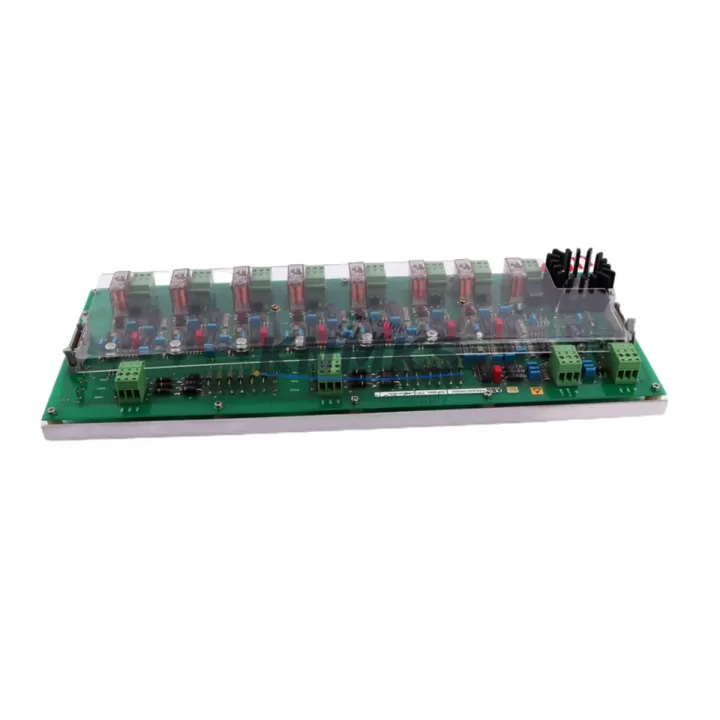
ABB HIEE200072R0002 USB030AE02 Migration-Ready Power Supply for Legacy AC800M Control Systems
The ABB HIEE200072R0002 (catalog alias USB030AE02) is a redundant 24 VDC power supply module engineered for the ABB AC800M Distributed Control System platform. As legacy AC800M installations approach end-of-support milestones, plant engineers and system integrators increasingly rely on verified replacement units to extend operational life, defer full platform migrations, and maintain process continuity without unplanned downtime.
This module delivers regulated DC power to the AC800M controller backplane, supporting hot-standby redundancy configurations where a second supply monitors bus voltage and assumes load within milliseconds of a primary failure. The HIEE200072R0002 is a direct form-fit-function replacement for worn or failed units in existing cabinets, requiring no backplane modification, no firmware update to the PM861 or PM864 controller modules, and no changes to the S800 I/O bus topology.
For sites running mixed-generation hardware — including older Advant OCS or Master series controllers alongside AC800M racks — the HIEE200072R0002 provides a stable power foundation while the broader migration roadmap is executed in phases. Engineers transitioning from Advant AC450 or AC410 platforms to AC800M frequently source this module as part of a cabinet-level retrofit kit, pairing it with new PM866 controller modules, updated CI854 PROFIBUS communication interfaces, and refreshed TB820 S800 I/O bus terminators to complete the control layer upgrade.
Migration Compatibility Table
| Parameter | HIEE200072R0002 (USB030AE02) | Migration Notes |
|---|---|---|
| Output Voltage | 24 VDC regulated | Matches AC800M backplane bus spec; no adjustment required |
| Redundancy Mode | Hot-standby, load-sharing capable | Pair with second HIEE200072R0002 for N+1 redundancy |
| Backplane Interface | AC800M standard power connector | Direct plug-in; no adapter or bracket modification |
| Compatible Controllers | PM861, PM864, PM866 | Verify firmware ≥ R14.2 for PM866 compatibility |
| Communication Impact | None — power layer only | CI854 / CI856 PROFIBUS links unaffected during swap |
| Installation Space | Standard AC800M rack slot (left bay) | Confirm cabinet rail depth ≥ 250 mm before ordering |
| Input Supply | 100–240 VAC, 50/60 Hz | Verify UPS or panel feed capacity before hot-swap |
| Replacement Scope | Drop-in for failed or end-of-life units | No re-engineering of I/O wiring or tag database required |
| Support terms | support terms confirmed by quotation covering manufacturing defects; pre-shipment functional test included | |
Retrofit Planning for Existing Automation Systems
A successful AC800M power supply retrofit begins well before the module arrives on site. The first step is a cabinet audit: confirm that the existing rack accepts the HIEE200072R0002 in the designated power bay, that the incoming AC feed from the UPS or distribution panel can sustain the inrush current during module insertion, and that the terminal block wiring on the AC input side matches the connector pinout documented in ABB’s 3BSE020924 installation manual.
For plants where the AC800M rack also hosts AI810 analog input modules or DI810 digital input modules on the S800 I/O bus, it is critical to verify that bus voltage remains within tolerance (18–30 VDC) throughout the swap. A temporary clip-on DC voltmeter on the backplane bus bar provides real-time confirmation during the hot-swap procedure. If the existing redundant supply is already degraded, both units should be replaced simultaneously to avoid a second unplanned outage within the same maintenance window.
Sites integrating the AC800M with third-party SCADA or historian platforms via OPC DA/UA should confirm that the CI873 IEC 61850 communication module or the CI854 PROFIBUS DP interface remains powered and online during the swap — these modules draw from the same backplane bus and will generate communication alarms if bus voltage dips below threshold. Coordinating the swap with the control room operator to suppress nuisance alarms in the DCS faceplate reduces confusion and prevents spurious interlock trips.
For cabinet-level upgrades that include replacing the TP830 power distribution unit alongside the HIEE200072R0002, schedule a full cabinet de-energization and re-commissioning sequence. Document the existing module slot assignments, I/O channel-to-tag mappings, and PROFIBUS node addresses before any hardware is removed. This documentation becomes the baseline for the post-retrofit functional verification checklist.
Downtime Control During System Migration
Minimizing process downtime during a power supply replacement on a live AC800M system requires a structured approach. Where redundancy is already in place, the failed or degraded primary supply can be removed and replaced while the standby unit maintains full backplane power — provided the standby unit has been verified healthy within the preceding 30 days. Never perform a hot-swap on a non-redundant system without first confirming that the process can tolerate a brief controller restart or that a manual bypass is in place at the field device level.
Before initiating the swap, export a full controller backup from ABB Control Builder M (formerly Compact Control Builder) to a local engineering workstation. This preserves the application program, hardware configuration, and communication parameter sets. If the PM864 or PM866 controller module loses power unexpectedly during the swap, the backup enables a rapid reload without requiring the instrument engineer to reconstruct logic from memory or paper records.
Post-installation, allow the HIEE200072R0002 a 15-minute warm-up period before transferring load from the standby unit. Monitor the DC bus voltage on the AC800M system status display in Control Builder M and confirm that both the active and standby supply LEDs indicate normal operation. Log the swap date, module serial number, and bus voltage readings in the site maintenance management system (CMMS) to support future lifecycle planning and support requests.
For plants with strict change-management requirements, prepare a Method of Procedure (MOP) document that references the HIEE200072R0002 part number, the target rack and slot location, the pre-swap and post-swap voltage readings, and the names of the authorizing engineer and field technician. This document satisfies most functional safety audit requirements under IEC 61511 and supports the support terms confirmed by quotation claim process if a defect is identified after installation.
Retrofit Support FAQ
Q1: Is the HIEE200072R0002 a direct replacement for all AC800M power supply variants?
The HIEE200072R0002 (USB030AE02) is the standard redundant power supply for the AC800M platform and replaces earlier USB030AE01 revisions in most installations. Confirm the rack generation (S1 vs. S2 backplane) using the rack label before ordering. S2 racks accept the HIEE200072R0002 without modification; S1 racks may require a backplane adapter bracket available from ABB’s spare parts catalog.
Q2: Can I install this module without shutting down the controller?
Yes — in a properly configured N+1 redundant power configuration, the HIEE200072R0002 supports hot-swap replacement while the standby unit maintains backplane power. Verify that the standby supply is healthy and that the DC bus voltage is stable (24 VDC ±5%) before removing the failed unit. Do not attempt hot-swap on single-supply (non-redundant) racks without a process hold or manual bypass in place.
Q3: What pre-shipment testing is performed on this module?
Each HIEE200072R0002 unit undergoes a functional power-on test verifying output voltage regulation, redundancy handshake signaling, and LED status indication before shipment. A test report is available upon request. The module ships with a support terms confirmed by quotation covering manufacturing defects from the date of delivery, with replacement or repair at no additional cost subject to support terms claim review.
Q4: How do I confirm firmware compatibility with my existing PM866 controller?
The HIEE200072R0002 is a passive power module with no embedded firmware — it does not communicate with the controller over the backplane data bus. Firmware compatibility concerns apply to the PM866 controller module itself and to communication interfaces such as the CI854 or CI873. Check the ABB AC800M Hardware Unit Description (3BSE020924) for the minimum controller firmware revision required for your specific rack configuration.
—
© 2026 KNMKS. All rights reserved.
Original Source: https://knmks.com
Contact: admin@knmks.com | +86 18359268345
Product Identification
- Brand / Ecosystem
-
ABB
ABB - Model / Series
-
HIEE200072R0002 USB030AE02
AC800M Series - Product Family
- Power Supplies
- Availability Status
- Available on request after model and quantity confirmation
- Inquiry Type
- B2B RFQ, replacement inquiry and project spare-part request
- Pre-Quote Check
- Exact SKU, brand, series, quantity, nameplate photos and destination country are checked before quotation
System Path
Where this product fits in the KNMKS automation structure.
Specification & Inquiry Focus
- Power range
- DIN rail and switching power supplies
- Common needs
- Voltage, current and mounting style
- Project support
- Control cabinet and panel-builder inquiries
Buyer Confirmation
Information KNMKS checks before replying.
- Exact model
- HIEE200072R0002 USB030AE02
- Brand / ecosystem
- ABB
- Product family
- Power Supplies
- Application note
- Replacement, maintenance, project build or spare-part list
- Useful photos
- Nameplate, installed unit, cabinet layout or connector side
- Delivery details
- Quantity, destination country and target schedule
Document Support
Files and notes can be confirmed during quotation.
- Product photos or nameplate confirmation when available
- Packing and delivery notes before quotation confirmation
- Support scope and delivery terms confirmed per inquiry
- Export document coordination for qualified B2B requests
Inquiry Support
- 24VDC and cabinet power selection support
- Stable power support for PLC and HMI systems
- Batch inquiry support for panel builders
What to Send Us
- Brand and exact model number: ABB HIEE200072R0002 USB030AE02
- Quantity and required delivery time
- Application, replacement requirement or nameplate photo
- Destination country and shipping preference
RFQ Preparation
This is a product inquiry page built for RFQ communication.
Fast Model Check
Send this model to KNMKS for confirmation.
Include quantity, destination country and photos if this is a maintenance replacement. The inquiry will be saved with a reference number after submission.
Brand & Compatibility Note
KNMKS displays automation product information for well-known industrial brand ecosystems and compatible replacement references. Brand names are used for product identification and compatibility reference only; final availability and commercial terms are confirmed per quotation.
 Manufacturing
 Machine Tools
 Packaging
 Energy & Power
 PLCs & Controllers
 HMI & Displays
 Servo Systems
 Variable Frequency Drives