
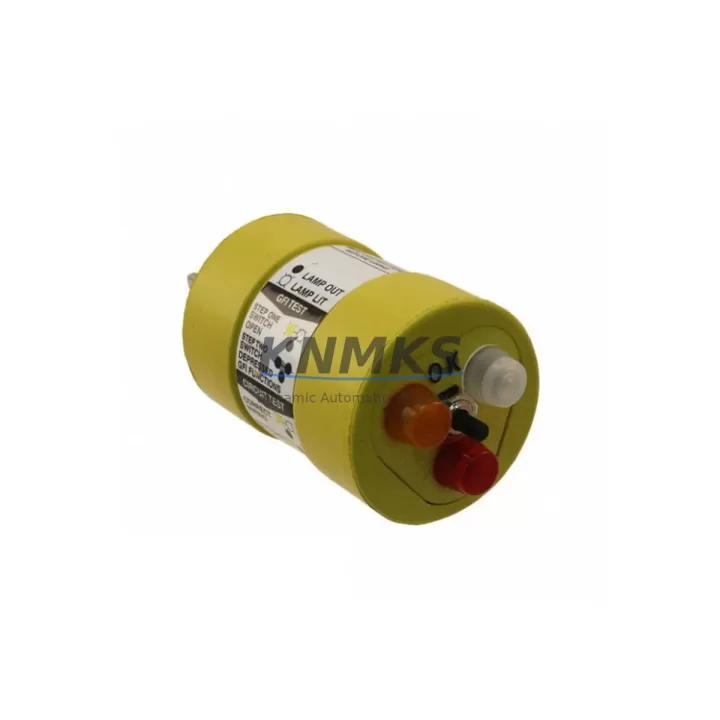
Overview
ABB GVT8703200R0002 Migration-Ready CPU for Legacy Control Systems
The ABB GVT8703200R0002 is a migration-ready central processing unit designed for engineers and maintenance teams managing the modernization of legacy AC500 control architectures. As installed bases of older ABB AC500 CPUs approach end-of-life or face obsolescence, the GVT8703200R0002 provides a verified drop-in upgrade path that preserves existing wiring infrastructure, backplane slot assignments, and program logic — minimizing retrofit risk and unplanned downtime across industrial facilities.
This module is engineered for direct installation into AC500-compatible racks and backplanes, maintaining compatibility with the standard TB5xx terminal base ecosystem. Engineers replacing discontinued or hard-to-source AC500 CPU variants will find the GVT8703200R0002 retains the same physical form factor, DIN rail mounting footprint, and front-panel connector layout, eliminating the need for panel rework or cabinet redesign during the upgrade cycle.
Before committing to a retrofit, site engineers should verify the following parameters against the existing installation: supply voltage rating and power budget on the AC500 power supply module (PS5xx series), backplane slot count and rack configuration, CPU memory allocation relative to the existing application program size, communication module addresses assigned to CM5xx or CM5xx-FBP fieldbus modules, and the firmware revision currently loaded on the target CPU. Where the existing system includes CI5xx communication interface modules for PROFIBUS, Modbus TCP, or EtherNet/IP connectivity, protocol mapping tables and node addresses must be documented prior to swap-out to ensure seamless re-commissioning.
HMI integration is a critical checkpoint in any AC500 CPU migration. Panels connected via CP600 or CP400 series operator interfaces rely on symbol table references and variable bindings that are CPU-resident. A firmware mismatch between the replacement GVT8703200R0002 and the connected HMI runtime can cause screen refresh failures or alarm suppression. It is strongly recommended to export and archive the full HMI project before initiating the CPU swap, and to validate tag mapping post-installation using the CP600 diagnostic interface.
For systems incorporating DI5xx digital input modules or AI5xx analog input modules on the same rack, I/O channel addressing and scaling parameters stored in the CPU configuration must be re-imported from the original Automation Builder project file. Retaining the original .apj project backup ensures that all I/O mapping, PID loop parameters, and safety interlock logic can be restored without manual re-entry, significantly reducing commissioning time and the risk of transcription errors during the cutover window.
Migration Compatibility Table
| Parameter | Details |
|---|---|
| SKU / Part Number | GVT8703200R0002 |
| Brand / Manufacturer | ABB |
| Series | AC500 |
| Module Type | PLC CPU Module |
| Origin | Germany (DE) |
| Backplane / Rack Interface | AC500 standard backplane, TB5xx terminal base compatible |
| Communication Compatibility | PROFIBUS, Modbus TCP, EtherNet/IP (via CM5xx / CI5xx modules) |
| HMI Interface | CP600 / CP400 series (verify firmware revision before swap) |
| Installation Requirement | Verify power budget on PS5xx supply; confirm slot assignment |
| Firmware Verification | Required — match to existing Automation Builder project version |
| Replacement Recommendation | Direct drop-in for compatible discontinued AC500 CPU variants |
| Commissioning Note | Re-import .apj project file; validate I/O mapping and HMI tags post-swap |
| Support terms | support terms confirmed by quotation — all units tested before shipment |
Retrofit Planning for Existing Automation Systems
A successful AC500 CPU retrofit begins with a thorough audit of the existing control cabinet. The GVT8703200R0002 slots into the same rack position as its predecessors, but the surrounding module ecosystem must be assessed holistically. Power supply capacity from the PS5xx series must be recalculated if additional I/O expansion modules — such as DI5xx digital input cards or AO5xx analog output modules — have been added to the rack since the original system commissioning. Insufficient power headroom is a common cause of intermittent CPU faults after a module swap.
Communication continuity is equally critical. If the existing installation uses a CI590-CS31-HA coupler for CS31 bus connectivity, or a CM589-PNIO module for PROFINET I/O, the network configuration stored in the CPU must be exported and validated before the replacement unit is inserted. Node addresses, baud rates, and watchdog timeout settings are CPU-resident parameters that will not survive a cold swap without a project restore. Similarly, any SD memory card used for data logging or recipe management should be removed, inspected, and re-inserted after the new CPU has booted to its default state.
For cabinets where physical space is constrained, the GVT8703200R0002 maintains the same depth and width profile as standard AC500 CPU modules, ensuring that existing cable management, terminal block layouts, and door clearances remain unaffected. This is particularly relevant in retrofit scenarios where the control cabinet cannot be replaced or modified due to site constraints or hazardous area classifications.
Downtime Control During System Migration
Minimizing production interruption during a CPU migration requires a structured cutover plan. Before the maintenance window opens, the full Automation Builder project should be compiled, downloaded to a test environment if available, and backed up to at least two independent storage locations. The existing CPU’s diagnostic log should be exported to capture any pre-existing fault history that may be relevant to post-migration troubleshooting.
During the swap, the replacement GVT8703200R0002 should be pre-configured offline where possible — firmware updated to the target version, IP address assigned, and the project file staged on the programming laptop — so that the physical installation and program download can be completed within a single planned outage window. Field teams should have the original wiring diagrams, terminal block labels, and I/O channel lists on hand to verify connections before powering up the new CPU.
Post-installation, a structured commissioning checklist covering CPU status LEDs, communication link verification, HMI screen validation, I/O channel force-test, and alarm system confirmation will ensure that the system returns to full operational status before the maintenance window closes. All units supplied are pre-tested and shipped with a support terms confirmed by quotation, reducing the risk of infant mortality failures in the field.
Retrofit Support FAQ
Q: Is the GVT8703200R0002 a direct replacement for my existing AC500 CPU?
A: The GVT8703200R0002 is designed as a migration-ready replacement for compatible AC500 CPU variants. Please confirm your existing part number and Automation Builder project version with our technical team before ordering to ensure full compatibility.
Q: Do I need to re-wire the terminal base when installing this module?
A: No. The GVT8703200R0002 uses the same TB5xx terminal base interface as standard AC500 CPUs. Existing field wiring connected to the terminal base remains undisturbed during the CPU swap, significantly reducing installation time and wiring error risk.
Q: How do I verify firmware compatibility before installation?
A: Check the firmware version required by your Automation Builder project under Project > Properties > Target Settings. The replacement CPU should be updated to match this version using the Automation Builder firmware update tool before the project is downloaded to the new module.
Q: What does the support terms confirmed by quotation cover, and how are units tested before shipment?
A: All GVT8703200R0002 units undergo functional testing prior to dispatch, including power-on verification, communication port checks, and basic I/O diagnostics. The support terms confirmed by quotation cover manufacturing defects and module failures under normal operating conditions. Expedited replacement support is available for critical production environments.
© 2026 KNMKS. All rights reserved.
Original Source: https://knmks.com
Contact: admin@knmks.com | +86 18359268345
Product Identification
- Brand / Ecosystem
-
ABB
ABB - Model / Series
-
GVT8703200R0002
AC500 Series - Product Family
- PLCs & Controllers
- Availability Status
- Available on request after model and quantity confirmation
- Inquiry Type
- B2B RFQ, replacement inquiry and project spare-part request
- Pre-Quote Check
- Exact SKU, brand, series, quantity, nameplate photos and destination country are checked before quotation
System Path
Where this product fits in the KNMKS automation structure.
Specification & Inquiry Focus
- Control platform
- PLC, PAC and modular controllers
- Common needs
- CPU, rack, power and I/O expansion
- Project support
- Replacement, cabinet build and maintenance
Buyer Confirmation
Information KNMKS checks before replying.
- Exact model
- GVT8703200R0002
- Brand / ecosystem
- ABB
- Product family
- PLCs & Controllers
- Application note
- Replacement, maintenance, project build or spare-part list
- Useful photos
- Nameplate, installed unit, cabinet layout or connector side
- Delivery details
- Quantity, destination country and target schedule
Document Support
Files and notes can be confirmed during quotation.
- Product photos or nameplate confirmation when available
- Packing and delivery notes before quotation confirmation
- Support scope and delivery terms confirmed per inquiry
- Export document coordination for qualified B2B requests
Inquiry Support
- Model cross-checking before quotation
- CPU, power, rack and expansion module matching
- Support for replacement and project inquiry
What to Send Us
- Brand and exact model number: ABB GVT8703200R0002
- Quantity and required delivery time
- Application, replacement requirement or nameplate photo
- Destination country and shipping preference
RFQ Preparation
This is a product inquiry page built for RFQ communication.
Fast Model Check
Send this model to KNMKS for confirmation.
Include quantity, destination country and photos if this is a maintenance replacement. The inquiry will be saved with a reference number after submission.
Brand & Compatibility Note
KNMKS displays automation product information for well-known industrial brand ecosystems and compatible replacement references. Brand names are used for product identification and compatibility reference only; final availability and commercial terms are confirmed per quotation.
 Manufacturing
 Machine Tools
 Packaging
 Energy & Power



 HMI & Displays
 Servo Systems
 Variable Frequency Drives
 Sensors