
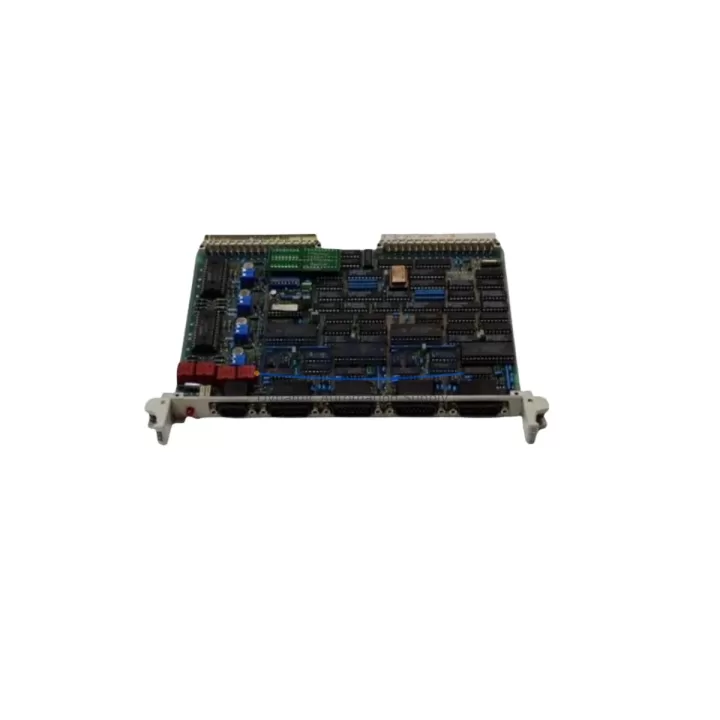
Overview
ABB GJR5144900R0001-35ST90 Maintenance-Proven Spare for AC500
The ABB GJR5144900R0001-35ST90 is a CPU module designed for the ABB AC500 programmable logic controller series — one of the most widely deployed automation platforms in process industries, utilities, and discrete manufacturing. As production lines age and original equipment manufacturers phase out legacy support, maintaining a verified stock of this CPU module becomes a critical element of any plant’s spare parts strategy. Whether you are managing a scheduled annual overhaul, responding to an unplanned fault, or building a long-term maintenance buffer for a multi-site operation, the GJR5144900R0001-35ST90 is a direct-fit replacement that restores system continuity without requiring hardware redesign or software migration.
At KNMKS, every unit of the GJR5144900R0001-35ST90 is sourced from verified supply channels, inspected against ABB AC500 hardware specifications, and subjected to pre-shipment functional testing before dispatch. Each unit ships with a support terms confirmed by quotation, giving maintenance engineers and procurement teams the confidence to plan replacements on a defined lifecycle rather than reacting to emergency failures.
Spare Maintenance Table
| Parameter | Specification |
|---|---|
| Part Number / SKU | GJR5144900R0001-35ST90 |
| Brand | ABB |
| Series | AC500 |
| Product Type | PLC CPU Module |
| Country of Origin | Germany (DE) |
| Compatible Platform | ABB AC500 PLC System |
| Communication Interface | Ethernet, serial (series-dependent); confirm with AC500 system documentation |
| Programming Standard | IEC 61131-3 (via ABB Automation Builder / PS501) |
| Mounting | AC500 backplane / rack-mount; direct slot replacement |
| Operating Temperature | 0°C to +60°C (typical AC500 CPU range) |
| Application Environment | Industrial automation, process control, utilities, discrete manufacturing |
| Maintenance Recommendation | Replace on first CPU fault indication; do not defer in critical process lines |
| Pre-Shipment Testing | Yes — functional verification before dispatch |
| Support terms | 12 Months from date of shipment |
Maintenance Planning for Continuous Operation
A CPU module failure in an AC500-based control cabinet typically cascades into a full line stoppage. Experienced maintenance engineers know that replacing the GJR5144900R0001-35ST90 alone is rarely sufficient for a complete and durable recovery — the surrounding electrical environment must be assessed in parallel to prevent repeat failures and to validate that the new CPU is operating within specification.
When replacing the GJR5144900R0001-35ST90, the following components and subsystems should be inspected or replaced as part of the same maintenance window:
- AC500 Power Supply Module (e.g., PM573, PM591 series): An aging or under-rated power supply is a leading cause of CPU instability. Verify output voltage stability under load before commissioning the replacement CPU. A degraded power supply will shorten the service life of the new module.
- AC500 I/O Modules (DI/DO/AI/AO): Inspect digital and analog I/O modules mounted on the same backplane for signs of overheating, contact wear, or firmware mismatch. A faulty I/O module can generate spurious signals that trigger CPU faults.
- AC500 Communication Modules (e.g., CM572-DP, CM577-ETH): If the system uses PROFIBUS-DP or Ethernet-based communication, verify that the communication module firmware is compatible with the replacement CPU version. Mismatched firmware versions are a common source of post-replacement communication errors.
- Terminal Blocks and Field Wiring: Loose or corroded terminal connections on the I/O side can introduce noise and intermittent faults that are incorrectly attributed to the CPU. Inspect and re-torque all terminal connections during the replacement procedure.
- Backplane / Rack Assembly: Check the AC500 backplane for physical damage, oxidized bus connectors, and secure module seating. A damaged backplane can cause intermittent communication errors between the CPU and I/O modules even after a successful CPU replacement.
- Panel-Mount Circuit Breakers and Fuses: Verify that the 24 VDC supply fuses and circuit breakers protecting the PLC rack are rated correctly and show no signs of thermal stress. An undersized or degraded protective device can cause nuisance trips under normal operating load.
For sites running extended AC500 installations, it is also advisable to review the HMI panel (e.g., ABB CP600 series or third-party SCADA terminals) for communication timeout settings that may need adjustment after a CPU swap. Signal isolators on analog input channels should be checked for drift, particularly in high-temperature or high-vibration environments.
Site Replacement Workflow
Replacing the GJR5144900R0001-35ST90 in a live production environment requires a structured approach to minimize downtime and avoid configuration loss. The following workflow reflects best practice for AC500 CPU module replacement:
- Backup the existing CPU program and configuration using ABB Automation Builder (PS501 Control Builder Plus) before any physical intervention. Store the backup on a secure, off-controller medium.
- Document the current hardware configuration — note the firmware version, IP address settings, PROFIBUS node addresses, and any hardware configuration parameters stored in the CPU.
- Power down the control cabinet following your site’s lockout/tagout (LOTO) procedure. Verify zero energy state before opening the cabinet.
- Remove the faulty CPU module from the AC500 backplane. Handle the replacement GJR5144900R0001-35ST90 using ESD precautions — use a grounded wrist strap and anti-static mat.
- Install the replacement module and verify firm seating on the backplane bus connector. Do not force the module; misalignment can damage the bus contacts.
- Restore power and download the backed-up program to the new CPU. Verify that the firmware version on the replacement unit is compatible with your project file. Update firmware if required before downloading.
- Perform a controlled startup — bring the system online in a monitored state, verify all I/O signals, confirm communication with field devices, and check for any diagnostic alarms in the CPU status registers.
- Document the replacement in your maintenance management system (CMMS), including the serial number of the replaced unit, date of replacement, and the source of the spare part for support terms tracking.
This workflow applies equally to planned maintenance replacements and emergency fault recovery scenarios. Having a pre-tested GJR5144900R0001-35ST90 unit on the shelf — rather than sourcing under emergency conditions — is the single most effective way to reduce mean time to repair (MTTR) for AC500-based control systems.
Spare Parts Support FAQ
Q1: Is the GJR5144900R0001-35ST90 a new original unit or a refurbished part?
All units supplied by KNMKS are sourced from verified industrial supply channels and undergo pre-shipment functional testing. Each unit is covered by a support terms confirmed by quotation from the date of shipment. If you require clarification on unit condition or traceability documentation, contact our sales team before placing your order.
Q2: How do I confirm compatibility with my existing AC500 system before ordering?
Compatibility depends on your specific AC500 hardware generation and the firmware version of your existing system. We recommend providing your current CPU part number, firmware version, and Automation Builder project version when enquiring. Our technical team can advise on direct replacement suitability or identify any firmware update requirements prior to installation.
Q3: Can KNMKS support long-term or blanket purchase agreements for this part?
Yes. For maintenance teams managing multiple AC500 installations or planning multi-year spare parts budgets, KNMKS offers long-term supply agreements with reserved stock allocation. This eliminates sourcing risk for parts that are subject to manufacturer end-of-life or allocation constraints. Contact admin@knmks.com to discuss volume and lead time requirements.
Q4: What is included in the pre-shipment testing and how is the support terms confirmed by quotation applied?
Each GJR5144900R0001-35ST90 unit is functionally tested prior to dispatch to verify basic operational integrity. The support terms confirmed by quotation cover manufacturing defects and functional failures under normal operating conditions. Support requests are processed through KNMKS directly — contact admin@knmks.com with your order reference and a description of the fault. Units showing signs of physical damage, incorrect installation, or operation outside specified parameters are not covered under support terms.
© 2026 KNMKS. All rights reserved.
Original Source: https://knmks.com
Contact: admin@knmks.com | +86 18359268345
Product Identification
- Brand / Ecosystem
-
ABB
ABB - Model / Series
-
GJR5144900R0001-35ST90
AC500 Series - Product Family
- PLCs & Controllers
- Availability Status
- Available on request after model and quantity confirmation
- Inquiry Type
- B2B RFQ, replacement inquiry and project spare-part request
- Pre-Quote Check
- Exact SKU, brand, series, quantity, nameplate photos and destination country are checked before quotation
System Path
Where this product fits in the KNMKS automation structure.
Specification & Inquiry Focus
- Control platform
- PLC, PAC and modular controllers
- Common needs
- CPU, rack, power and I/O expansion
- Project support
- Replacement, cabinet build and maintenance
Buyer Confirmation
Information KNMKS checks before replying.
- Exact model
- GJR5144900R0001-35ST90
- Brand / ecosystem
- ABB
- Product family
- PLCs & Controllers
- Application note
- Replacement, maintenance, project build or spare-part list
- Useful photos
- Nameplate, installed unit, cabinet layout or connector side
- Delivery details
- Quantity, destination country and target schedule
Document Support
Files and notes can be confirmed during quotation.
- Product photos or nameplate confirmation when available
- Packing and delivery notes before quotation confirmation
- Support scope and delivery terms confirmed per inquiry
- Export document coordination for qualified B2B requests
Inquiry Support
- Model cross-checking before quotation
- CPU, power, rack and expansion module matching
- Support for replacement and project inquiry
What to Send Us
- Brand and exact model number: ABB GJR5144900R0001-35ST90
- Quantity and required delivery time
- Application, replacement requirement or nameplate photo
- Destination country and shipping preference
RFQ Preparation
This is a product inquiry page built for RFQ communication.
Fast Model Check
Send this model to KNMKS for confirmation.
Include quantity, destination country and photos if this is a maintenance replacement. The inquiry will be saved with a reference number after submission.
Brand & Compatibility Note
KNMKS displays automation product information for well-known industrial brand ecosystems and compatible replacement references. Brand names are used for product identification and compatibility reference only; final availability and commercial terms are confirmed per quotation.
 Manufacturing
 Machine Tools
 Packaging
 Energy & Power



 HMI & Displays
 Servo Systems
 Variable Frequency Drives
 Sensors