
Overview
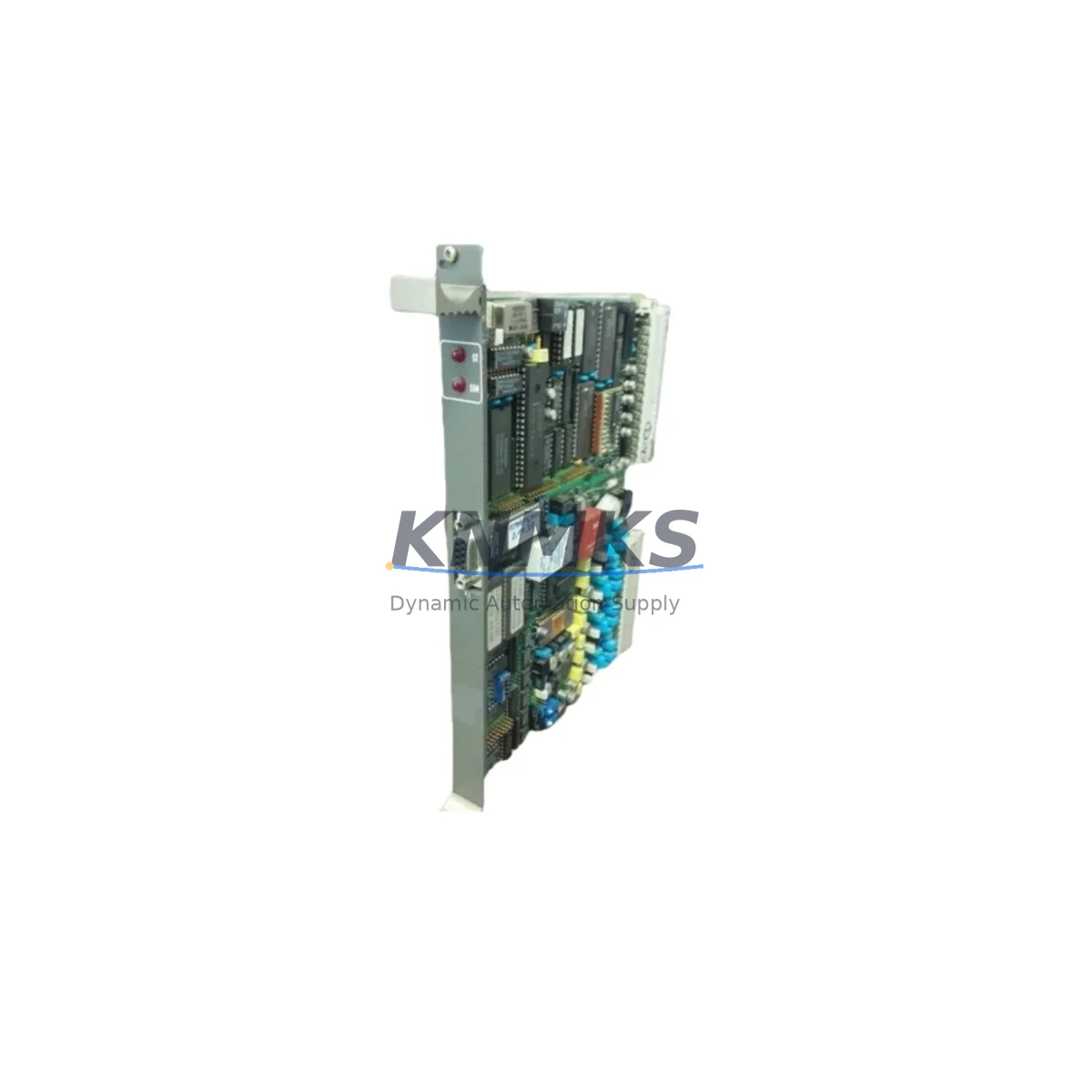
ABB GJR2366000R1000 81EA02E-E Migration-Ready I/O Comm Module: Legacy System Retrofit & Upgrade
The ABB GJR2366000R1000 (81EA02E-E) is a field-proven I/O communication module designed for the ABB Procontrol P13 distributed control system (DCS). As legacy Procontrol P13 installations approach end-of-support milestones, this module remains a critical component for facilities executing phased migration strategies — enabling continued operation of existing control architectures while parallel upgrade programs are implemented. Whether you are replacing a failed unit on an active production line, building a spare parts buffer ahead of a planned shutdown, or executing a full control cabinet modernization, the GJR2366000R1000 provides a verified drop-in replacement path with minimal engineering intervention.
Each unit supplied by KNMKS is sourced from controlled inventory, subjected to pre-shipment functional testing, and backed by a support terms confirmed by quotation. Our stock is maintained to support urgent dispatch requirements common in unplanned outage scenarios, where minimizing mean time to repair (MTTR) is the primary operational objective.
Migration Compatibility Table
| Parameter | Details |
|---|---|
| Replaced / Legacy Part | ABB GJR2366000R1000 (81EA02E-E) — Procontrol P13 series |
| Compatible Platform | ABB Procontrol P13 DCS; compatible backplane and rack architecture |
| Communication Interface | Procontrol internal I/O bus; verify bus termination and address jumper settings before installation |
| Installation Requirements | Standard Procontrol P13 rack slot; confirm slot assignment matches original module address configuration |
| Terminal Wiring | Field wiring connects via existing terminal blocks; no rewiring required for direct replacement |
| Power Supply Compatibility | Powered from Procontrol P13 backplane; verify rack power supply (e.g., GJR2369600R0001 or equivalent) capacity before adding modules |
| Firmware / Software | Compatible with existing Procontrol P13 engineering software; no firmware update required for like-for-like replacement |
| Retrofit Recommendation | Direct replacement; validate module address, I/O channel mapping, and signal range configuration post-installation |
| Commissioning Focus | Confirm I/O channel status in DCS engineering station; verify process values against field instruments before returning to automatic control |
| Support terms | support terms confirmed by quotation — all units pre-shipment tested |
Retrofit Planning for Existing Automation Systems
Successful integration of the GJR2366000R1000 into an aging Procontrol P13 system requires a structured pre-installation review. Begin by auditing the existing rack and backplane assembly to confirm available slot positions and verify that the rack power supply has sufficient headroom to support the replacement module alongside other installed cards. In multi-rack configurations, the Procontrol P13 inter-rack communication cables and bus couplers must be inspected for integrity, as degraded communication links can mask module faults and complicate post-replacement diagnostics.
Terminal block wiring should be documented before removal of the legacy module. In installations where field wiring has been modified over the system’s operational life, as-built drawings may not reflect current configurations — a physical point-to-point check against the original I/O list is recommended. Where signal isolators or marshalling panels are present between field instruments and the Procontrol rack, confirm that signal ranges and loop power configurations remain compatible with the replacement module’s input specifications.
For facilities also managing HMI modernization in parallel, note that Procontrol P13 I/O data is typically surfaced through the ABB Advant OCS or MOD 300 supervisory layer. If the HMI platform is being migrated to a contemporary SCADA system, ensure that the I/O communication module’s data tags are correctly mapped in the new historian or OPC server configuration before the legacy HMI is decommissioned. Retaining the original Procontrol engineering station during the transition period provides a fallback for tag verification and loop testing.
In projects where I/O expansion is required alongside the replacement — for example, adding new measurement points to an existing control loop — the Procontrol P13 architecture supports additional I/O modules within the same rack structure. Companion modules such as analog input cards, digital output modules, and communication interface units for serial or fieldbus protocols can be integrated into the same backplane, provided slot and power budgets are confirmed in advance. Programming cable access to the Procontrol controller is required for any configuration changes beyond a direct module swap.
Downtime Control During System Migration
Unplanned downtime during I/O module replacement is the primary risk in legacy DCS retrofit projects. The GJR2366000R1000 supports a controlled replacement procedure that, when properly planned, can be executed within a single maintenance window. Key steps to minimize exposure include: pre-staging the replacement module with address and configuration settings matched to the outgoing unit; preparing a documented loop isolation and reinstatement sequence for all field devices connected to the affected I/O channels; and coordinating with the process control team to place affected control loops in manual mode before module removal.
Where the Procontrol P13 system supports hot-standby or redundant controller configurations, confirm whether the affected I/O module is part of a redundant pair before proceeding. In non-redundant installations, the controller will lose visibility of all I/O points on the module during the swap interval — process operators must be briefed and field personnel positioned at critical control points to maintain manual oversight during this period.
Post-replacement, the commissioning sequence should include a full channel-by-channel verification of I/O values against field instrument readings, confirmation of alarm and trip setpoint integrity in the DCS database, and a controlled return to automatic control with process engineers monitoring key process variables. Retain the removed module for failure analysis before disposal or return — fault data can inform root cause investigation and support future spare parts planning decisions.
KNMKS maintains ready stock of the GJR2366000R1000 to support both planned maintenance schedules and emergency replacement requirements. All units are dispatched with pre-shipment test documentation and are covered by a support terms confirmed by quotation from date of delivery.
Retrofit Support FAQ
Q: Is the GJR2366000R1000 (81EA02E-E) a direct replacement for the original Procontrol P13 I/O communication module?
A: Yes. The GJR2366000R1000 81EA02E-E is a like-for-like replacement for the original Procontrol P13 I/O communication module of the same part number. No hardware modification or firmware update is required for a direct swap in the same rack slot, provided module address settings are matched to the outgoing unit.
Q: What commissioning steps are required after installation?
A: After physical installation, connect to the Procontrol P13 engineering station and verify that the module is recognized on the I/O bus. Confirm all channel assignments, check process values against field instrument readings, and validate alarm setpoints before returning affected control loops to automatic mode. A full loop test is recommended for any channels connected to safety-critical process variables.
Q: How do I confirm terminal wiring compatibility before replacing the module?
A: Document existing field wiring connections against the original I/O list before removing the legacy module. The GJR2366000R1000 uses the standard Procontrol P13 terminal block interface — no rewiring is required for a direct replacement. If field wiring has been modified since original commissioning, perform a point-to-point continuity check before powering the replacement module.
Q: What support terms and testing documentation is provided with each unit?
A: Every GJR2366000R1000 supplied by KNMKS is pre-shipment tested and ships with a support terms confirmed by quotation from date of delivery. Test documentation confirming functional verification is available upon request. In-stock units are available for same-day or next-business-day dispatch to support urgent replacement requirements.
© 2026 KNMKS. All rights reserved.
Original Source: https://knmks.com
Contact: admin@knmks.com | +86 18359268345
Product Identification
- Brand / Ecosystem
-
ABB
ABB - Model / Series
- GJR2366000R1000 81EA02E-E
- Product Family
- PLCs & Controllers
- Availability Status
- Available on request after model and quantity confirmation
- Inquiry Type
- B2B RFQ, replacement inquiry and project spare-part request
- Pre-Quote Check
- Exact SKU, brand, series, quantity, nameplate photos and destination country are checked before quotation
System Path
Where this product fits in the KNMKS automation structure.
Specification & Inquiry Focus
- Control platform
- PLC, PAC and modular controllers
- Common needs
- CPU, rack, power and I/O expansion
- Project support
- Replacement, cabinet build and maintenance
Buyer Confirmation
Information KNMKS checks before replying.
- Exact model
- GJR2366000R1000 81EA02E-E
- Brand / ecosystem
- ABB
- Product family
- PLCs & Controllers
- Application note
- Replacement, maintenance, project build or spare-part list
- Useful photos
- Nameplate, installed unit, cabinet layout or connector side
- Delivery details
- Quantity, destination country and target schedule
Document Support
Files and notes can be confirmed during quotation.
- Product photos or nameplate confirmation when available
- Packing and delivery notes before quotation confirmation
- Support scope and delivery terms confirmed per inquiry
- Export document coordination for qualified B2B requests
Inquiry Support
- Model cross-checking before quotation
- CPU, power, rack and expansion module matching
- Support for replacement and project inquiry
What to Send Us
- Brand and exact model number: ABB GJR2366000R1000 81EA02E-E
- Quantity and required delivery time
- Application, replacement requirement or nameplate photo
- Destination country and shipping preference
RFQ Preparation
This is a product inquiry page built for RFQ communication.
Fast Model Check
Send this model to KNMKS for confirmation.
Include quantity, destination country and photos if this is a maintenance replacement. The inquiry will be saved with a reference number after submission.
Brand & Compatibility Note
KNMKS displays automation product information for well-known industrial brand ecosystems and compatible replacement references. Brand names are used for product identification and compatibility reference only; final availability and commercial terms are confirmed per quotation.
 Manufacturing
 Machine Tools
 Packaging
 Energy & Power



 HMI & Displays
 Servo Systems
 Variable Frequency Drives
 Sensors