
Overview
ABB GJR2322600R0100 Maintenance-Proven Spare Part for Factory Uptime
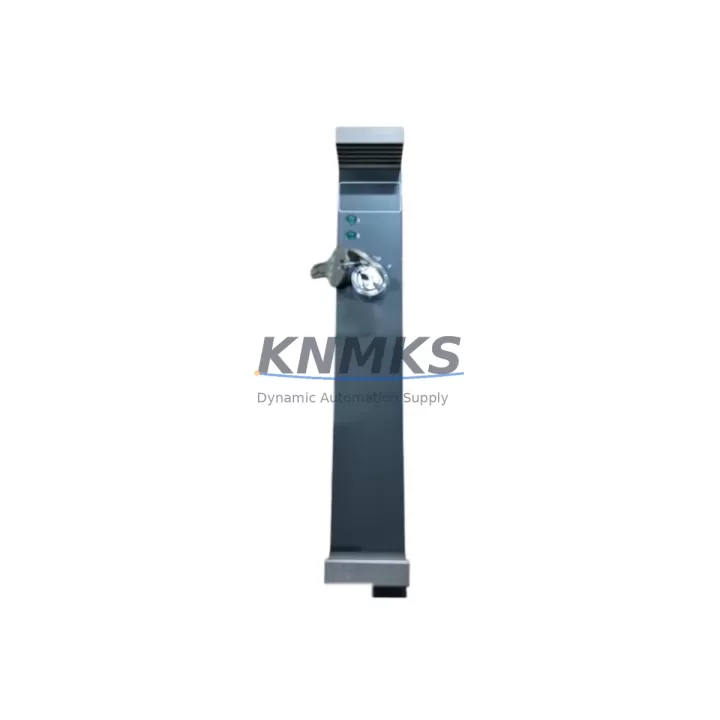
The ABB GJR2322600R0100 (also referenced as 88UB01A) is an original write-protection security key module designed for the ABB AC500 PLC platform — one of the most widely deployed programmable logic controller families in industrial automation, process control, and critical infrastructure applications. Sourced directly from authorized supply channels and verified against ABB’s original specifications, this spare part is stocked by KNMKS to support maintenance engineers and procurement teams who cannot afford unplanned downtime caused by a missing or failed security module.
In modern industrial control cabinets, the write-protection key module plays a deceptively critical role: it governs whether the CPU accepts program downloads, parameter changes, or firmware updates. A missing, damaged, or counterfeit key can lock out engineers during emergency recovery, delay scheduled maintenance windows, or — in worst-case scenarios — leave a system permanently inaccessible without a full CPU replacement. Keeping a verified spare of the GJR2322600R0100 on the shelf is a low-cost insurance policy against high-consequence downtime.
Every unit shipped by KNMKS undergoes pre-shipment functional verification, is packaged in anti-static protective material, and is covered by a support terms confirmed by quotation from the date of delivery. Long-term supply continuity is maintained through our global sourcing network, ensuring that even as ABB transitions product lines, your maintenance team retains access to this component for legacy AC500 system support and life extension programs.
Spare Maintenance Table
| Parameter | Specification |
|---|---|
| Part Number | GJR2322600R0100 |
| Alternate Reference | 88UB01A |
| Brand | ABB |
| Series | AC500 |
| Product Type | PLC Write-Protection Security Key Module |
| Compatible CPU Modules | ABB AC500 PM5xx / PM5xxT series CPUs |
| Installation Method | Direct key-slot insertion on AC500 CPU front panel |
| Operating Temperature | -25°C to +70°C (storage); 0°C to +60°C (operation) |
| Protection Rating | IP20 (installed in control cabinet) |
| Origin | Switzerland (CH) |
| Weight | Approx. 380 g (packaged) |
| Support terms | 12 Months from date of delivery |
| Condition | Original, New / Tested Surplus |
| Pre-Shipment Test | Functional verification performed before dispatch |
| Application | Factory automation, process control, infrastructure PLC systems |
Maintenance Planning for Continuous Operation
When a maintenance or procurement engineer identifies the GJR2322600R0100 as a required spare, it is best practice to treat this as part of a broader AC500 control cabinet audit rather than an isolated component replacement. The write-protection key module interfaces directly with the AC500 CPU — typically a PM564, PM573, or PM583 series processor — and any fault in the key slot or CPU front panel connector should be investigated alongside the module replacement itself.
During the same maintenance window, engineers should inspect the AC500 power supply module (e.g., CP502 or CP503 series) to confirm stable 24 VDC rail voltage, as undervoltage events are a common root cause of unexpected CPU lockouts that may be misdiagnosed as key module failures. The I/O expansion modules connected via the AC500 backplane — including digital input/output modules such as the DC532 or DA501 — should be checked for loose terminal connections and correct addressing, since a corrupted I/O configuration can trigger write-protection errors during program recovery.
Communication modules installed in the AC500 rack, such as CM572-DP (PROFIBUS) or CM589-PNIO (PROFINET) cards, should also be verified for firmware compatibility after any CPU-level maintenance. If the system includes an HMI panel — for example, an ABB CP600 or CP620 operator panel — confirm that the panel’s project file version matches the restored PLC program to avoid runtime communication faults post-recovery.
For cabinets with signal isolation requirements, check any installed signal isolators or relay output modules in the same loop as the CPU’s digital outputs. Fuse protection on the 24 VDC supply rail feeding the CPU and I/O bus should be inspected and replaced if there is any sign of thermal stress or discoloration. Terminal blocks on the CPU’s power input should be re-torqued to manufacturer specification during annual inspections. Maintaining a coordinated spare parts kit — including the GJR2322600R0100 key module, a CPU backup battery, and at least one spare I/O module per critical type — is the most effective strategy for minimizing mean time to repair (MTTR) on AC500-based control systems.
Site Replacement Workflow
Step 1 — Preparation: Before arriving on site, confirm the exact AC500 CPU model installed (PM5xx series) and verify that the replacement GJR2322600R0100 key matches the required variant. Download and retain a backup of the current PLC program using ABB Automation Builder or the legacy Control Builder Plus software, stored on a secure offline medium.
Step 2 — Safe Isolation: Follow site LOTO (Lockout/Tagout) procedures. Switch the AC500 CPU to STOP mode via the front panel or HMI before removing the write-protection key. Do not remove the key while the CPU is in RUN mode, as this may trigger a program halt or fault state depending on firmware version.
Step 3 — Module Removal and Inspection: Remove the existing GJR2322600R0100 key from the CPU key slot. Inspect the slot contacts for corrosion, debris, or mechanical damage. Clean with isopropyl alcohol if necessary before inserting the replacement unit.
Step 4 — Replacement and Verification: Insert the new GJR2322600R0100 key firmly into the CPU key slot. Power up the system and confirm the CPU transitions to the expected operating state. Verify that the write-protection status indicator (LED or HMI status bit) reflects the correct mode — write-enabled or write-protected — as required by your site security policy.
Step 5 — Program Restore and Commissioning: If a program reload is required, use ABB Automation Builder to download the verified backup program to the CPU. Confirm all I/O modules, communication links, and HMI connections are restored to normal operation before returning the system to production. Document the replacement in the site maintenance log with the new part serial number and date of installation.
This workflow is compatible with both new AC500 installations and legacy system life-extension projects, reducing replacement downtime to under 30 minutes for experienced maintenance teams.
Spare Parts Support FAQ
Q1: Is the GJR2322600R0100 compatible with all AC500 CPU variants?
The GJR2322600R0100 write-protection key is designed for the ABB AC500 PLC platform and is compatible with PM5xx and PM5xxT series CPUs. For older AC500 V1 hardware or specialized variants, please confirm the CPU model with our technical team at admin@knmks.com before ordering to ensure full compatibility.
Q2: What pre-shipment testing does KNMKS perform on this module?
Every GJR2322600R0100 unit undergoes functional verification prior to dispatch, including physical inspection of the key body and contact surfaces, and confirmation of part number markings against ABB’s original labeling standards. Units that do not pass inspection are not shipped. A support terms confirmed by quotation is provided from the date of delivery, covering manufacturing defects and functional failures under normal operating conditions.
Q3: Can KNMKS support long-term or repeat procurement of this spare part?
Yes. KNMKS maintains ongoing sourcing relationships to support long-term supply of the GJR2322600R0100 for customers running AC500-based systems in extended service or life-extension programs. We recommend that facilities with multiple AC500 installations establish a standing spare parts agreement to ensure availability during peak maintenance seasons or emergency recovery scenarios. Contact admin@knmks.com to discuss volume pricing and scheduled delivery options.
Q4: What should I do if my AC500 CPU does not recognize the replacement key after installation?
If the CPU does not respond correctly after installing the GJR2322600R0100, first verify that the key is fully seated in the slot and that the CPU firmware version is compatible with the key variant. Check the CPU diagnostic LEDs and ABB Automation Builder’s online diagnostics for fault codes. If the issue persists, inspect the CPU key slot contacts for damage and consult the AC500 system manual (document 3ADR010066M0202) for write-protection troubleshooting procedures. KNMKS technical support is available at admin@knmks.com to assist with compatibility verification.
© 2026 KNMKS. All rights reserved.
Original Source: https://knmks.com
Contact: admin@knmks.com | +86 18359268345
Product Identification
- Brand / Ecosystem
-
ABB
ABB - Model / Series
-
GJR2322600R0100 88UB01A
AC500 Series - Product Family
- PLCs & Controllers
- Availability Status
- Available on request after model and quantity confirmation
- Inquiry Type
- B2B RFQ, replacement inquiry and project spare-part request
- Pre-Quote Check
- Exact SKU, brand, series, quantity, nameplate photos and destination country are checked before quotation
System Path
Where this product fits in the KNMKS automation structure.
Specification & Inquiry Focus
- Control platform
- PLC, PAC and modular controllers
- Common needs
- CPU, rack, power and I/O expansion
- Project support
- Replacement, cabinet build and maintenance
Buyer Confirmation
Information KNMKS checks before replying.
- Exact model
- GJR2322600R0100 88UB01A
- Brand / ecosystem
- ABB
- Product family
- PLCs & Controllers
- Application note
- Replacement, maintenance, project build or spare-part list
- Useful photos
- Nameplate, installed unit, cabinet layout or connector side
- Delivery details
- Quantity, destination country and target schedule
Document Support
Files and notes can be confirmed during quotation.
- Product photos or nameplate confirmation when available
- Packing and delivery notes before quotation confirmation
- Support scope and delivery terms confirmed per inquiry
- Export document coordination for qualified B2B requests
Inquiry Support
- Model cross-checking before quotation
- CPU, power, rack and expansion module matching
- Support for replacement and project inquiry
What to Send Us
- Brand and exact model number: ABB GJR2322600R0100 88UB01A
- Quantity and required delivery time
- Application, replacement requirement or nameplate photo
- Destination country and shipping preference
RFQ Preparation
This is a product inquiry page built for RFQ communication.
Fast Model Check
Send this model to KNMKS for confirmation.
Include quantity, destination country and photos if this is a maintenance replacement. The inquiry will be saved with a reference number after submission.
Brand & Compatibility Note
KNMKS displays automation product information for well-known industrial brand ecosystems and compatible replacement references. Brand names are used for product identification and compatibility reference only; final availability and commercial terms are confirmed per quotation.
 Manufacturing
 Machine Tools
 Packaging
 Energy & Power



 HMI & Displays
 Servo Systems
 Variable Frequency Drives
 Sensors