
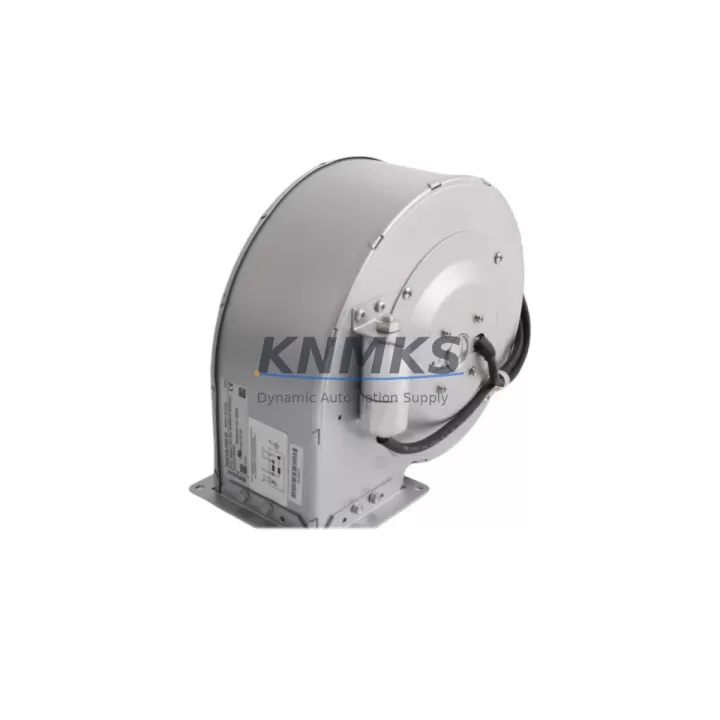
Overview
ABB G2E140-PI32-10 Migration-Ready Digital I/O Module: Legacy AC500 System Retrofit & Upgrade
The ABB G2E140-PI32-10 is a 32-channel digital I/O module engineered for the AC500 PLC platform, and it remains one of the most sought-after components in legacy control system modernization projects. Whether you are replacing a discontinued module in an aging production line, upgrading a control cabinet to extend its operational life, or migrating from an older AC500 generation to a current-generation architecture, the G2E140-PI32-10 provides a verified, drop-in compatible solution that minimizes engineering risk and reduces planned downtime.
Industrial facilities running legacy ABB AC500 systems frequently encounter the challenge of sourcing reliable spare parts as original production runs end. The G2E140-PI32-10 addresses this directly: it retains the same backplane connector pinout, module addressing scheme, and communication protocol compatibility as the original factory-installed units, allowing maintenance engineers to execute a direct swap without modifying the existing PLC program or rewiring the terminal block. This is a critical advantage in environments where control continuity and uptime are non-negotiable.
Before installation, engineers should verify the power supply capacity of the existing rack. The G2E140-PI32-10 draws its logic power from the AC500 backplane bus; confirm that the installed PM5xx or PM5xx-ETH CPU module and the associated TB5xx terminal base can support the combined current draw of all installed I/O modules, including this replacement unit. In mixed-generation racks where older modules may have slightly different power profiles, a rack power budget review is strongly recommended prior to commissioning.
Terminal wiring compatibility is another key checkpoint. The G2E140-PI32-10 uses the standard AC500 TB511 or TB521 terminal base, and field wiring connected to the original module can typically be transferred directly to the replacement unit without re-labeling or re-routing. However, engineers should inspect terminal torque specifications and verify that existing cable ferrules meet current installation standards, particularly in installations that have been in service for more than a decade.
From a communication and protocol perspective, the G2E140-PI32-10 integrates seamlessly into AC500 systems using PROFIBUS DP, Modbus RTU, CANopen, and Ethernet-based protocols such as PROFINET and EtherNet/IP, depending on the CPU and communication module configuration. If the retrofit project also involves upgrading the communication infrastructure — for example, replacing a legacy CI590-CS31-HA CS31 coupler with a modern CI592-CS31 or adding an Ethernet gateway — the I/O module address settings must be re-verified in the PLC program to ensure correct mapping after the communication topology change.
HMI screen updates are often overlooked during I/O module replacements. If the existing HMI — whether a CP600 panel or a third-party SCADA system — references specific I/O addresses or tag names tied to the original module configuration, those references must be audited and updated before the system is returned to production. Failure to do so can result in incorrect process visualization or, in safety-critical applications, missed alarm conditions.
Firmware version compatibility should also be confirmed. The G2E140-PI32-10 is compatible with AC500 firmware versions from V2.x onward; systems running very early firmware releases may require a CPU firmware update before the new module is recognized correctly. This update can typically be performed using the ABB Automation Builder engineering software without requiring a full system shutdown, though a controlled restart of the CPU is necessary to activate the new firmware.
Migration Compatibility Table
| Parameter | Specification / Recommendation |
|---|---|
| Module Type | 32-Channel Digital I/O, AC500 Series |
| Compatible Terminal Base | TB511, TB521 (standard AC500 terminal bases) |
| Backplane Interface | AC500 internal bus; direct plug-in, no adapter required |
| Communication Protocols | PROFIBUS DP, Modbus RTU, CANopen, PROFINET, EtherNet/IP (CPU-dependent) |
| Compatible CPUs | PM554, PM564, PM573, PM583, PM591, PM592, PM595 series |
| Firmware Requirement | AC500 firmware V2.x or later; update via Automation Builder if needed |
| Power Supply Check | Verify rack power budget; confirm TB5xx bus current capacity |
| Wiring Compatibility | Direct terminal transfer from original module; inspect ferrule condition |
| Module Addressing | Retains original address mapping; re-verify after communication topology changes |
| HMI Compatibility | Audit CP600 or SCADA tag references before returning to production |
| Installation Space | Standard AC500 rack slot; same form factor as original module |
| Replacement Scope | Direct drop-in for discontinued G2E140-PI32-10 units |
| Support terms | support terms confirmed by quotation — covers manufacturing defects and functional failures |
| Shipping | Global dispatch; pre-shipment functional test included |
Retrofit Planning for Existing Automation Systems
A successful retrofit of the G2E140-PI32-10 into an existing AC500 installation requires a structured approach that accounts for the full scope of interdependent components in the control cabinet. In most legacy AC500 installations, the digital I/O module does not operate in isolation — it shares a rack with a PM5xx CPU module, one or more analog I/O modules such as the AI523 or AO523, and potentially a dedicated communication module like the CI501-PNIO for PROFINET connectivity or the CI541-DP for PROFIBUS DP networks.
When planning the retrofit, the first step is a physical audit of the existing rack configuration. Document the slot positions of all installed modules, their current firmware versions (readable via Automation Builder online mode), and the wiring layout of each terminal base. This documentation becomes the baseline for the post-retrofit verification checklist and significantly reduces the risk of configuration errors during commissioning.
If the retrofit is part of a broader control cabinet upgrade — for example, replacing an aging PS501 power supply module with a modern CP-E 24VDC unit to improve rail stability and reduce heat load — the sequence of module replacement must be carefully planned to avoid interrupting power to active field devices. In many cases, a staged replacement approach, where the I/O module is swapped during a scheduled maintenance window while the CPU and power supply remain operational, is the lowest-risk strategy.
For installations that also involve migrating from a legacy CS31 bus architecture to a modern Ethernet-based I/O topology, the G2E140-PI32-10 can serve as a stable anchor point during the transition. The existing digital I/O wiring remains unchanged while the communication infrastructure is upgraded around it, allowing the plant to maintain production continuity during the migration phase. In this scenario, the CI592-CS31 communication interface module and the updated rack backplane configuration must be validated in the Automation Builder project before the new communication module is physically installed.
Signal isolators and surge protection devices installed upstream of the terminal base should also be inspected during the retrofit. In older installations, DIN-rail-mounted signal isolators may have degraded over time, and replacing the I/O module without addressing upstream signal quality issues can result in intermittent faults that are difficult to diagnose after commissioning. A pre-retrofit signal integrity check using a loop calibrator is a low-cost step that can prevent significant post-installation troubleshooting time.
Finally, if the installation includes a programming cable connection point — such as a USB-to-serial adapter for legacy RS-232 programming ports — verify that the Automation Builder project file is backed up and version-controlled before any hardware changes are made. This ensures that the original program logic can be restored immediately if an unexpected issue arises during the module swap.
Downtime Control During System Migration
Minimizing unplanned downtime is the primary operational concern in any legacy control system retrofit. For the G2E140-PI32-10, the direct backplane compatibility with the AC500 rack means that the physical module swap can typically be completed in under 30 minutes by a qualified automation technician, provided that the pre-retrofit documentation and verification steps have been completed in advance.
The recommended procedure is to place the AC500 CPU in STOP mode before removing the existing I/O module. This prevents the CPU from generating fault alarms due to missing I/O during the swap and protects the integrity of the running PLC program. The program itself remains stored in the CPU’s non-volatile memory and does not need to be re-downloaded after the module replacement, provided that the new module is installed in the same rack slot and the module address configuration has not changed.
After the new G2E140-PI32-10 is seated in the rack and the terminal base is secured, the CPU can be returned to RUN mode. The system will automatically detect the new module and resume normal I/O scanning within one PLC scan cycle. A brief functional test — verifying that all 32 digital channels respond correctly to field signals — should be performed before the system is returned to full production operation. This test can be conducted using the Automation Builder online monitoring function without requiring physical access to each field device.
For installations where a cold restart is not acceptable — for example, in continuous process environments where even a brief interruption to field device power could cause product quality issues — a hot-swap strategy using a redundant I/O configuration may be appropriate. In this case, the G2E140-PI32-10 can be pre-configured as a standby module in a redundant rack, allowing the system to switch to the replacement module without interrupting the PLC scan cycle. This approach requires advance planning and a compatible redundancy configuration in the Automation Builder project, but it eliminates the need for a planned production stop entirely.
All units supplied by KNMKS undergo a pre-shipment functional test to verify channel-level I/O response, backplane communication integrity, and firmware version compliance before dispatch. This testing protocol reduces the risk of receiving a non-functional module and eliminates the need for incoming inspection at the customer site, further compressing the total retrofit timeline.
Retrofit Support FAQ
Q: Is the G2E140-PI32-10 a direct replacement for the original ABB module of the same part number?
A: Yes. The G2E140-PI32-10 supplied by KNMKS is functionally equivalent to the original ABB factory module. It uses the same backplane connector, terminal base interface, and firmware compatibility profile, making it a verified drop-in replacement for discontinued or failed units in existing AC500 installations. No program modifications or wiring changes are required for a like-for-like swap.
Q: What pre-installation checks should be completed before swapping the module?
A: Before installation, verify the rack power budget to confirm the TB5xx bus can support the replacement module’s current draw. Back up the Automation Builder project file. Document the existing module’s slot position and address configuration. Inspect terminal base wiring and ferrule condition. Confirm the CPU firmware version is V2.x or later. If the installation includes a communication module upgrade, verify the updated I/O address mapping in the PLC project before proceeding.
Q: Does KNMKS provide pre-shipment testing for the G2E140-PI32-10?
A: Yes. Every G2E140-PI32-10 unit dispatched by KNMKS undergoes a pre-shipment functional test covering all 32 digital I/O channels, backplane communication verification, and firmware version confirmation. A test report is available upon request. Units are shipped with protective packaging to prevent transit damage, and global dispatch is supported with tracking provided at the time of shipment.
Q: What support terms coverage applies to the G2E140-PI32-10?
A: All G2E140-PI32-10 units supplied by KNMKS are covered by a support terms confirmed by quotation from the date of shipment. The support terms covers manufacturing defects and functional failures under normal operating conditions. In the event of a support terms claim, KNMKS will arrange for a replacement unit to be dispatched promptly to minimize impact on production operations. Contact admin@knmks.com or +86 18359268345 for support terms support and technical assistance.
© 2026 KNMKS. All rights reserved.
Original Source: https://knmks.com
Contact: admin@knmks.com | +86 18359268345
Product Identification
- Brand / Ecosystem
-
ABB
ABB - Model / Series
-
G2E140-PI32-10
AC500 Series - Product Family
- PLCs & Controllers
- Availability Status
- Available on request after model and quantity confirmation
- Inquiry Type
- B2B RFQ, replacement inquiry and project spare-part request
- Pre-Quote Check
- Exact SKU, brand, series, quantity, nameplate photos and destination country are checked before quotation
System Path
Where this product fits in the KNMKS automation structure.
Specification & Inquiry Focus
- Control platform
- PLC, PAC and modular controllers
- Common needs
- CPU, rack, power and I/O expansion
- Project support
- Replacement, cabinet build and maintenance
Buyer Confirmation
Information KNMKS checks before replying.
- Exact model
- G2E140-PI32-10
- Brand / ecosystem
- ABB
- Product family
- PLCs & Controllers
- Application note
- Replacement, maintenance, project build or spare-part list
- Useful photos
- Nameplate, installed unit, cabinet layout or connector side
- Delivery details
- Quantity, destination country and target schedule
Document Support
Files and notes can be confirmed during quotation.
- Product photos or nameplate confirmation when available
- Packing and delivery notes before quotation confirmation
- Support scope and delivery terms confirmed per inquiry
- Export document coordination for qualified B2B requests
Inquiry Support
- Model cross-checking before quotation
- CPU, power, rack and expansion module matching
- Support for replacement and project inquiry
What to Send Us
- Brand and exact model number: ABB G2E140-PI32-10
- Quantity and required delivery time
- Application, replacement requirement or nameplate photo
- Destination country and shipping preference
RFQ Preparation
This is a product inquiry page built for RFQ communication.
Fast Model Check
Send this model to KNMKS for confirmation.
Include quantity, destination country and photos if this is a maintenance replacement. The inquiry will be saved with a reference number after submission.
Brand & Compatibility Note
KNMKS displays automation product information for well-known industrial brand ecosystems and compatible replacement references. Brand names are used for product identification and compatibility reference only; final availability and commercial terms are confirmed per quotation.
 Manufacturing
 Machine Tools
 Packaging
 Energy & Power



 HMI & Displays
 Servo Systems
 Variable Frequency Drives
 Sensors