
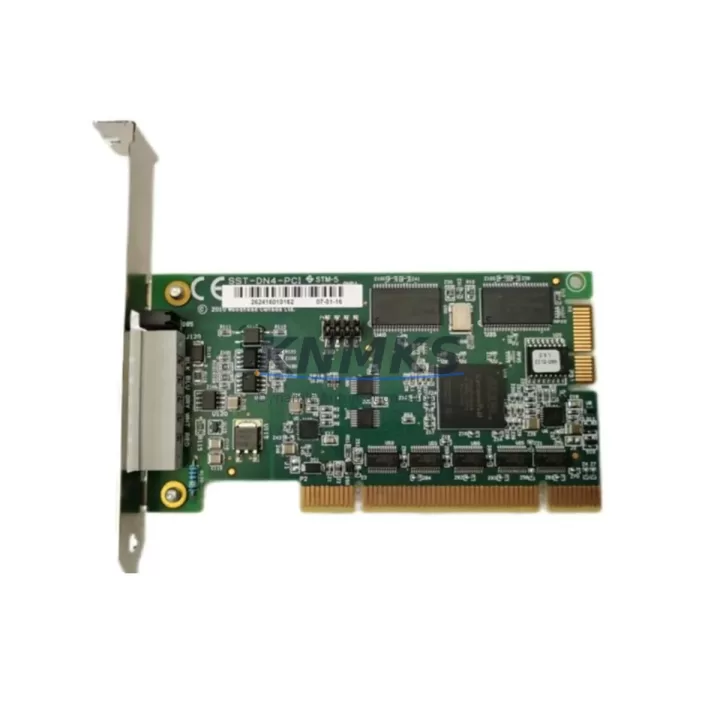
Overview
ABB DSQC697 Maintenance-Proven Spare Part for Factory Uptime
The ABB DSQC697 is a critical spare part within the IRC5 robot controller family, widely deployed across automotive assembly lines, metal fabrication cells, electronics manufacturing, and general industrial automation environments. For maintenance engineers managing aging robot fleets or procurement teams building strategic spare parts inventories, the DSQC697 represents a high-priority stocking item — its failure directly impacts robot availability and production continuity.
Sourced as an original ABB component, every DSQC697 unit supplied by KNMKS undergoes functional verification and electrical testing prior to shipment. This ensures that when your team installs the module on-site, it performs to ABB’s original specifications without the risk of infant failure that often accompanies untested aftermarket alternatives. A support terms confirmed by quotation is included with every unit, providing procurement teams with the assurance needed for long-term maintenance planning.
Whether you are responding to an unplanned IRC5 controller fault, executing a scheduled annual overhaul, or building a buffer stock to protect against extended lead times from the OEM, the DSQC697 is available for immediate dispatch from KNMKS inventory.
Spare Maintenance Table
| Parameter | Specification |
|---|---|
| Part Number | DSQC697 |
| Brand | ABB |
| Series | IRC5 Robot Controller |
| Product Type | Robot Controller Spare Part / Drive Unit Module |
| Origin | Sweden (SE) |
| Compatibility | ABB IRC5 Single Cabinet, IRC5 Compact, IRC5 Panel Mounted Controller |
| Application | Industrial robot control, servo drive management, motion coordination |
| Installation Environment | Industrial control cabinet, IP54 enclosure recommended |
| Operating Temperature | 0°C to +52°C (standard IRC5 cabinet conditions) |
| Maintenance Interval | Inspect annually or per ABB IRC5 maintenance schedule |
| Pre-Shipment Testing | Yes — functional and electrical verification |
| Support terms | 12 Months from date of shipment |
| Lead Time | availability confirmed by RFQ — ready for immediate dispatch |
| Long-Term Supply | Available through KNMKS for legacy IRC5 fleet support |
Maintenance Planning for Continuous Operation
Replacing the DSQC697 in an IRC5 controller is rarely an isolated task. Experienced maintenance engineers understand that a module-level fault often signals broader stress within the control cabinet, and a thorough inspection during the replacement window can prevent secondary failures that would otherwise cause additional unplanned downtime.
When servicing the DSQC697, the following components and subsystems should be inspected or tested concurrently:
Power Supply Unit (DSQC661 or DSQC662): The IRC5 power supply feeds the controller backplane and all installed modules. A degraded power supply can cause intermittent faults that mimic module failure. Verify output voltages and ripple before reinstalling or commissioning a new DSQC697.
Drive Unit and Axis Computer (DSQC668 / DSQC656): The axis computer and drive modules work in close coordination with the DSQC697. If the robot was exhibiting axis-specific errors prior to the fault, inspect the corresponding drive unit for thermal damage, connector wear, or firmware version mismatches.
I/O Modules (DSQC651 / DSQC652): Digital and analog I/O modules mounted on the IRC5 backplane should be checked for loose connectors and correct addressing. A faulty I/O module can generate system-level errors that are incorrectly attributed to the main controller board.
Backplane and Connector Integrity: The IRC5 backplane distributes power and communication signals to all installed modules. Inspect the backplane connectors for oxidation, bent pins, or heat discoloration — particularly in high-cycle or high-ambient-temperature installations.
Communication Modules (DSQC688 — DeviceNet / Profibus / EtherNet/IP): If the IRC5 is integrated into a broader PLC or SCADA network, verify that the fieldbus communication module is functioning correctly after the DSQC697 replacement. A controller reboot can sometimes expose latent communication faults.
Teach Pendant Cable and FlexPendant Interface: Inspect the teach pendant cable for physical damage and verify the FlexPendant interface is responding correctly after the module swap. A damaged pendant cable can prevent the controller from completing its startup sequence.
Fuses and Circuit Protection: Check all cabinet fuses and circuit breakers. Overcurrent events that caused the original DSQC697 failure may have also stressed or partially blown protective components elsewhere in the cabinet.
Building a structured spare parts kit around the DSQC697 — including at minimum one spare power supply module and one spare I/O module — is a best practice for facilities running multiple IRC5 robots, where a single controller failure can cascade into line-wide stoppages.
Site Replacement Workflow
Step 1 — Fault Isolation: Before ordering a replacement DSQC697, retrieve the IRC5 error log via the FlexPendant or RobotStudio. Confirm that the fault code points to the specific module and is not a symptom of a power supply or backplane issue. This prevents unnecessary module replacement and reduces procurement cost.
Step 2 — Safe Shutdown: Follow ABB IRC5 lockout/tagout procedures. De-energize the controller, discharge capacitors per the service manual, and allow the cabinet to cool if thermal events were involved.
Step 3 — Module Removal: Document the existing cable routing and connector positions with photographs before disconnecting. The DSQC697 connects to the IRC5 backplane via a standardized edge connector — handle with ESD precautions.
Step 4 — Compatibility Verification: Confirm the replacement DSQC697 firmware version is compatible with your IRC5 system software revision. Contact KNMKS at admin@knmks.com if you require firmware guidance or version matching support.
Step 5 — Installation and Commissioning: Install the replacement module, reconnect all cables per your documentation, and restore power. Run the IRC5 startup sequence and verify all axes respond correctly. Perform a short test cycle before returning the robot to production.
Step 6 — Documentation: Record the replacement in your maintenance log, including the new module serial number, installation date, and technician name. This supports support requests and future fault analysis.
KNMKS supplies DSQC697 units that are tested, labeled, and packaged for safe transport. Each unit ships with a test report and is covered by a support terms confirmed by quotation from the date of shipment, giving your maintenance and procurement teams full traceability and accountability.
Spare Parts Support FAQ
Q1: Is the DSQC697 supplied by KNMKS an original ABB component?
Yes. KNMKS sources DSQC697 units as original ABB spare parts. Each unit is verified for authenticity and undergoes functional testing before shipment. We do not supply rebranded or aftermarket substitutes for this part number.
Q2: What support terms is provided, and what does it cover?
Every DSQC697 supplied by KNMKS carries a support terms confirmed by quotation from the date of shipment. The support terms covers manufacturing defects and functional failures under normal operating conditions. It does not cover damage caused by incorrect installation, overvoltage events, or physical mishandling on-site.
Q3: Can KNMKS supply DSQC697 units for long-term or repeat procurement contracts?
Yes. KNMKS maintains ongoing inventory of high-demand IRC5 spare parts including the DSQC697 and related modules. For facilities managing multiple IRC5 robots or planning annual maintenance schedules, we recommend contacting admin@knmks.com to discuss volume pricing, reserved stock arrangements, and lead time commitments.
Q4: How do I confirm compatibility before placing an order?
The DSQC697 is compatible with ABB IRC5 Single Cabinet, IRC5 Compact, and IRC5 Panel Mounted Controller variants. If you are unsure whether the DSQC697 is the correct replacement for your specific IRC5 configuration or software revision, send your controller serial number and current software version to admin@knmks.com. Our technical team will confirm compatibility before you commit to the purchase.
© 2026 KNMKS. All rights reserved.
Original Source: https://knmks.com
Contact: admin@knmks.com | +86 18359268345
Product Identification
- Brand / Ecosystem
-
ABB
ABB - Model / Series
-
DSQC697
IRC5 Series - Product Family
- PLCs & Controllers
- Availability Status
- Available on request after model and quantity confirmation
- Inquiry Type
- B2B RFQ, replacement inquiry and project spare-part request
- Pre-Quote Check
- Exact SKU, brand, series, quantity, nameplate photos and destination country are checked before quotation
System Path
Where this product fits in the KNMKS automation structure.
Specification & Inquiry Focus
- Control platform
- PLC, PAC and modular controllers
- Common needs
- CPU, rack, power and I/O expansion
- Project support
- Replacement, cabinet build and maintenance
Buyer Confirmation
Information KNMKS checks before replying.
- Exact model
- DSQC697
- Brand / ecosystem
- ABB
- Product family
- PLCs & Controllers
- Application note
- Replacement, maintenance, project build or spare-part list
- Useful photos
- Nameplate, installed unit, cabinet layout or connector side
- Delivery details
- Quantity, destination country and target schedule
Document Support
Files and notes can be confirmed during quotation.
- Product photos or nameplate confirmation when available
- Packing and delivery notes before quotation confirmation
- Support scope and delivery terms confirmed per inquiry
- Export document coordination for qualified B2B requests
Inquiry Support
- Model cross-checking before quotation
- CPU, power, rack and expansion module matching
- Support for replacement and project inquiry
What to Send Us
- Brand and exact model number: ABB DSQC697
- Quantity and required delivery time
- Application, replacement requirement or nameplate photo
- Destination country and shipping preference
RFQ Preparation
This is a product inquiry page built for RFQ communication.
Fast Model Check
Send this model to KNMKS for confirmation.
Include quantity, destination country and photos if this is a maintenance replacement. The inquiry will be saved with a reference number after submission.
Brand & Compatibility Note
KNMKS displays automation product information for well-known industrial brand ecosystems and compatible replacement references. Brand names are used for product identification and compatibility reference only; final availability and commercial terms are confirmed per quotation.
 Manufacturing
 Machine Tools
 Packaging
 Energy & Power



 HMI & Displays
 Servo Systems
 Variable Frequency Drives
 Sensors