
Overview
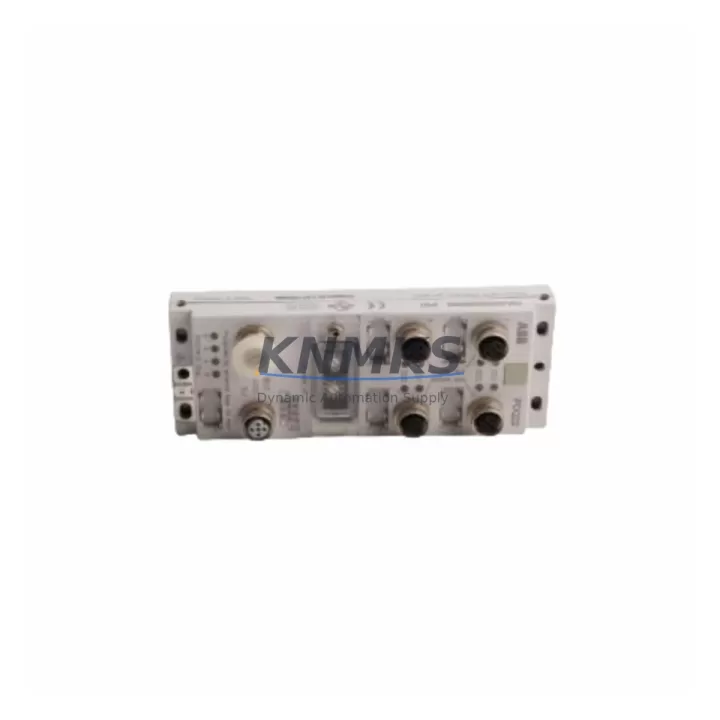
ABB DSQC697 3HAC037084-001 Migration-Ready DeviceNet Module for Legacy Control Systems
The ABB DSQC697 (3HAC037084-001 / 3HNA023282-001) is a DeviceNet communication module designed for ABB IRC5 robot controllers. As legacy automation lines face increasing pressure from obsolescence and discontinued OEM support, the DSQC697 serves as a critical migration-ready spare part for facilities managing long-lifecycle robotic installations. Whether you are replacing a failed unit, upgrading a control cabinet, or executing a planned retrofit of an aging IRC5-based workcell, this module provides a verified drop-in solution that preserves existing program logic and minimizes unplanned downtime.
Before installing the DSQC697 as a replacement, engineers should confirm several key parameters: the DeviceNet node address assignment must match the original module configuration to avoid address conflicts on the fieldbus network. Terminal wiring on the DeviceNet connector — including CAN_H, CAN_L, shield, and 24 VDC supply lines — must be verified against the original cabinet drawing. The backplane interface on the IRC5 main computer unit (MCU) must be inspected for pin integrity, as backplane damage is a common secondary failure mode when a communication module fails under load. Power supply capacity from the DSQC608 or equivalent IRC5 power distribution unit should be confirmed to support the additional DeviceNet bus load, particularly in multi-axis cells where several DSQC-series I/O modules share the same rail.
Firmware compatibility is another critical checkpoint. The IRC5 system software version (RobotWare) must be at a release level that supports the DSQC697 hardware revision installed. In systems running RobotWare 5.x or earlier, firmware alignment between the main computer DSQC639 and the DeviceNet module must be validated before commissioning. Mismatched firmware versions can cause the module to fail initialization or generate persistent fault codes that prevent the robot from entering automatic mode.
Migration Compatibility Table
| Parameter | DSQC697 Specification | Retrofit Notes |
|---|---|---|
| Compatible Controller | ABB IRC5 (single & multi-cabinet) | Verify cabinet generation (M2004 / M2000A) |
| Communication Protocol | DeviceNet (CAN-based, ISO 11898) | Node address must match original config |
| Backplane Interface | IRC5 internal backplane connector | Inspect pins; replace if bent or corroded |
| Power Supply Requirement | 24 VDC via IRC5 power rail | Confirm DSQC608 capacity under full I/O load |
| Firmware Compatibility | RobotWare 5.x / 6.x | Align with DSQC639 main computer firmware |
| Installation Space | Standard IRC5 module slot | No mechanical modification required |
| Replacement SKUs | 3HAC037084-001 / 3HNA023282-001 | Cross-reference both part numbers before ordering |
| Support terms | 12 Months | Covers manufacturing defects; tested before shipment |
Retrofit Planning for Existing Automation Systems
A successful DSQC697 retrofit begins well before the module arrives on-site. Start by auditing the full IRC5 control cabinet to identify all installed DSQC-series modules. In a typical multi-axis IRC5 cell, you may find the DSQC652 digital I/O module handling discrete signals from end-of-arm tooling, the DSQC651 analog I/O module managing force or pressure sensor inputs, and the DSQC378B or DSQC679 teach pendant interface board connected to the FlexPendant. Each of these modules shares the IRC5 backplane and power rail, so any power budget recalculation must account for the aggregate draw across all installed cards.
For facilities migrating from older S4C+ or S4Cplus robot controllers to IRC5, the DeviceNet topology may need to be redesigned. The DSQC697 supports standard DeviceNet trunk-and-drop wiring, but legacy S4C+ installations often used proprietary ABB I/O bus configurations that are not directly compatible. In these cases, a DSQC328A or equivalent signal conditioning module may be required to bridge legacy sensor wiring to the new DeviceNet network. Programming engineers should also review RAPID task structures and I/O signal mapping tables to ensure that DeviceNet node addresses and signal names are correctly remapped in the new controller configuration.
HMI screen updates are frequently overlooked during IRC5 retrofits. If the facility uses a SCADA or DCS system that monitors robot I/O states via DeviceNet, the PLC or HMI tag database must be updated to reflect any changes in node addressing or signal layout introduced by the DSQC697 replacement. Communication links between the IRC5 and upstream Profibus DP or EtherNet/IP networks — often managed through a separate DSQC688 fieldbus adapter — should be tested end-to-end after the DeviceNet module swap to confirm that gateway mappings remain intact.
Downtime Control During System Migration
Minimizing production downtime during a DSQC697 replacement requires a structured pre-swap checklist. Before powering down the IRC5 cabinet, back up the complete system configuration using the RobotStudio backup function or the teach pendant backup utility. This backup captures RAPID programs, I/O configuration, system parameters, and DeviceNet node assignments — all of which are essential for restoring the robot to its pre-failure state after the module swap.
During the physical swap, label all DeviceNet connector wires before disconnection. The DeviceNet cable shield must be grounded at one end only to prevent ground loop interference; verify this grounding scheme is preserved when reconnecting to the DSQC697. After installation, power up the IRC5 in manual mode and use the teach pendant event log to confirm that the DeviceNet network initializes without fault codes. Common post-swap faults include node address conflicts (if the replacement module ships with a factory-default address) and bus termination errors (if the 121-ohm termination resistors at each end of the DeviceNet trunk are missing or damaged).
Once the DeviceNet network is confirmed healthy, restore the system backup and run a dry-cycle test of all robot programs in manual reduced-speed mode before returning the cell to automatic production. This sequence typically allows a trained engineer to complete a DSQC697 swap and return the robot to production in under four hours, significantly reducing the cost impact of an unplanned failure event. All units supplied by KNMKS are tested prior to shipment and covered by a support terms confirmed by quotation, providing additional assurance during the commissioning phase.
Retrofit Support FAQ
Q: Is the DSQC697 (3HAC037084-001) a direct drop-in replacement for the 3HNA023282-001?
A: Yes. Both part numbers refer to the same DSQC697 DeviceNet module for the ABB IRC5 controller. The 3HNA023282-001 designation was used in certain regional ABB catalogs. Functionally and mechanically, the modules are identical and interchangeable without any hardware modification.
Q: What commissioning steps are required after installing the DSQC697?
A: After physical installation, verify the DeviceNet node address matches the original configuration, confirm bus termination at both trunk ends, restore the system backup via the teach pendant, and run a manual-mode dry cycle to validate all I/O signals before returning to automatic mode. Check the IRC5 event log for any residual fault codes related to the DeviceNet network.
Q: Can the DSQC697 be used in IRC5 cabinets running older RobotWare versions?
A: The DSQC697 is compatible with RobotWare 5.x and 6.x. For systems running RobotWare 5.07 or earlier, confirm the hardware revision of the replacement module against the ABB compatibility matrix. In most cases, the module will initialize correctly, but a firmware update to the DSQC639 main computer may be recommended to ensure full feature support.
Q: What is the support terms and pre-shipment testing policy?
A: All DSQC697 units supplied by KNMKS are functionally tested before shipment and covered by a support terms confirmed by quotation against manufacturing defects. In-stock units are available for same-week dispatch to minimize production downtime. Contact our technical team at admin@knmks.com or +86 18359268345 to confirm availability and lead time before placing your order.
© 2026 KNMKS. All rights reserved.
Original Source: https://knmks.com
Contact: admin@knmks.com | +86 18359268345
Product Identification
- Brand / Ecosystem
-
ABB
ABB - Model / Series
-
DSQC697 3HAC037084-001 3HNA023282-001 3HNA023282-001
IRC5 Series - Product Family
- PLCs & Controllers
- Availability Status
- Available on request after model and quantity confirmation
- Inquiry Type
- B2B RFQ, replacement inquiry and project spare-part request
- Pre-Quote Check
- Exact SKU, brand, series, quantity, nameplate photos and destination country are checked before quotation
System Path
Where this product fits in the KNMKS automation structure.
Specification & Inquiry Focus
- Control platform
- PLC, PAC and modular controllers
- Common needs
- CPU, rack, power and I/O expansion
- Project support
- Replacement, cabinet build and maintenance
Buyer Confirmation
Information KNMKS checks before replying.
- Exact model
- DSQC697 3HAC037084-001 3HNA023282-001 3HNA023282-001
- Brand / ecosystem
- ABB
- Product family
- PLCs & Controllers
- Application note
- Replacement, maintenance, project build or spare-part list
- Useful photos
- Nameplate, installed unit, cabinet layout or connector side
- Delivery details
- Quantity, destination country and target schedule
Document Support
Files and notes can be confirmed during quotation.
- Product photos or nameplate confirmation when available
- Packing and delivery notes before quotation confirmation
- Support scope and delivery terms confirmed per inquiry
- Export document coordination for qualified B2B requests
Inquiry Support
- Model cross-checking before quotation
- CPU, power, rack and expansion module matching
- Support for replacement and project inquiry
What to Send Us
- Brand and exact model number: ABB DSQC697 3HAC037084-001 3HNA023282-001 3HNA023282-001
- Quantity and required delivery time
- Application, replacement requirement or nameplate photo
- Destination country and shipping preference
RFQ Preparation
This is a product inquiry page built for RFQ communication.
Fast Model Check
Send this model to KNMKS for confirmation.
Include quantity, destination country and photos if this is a maintenance replacement. The inquiry will be saved with a reference number after submission.
Brand & Compatibility Note
KNMKS displays automation product information for well-known industrial brand ecosystems and compatible replacement references. Brand names are used for product identification and compatibility reference only; final availability and commercial terms are confirmed per quotation.
 Manufacturing
 Machine Tools
 Packaging
 Energy & Power



 HMI & Displays
 Servo Systems
 Variable Frequency Drives
 Sensors