
Overview
ABB DSQC639-TOP-3HNA011342-001 Migration-Ready IRC5 Controller: Legacy System Retrofit & Upgrade
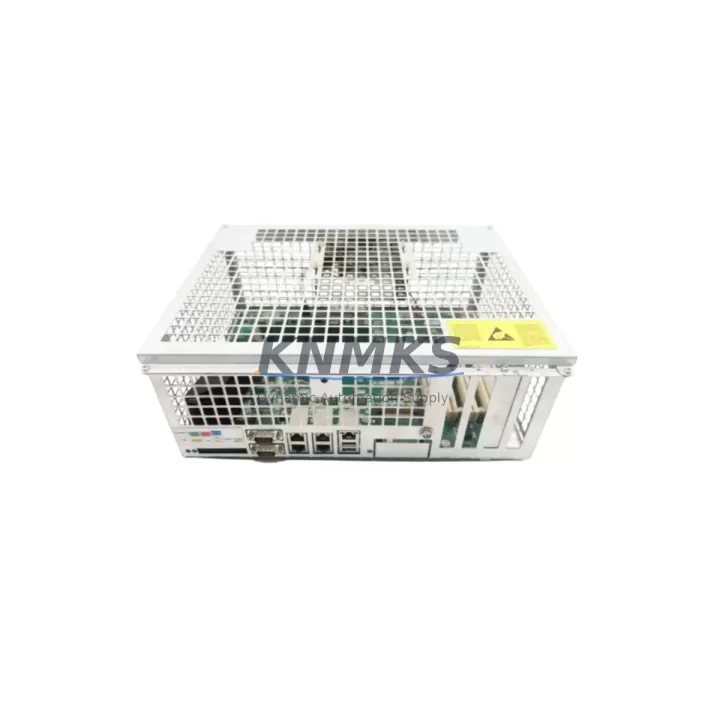
The ABB DSQC639-TOP-3HNA011342-001 is a migration-ready main computer module designed for the ABB IRC5 robot controller platform. As ABB progressively phases out legacy IRC5 hardware, facilities running IRB 4600, IRB 6640, IRB 2600, and related robot families face increasing pressure to source verified replacement modules before OEM supply chains close. The DSQC639-TOP-3HNA011342-001 — also cross-referenced as 3HNA011342-001 and 3HAC046598-001 — is a direct-fit replacement for the original DSQC639 main computer board, restoring full controller functionality without requiring a complete cabinet overhaul or robot reprogramming.
For maintenance engineers and automation managers responsible for keeping legacy IRC5 systems operational, this module addresses the most critical risk in any retrofit project: sourcing a hardware-verified, firmware-compatible replacement that can be installed with minimal downtime and without compromising existing RAPID program logic or FlexPendant HMI configurations.
Migration Compatibility Table
| Parameter | Details |
|---|---|
| SKU / Part Number | DSQC639-TOP-3HNA011342-001 / 3HNA011342-001 / 3HAC046598-001 |
| Compatible Platform | ABB IRC5 Single Cabinet, Dual Cabinet, Panel Mounted Controller |
| Compatible Robot Series | IRB 4600, IRB 6640, IRB 2600, IRB 6650S, IRB 760 |
| Module Function | Main Computer Unit (MCU) — system coordination, I/O management, RAPID execution |
| Backplane Interface | IRC5 standard backplane connector — direct drop-in fit |
| Communication Protocols | DeviceNet, PROFIBUS, EtherNet/IP (via DSQC651/DSQC652 option boards) |
| Power Supply Requirement | 24 VDC via IRC5 internal PSU (DSQC661 or equivalent) |
| Firmware Compatibility | RobotWare 5.x / 6.x — version verification required before installation |
| Installation Space | Standard IRC5 cabinet MCU slot — no mechanical modification required |
| Replacement Recommendation | Direct replacement for failed or end-of-life DSQC639 main computer boards |
| Commissioning Notes | IP address configuration, system parameter restore, I/O mapping verification required |
| Support terms | support terms confirmed by quotation — hardware tested and verified prior to shipment |
Retrofit Planning for Existing Automation Systems
A successful IRC5 retrofit begins well before the replacement module arrives on-site. Engineers should start by auditing the existing cabinet configuration: confirm the installed RobotWare version, document all active I/O assignments, and back up the complete system parameters and RAPID modules using RobotStudio or the FlexPendant backup utility. This backup is non-negotiable — it protects the program logic, tool data, work object definitions, and safety configurations that took years to develop and tune.
The DSQC639-TOP-3HNA011342-001 slots into the same MCU position as the original DSQC639, but the retrofit process requires careful attention to several adjacent components. The DSQC661 power supply unit must be verified to deliver stable 24 VDC to the new board; any degraded capacitors or voltage irregularities in the PSU will cause the replacement MCU to fault immediately after boot. Similarly, the DSQC652 Ethernet/IP communication board and DSQC651 DeviceNet board — if installed — must be reseated and their network parameters reconfigured to match the restored system backup.
Terminal wiring on the DSQC608 I/O module and any connected DSQC328A analog I/O boards should be photographed and labeled before disconnection. IRC5 terminal blocks are compact and densely wired; even a single transposed signal wire can cause axis faults or safety chain interruptions during the first power-on sequence. If the cabinet includes a DSQC679 FlexPendant interface unit, verify that the teach pendant cable and emergency stop loop are reconnected correctly before enabling drive power.
For facilities running multiple IRC5 cabinets on a shared network, the replacement module’s IP address must be assigned to match the original controller’s network identity. Failure to do so will break communication with the SCADA system, PLC supervisory layer, or any upstream MES integration. Coordinate with the controls team to confirm the IP scheme before the module is powered on for the first time.
Downtime Control During System Migration
Unplanned downtime during an IRC5 main computer replacement is the primary concern for production managers. With the right preparation, the physical swap of the DSQC639-TOP-3HNA011342-001 can be completed in under two hours — but the surrounding verification steps determine whether the robot returns to full production speed in a single shift or requires extended troubleshooting.
The most effective downtime reduction strategy is pre-staging: receive and bench-test the replacement module before the scheduled maintenance window. Verify that the module powers on correctly, that the RobotWare version matches the target system, and that no hardware faults are present. This eliminates the risk of discovering a DOA module during a live production stoppage.
During the swap, follow a structured sequence: isolate cabinet power, discharge the drive system, remove the failed DSQC639, install the DSQC639-TOP-3HNA011342-001, restore system parameters from backup, verify I/O mapping, confirm safety chain continuity, and perform a slow-speed test cycle before returning to automatic mode. Document each step with timestamps — this record supports support requests and provides a reference for future maintenance events.
For facilities that cannot afford even a planned outage, consider maintaining a pre-configured spare DSQC639-TOP-3HNA011342-001 in the local spare parts inventory. A pre-loaded module with the correct RobotWare image and system parameters can reduce mean time to repair (MTTR) from hours to minutes. KNMKS supplies pre-tested units with support terms confirmed by quotation coverage, supporting spare parts lifecycle programs for multi-robot installations.
Retrofit Support FAQ
Q: Is the DSQC639-TOP-3HNA011342-001 a direct replacement for the original DSQC639?
A: Yes. The DSQC639-TOP-3HNA011342-001 (cross-reference: 3HNA011342-001, 3HAC046598-001) is a direct mechanical and electrical replacement for the DSQC639 main computer board in ABB IRC5 controllers. No cabinet modifications are required. RobotWare version compatibility should be confirmed before installation.
Q: What commissioning steps are required after installing the replacement module?
A: After physical installation, restore the system parameter backup via RobotStudio or the FlexPendant. Verify I/O assignments, reconfigure network IP address, confirm safety chain continuity, and perform a supervised slow-speed test cycle. If the DSQC652 or DSQC651 fieldbus boards are installed, revalidate their communication links before returning to automatic mode.
Q: How do I verify wiring compatibility before installation?
A: Photograph all terminal connections on the existing DSQC639 and adjacent I/O modules (DSQC608, DSQC328A) before disconnection. Cross-reference against the IRC5 Product Manual wiring diagrams. The DSQC639-TOP-3HNA011342-001 uses the same connector pinout as the original module — no rewiring is required if the cabinet has not been modified.
Q: What does the support terms confirmed by quotation cover, and how is the unit tested before shipment?
A: Every DSQC639-TOP-3HNA011342-001 unit supplied by KNMKS undergoes hardware-level functional testing prior to shipment, including power-on verification, communication interface checks, and visual inspection for component damage. The support terms confirmed by quotation cover hardware defects and functional failures under normal operating conditions. Units are shipped with anti-static packaging and include a test report on request.
© 2026 KNMKS. All rights reserved.
Original Source: https://knmks.com
Contact: admin@knmks.com | +86 18359268345
Product Identification
- Brand / Ecosystem
-
ABB
ABB - Model / Series
-
DSQC639-TOP-3HNA011342-001
IRC5 Series - Product Family
- PLCs & Controllers
- Availability Status
- Available on request after model and quantity confirmation
- Inquiry Type
- B2B RFQ, replacement inquiry and project spare-part request
- Pre-Quote Check
- Exact SKU, brand, series, quantity, nameplate photos and destination country are checked before quotation
System Path
Where this product fits in the KNMKS automation structure.
Specification & Inquiry Focus
- Control platform
- PLC, PAC and modular controllers
- Common needs
- CPU, rack, power and I/O expansion
- Project support
- Replacement, cabinet build and maintenance
Buyer Confirmation
Information KNMKS checks before replying.
- Exact model
- DSQC639-TOP-3HNA011342-001
- Brand / ecosystem
- ABB
- Product family
- PLCs & Controllers
- Application note
- Replacement, maintenance, project build or spare-part list
- Useful photos
- Nameplate, installed unit, cabinet layout or connector side
- Delivery details
- Quantity, destination country and target schedule
Document Support
Files and notes can be confirmed during quotation.
- Product photos or nameplate confirmation when available
- Packing and delivery notes before quotation confirmation
- Support scope and delivery terms confirmed per inquiry
- Export document coordination for qualified B2B requests
Inquiry Support
- Model cross-checking before quotation
- CPU, power, rack and expansion module matching
- Support for replacement and project inquiry
What to Send Us
- Brand and exact model number: ABB DSQC639-TOP-3HNA011342-001
- Quantity and required delivery time
- Application, replacement requirement or nameplate photo
- Destination country and shipping preference
RFQ Preparation
This is a product inquiry page built for RFQ communication.
Fast Model Check
Send this model to KNMKS for confirmation.
Include quantity, destination country and photos if this is a maintenance replacement. The inquiry will be saved with a reference number after submission.
Brand & Compatibility Note
KNMKS displays automation product information for well-known industrial brand ecosystems and compatible replacement references. Brand names are used for product identification and compatibility reference only; final availability and commercial terms are confirmed per quotation.
 Manufacturing
 Machine Tools
 Packaging
 Energy & Power



 HMI & Displays
 Servo Systems
 Variable Frequency Drives
 Sensors