
Overview
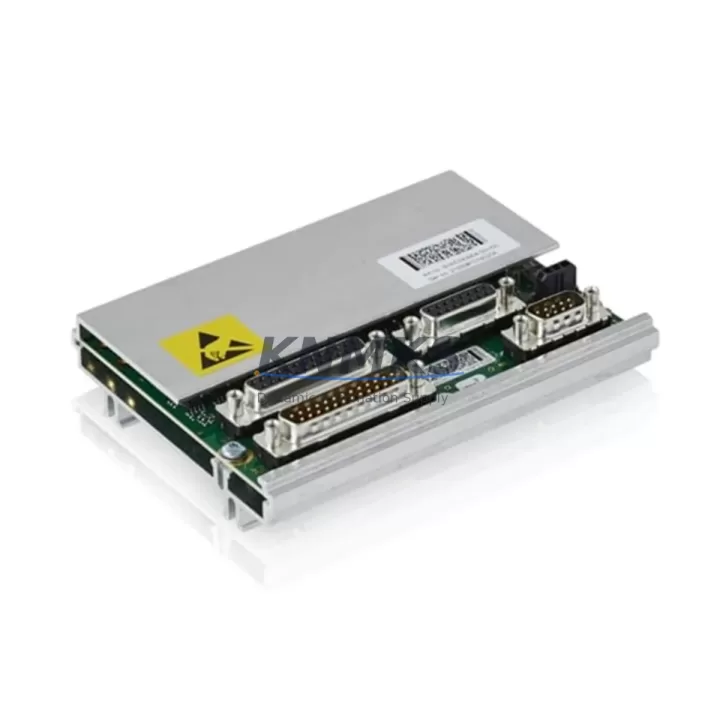
ABB DSQC633 3HAC022286-001 Migration-Ready SMU for Legacy Control Systems
The ABB DSQC633 (3HAC022286-001) is a Serial Measurement Unit (SMU) designed for use in ABB IRC5 robot controller cabinets. As legacy IRC5 installations age and original spare parts become increasingly difficult to source, the DSQC633 serves as a critical component in both direct replacement scenarios and broader control system modernization projects. Whether you are restoring a production line after an unexpected failure or executing a planned retrofit of an aging robot cell, this unit provides the measurement and signal processing functions required to maintain system integrity without requiring a full controller replacement.
For facilities running multi-robot cells or coordinated motion systems, the DSQC633 integrates directly into the IRC5 single cabinet or IRC5 MultiMove configurations. Its compatibility with the standard IRC5 backplane means that installation does not require modifications to the cabinet wiring harness or the main computer board (DSQC639). Engineers performing a like-for-like swap should verify the firmware revision on the existing DSQC633 against the RobotWare version currently loaded on the controller, as certain RobotWare 5.x and 6.x builds have specific SMU firmware dependencies that must be matched to avoid axis calibration errors on startup.
Before committing to installation, confirm the following with your site documentation: the axis computer (DSQC668 or DSQC667) firmware version, the current resolver signal routing through the measurement board, and whether the existing SMU has been configured with any non-default axis offset parameters stored in the system parameters file. These values must be transferred to the replacement unit or re-entered via RobotStudio or the FlexPendant teach pendant before the robot is returned to automatic mode.
Migration Compatibility Table
| Parameter | Details |
|---|---|
| Part Number | DSQC633 / 3HAC022286-001 |
| Compatible Controller | ABB IRC5 Single Cabinet, IRC5 Compact, IRC5 MultiMove |
| Backplane Interface | Standard IRC5 internal bus — direct plug-in, no adapter required |
| Replaces / Supersedes | Earlier DSQC633 revisions; verify hardware revision suffix before ordering |
| Communication Protocol | Internal IRC5 measurement bus; compatible with DeviceNet and PROFIBUS option boards |
| Power Supply Requirement | Supplied via IRC5 internal backplane — no external PSU required |
| Installation Space | Standard IRC5 SMU slot — no cabinet modification required |
| Firmware Compatibility | RobotWare 5.x / 6.x — confirm SMU firmware revision matches RobotWare build |
| Commissioning Requirement | Axis calibration verification via FlexPendant or RobotStudio after swap |
| Outgoing Test | Function-tested prior to shipment |
| Support terms | support terms confirmed by quotation included |
| Origin | Germany |
Retrofit Planning for Existing Automation Systems
A successful DSQC633 replacement is rarely an isolated action — it is typically one step within a broader IRC5 cabinet health assessment. During planned retrofits, maintenance teams commonly address several interconnected components in the same service window to minimize future unplanned downtime.
The DSQC609 power supply unit is frequently inspected alongside the SMU, as capacitor degradation in aging power supplies can produce intermittent voltage fluctuations that mimic SMU faults. If the cabinet has been in service for more than eight years, proactive replacement of the DSQC609 during the same maintenance window is a common recommendation from ABB-certified integrators.
For cells where the IRC5 communicates with a Siemens S7 PLC or a Rockwell ControlLogix system via DeviceNet or PROFIBUS, the DSQC688 DeviceNet adapter or the DSQC612 PROFIBUS adapter board should be inspected for connector wear and firmware currency. Protocol migration projects — for example, moving from DeviceNet to EtherNet/IP using the DSQC652 Ethernet adapter — are often staged alongside SMU replacements to consolidate cabinet downtime into a single planned outage.
I/O expansion is another common parallel activity. If the retrofit scope includes adding new end-of-arm tooling signals or additional safety interlocks, the DSQC651 I/O module provides additional digital I/O capacity within the existing IRC5 cabinet without requiring a new controller platform. Wiring changes to the I/O terminal blocks should be documented and cross-referenced against the robot program’s system parameters before the cabinet is powered back on.
Where the retrofit involves updating the operator interface, the IRC5 FlexPendant (DSQC679) should be checked for cable integrity and software version compatibility with the updated RobotWare build. HMI screen layouts and custom RAPID program shortcuts stored on the pendant may require re-validation after a firmware update cycle that accompanies the SMU replacement.
Finally, for sites managing multiple robot cells, maintaining a documented spare parts inventory that includes the DSQC633, the axis computer, and the main computer board ensures that future unplanned failures can be resolved within a single shift rather than requiring emergency international procurement.
Downtime Control During System Migration
Minimizing production interruption during an IRC5 SMU replacement requires preparation that begins well before the cabinet is de-energized. The most effective approach is to create a full system backup using RobotStudio or the FlexPendant backup function before any hardware is disturbed. This backup captures the RAPID program, system parameters, axis calibration data, I/O configuration, and communication settings — providing a complete restore point if the replacement unit requires re-commissioning from a known-good state.
During the physical swap, label all connectors before disconnection and photograph the existing wiring layout. The DSQC633 connects to the measurement board harness and the backplane bus connector; both are keyed, but documenting the as-found state eliminates ambiguity during reassembly, particularly in cabinets where previous field modifications may have introduced non-standard routing.
After installation, power the cabinet in manual mode and perform a fine calibration check on all axes before releasing the robot to automatic production. If the system uses absolute accuracy calibration (CalibWare), the calibration data file must be reloaded from the backup or re-measured on the physical robot. Skipping this step is the most common cause of post-replacement positional deviation that requires a second maintenance intervention.
For multi-robot cells, coordinate the replacement sequence so that upstream and downstream robots remain in a safe hold state during the outage. Communicate the planned maintenance window to the PLC or SCADA system operator to prevent automatic restart commands from being issued before the replaced robot has completed its post-swap validation sequence.
Retrofit Support FAQ
Q: Is the DSQC633 3HAC022286-001 a direct drop-in replacement for all IRC5 cabinet variants?
A: The DSQC633 is compatible with IRC5 Single Cabinet, IRC5 Compact, and IRC5 MultiMove configurations. Verify the hardware revision suffix on your existing unit before ordering, as early production revisions may have different connector pinouts. Contact our technical team with your existing unit’s label information for confirmation.
Q: What firmware version should the replacement DSQC633 carry to match my current RobotWare installation?
A: The required SMU firmware version depends on the RobotWare build installed on your IRC5 main computer (DSQC639). Check the RobotWare version via the FlexPendant under System Info before ordering. We can advise on firmware compatibility based on your RobotWare version — contact admin@knmks.com with your system details.
Q: Has this unit been tested before shipment?
A: Yes. All DSQC633 units are function-tested prior to dispatch. Each unit ships with a support terms confirmed by quotation covering manufacturing defects and functional failures under normal operating conditions. Documentation of the outgoing test is available upon request.
Q: What is your typical lead time and do you maintain stock?
A: We maintain inventory of the DSQC633 3HAC022286-001 for immediate dispatch. Standard lead time for in-stock units is 3–7 business days for international shipments. For urgent requirements, expedited shipping options are available. Contact admin@knmks.com or call +86 18359268345 to confirm current stock availability before placing your order.
© 2026 KNMKS. All rights reserved.
Original Source: https://knmks.com
Contact: admin@knmks.com | +86 18359268345
Product Identification
- Brand / Ecosystem
-
ABB
ABB - Model / Series
-
DSQC633 3HAC022286-001
IRC5 Series - Product Family
- PLCs & Controllers
- Availability Status
- Available on request after model and quantity confirmation
- Inquiry Type
- B2B RFQ, replacement inquiry and project spare-part request
- Pre-Quote Check
- Exact SKU, brand, series, quantity, nameplate photos and destination country are checked before quotation
System Path
Where this product fits in the KNMKS automation structure.
Specification & Inquiry Focus
- Control platform
- PLC, PAC and modular controllers
- Common needs
- CPU, rack, power and I/O expansion
- Project support
- Replacement, cabinet build and maintenance
Buyer Confirmation
Information KNMKS checks before replying.
- Exact model
- DSQC633 3HAC022286-001
- Brand / ecosystem
- ABB
- Product family
- PLCs & Controllers
- Application note
- Replacement, maintenance, project build or spare-part list
- Useful photos
- Nameplate, installed unit, cabinet layout or connector side
- Delivery details
- Quantity, destination country and target schedule
Document Support
Files and notes can be confirmed during quotation.
- Product photos or nameplate confirmation when available
- Packing and delivery notes before quotation confirmation
- Support scope and delivery terms confirmed per inquiry
- Export document coordination for qualified B2B requests
Inquiry Support
- Model cross-checking before quotation
- CPU, power, rack and expansion module matching
- Support for replacement and project inquiry
What to Send Us
- Brand and exact model number: ABB DSQC633 3HAC022286-001
- Quantity and required delivery time
- Application, replacement requirement or nameplate photo
- Destination country and shipping preference
RFQ Preparation
This is a product inquiry page built for RFQ communication.
Fast Model Check
Send this model to KNMKS for confirmation.
Include quantity, destination country and photos if this is a maintenance replacement. The inquiry will be saved with a reference number after submission.
Brand & Compatibility Note
KNMKS displays automation product information for well-known industrial brand ecosystems and compatible replacement references. Brand names are used for product identification and compatibility reference only; final availability and commercial terms are confirmed per quotation.
 Manufacturing
 Machine Tools
 Packaging
 Energy & Power



 HMI & Displays
 Servo Systems
 Variable Frequency Drives
 Sensors