
Overview
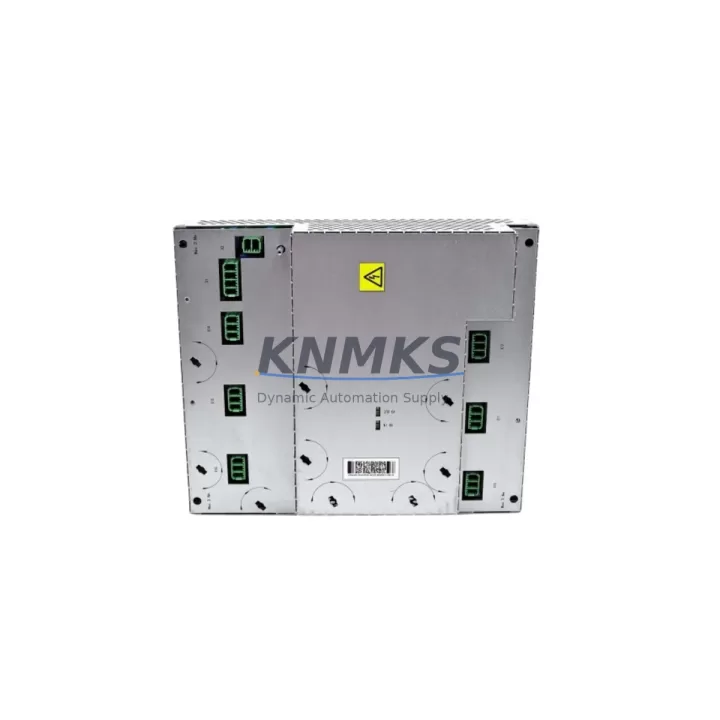
ABB DSQC431 3HAC036260-001 Migration-Ready Motor Drive for Legacy IRC5 Control Systems
The ABB DSQC431 (part number 3HAC036260-001) is a motor drive module engineered for the IRC5 robot controller platform. As ABB progressively phases out legacy IRC5 drive components, the DSQC431 has become a critical spare part and direct replacement for aging automation lines that cannot yet migrate to the OmniCore controller generation. This module is stocked, pre-shipment tested, and backed by a support terms confirmed by quotation — making it a reliable choice for maintenance engineers managing long-cycle robot assets in automotive, foundry, and general manufacturing environments.
Whether you are replacing a failed drive unit in a running cell, building a spare parts buffer for a multi-robot line, or executing a phased control cabinet upgrade, the DSQC431 delivers the electrical and mechanical compatibility required to restore production with minimal downtime. Each unit shipped from our inventory has been verified against ABB IRC5 drive specifications, including DC bus voltage range, current rating, and connector pinout alignment with the IRC5 drive unit backplane.
Migration Compatibility Table
| Parameter | Detail |
|---|---|
| SKU / Part Number | DSQC431 / 3HAC036260-001 |
| Compatible Controller | ABB IRC5 (Single Cabinet, Dual Cabinet, Panel Mounted) |
| Direct Replacement For | DSQC431 (all revisions), 3HAC036260-001 |
| Backplane Interface | IRC5 Drive Unit Backplane — standard slot, no adapter required |
| Connector / Wiring | Drop-in compatible; existing motor power and feedback cables reused |
| Communication Protocol | Internal IRC5 drive bus; no fieldbus reconfiguration required |
| Firmware Compatibility | Compatible with RobotWare 5.x and 6.x; verify system software version before installation |
| Installation Space | Standard IRC5 drive bay; no mechanical modification required |
| Retrofit Recommendation | Direct swap; re-run motor calibration (CalPendulum or fine calibration) after replacement |
| Commissioning Note | Confirm axis computer (DSQC668 or DSQC663) firmware alignment before power-on |
| Pre-Shipment Testing | Yes — functional and electrical verification completed |
| Support terms | support terms confirmed by quotation from date of shipment |
Retrofit Planning for Existing Automation Systems
A successful DSQC431 replacement begins well before the module arrives on site. Maintenance teams should first audit the IRC5 cabinet configuration to confirm the drive bay slot assignment, verify that the existing DSQC500 drive unit power supply is delivering stable DC bus voltage within specification, and document the current axis configuration stored in the robot’s system parameters. If the cabinet houses multiple axes, the DSQC432 or DSQC433 drive modules for adjacent axes should be inspected simultaneously — a single drive failure often signals thermal or power stress affecting neighboring units.
Wiring adaptation is typically straightforward: the DSQC431 uses the same motor power connector and resolver/encoder feedback connector as its predecessors, so existing cable harnesses can be reused without modification. However, engineers should inspect connector housings and pin retention for corrosion or fretting, particularly in foundry or high-vibration environments. The IRC5 axis computer — typically a DSQC668 for newer cabinets or a DSQC663 in earlier builds — must be running a firmware version compatible with the replacement drive. Mismatched firmware between the axis computer and drive module is a common commissioning error that manifests as axis initialization faults.
For lines integrating DeviceNet or PROFIBUS I/O through an ABB DSQC652 or DSQC651 I/O module, confirm that the fieldbus node address and baud rate settings are preserved in the system backup before any hardware swap. If the retrofit is part of a broader control cabinet upgrade that includes replacing the IRC5 main computer (DSQC639) or migrating HMI screens from a legacy FlexPendant to a newer TP1000 or external SCADA panel, the DSQC431 replacement should be sequenced as the first step to restore axis control before higher-level software changes are introduced.
Downtime Control During System Migration
Minimizing unplanned downtime during a drive module replacement requires a structured approach. Before removing the failed DSQC431, create a full system backup using RobotStudio or the FlexPendant backup function — this preserves all RAPID program modules, system parameters, I/O configuration, and calibration data. Label all connectors on the failed unit before disconnection to eliminate re-wiring errors during installation of the replacement module.
Power down the IRC5 cabinet following the correct sequence: disable the motor power contactor, wait for the DC bus to discharge (typically 5 minutes), then remove the drive module. Install the DSQC431 replacement, reconnect all cables, and restore power. On first power-on, the IRC5 system will detect the new drive and may prompt for axis calibration. Run the motor calibration routine for the affected axis before returning the robot to automatic mode. For multi-robot cells sharing a common PLC or safety controller, coordinate the restart sequence with the line PLC to avoid safety interlock faults caused by unexpected axis state changes. With a pre-tested replacement unit and a prepared backup, most IRC5 drive swaps can be completed within a two-hour maintenance window, keeping production disruption to a minimum.
Retrofit Support FAQ
Q1: Is the DSQC431 (3HAC036260-001) a direct drop-in replacement for all IRC5 cabinet variants?
Yes. The DSQC431 is compatible with IRC5 Single Cabinet, Dual Cabinet, and Panel Mounted controller variants. No mechanical modification or adapter bracket is required. Verify the drive bay slot assignment in your cabinet layout drawing before installation.
Q2: What commissioning steps are required after installing the replacement DSQC431?
After installation and power-on, perform a motor calibration for the affected axis using the CalPendulum routine or fine calibration via the FlexPendant. Confirm that the axis computer firmware version is compatible with the replacement drive. Restore the system backup and verify RAPID program execution and I/O signal mapping before returning to automatic mode.
Q3: Has this unit been tested before shipment, and what support terms is provided?
Yes. Every DSQC431 unit is subject to pre-shipment functional and electrical testing. All units are covered by a support terms confirmed by quotation from the date of shipment. In-stock units are available for same-day or next-business-day dispatch to minimize production downtime.
Q4: Can this module be used as a long-term spare for lines not yet ready to migrate to OmniCore?
Absolutely. The DSQC431 is the recommended spare part strategy for IRC5 lines with remaining service life of 3–10 years. Holding one or two units per robot cell significantly reduces mean time to repair (MTTR) and protects against supply chain disruptions for this discontinued component. Contact our team to discuss volume pricing for spare parts programs.
© 2026 KNMKS. All rights reserved.
Original Source: https://knmks.com
Contact: admin@knmks.com | +86 18359268345
Product Identification
- Brand / Ecosystem
-
ABB
ABB - Model / Series
-
DSQC431-3HAC036260-001
IRC5 Series - Product Family
- PLCs & Controllers
- Availability Status
- Available on request after model and quantity confirmation
- Inquiry Type
- B2B RFQ, replacement inquiry and project spare-part request
- Pre-Quote Check
- Exact SKU, brand, series, quantity, nameplate photos and destination country are checked before quotation
System Path
Where this product fits in the KNMKS automation structure.
Specification & Inquiry Focus
- Control platform
- PLC, PAC and modular controllers
- Common needs
- CPU, rack, power and I/O expansion
- Project support
- Replacement, cabinet build and maintenance
Buyer Confirmation
Information KNMKS checks before replying.
- Exact model
- DSQC431-3HAC036260-001
- Brand / ecosystem
- ABB
- Product family
- PLCs & Controllers
- Application note
- Replacement, maintenance, project build or spare-part list
- Useful photos
- Nameplate, installed unit, cabinet layout or connector side
- Delivery details
- Quantity, destination country and target schedule
Document Support
Files and notes can be confirmed during quotation.
- Product photos or nameplate confirmation when available
- Packing and delivery notes before quotation confirmation
- Support scope and delivery terms confirmed per inquiry
- Export document coordination for qualified B2B requests
Inquiry Support
- Model cross-checking before quotation
- CPU, power, rack and expansion module matching
- Support for replacement and project inquiry
What to Send Us
- Brand and exact model number: ABB DSQC431-3HAC036260-001
- Quantity and required delivery time
- Application, replacement requirement or nameplate photo
- Destination country and shipping preference
RFQ Preparation
This is a product inquiry page built for RFQ communication.
Fast Model Check
Send this model to KNMKS for confirmation.
Include quantity, destination country and photos if this is a maintenance replacement. The inquiry will be saved with a reference number after submission.
Brand & Compatibility Note
KNMKS displays automation product information for well-known industrial brand ecosystems and compatible replacement references. Brand names are used for product identification and compatibility reference only; final availability and commercial terms are confirmed per quotation.
 Manufacturing
 Machine Tools
 Packaging
 Energy & Power



 HMI & Displays
 Servo Systems
 Variable Frequency Drives
 Sensors