
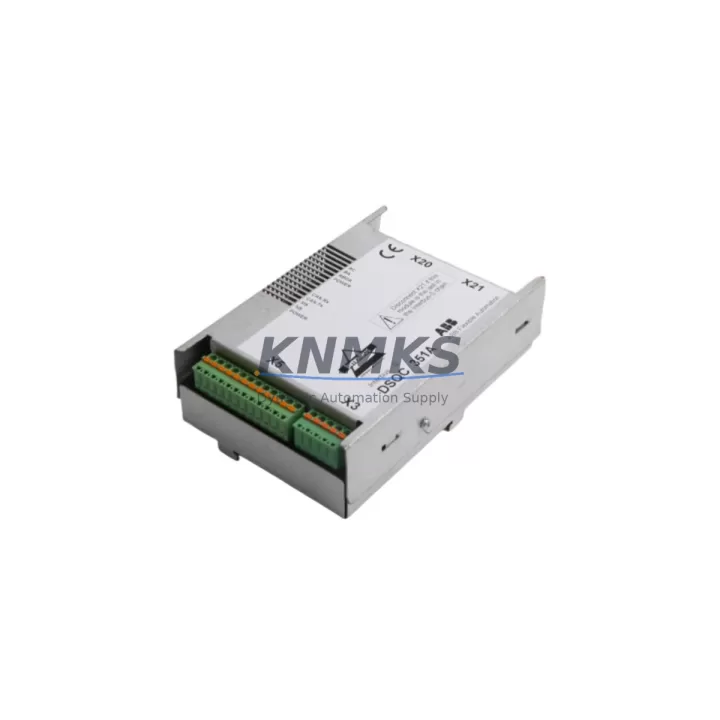
Overview
ABB DSQC351A Migration-Ready Power Supply for IRC5 Legacy Control Systems
The ABB DSQC351A is a critical power supply module designed for the IRC5 robot controller platform, widely deployed across automotive, metal fabrication, and general manufacturing automation lines. As ABB progressively phases out legacy IRC5 hardware, the DSQC351A has become one of the most sought-after spare parts for maintenance engineers managing aging robot cells. Whether you are executing a planned retrofit, responding to an unplanned failure, or building a strategic spare parts inventory to extend system life by 12–36 months, the DSQC351A provides a verified drop-in replacement path with minimal disruption to existing wiring and program logic.
Each unit supplied by KNMKS undergoes pre-shipment functional testing to confirm output voltage stability, inrush current behavior, and thermal performance under load. A support terms confirmed by quotation is included with every shipment, covering manufacturing defects and premature failure under normal operating conditions. Units are sourced from controlled supply chains and stored under appropriate environmental conditions to preserve component integrity.
Migration Compatibility Table
| Parameter | Details |
|---|---|
| Compatible Controller | ABB IRC5 (Single Cabinet, Dual Cabinet, Panel Mounted) |
| Replaces / Supersedes | DSQC351, DSQC351A (direct replacement) |
| Mounting Interface | Standard IRC5 backplane slot — no mechanical modification required |
| Input Voltage | AC 200–240 V, 50/60 Hz (verify local supply before installation) |
| Communication Compatibility | Compatible with IRC5 internal DeviceNet and PROFIBUS backplane communication |
| Connector / Terminal | OEM-matched connector pinout — existing harness reusable |
| Firmware Dependency | No firmware flashing required; recognized automatically by IRC5 system software |
| Installation Space | Standard IRC5 PSU bay — confirm cabinet variant (M2004 / M2000A) before ordering |
| Retrofit Recommendation | Suitable for direct swap; recommend full I/O check and teach pendant reboot post-installation |
| Commissioning Note | Verify axis computer DSQC668 and drive unit DSQC662 power rails after replacement |
| Support terms | 12 months from shipment date — covers manufacturing defects under normal use |
Retrofit Planning for Existing Automation Systems
Replacing the DSQC351A within an active production environment requires careful coordination across multiple system layers. Before removing the failed or degraded power supply, maintenance teams should document the current system configuration using RobotStudio or the IRC5 FlexPendant, capturing active task programs, I/O signal assignments, and safety configuration data. This ensures that if any parameter is inadvertently reset during the power cycle, recovery is immediate.
The DSQC351A supplies regulated DC power to several downstream modules within the IRC5 cabinet. The axis computer module DSQC668 is directly dependent on stable power delivery from the PSU bay; any voltage sag or ripple can cause axis initialization failures or mid-cycle faults. Similarly, the drive unit DSQC662 requires clean power input to maintain torque control across all robot axes. Engineers should use a clamp meter to verify output rail voltages before reconnecting the axis computer and drive units after installing the replacement DSQC351A.
For facilities running multiple IRC5 robots on a shared network, the I/O module DSQC652 and communication module DSQC378 should also be inspected during the same maintenance window. A failing power supply often causes intermittent communication dropouts on the DeviceNet or PROFIBUS segment before it produces a hard fault, meaning adjacent modules may have logged latent errors. Clearing these logs and verifying signal integrity after the PSU replacement prevents phantom alarms from disrupting production restart.
In cabinet configurations where the IRC5 is paired with an external HMI panel or operator station, confirm that the HMI communication link — typically running over Ethernet or serial RS-232 — is re-established after the power cycle. HMI screen configurations and alarm history are stored independently of the IRC5 controller, so no HMI reprogramming is required, but the communication handshake must be verified before releasing the cell to production.
For older IRC5 M2000A variants, confirm that the backplane interface and PSU bay dimensions match the DSQC351A form factor before ordering. The M2004 and later cabinet generations use a standardized bay that accepts the DSQC351A without modification. If the existing installation uses a non-standard cable harness or has been field-modified, photograph the original wiring before disconnection to ensure accurate reassembly.
Downtime Control During System Migration
Unplanned power supply failures in robot controllers are among the highest-impact events in automated production lines because they affect the entire robot cell simultaneously — not just a single I/O channel or axis. Reducing mean time to repair (MTTR) for DSQC351A failures depends on three factors: spare parts availability, pre-verified replacement units, and a documented swap procedure.
KNMKS maintains ready stock of the DSQC351A to support same-day or next-business-day dispatch for urgent requirements. Each unit is pre-tested before shipment, eliminating the risk of installing a second defective unit — a scenario that can double downtime when sourcing from unverified channels. The support terms confirmed by quotation provides additional assurance that the replacement unit will perform reliably through the next planned maintenance interval.
To minimize downtime during the swap, prepare the following before beginning work: confirm the IRC5 is in motors-off state and main power is isolated; have the replacement DSQC351A at the worksite before opening the cabinet; retain the original task programs on a USB backup or RobotStudio archive; and assign a second technician to monitor the teach pendant during the first power-on sequence. With these preparations in place, a trained engineer can complete the DSQC351A replacement and return the robot cell to automatic mode in under 60 minutes in most IRC5 configurations.
For facilities planning a proactive replacement — replacing the DSQC351A before failure occurs as part of a scheduled maintenance cycle — the same procedure applies, with the added benefit of being able to schedule the work during a planned production stop. Proactive replacement is strongly recommended for IRC5 units that have been in continuous service for more than 8 years or that show any signs of output voltage instability, excessive fan noise, or thermal discoloration on the PSU housing.
Retrofit Support FAQ
Q1: Is the DSQC351A a direct drop-in replacement for the original DSQC351?
Yes. The DSQC351A is the revised production version of the DSQC351 and is fully backward compatible with all IRC5 cabinet variants that originally shipped with the DSQC351. No wiring changes, firmware updates, or parameter modifications are required. The IRC5 system software recognizes the DSQC351A automatically on power-up.
Q2: What commissioning steps are required after installing the DSQC351A?
After installation, power on the IRC5 and allow the system to complete its self-diagnostic sequence. Verify that all axis computers and drive units report normal status on the FlexPendant. Check I/O signal states against the pre-swap baseline. If the system was in a fault state prior to the PSU failure, clear all active alarms before switching to automatic mode. A short manual jog of each axis is recommended to confirm torque response before resuming automatic production.
Q3: Can the DSQC351A be used in IRC5 cabinets running PROFIBUS or DeviceNet communication?
Yes. The DSQC351A supplies power to the IRC5 backplane and does not directly participate in fieldbus communication. It is fully compatible with IRC5 configurations using DSQC378 PROFIBUS adapter, DSQC652 I/O module, or any other standard IRC5 communication module. Fieldbus network configuration and node addressing are unaffected by the PSU replacement.
Q4: What support terms and testing does KNMKS provide with the DSQC351A?
Every DSQC351A shipped by KNMKS is pre-tested for output voltage accuracy, load regulation, and thermal stability before dispatch. A support terms confirmed by quotation is included from the shipment date, covering manufacturing defects and premature failure under normal operating conditions. For urgent requirements, expedited shipping is available. Contact admin@knmks.com or +86 18359268345 for stock confirmation and lead time.
© 2026 KNMKS. All rights reserved.
Original Source: https://knmks.com
Contact: admin@knmks.com | +86 18359268345
Product Identification
- Brand / Ecosystem
-
ABB
ABB - Model / Series
-
DSQC351A
IRC5 Series - Product Family
- Power Supplies
- Availability Status
- Available on request after model and quantity confirmation
- Inquiry Type
- B2B RFQ, replacement inquiry and project spare-part request
- Pre-Quote Check
- Exact SKU, brand, series, quantity, nameplate photos and destination country are checked before quotation
System Path
Where this product fits in the KNMKS automation structure.
Specification & Inquiry Focus
- Power range
- DIN rail and switching power supplies
- Common needs
- Voltage, current and mounting style
- Project support
- Control cabinet and panel-builder inquiries
Buyer Confirmation
Information KNMKS checks before replying.
- Exact model
- DSQC351A
- Brand / ecosystem
- ABB
- Product family
- Power Supplies
- Application note
- Replacement, maintenance, project build or spare-part list
- Useful photos
- Nameplate, installed unit, cabinet layout or connector side
- Delivery details
- Quantity, destination country and target schedule
Document Support
Files and notes can be confirmed during quotation.
- Product photos or nameplate confirmation when available
- Packing and delivery notes before quotation confirmation
- Support scope and delivery terms confirmed per inquiry
- Export document coordination for qualified B2B requests
Inquiry Support
- 24VDC and cabinet power selection support
- Stable power support for PLC and HMI systems
- Batch inquiry support for panel builders
What to Send Us
- Brand and exact model number: ABB DSQC351A
- Quantity and required delivery time
- Application, replacement requirement or nameplate photo
- Destination country and shipping preference
RFQ Preparation
This is a product inquiry page built for RFQ communication.
Fast Model Check
Send this model to KNMKS for confirmation.
Include quantity, destination country and photos if this is a maintenance replacement. The inquiry will be saved with a reference number after submission.
Brand & Compatibility Note
KNMKS displays automation product information for well-known industrial brand ecosystems and compatible replacement references. Brand names are used for product identification and compatibility reference only; final availability and commercial terms are confirmed per quotation.
 Manufacturing
 Machine Tools
 Packaging
 Energy & Power
 PLCs & Controllers
 HMI & Displays
 Servo Systems
 Variable Frequency Drives