
Overview
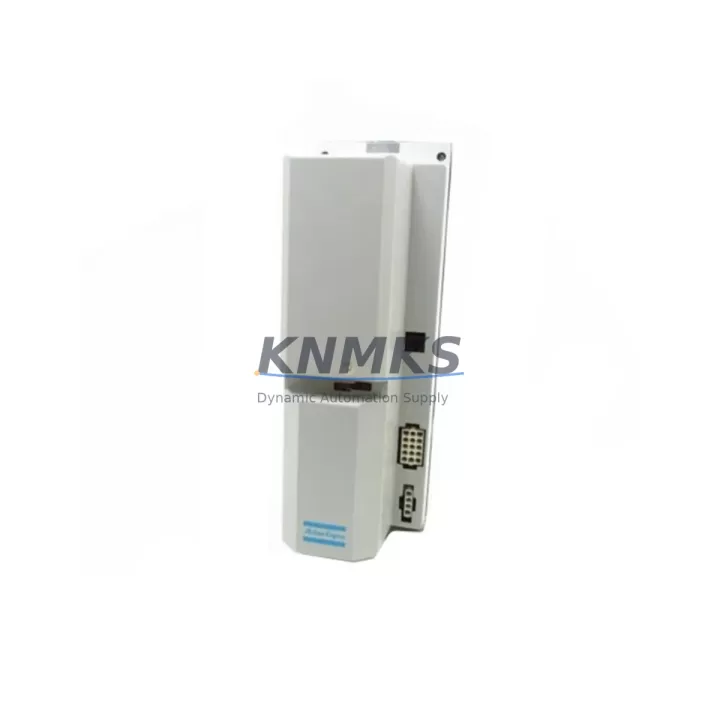
ABB DSQC345B Migration-Ready PC Board for Legacy IRC5 Systems
The ABB DSQC345B is a PC board assembly designed for use within the ABB IRC5 robot controller platform. As legacy automation lines face increasing pressure to modernize, the DSQC345B has become a critical spare part for facilities managing aging IRC5 cabinets that cannot be immediately replaced with next-generation systems. Whether you are executing a phased retrofit, recovering from an unplanned failure, or extending the service life of an existing robot cell, sourcing a verified DSQC345B is often the fastest path to restoring production continuity.
This board interfaces directly with the IRC5 main computer and drive system architecture. Before installation, engineers should confirm power rail compatibility within the controller cabinet, verify backplane slot assignment, and review the firmware revision currently running on the IRC5 main computer unit (MCU). Mismatched firmware versions between the DSQC345B and the MCU can cause initialization faults that delay commissioning. It is strongly recommended to document the existing board’s hardware revision markings before removal and cross-reference them against the replacement unit prior to installation.
Terminal wiring on the DSQC345B follows the standard IRC5 internal harness layout. Technicians performing the swap should photograph all connector positions before disconnection and use the original IRC5 cabinet wiring diagram to confirm pin assignments. In systems where the DSQC345B is paired with the DSQC346 I/O board or the DSQC352 fieldbus communication module, the signal routing between boards must be verified after replacement to ensure no address conflicts exist on the internal DeviceNet or PROFIBUS segment.
Migration Compatibility Table
| Parameter | Details |
|---|---|
| Compatible Platform | ABB IRC5 Robot Controller (single and dual cabinet) |
| Replaces | DSQC345B (OEM and equivalent aftermarket units) |
| Backplane Interface | IRC5 internal bus — confirm slot position per cabinet layout drawing |
| Power Requirements | Supplied via IRC5 internal PSU; verify 24 VDC rail capacity before installation |
| Communication Compatibility | Compatible with DeviceNet, PROFIBUS DP configurations within IRC5 |
| Firmware Consideration | Match hardware revision to existing MCU firmware; update RobotWare if required |
| Installation Space | Standard IRC5 board slot; confirm no mechanical interference with adjacent modules |
| Commissioning Requirement | Cold restart required after board swap; verify I/O mapping and safety circuit continuity |
| Support terms | support terms confirmed by quotation — functional test report available on request |
| Shipping | Anti-static packaging; global express delivery available |
Retrofit Planning for Existing Automation Systems
A successful DSQC345B retrofit begins well before the board arrives on site. Facilities running IRC5-based robot cells should audit the full controller cabinet before ordering a replacement. This includes checking the condition of the DSQC377 power distribution board, which supplies regulated voltage to multiple board slots and is a common failure point in aging cabinets. If the DSQC377 shows signs of capacitor degradation or voltage ripple, replacing it alongside the DSQC345B eliminates the risk of a second unplanned outage shortly after the primary repair.
For cells where the IRC5 communicates with a Siemens S7-300 or S7-400 PLC via PROFIBUS, the DSQC352 fieldbus adapter must remain correctly addressed after the board swap. Any change in the IRC5 node address will require a corresponding update in the PLC hardware configuration and a re-download of the affected program blocks. Teams using STEP 7 or TIA Portal should prepare the updated configuration offline before the maintenance window begins to minimize downtime.
In multi-robot cells where several IRC5 cabinets share a common safety circuit, the DSQC400 safety board configuration must be reviewed after any board-level change. The safety chain continuity test should be performed as part of the commissioning checklist before returning the cell to automatic mode. Similarly, if the cell uses an ABB FlexPendant connected via the DSQC679 teach pendant interface board, the pendant communication link should be verified after the DSQC345B replacement to confirm no interruption in the operator interface.
For facilities planning a longer-term migration from IRC5 to OmniCore, the DSQC345B replacement provides an opportunity to document the current I/O configuration, safety zone layout, and RobotWare version in preparation for the eventual platform transition. Capturing this data during a planned maintenance event reduces the engineering effort required when the full migration project begins.
Downtime Control During System Migration
Unplanned downtime caused by a failed DSQC345B can be significantly reduced through advance preparation. Facilities with critical IRC5-based cells should maintain at least one verified spare DSQC345B in their local inventory. When a spare is not available, the priority is sourcing a tested replacement unit with a documented functional test report rather than an untested pull from a decommissioned cabinet.
Before the maintenance window opens, the original robot program should be backed up from the IRC5 FlexPendant or via RobotStudio to a secure network location. This backup preserves the RAPID program modules, system parameters, I/O configuration, and safety settings. After the DSQC345B is replaced and the cabinet is powered on, the system should be restored from this backup rather than relying on the board’s default state, which will not contain the site-specific configuration.
Cold restart sequencing is important. Power down the IRC5 cabinet fully, wait for capacitors to discharge (typically 60 seconds), install the replacement DSQC345B, reconnect all harnesses, and perform a controlled power-up while monitoring the FlexPendant for fault codes. Common post-swap faults include 38xxx series system errors related to board initialization and 50xxx series communication errors if the fieldbus address has shifted. Both categories are resolvable through the IRC5 event log and the RobotWare system parameter editor without requiring a full re-commissioning from scratch.
Scheduling the swap during a planned production break, having a second technician available to monitor the FlexPendant during power-up, and pre-staging all tools and documentation reduces the average board replacement time to under two hours for experienced IRC5 maintenance teams.
Retrofit Support FAQ
Q: Is the DSQC345B a direct drop-in replacement for the original ABB unit?
A: Yes. The DSQC345B supplied by KNMKS is functionally equivalent to the original ABB part. Each unit undergoes a pre-shipment functional test. Customers should confirm the hardware revision matches their existing cabinet configuration before installation.
Q: What firmware version is required on the IRC5 MCU for compatibility?
A: The DSQC345B is compatible across the IRC5 RobotWare 5.x and 6.x release families. If your system is running an older RobotWare version, we recommend consulting the ABB release notes for your specific version before performing the swap. Our technical team can assist with compatibility verification prior to shipment.
Q: How is the board tested before shipment?
A: Each DSQC345B is powered on and tested for signal integrity, communication bus response, and power rail stability before packaging. A functional test report is available on request. Units are shipped in anti-static bags with foam protection to prevent transit damage.
Q: What support terms and after-sales support is provided?
A: All DSQC345B units carry a support terms confirmed by quotation covering manufacturing defects and functional failures under normal operating conditions. KNMKS maintains stock for rapid dispatch. For urgent requirements, express shipping options are available to most global destinations. Contact admin@knmks.com or +86 18359268345 for availability and lead time confirmation.
© 2026 KNMKS. All rights reserved.
Original Source: https://knmks.com
Contact: admin@knmks.com | +86 18359268345
Product Identification
- Brand / Ecosystem
-
ABB
ABB - Model / Series
-
DSQC345B
IRC5 Series - Product Family
- PLCs & Controllers
- Availability Status
- Available on request after model and quantity confirmation
- Inquiry Type
- B2B RFQ, replacement inquiry and project spare-part request
- Pre-Quote Check
- Exact SKU, brand, series, quantity, nameplate photos and destination country are checked before quotation
System Path
Where this product fits in the KNMKS automation structure.
Specification & Inquiry Focus
- Control platform
- PLC, PAC and modular controllers
- Common needs
- CPU, rack, power and I/O expansion
- Project support
- Replacement, cabinet build and maintenance
Buyer Confirmation
Information KNMKS checks before replying.
- Exact model
- DSQC345B
- Brand / ecosystem
- ABB
- Product family
- PLCs & Controllers
- Application note
- Replacement, maintenance, project build or spare-part list
- Useful photos
- Nameplate, installed unit, cabinet layout or connector side
- Delivery details
- Quantity, destination country and target schedule
Document Support
Files and notes can be confirmed during quotation.
- Product photos or nameplate confirmation when available
- Packing and delivery notes before quotation confirmation
- Support scope and delivery terms confirmed per inquiry
- Export document coordination for qualified B2B requests
Inquiry Support
- Model cross-checking before quotation
- CPU, power, rack and expansion module matching
- Support for replacement and project inquiry
What to Send Us
- Brand and exact model number: ABB DSQC345B
- Quantity and required delivery time
- Application, replacement requirement or nameplate photo
- Destination country and shipping preference
RFQ Preparation
This is a product inquiry page built for RFQ communication.
Fast Model Check
Send this model to KNMKS for confirmation.
Include quantity, destination country and photos if this is a maintenance replacement. The inquiry will be saved with a reference number after submission.
Brand & Compatibility Note
KNMKS displays automation product information for well-known industrial brand ecosystems and compatible replacement references. Brand names are used for product identification and compatibility reference only; final availability and commercial terms are confirmed per quotation.
 Manufacturing
 Machine Tools
 Packaging
 Energy & Power



 HMI & Displays
 Servo Systems
 Variable Frequency Drives
 Sensors