
Overview
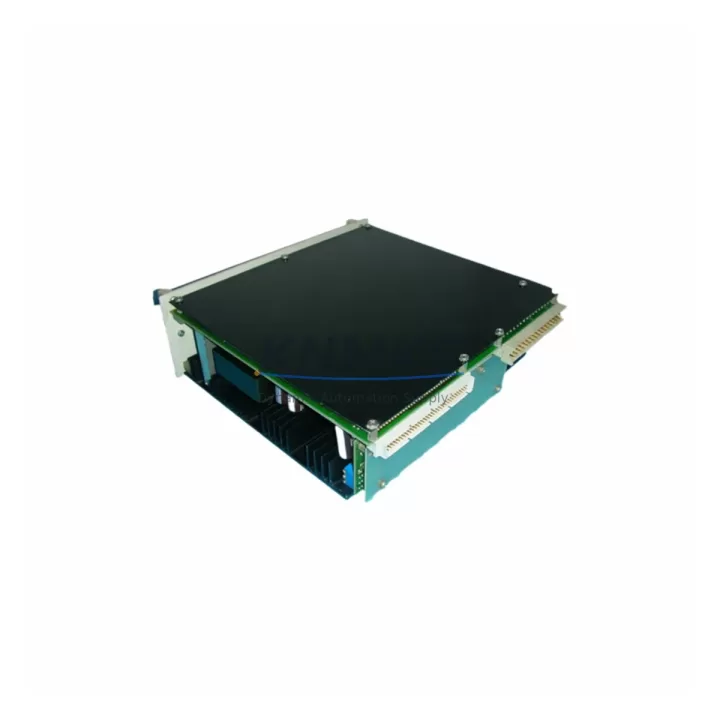
ABB DSQC140 Migration-Ready Power Supply for Legacy Control Systems
The ABB DSQC140 is a migration-ready power supply module engineered for engineers and maintenance teams managing the retirement of legacy ABB IRC5 robot controller infrastructure. As ABB progressively phases out older DSQC-series components, the DSQC140 remains a critical replacement unit for facilities that cannot yet commit to a full controller platform upgrade. Whether you are executing a scheduled outage retrofit, responding to an emergency power supply failure, or planning a phased migration from IRC5 to IRC5P or OmniCore architecture, the DSQC140 provides a verified, drop-in compatible solution that minimizes engineering risk and downtime exposure.
Each DSQC140 unit supplied by KNMKS is sourced from controlled inventory channels, subjected to pre-shipment functional testing, and backed by a support terms confirmed by quotation covering manufacturing defects and operational failures under normal industrial conditions. Units are held in multi-region stock to support fast global dispatch, including same-week air freight for emergency replacement scenarios across Asia-Pacific, Europe, and the Americas.
Before installing the DSQC140 as a replacement for a failed or end-of-life power supply, engineers should verify the following: input voltage range compatibility (typically 200–600 VAC three-phase for IRC5 variants), output DC bus voltage and current capacity against the existing cabinet load profile, backplane connector pinout alignment with the IRC5 drive module bay, and physical mounting dimensions within the controller cabinet. The DSQC140 interfaces directly with the IRC5 main computer board — commonly the DSQC652 or DSQC1000 — and must be confirmed compatible with the installed RobotWare version to avoid firmware-level power sequencing conflicts.
Terminal wiring during replacement requires careful attention to PE grounding continuity, input fuse ratings, and the sequencing of the 24 VDC logic supply relative to the main AC input. Technicians should document the existing wiring configuration before disconnection and verify that the replacement unit’s output ripple specification meets the tolerance requirements of connected I/O modules such as the DSQC652 digital I/O board or any third-party fieldbus adapter installed in the controller’s option slot.
Migration Compatibility Table
| Parameter | DSQC140 Specification | Retrofit Notes |
|---|---|---|
| Compatible Controller | ABB IRC5 (standard & panel-mounted variants) | Confirm cabinet variant before ordering |
| Input Voltage | 200–600 VAC, 3-phase | Verify site supply voltage and phase configuration |
| Backplane Interface | IRC5 drive module bay connector | Check connector condition; clean contacts before installation |
| Compatible Main Computer | DSQC652, DSQC1000 | Confirm RobotWare version compatibility |
| Communication Protocol | Internal IRC5 backplane bus | No fieldbus reconfiguration required for direct swap |
| Mounting | Standard IRC5 cabinet DIN/panel mount | Verify physical clearance and cooling airflow |
| Firmware Dependency | RobotWare 5.x / 6.x compatible | Check active RobotWare release before replacement |
| Pre-Shipment Testing | Yes — functional load test performed | Test report available on request |
| Support terms | 12 months from delivery date | Covers manufacturing defects and operational failure |
| Stock Availability | Multi-region global stock | Same-week dispatch available for emergency orders |
Retrofit Planning for Existing Automation Systems
A successful DSQC140 retrofit within an active production environment requires a structured pre-outage planning process. The power supply does not operate in isolation — it is the foundational energy source for the entire IRC5 controller stack, and its replacement affects every downstream module in the cabinet.
Begin by auditing the full controller configuration. Identify all installed modules: the main computer board (DSQC652 or DSQC1000), any installed DSQC378 fieldbus adapter for DeviceNet or PROFIBUS communication, the DSQC679 teach pendant interface unit, and any customer-installed I/O expansion modules occupying the option slots. Each of these components draws regulated DC power from the DSQC140, and their combined load must fall within the replacement unit’s rated output capacity.
If the existing installation includes a DSQC609 safety board or an integrated SafeMove configuration, verify that the safety circuit power inputs are correctly re-terminated after the power supply swap. Safety-rated circuits must be re-validated after any power supply replacement — this is a mandatory step in most functional safety frameworks and should be documented in the site’s change management log.
For facilities running coordinated multi-robot cells, the IRC5 controller’s communication link to the cell PLC — often via PROFINET or EtherNet/IP through a DSQC688 network adapter — must be confirmed operational after the power supply replacement. A brief controller restart sequence will interrupt the fieldbus heartbeat; coordinate with the cell PLC operator to suppress false fault alarms during the restart window.
Where the retrofit is part of a broader migration from IRC5 to a newer control platform, the DSQC140 replacement can serve as a bridge solution: restoring the existing system to full operational status while the migration project is engineered, validated, and scheduled. This approach avoids unplanned downtime and preserves the existing RAPID program logic, HMI screen configurations, and I/O mapping without requiring immediate re-engineering.
Downtime Control During System Migration
Minimizing unplanned downtime during a power supply replacement is achievable with disciplined pre-outage preparation. The following approach is recommended for IRC5 DSQC140 replacement in production environments:
Step 1 — Program Backup: Before any hardware intervention, perform a full system backup from the FlexPendant or RobotStudio. Save the RAPID modules, system parameters, I/O configuration, and SafeMove configuration (if applicable) to an external storage device. Confirm the backup is readable before proceeding.
Step 2 — Cabinet De-energization: Follow the IRC5 lockout/tagout procedure. Confirm zero-energy state on both the main AC input and the 24 VDC logic supply before opening the cabinet. Allow capacitor discharge time as specified in the IRC5 product manual.
Step 3 — Module Swap: Disconnect and label all wiring to the DSQC140. Remove the failed unit and install the replacement. Reconnect wiring in reverse order, verifying PE continuity and input fuse integrity before re-energization.
Step 4 — Controlled Restart: Energize the cabinet and observe the startup sequence. Confirm that the main computer board initializes correctly, that all I/O modules report online, and that the fieldbus communication link is re-established. Load the system backup if any parameter loss is detected.
Step 5 — Functional Validation: Run the robot through a low-speed test cycle in manual mode before returning to automatic production. Verify all safety functions, including emergency stop circuits and speed monitoring, are operating correctly. Document the replacement in the site maintenance log.
With a pre-tested, in-stock DSQC140 unit and a prepared outage plan, total replacement time for an experienced technician is typically two to four hours, including functional validation. KNMKS maintains ready stock to support next-day delivery in most regions, further compressing the total downtime window for emergency scenarios.
Retrofit Support FAQ
Q1: Is the DSQC140 a direct drop-in replacement for a failed IRC5 power supply?
Yes. The DSQC140 is designed as a direct replacement for the original ABB IRC5 power supply module. No mechanical modification or wiring adaptation is required for standard IRC5 cabinet variants. Confirm your cabinet variant (standard, panel-mounted, or compact) before ordering to ensure dimensional compatibility.
Q2: What pre-shipment testing is performed on each DSQC140 unit?
Each unit undergoes a functional load test prior to dispatch. Output voltage regulation, ripple, and current capacity are verified under simulated load conditions. A test record is available on request. Units are shipped in anti-static packaging with physical protection to prevent transit damage.
Q3: Can the DSQC140 be used during a phased migration to OmniCore or IRC5P?
Yes. The DSQC140 is well-suited as a bridge solution during phased migrations. It restores the existing IRC5 system to full operational status, preserving RAPID program logic, I/O mapping, and HMI configurations while the migration to a newer platform is planned and validated. This approach eliminates the need for an emergency full-platform upgrade under production pressure.
Q4: What is the support terms coverage and what does it include?
All DSQC140 units supplied by KNMKS carry a support terms confirmed by quotation from the delivery date. The support terms covers manufacturing defects and operational failures under normal industrial operating conditions. It does not cover damage resulting from incorrect installation, overvoltage events, or physical impact. Support requests are processed directly through KNMKS with replacement dispatch prioritized for active production environments.
© 2026 KNMKS. All rights reserved.
Original Source: https://knmks.com
Contact: admin@knmks.com | +86 18359268345
Product Identification
- Brand / Ecosystem
-
ABB
ABB - Model / Series
-
DSQC140
IRC5 Series - Product Family
- Power Supplies
- Availability Status
- Available on request after model and quantity confirmation
- Inquiry Type
- B2B RFQ, replacement inquiry and project spare-part request
- Pre-Quote Check
- Exact SKU, brand, series, quantity, nameplate photos and destination country are checked before quotation
System Path
Where this product fits in the KNMKS automation structure.
Specification & Inquiry Focus
- Power range
- DIN rail and switching power supplies
- Common needs
- Voltage, current and mounting style
- Project support
- Control cabinet and panel-builder inquiries
Buyer Confirmation
Information KNMKS checks before replying.
- Exact model
- DSQC140
- Brand / ecosystem
- ABB
- Product family
- Power Supplies
- Application note
- Replacement, maintenance, project build or spare-part list
- Useful photos
- Nameplate, installed unit, cabinet layout or connector side
- Delivery details
- Quantity, destination country and target schedule
Document Support
Files and notes can be confirmed during quotation.
- Product photos or nameplate confirmation when available
- Packing and delivery notes before quotation confirmation
- Support scope and delivery terms confirmed per inquiry
- Export document coordination for qualified B2B requests
Inquiry Support
- 24VDC and cabinet power selection support
- Stable power support for PLC and HMI systems
- Batch inquiry support for panel builders
What to Send Us
- Brand and exact model number: ABB DSQC140
- Quantity and required delivery time
- Application, replacement requirement or nameplate photo
- Destination country and shipping preference
RFQ Preparation
This is a product inquiry page built for RFQ communication.
Fast Model Check
Send this model to KNMKS for confirmation.
Include quantity, destination country and photos if this is a maintenance replacement. The inquiry will be saved with a reference number after submission.
Brand & Compatibility Note
KNMKS displays automation product information for well-known industrial brand ecosystems and compatible replacement references. Brand names are used for product identification and compatibility reference only; final availability and commercial terms are confirmed per quotation.
 Manufacturing
 Machine Tools
 Packaging
 Energy & Power
 PLCs & Controllers
 HMI & Displays
 Servo Systems
 Variable Frequency Drives