
Overview
ABB DSQC 655 3HAC025562-001 Migration-Ready Controller for IRC5: Legacy System Retrofit & Compatibility Upgrade
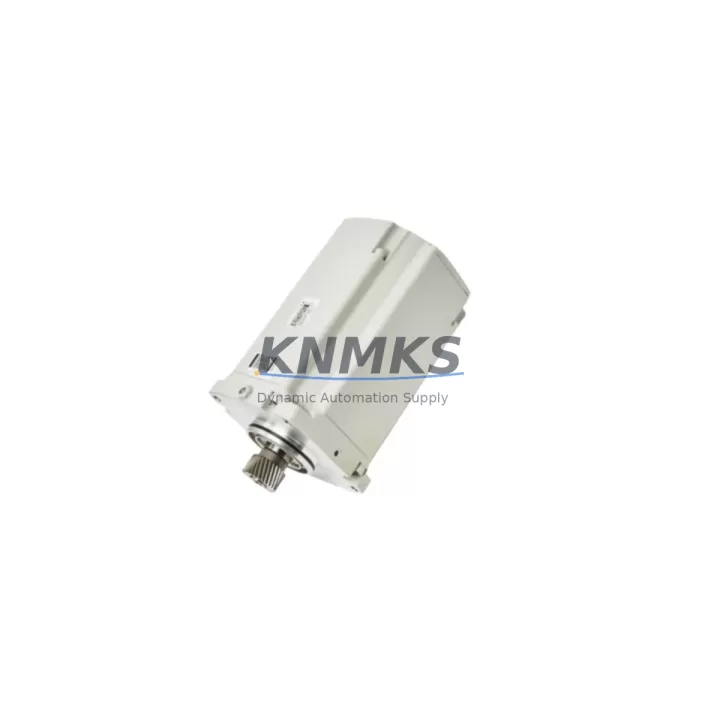
The ABB DSQC 655 (part number 3HAC025562-001) is the main computer module for the ABB IRC5 robot controller cabinet, serving as the central processing and coordination unit for a wide range of ABB industrial robots including the IRB6650S and IRB1200 series. As legacy IRC5 installations age and original ABB DSQC 655 units reach end-of-service life, procurement teams and automation engineers increasingly rely on verified replacement stock to sustain production continuity without committing to a full controller cabinet overhaul.
This unit is migration-ready, pre-shipment tested, and backed by a support terms confirmed by quotation — making it a reliable choice for planned retrofits, emergency breakdowns, and spare parts lifecycle programs across automotive, foundry, material handling, and precision assembly environments.
Migration Compatibility Table
| Parameter | Details |
|---|---|
| Part Number | 3HAC025562-001 |
| Module Designation | DSQC 655 |
| Compatible Controller | ABB IRC5 Single / Dual Cabinet |
| Compatible Robot Models | IRB6650S, IRB1200, IRB2400, IRB4400 (IRC5 platform) |
| Backplane Interface | IRC5 internal backplane bus |
| Communication Protocols | DeviceNet, PROFIBUS, Ethernet/IP (via DSQC add-on modules) |
| Firmware Compatibility | RobotWare 5.x / 6.x (verify revision before installation) |
| Installation Form Factor | IRC5 main computer slot — direct drop-in replacement |
| Terminal / Connector Type | IRC5 standard internal harness connectors |
| Replacement Recommendation | Direct replacement for failed or end-of-life DSQC 655 units |
| Pre-Shipment Testing | Yes — functional verification completed |
| Support terms | support terms confirmed by quotation |
| Origin | China (CN) |
| Global Shipping | Available — multi-region stock |
Retrofit Planning for Existing Automation Systems
When planning a DSQC 655 replacement within an active IRC5 installation, engineers must account for several interdependent system elements to ensure a seamless transition. The DSQC 655 main computer interfaces directly with the IRC5 drive module (DSQC 668 or DSQC 669 depending on cabinet generation), the axis computer (DSQC 646), and the I/O distribution board (DSQC 652). Any mismatch in firmware revision between the new DSQC 655 and the existing axis computer or drive module can result in boot errors or axis calibration faults — making firmware version verification a mandatory pre-installation step.
Power supply integrity is equally critical. The IRC5 internal power supply unit (DSQC 661) must deliver stable 24 VDC to the main computer slot. Before installing the replacement DSQC 655, technicians should measure rail voltages under load and inspect the power distribution harness for signs of thermal stress or connector fatigue — particularly in high-cycle foundry or press-tending applications where cabinet temperatures fluctuate significantly.
For installations that include fieldbus communication — such as PROFIBUS-DP links to Siemens S7 PLCs or DeviceNet connections to distributed I/O panels — the fieldbus adapter module (e.g., DSQC 656 for PROFIBUS or DSQC 658 for DeviceNet) must be re-seated and its node address confirmed after the main computer swap. Communication parameter files stored on the existing compact flash or USB media should be backed up prior to removal of the old DSQC 655 to preserve network topology settings.
If the robot cell includes an ABB FlexPendant (IRC5 teach pendant) connected via the SMB (Serial Measurement Board, DSQC 633), the SMB calibration data — including resolver offsets and axis mastering values — must be preserved and reloaded after the main computer replacement. Failure to restore calibration data will require a full axis mastering procedure, adding significant downtime to the retrofit. Where the robot is integrated with a third-party HMI or SCADA system via OPC-UA or socket messaging, the IP address and communication port assignments stored in the RobotWare system parameters must be documented before the swap and verified post-installation.
Installation space within the IRC5 cabinet is standardized, and the DSQC 655 occupies a fixed slot in the main computer assembly. No mechanical modification is required for a direct replacement. However, in dual-cabinet IRC5 configurations, the interconnect cable between the main cabinet and the drive cabinet must be inspected for continuity before powering up the new module.
Downtime Control During System Migration
Minimizing unplanned downtime during a DSQC 655 replacement requires a structured pre-swap checklist. Before powering down the IRC5 cabinet, the complete RobotWare system — including RAPID program modules, system parameters, I/O configuration, and safety configuration (if SafeMove is active) — should be backed up to an external USB drive or network share. ABB RobotStudio can be used to create a full system backup remotely over Ethernet if the controller is still partially functional.
Once the replacement DSQC 655 is installed and the cabinet is powered up, the system will typically boot into a recovery or configuration mode if it detects a new main computer. The backed-up system image should be restored immediately to minimize the reconfiguration window. In most IRC5 installations, a trained commissioning engineer can complete the hardware swap, system restore, and functional verification — including a dry-run of the RAPID program and I/O signal check — within two to four hours, provided all backup data is available and the replacement unit is pre-tested.
For safety-critical cells where the robot is integrated with a safety PLC or light curtain system via the IRC5 safety board (DSQC 643 or equivalent), the safety function validation must be repeated after the main computer replacement in accordance with the applicable machinery safety standard (ISO 10218-2 or IEC 62061). This validation step should be planned into the maintenance window to avoid post-restart compliance gaps.
Stocking a verified DSQC 655 replacement unit on-site as a cold spare is the most effective strategy for controlling downtime risk in high-utilization robot cells. Combined with a documented swap procedure and a current system backup, a pre-positioned spare reduces mean time to repair (MTTR) from days to hours.
Retrofit Support FAQ
Q1: Is the DSQC 655 (3HAC025562-001) a direct drop-in replacement for my existing IRC5 main computer?
Yes. The DSQC 655 with part number 3HAC025562-001 is designed as a direct replacement for the IRC5 main computer slot. No mechanical modification is required. However, firmware version compatibility between the replacement unit and your existing RobotWare installation should be confirmed before installation. Contact our technical team with your current RobotWare version for pre-sale compatibility verification.
Q2: What commissioning steps are required after installing the replacement DSQC 655?
After installation, restore the full RobotWare system backup (programs, parameters, I/O config, safety config) via the FlexPendant or RobotStudio. Verify all I/O signals, confirm fieldbus communication links (PROFIBUS, DeviceNet, or Ethernet/IP as applicable), reload SMB calibration data, and perform a supervised dry-run of the RAPID program before returning the cell to production.
Q3: How do I verify wiring and terminal compatibility before the swap?
The DSQC 655 uses the standard IRC5 internal harness connectors. No re-wiring is required for a like-for-like replacement. Document the existing connector positions and cable routing before removal. Inspect connectors for pin damage or corrosion. The IRC5 wiring diagram (available in the IRC5 Product Manual, document 3HAC021313-001) provides full connector pinout references.
Q4: What support terms and testing does this unit include?
Every DSQC 655 unit shipped by KNMKS undergoes pre-shipment functional testing to verify module integrity before dispatch. The unit is covered by a support terms confirmed by quotation from the date of shipment. In-stock units are available for same-week dispatch with global shipping support. For volume orders or spare parts lifecycle programs, contact our sales team for lead time and pricing.
© 2026 KNMKS. All rights reserved.
Original Source: https://knmks.com
Contact: admin@knmks.com | +86 18359268345
Product Identification
- Brand / Ecosystem
-
ABB
ABB - Model / Series
-
IRB6650S-3HAC021541-002/3HAC025562-001/DSQC655/IRB1200-3HAC059674-001
IRC5 Series - Product Family
- PLCs & Controllers
- Availability Status
- Available on request after model and quantity confirmation
- Inquiry Type
- B2B RFQ, replacement inquiry and project spare-part request
- Pre-Quote Check
- Exact SKU, brand, series, quantity, nameplate photos and destination country are checked before quotation
System Path
Where this product fits in the KNMKS automation structure.
Specification & Inquiry Focus
- Control platform
- PLC, PAC and modular controllers
- Common needs
- CPU, rack, power and I/O expansion
- Project support
- Replacement, cabinet build and maintenance
Buyer Confirmation
Information KNMKS checks before replying.
- Exact model
- IRB6650S-3HAC021541-002/3HAC025562-001/DSQC655/IRB1200-3HAC059674-001
- Brand / ecosystem
- ABB
- Product family
- PLCs & Controllers
- Application note
- Replacement, maintenance, project build or spare-part list
- Useful photos
- Nameplate, installed unit, cabinet layout or connector side
- Delivery details
- Quantity, destination country and target schedule
Document Support
Files and notes can be confirmed during quotation.
- Product photos or nameplate confirmation when available
- Packing and delivery notes before quotation confirmation
- Support scope and delivery terms confirmed per inquiry
- Export document coordination for qualified B2B requests
Inquiry Support
- Model cross-checking before quotation
- CPU, power, rack and expansion module matching
- Support for replacement and project inquiry
What to Send Us
- Brand and exact model number: ABB IRB6650S-3HAC021541-002/3HAC025562-001/DSQC655/IRB1200-3HAC059674-001
- Quantity and required delivery time
- Application, replacement requirement or nameplate photo
- Destination country and shipping preference
RFQ Preparation
This is a product inquiry page built for RFQ communication.
Fast Model Check
Send this model to KNMKS for confirmation.
Include quantity, destination country and photos if this is a maintenance replacement. The inquiry will be saved with a reference number after submission.
Brand & Compatibility Note
KNMKS displays automation product information for well-known industrial brand ecosystems and compatible replacement references. Brand names are used for product identification and compatibility reference only; final availability and commercial terms are confirmed per quotation.
 Manufacturing
 Machine Tools
 Packaging
 Energy & Power



 HMI & Displays
 Servo Systems
 Variable Frequency Drives
 Sensors