
Overview
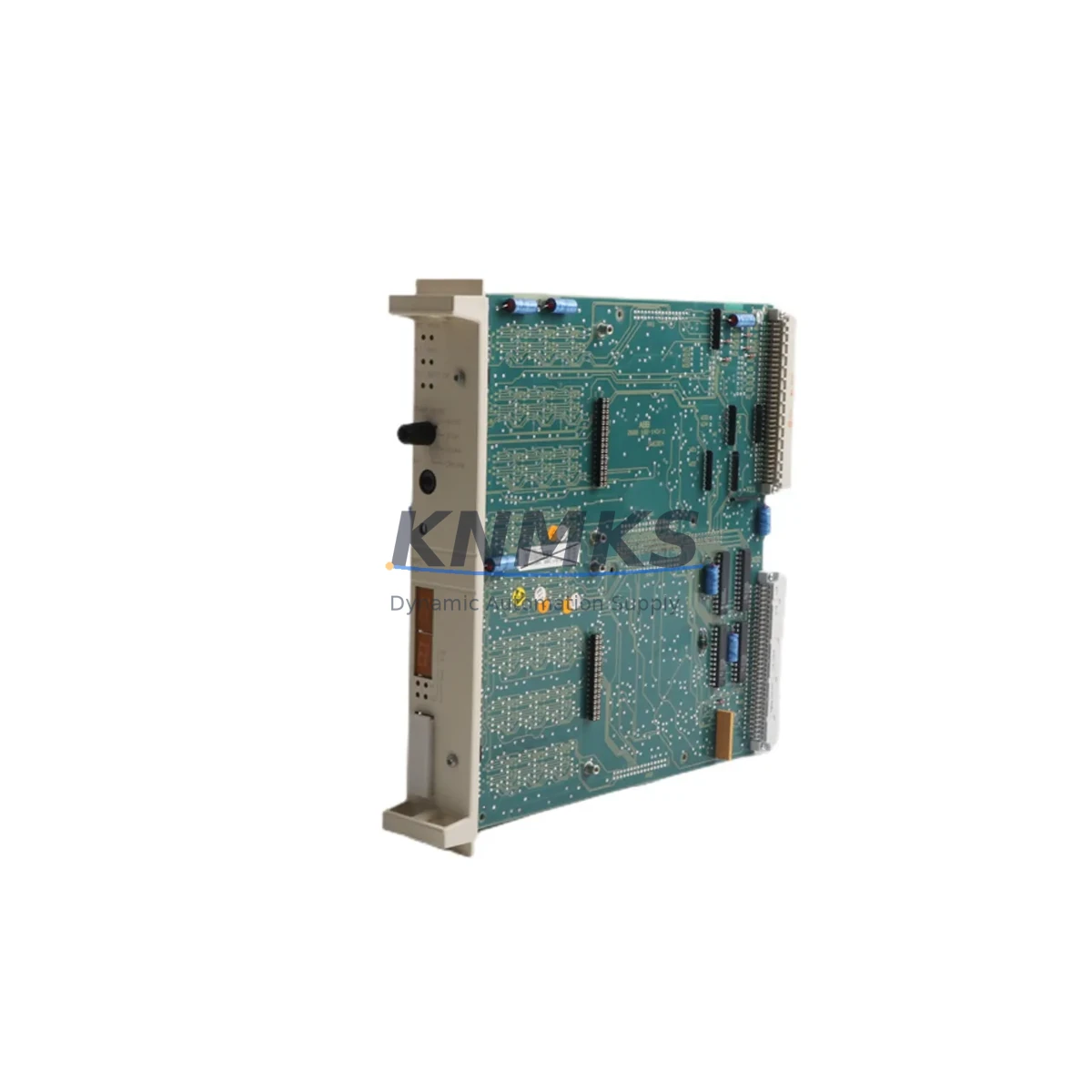
ABB DSPC172H 57310001-MP Maintenance-Proven Spare Part for Factory Uptime
The ABB DSPC172H 57310001-MP is a critical CPU module within the ABB DSPC100 DCS (Distributed Control System) series, engineered for continuous process control in demanding industrial environments. As a maintenance-proven spare part, it is sourced, inspected, and dispatched to support rapid on-site replacement, minimise unplanned downtime, and sustain factory uptime across power generation, chemical processing, oil & gas, pulp & paper, and heavy manufacturing facilities.
Each unit supplied by KNMKS undergoes functional verification prior to shipment. With a support terms confirmed by quotation and long-term supply commitment, procurement engineers can confidently include the DSPC172H 57310001-MP in annual MRO budgets and critical spare parts inventories without concern for obsolescence risk.
Spare Maintenance Table
| Parameter | Specification / Detail |
|---|---|
| Part Number | DSPC172H 57310001-MP |
| Brand | ABB |
| Series | DSPC100 DCS |
| Module Type | DCS CPU Module |
| Country of Origin | Germany (DE) |
| Compatibility | ABB DSPC100 / DSPC110 / DSPC172 series DCS control cabinets |
| Communication Interface | RCOM / SATT bus (ABB proprietary DCS backplane) |
| Operating Voltage | 24 VDC (via backplane power rail) |
| Operating Temperature | 0°C to +55°C |
| Mounting | DIN rail / ABB DSPC100 series backplane slot |
| Application Environment | Industrial process control, continuous plant operation |
| Maintenance Recommendation | Inspect every 12–24 months; replace on first sign of CPU fault or communication error |
| Support terms | 12 Months from date of shipment |
| Pre-shipment Testing | Functional verification completed before dispatch |
| Lead Time | availability confirmed by RFQ — typically ships within 2–5 business days |
Maintenance Planning for Continuous Operation
When scheduling a replacement of the DSPC172H 57310001-MP in a live DCS environment, maintenance engineers should treat the intervention as a full control-cabinet audit rather than a single-module swap. The CPU module sits at the heart of the DSPC100 backplane, coordinating I/O scanning, process data exchange, and inter-controller communication. A fault in this module often masks or triggers secondary failures in adjacent components.
Before powering down the cabinet, verify the status of the DSPC110 power supply module, which feeds the backplane rail supplying the DSPC172H. A degraded power supply can cause intermittent CPU resets that mimic firmware faults — replacing the CPU without addressing the power source leads to repeat failures. Simultaneously, inspect the DSPC115 I/O interface modules seated on the same backplane; loose connectors or oxidised contacts on these units can corrupt the data bus and generate false CPU alarms.
Communication integrity is equally important. The DSPC190 communication module (or equivalent RCOM gateway) should be checked for firmware version compatibility with the replacement DSPC172H unit. Mismatched firmware revisions between the CPU and communication module are a common source of post-replacement instability in legacy DSPC100 installations. If the site runs an ABB Advant OCS or MOD 300 architecture, confirm that the DSMB115 backplane bus terminator is correctly seated — an improperly terminated bus will prevent the new CPU from initialising correctly.
For sites with analogue process loops, inspect the DSAI130 analogue input modules and their associated signal isolators. Voltage spikes during an uncontrolled shutdown can damage input conditioning circuits, and these faults may only become apparent once the new CPU begins active scanning. Fuse protection on the 24 VDC distribution rail — typically 2A slow-blow fuses on each module slot — should be checked and replaced as part of the maintenance window.
Finally, if the plant uses an ABB Operator Station or legacy HMI connected via the RCOM bus, confirm that the HMI communication parameters (node address, baud rate, and polling interval) are correctly configured for the replacement module before returning the system to automatic control.
Site Replacement Workflow
Step 1 — Pre-replacement documentation: Record the existing CPU node address, firmware version, and all active alarm states. Download a backup of the control application from the engineering workstation before any hardware is disturbed.
Step 2 — Safe isolation: Follow site LOTO (Lockout/Tagout) procedures. Switch the DCS station to manual control at the operator station. Confirm all field outputs are in a safe state before removing backplane power.
Step 3 — Module extraction: Release the DSPC172H 57310001-MP from the backplane slot using the module ejector levers. Avoid touching the backplane connector pins. Place the removed module in an anti-static bag for return or failure analysis.
Step 4 — Compatibility verification: Confirm the replacement DSPC172H 57310001-MP carries the correct hardware revision for the installed backplane. Check the label on the module against the site’s spare parts register. If the site previously ran an earlier DSPC172 variant, verify that the -MP suffix hardware revision is backward-compatible with the installed DSPC100 backplane firmware.
Step 5 — Installation and initialisation: Seat the replacement module firmly into the backplane slot. Restore backplane power and observe the CPU status LEDs. A normal startup sequence will show the RUN LED steady green within 60–90 seconds. If the FAULT LED illuminates, check the backplane bus termination and power supply voltage before proceeding.
Step 6 — Application restore and handback: Download the saved control application to the new CPU via the engineering workstation. Verify all I/O points are scanning correctly, confirm analogue loop values match field instruments, and return the station to automatic control. Document the replacement in the site maintenance log.
This structured workflow reduces mean time to repair (MTTR), eliminates guesswork during high-pressure outage windows, and ensures the replacement DSPC172H 57310001-MP is fully validated before the process is returned to automatic operation.
Spare Parts Support FAQ
Q1: Is the DSPC172H 57310001-MP compatible with earlier DSPC172 variants installed in my DSPC100 cabinet?
The 57310001-MP hardware revision is designed as a direct replacement within the DSPC100 series backplane. In most installations it is backward-compatible with earlier DSPC172 and DSPC172A variants. However, we recommend confirming the backplane firmware version with your ABB engineering documentation before installation, particularly on systems running Advant OCS software older than version 3.x.
Q2: How does KNMKS verify the module before shipment?
Every DSPC172H 57310001-MP unit is subject to a pre-shipment functional check covering power-on initialisation, backplane communication response, and visual inspection of the PCB and connector pins. Units that do not pass verification are not dispatched. A test report is available on request for critical plant applications.
Q3: What is the recommended spare parts holding strategy for DSPC100 DCS systems?
For continuous-process plants operating 24/7, industry best practice recommends holding a minimum of one CPU module (DSPC172H), one power supply module (DSPC110), and one communication module (DSPC190) as on-site cold spares. For plants with multiple DSPC100 stations, a ratio of one spare CPU per three to five installed stations is a common procurement benchmark. KNMKS supports blanket order agreements for customers requiring long-term supply assurance.
Q4: What does the support terms confirmed by quotation cover, and what is the return process?
The support terms confirmed by quotation cover functional failure under normal operating conditions from the date of shipment. It does not cover damage resulting from incorrect installation, overvoltage events, or physical mishandling. In the event of a support terms claim, contact admin@knmks.com with the order reference and a description of the fault. KNMKS will arrange collection and either repair, replace, or credit the unit depending on the failure analysis outcome. Typical support terms response time is 5–7 business days.
© 2026 KNMKS. All rights reserved.
Original Source: https://knmks.com
Contact: admin@knmks.com | +86 18359268345
Product Identification
- Brand / Ecosystem
-
ABB
ABB - Model / Series
- DSPC172H 57310001-MP
- Product Family
- PLCs & Controllers
- Availability Status
- Available on request after model and quantity confirmation
- Inquiry Type
- B2B RFQ, replacement inquiry and project spare-part request
- Pre-Quote Check
- Exact SKU, brand, series, quantity, nameplate photos and destination country are checked before quotation
System Path
Where this product fits in the KNMKS automation structure.
Specification & Inquiry Focus
- Control platform
- PLC, PAC and modular controllers
- Common needs
- CPU, rack, power and I/O expansion
- Project support
- Replacement, cabinet build and maintenance
Buyer Confirmation
Information KNMKS checks before replying.
- Exact model
- DSPC172H 57310001-MP
- Brand / ecosystem
- ABB
- Product family
- PLCs & Controllers
- Application note
- Replacement, maintenance, project build or spare-part list
- Useful photos
- Nameplate, installed unit, cabinet layout or connector side
- Delivery details
- Quantity, destination country and target schedule
Document Support
Files and notes can be confirmed during quotation.
- Product photos or nameplate confirmation when available
- Packing and delivery notes before quotation confirmation
- Support scope and delivery terms confirmed per inquiry
- Export document coordination for qualified B2B requests
Inquiry Support
- Model cross-checking before quotation
- CPU, power, rack and expansion module matching
- Support for replacement and project inquiry
What to Send Us
- Brand and exact model number: ABB DSPC172H 57310001-MP
- Quantity and required delivery time
- Application, replacement requirement or nameplate photo
- Destination country and shipping preference
RFQ Preparation
This is a product inquiry page built for RFQ communication.
Fast Model Check
Send this model to KNMKS for confirmation.
Include quantity, destination country and photos if this is a maintenance replacement. The inquiry will be saved with a reference number after submission.
Brand & Compatibility Note
KNMKS displays automation product information for well-known industrial brand ecosystems and compatible replacement references. Brand names are used for product identification and compatibility reference only; final availability and commercial terms are confirmed per quotation.
 Manufacturing
 Machine Tools
 Packaging
 Energy & Power



 HMI & Displays
 Servo Systems
 Variable Frequency Drives
 Sensors