
Overview
ABB DPMP-06 3AXD50000371082 Migration-Ready Panel Mount for Legacy Control Systems
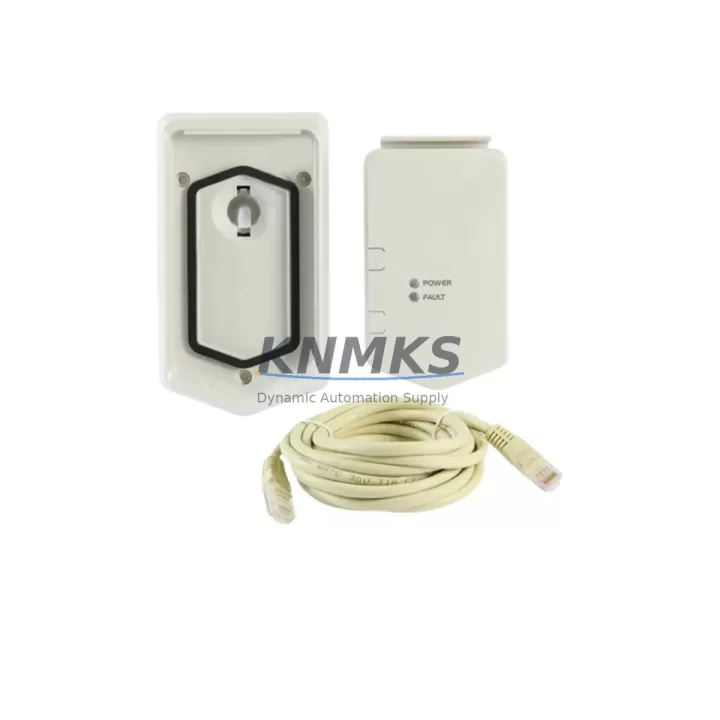
The ABB DPMP-06 (Part No. 3AXD50000371082) is a dedicated remote panel mounting kit engineered for the ACS880 series variable frequency drive platform. As industrial facilities accelerate the retirement of legacy ACS800 and ACS600 drive systems, the DPMP-06 serves as a critical interface component in control cabinet modernization projects — enabling operators to relocate the drive’s control panel (ACS-AP-I or ACS-AP-W) to a cabinet door or remote enclosure surface without disrupting the drive’s core logic or field wiring.
For maintenance engineers managing a phased retrofit, the DPMP-06 eliminates the need to redesign the entire HMI layout. The panel mount preserves the existing operator interface position on the cabinet door while the drive module itself is swapped from an ACS800 to an ACS880 frame. This is particularly valuable in multi-drive installations where the ACS880-01, ACS880-07, or ACS880-104 cabinet drives share a common control architecture and the operator panel must remain accessible at a fixed ergonomic height.
Before committing to the DPMP-06 in a retrofit plan, engineers should verify several key parameters. First, confirm that the target cabinet door or panel surface has sufficient cutout clearance and depth behind the mounting surface to accommodate the panel body and the DPMP-01 or DPMP-02 extension cable that connects the remote panel back to the drive’s panel port. Second, check that the existing ACS880 firmware version supports the AP panel variant in use — older firmware revisions may require an upgrade via the Drive Composer PC tool before the remote panel communicates correctly. Third, review the IP rating of the installation environment: the DPMP-06 is rated for standard indoor enclosures, and if the cabinet is located in a wash-down or high-humidity zone, additional sealing measures around the panel cutout may be required.
In legacy ACS800 replacement projects, the control panel cabling path often changes because the ACS880 drive’s panel port is positioned differently on the control unit. Technicians should measure the cable routing distance from the new drive location to the panel mount position and select the appropriate DPMP-01 (standard length) or DPMP-02 (extended length) panel cable accordingly. Failing to account for this routing difference is one of the most common causes of commissioning delays during ACS800-to-ACS880 migrations.
For sites running Profibus DP or Modbus RTU communication on the legacy ACS800, the migration to ACS880 typically involves installing an FENA-21 Ethernet adapter or an FPBA-01 Profibus adapter module into the ACS880’s option slot. The DPMP-06 panel mount is fully compatible with these communication migration scenarios — the remote panel continues to display drive status, fault codes, and parameter values regardless of which fieldbus adapter is installed in the drive. This means the HMI migration and the communication protocol migration can be executed as separate workstreams, reducing the risk of simultaneous changes during a planned maintenance window.
When the ACS880 replaces an ACS800 in an existing motor control center (MCC) or standalone control cabinet, the I/O terminal block layout on the ACS880 ZCON control unit differs from the ACS800’s RMIO board. Before the DPMP-06 is installed and the panel is remounted, the field wiring team should complete the terminal-by-terminal mapping of analog inputs (AI1, AI2), digital inputs (DI1–DI6), relay outputs (RO1–RO3), and the 24 VDC auxiliary power supply connections. This wiring verification step should be completed and signed off before the drive is energized, as incorrect terminal assignments can trigger immediate fault trips that are difficult to diagnose remotely.
The DPMP-06 is also commonly deployed in ACS880 systems that use the BCU-02 or BCU-12 brake control unit, where the operator panel must be mounted separately from the drive module due to cabinet space constraints. In these configurations, the panel mount allows the operator to access start/stop commands, speed references, and fault reset functions from the cabinet door while the drive and brake unit occupy the interior DIN rail or mounting plate.
Migration Compatibility Table
| Parameter | Details |
|---|---|
| Part Number | 3AXD50000371082 / DPMP-06 |
| Compatible Drive Series | ACS880-01, ACS880-07, ACS880-04, ACS880-104 |
| Replaces / Upgrades From | ACS800 remote panel mounts; legacy DPMP-01 fixed installations |
| Compatible Control Panels | ACS-AP-I, ACS-AP-W (ACS880 series assistant control panels) |
| Panel Cable Required | DPMP-01 (standard) or DPMP-02 (extended) — ordered separately |
| Installation Interface | Panel door cutout mount; IP21 indoor enclosure rated |
| Communication Compatibility | Compatible with FENA-21 (EtherNet/IP), FPBA-01 (Profibus DP), FMBA-01 (Modbus RTU) adapter configurations |
| Firmware Requirement | ACS880 primary control program version 2.60 or later recommended |
| Commissioning Tool | ABB Drive Composer Entry / Pro (PC USB connection via FCAN-01 or panel port) |
| Weight | 155 g |
| Origin | China (CN) |
| Support terms | 12 Months |
| Stock Status | Available — ships within 3–5 business days |
Retrofit Planning for Existing Automation Systems
A successful ACS880 retrofit involving the DPMP-06 panel mount requires coordinated planning across several component categories. The drive itself — whether an ACS880-01 wall-mount unit or an ACS880-07 cabinet drive — must be mechanically secured and its DC bus capacitors pre-charged before the panel mount is connected. The DPMP-01 or DPMP-02 panel extension cable should be routed through the cabinet’s cable management channel, away from high-voltage power cables, to prevent signal interference on the panel communication link.
On the I/O side, if the legacy system used an ACS800 with an RDIO-01 digital I/O extension module, the equivalent function in the ACS880 platform is provided by the FIO-01 or FIO-11 I/O extension module, which mounts directly into the ACS880’s option slot. Confirming that all digital input and output assignments are correctly mapped in the ACS880 parameter group 10 (Standard DI, RO) and group 11 (Standard AI, AO) before the first test run prevents the most common commissioning faults.
For sites that previously used the ACS800’s RPBA-01 Profibus adapter, the migration path to ACS880 involves installing the FPBA-01 Profibus DP adapter and reconfiguring the GSD file on the PLC side (typically a Siemens S7-300 or S7-400 with a CP 342-5 Profibus master). The DPMP-06 panel mount remains unaffected by this communication layer change — the operator panel continues to function as a local HMI regardless of the fieldbus configuration.
Power supply verification is another critical step. The ACS880 control unit draws 24 VDC from either the drive’s internal SMPS or an external 24 VDC supply connected to terminals X1:1 and X1:2 on the ZCON board. If the retrofit plan includes an external 24 VDC backup supply (to keep the control panel and communication active during a drive power-down), the DPMP-06 panel mount will remain powered and display the last known drive status — a useful feature for fault diagnosis during planned shutdowns.
Finally, before the retrofit is signed off, the site engineer should verify that the ACS880’s application program (loaded via Drive Composer or an SD card) matches the motor nameplate data and the process control requirements. If the legacy ACS800 used an application macro (e.g., PID control macro or sequential control macro), the equivalent ACS880 parameter set should be validated against the original ACS800 parameter backup file to ensure process behavior is preserved after the changeover.
Downtime Control During System Migration
Minimizing production downtime during an ACS880 retrofit is achievable with disciplined pre-commissioning preparation. The most effective strategy is to complete all mechanical installation work — including mounting the DPMP-06 panel mount, routing the DPMP-01 panel cable, and securing the ACS880 drive in the cabinet — during a scheduled maintenance window before the electrical cutover. This separates the mechanical risk from the electrical risk and allows the installation team to verify physical fit and cable routing without time pressure.
Parameter migration is the second major risk area. ABB Drive Composer allows engineers to export the full parameter set from the legacy ACS800 (via the RDCO-02 or RDCO-04 communication option) and use it as a reference when configuring the ACS880. While the parameter numbering differs between the two platforms, the Drive Composer comparison view allows side-by-side verification of critical parameters including motor nominal values (group 99), speed limits (group 30), and PID controller gains (group 40). Completing this parameter verification offline — before the cutover window — reduces the live commissioning time to a final check-and-run sequence.
For multi-drive systems where several ACS800 units are being replaced in sequence, a staged migration approach is recommended: replace one drive at a time, verify full operation including the DPMP-06 panel mount communication and all I/O functions, then proceed to the next unit. This approach ensures that the production line can resume partial operation between migration phases, limiting the total production impact to the duration of each individual drive cutover rather than the entire project timeline.
All units supplied by KNMKS are pre-tested before dispatch. The DPMP-06 panel mount is verified for mechanical integrity and connector fit as part of the outgoing quality check. This pre-shipment testing reduces the risk of receiving a defective component that could extend the maintenance window unexpectedly. Combined with the support terms confirmed by quotation coverage, customers can proceed with the retrofit with confidence that the hardware will perform as specified from day one of installation.
Retrofit Support FAQ
Q1: Is the DPMP-06 (3AXD50000371082) a direct replacement for the panel mount used on ACS800 drives?
The DPMP-06 is designed specifically for the ACS880 series and is not mechanically interchangeable with ACS800 panel mounts. However, it is the correct replacement component when upgrading from an ACS800 to an ACS880 drive, as it supports the ACS-AP-I and ACS-AP-W control panels used on the ACS880 platform. The panel cutout dimensions differ from ACS800 installations, so cabinet door modifications may be required.
Q2: What cable do I need to connect the DPMP-06 panel mount to the ACS880 drive?
The DPMP-06 requires a separate panel extension cable — either the DPMP-01 (standard length, approximately 3 meters) or the DPMP-02 (extended length, approximately 5 meters). The correct cable depends on the physical distance between the drive’s panel port and the cabinet door mounting position. Both cables use the same RJ-45-style connector and are compatible with all ACS880 variants.
Q3: How do I verify that the DPMP-06 is communicating correctly with the ACS880 after installation?
After connecting the panel cable and powering the drive, the ACS-AP-I or ACS-AP-W panel should display the ACS880 startup screen within 10–15 seconds. If the panel shows a blank screen or a communication fault (fault code 7081 or similar), check the cable seating at both the panel port and the DPMP-06 connector, verify that the ACS880 firmware is version 2.60 or later, and confirm that parameter 49.01 (Node address) is set correctly if multiple panels are used. ABB Drive Composer can be used to read fault logs remotely via the USB port.
Q4: What support terms and stock availability does KNMKS offer for the DPMP-06?
KNMKS supplies the ABB DPMP-06 (3AXD50000371082) with a support terms confirmed by quotation covering manufacturing defects and functional failures under normal operating conditions. Stock is maintained locally for fast dispatch, with standard lead times of 3–5 business days. For urgent retrofit projects requiring same-week delivery, please contact the sales team directly to confirm current inventory levels and expedited shipping options.
© 2026 KNMKS. All rights reserved.
Original Source: https://knmks.com
Contact: admin@knmks.com | +86 18359268345
Product Identification
- Brand / Ecosystem
-
ABB
ABB - Model / Series
-
3AXD50000371082/DPMP-06
S800 Series - Product Family
- HMI & Displays
- Availability Status
- Available on request after model and quantity confirmation
- Inquiry Type
- B2B RFQ, replacement inquiry and project spare-part request
- Pre-Quote Check
- Exact SKU, brand, series, quantity, nameplate photos and destination country are checked before quotation
System Path
Where this product fits in the KNMKS automation structure.
Specification & Inquiry Focus
- Display range
- Operator panels and touch screens
- Common needs
- Screen size, interface and version matching
- Project support
- Retrofit, spare unit and panel replacement
Buyer Confirmation
Information KNMKS checks before replying.
- Exact model
- 3AXD50000371082/DPMP-06
- Brand / ecosystem
- ABB
- Product family
- HMI & Displays
- Application note
- Replacement, maintenance, project build or spare-part list
- Useful photos
- Nameplate, installed unit, cabinet layout or connector side
- Delivery details
- Quantity, destination country and target schedule
Document Support
Files and notes can be confirmed during quotation.
- Product photos or nameplate confirmation when available
- Packing and delivery notes before quotation confirmation
- Support scope and delivery terms confirmed per inquiry
- Export document coordination for qualified B2B requests
Inquiry Support
- Panel size and interface confirmation
- Replacement unit inquiry for discontinued HMIs
- Protective packaging for display shipment
What to Send Us
- Brand and exact model number: ABB 3AXD50000371082/DPMP-06
- Quantity and required delivery time
- Application, replacement requirement or nameplate photo
- Destination country and shipping preference
RFQ Preparation
This is a product inquiry page built for RFQ communication.
Fast Model Check
Send this model to KNMKS for confirmation.
Include quantity, destination country and photos if this is a maintenance replacement. The inquiry will be saved with a reference number after submission.
Brand & Compatibility Note
KNMKS displays automation product information for well-known industrial brand ecosystems and compatible replacement references. Brand names are used for product identification and compatibility reference only; final availability and commercial terms are confirmed per quotation.
 Manufacturing
 Machine Tools
 Packaging
 Energy & Power
 PLCs & Controllers
 Servo Systems
 Variable Frequency Drives
 Sensors