
Overview
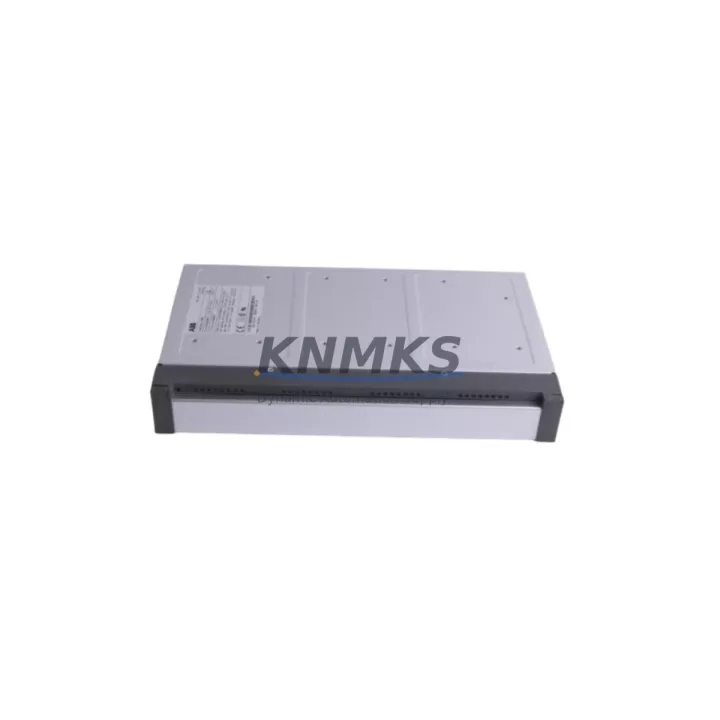
ABB DDO01 Migration-Ready Digital Output Module for AC500: Legacy System Retrofit and Compatibility Upgrade
The ABB DDO01 is a 16-channel digital output module designed for the ABB AC500 PLC platform, widely deployed in process automation, machine control, and building management systems across industrial facilities. As legacy AC500 installations approach end-of-service milestones, the DDO01 has become a critical spare part for engineers managing controlled migrations from older I/O configurations to current-generation control architectures. Whether you are replacing a failed output card in a running production line or executing a planned upgrade of an aging control cabinet, the DDO01 provides a direct, validated replacement path with minimal disruption to existing wiring and program logic.
The module interfaces directly with AC500 terminal bases including the TB521 and TB541, maintaining the same physical footprint and connector layout as earlier-generation output modules. This dimensional compatibility is essential when working within constrained control cabinet spaces where rack layout changes are not feasible. Engineers retrofitting systems originally built around the PM554 or PM564 CPUs will find that the DDO01 integrates without requiring backplane modifications, preserving the existing I/O addressing scheme and reducing the risk of program logic errors during commissioning.
When planning a retrofit involving the DDO01, several pre-installation checks are mandatory. Power supply capacity must be verified against the combined load of all installed modules, particularly when the DDO01 is added alongside communication modules such as the CM572-DP PROFIBUS master or the CM589-PNIO PROFINET interface module. Terminal wiring must be mapped against the original I/O list to confirm signal polarity, load current ratings, and output type compatibility — the DDO01 supports transistor outputs, which must be matched to the field device specifications. Backplane slot addressing should be confirmed in the CPU configuration tool to prevent address conflicts with adjacent analog or specialty modules.
Program compatibility is a frequent concern during AC500 I/O replacements. If the original project was developed in Automation Builder with hardware configuration tied to a specific module firmware version, the replacement DDO01 firmware level must be verified before going online. In most cases, modules shipped from current stock carry firmware compatible with Automation Builder 2.x and later, but engineers working with legacy projects on older Automation Builder 1.x environments should confirm version alignment before live commissioning. HMI screens referencing specific I/O tags mapped to the output module should be reviewed to ensure tag addresses remain consistent after the hardware swap.
For facilities managing multi-cabinet installations, the DDO01 is commonly deployed alongside the ABB DC532 digital combination module and the AO523 analog output module, both of which share the same AC500 terminal base ecosystem. In distributed I/O configurations using the DC505-FBP fieldbus coupler, the DDO01 can be integrated into remote I/O stations connected via PROFIBUS or PROFINET, extending output capacity without requiring a new CPU or rack. This flexibility makes the DDO01 a practical choice for I/O expansion projects as well as direct replacement scenarios.
All DDO01 units supplied are sourced from verified stock, subjected to pre-shipment functional testing under simulated load conditions, and dispatched with a support terms confirmed by quotation covering manufacturing defects and operational failures. Global shipping is available with typical lead times of 3–7 business days for in-stock units.
Migration Compatibility Table
| Parameter | Details |
|---|---|
| Module SKU | DDO01 |
| Platform | ABB AC500 PLC Series |
| Compatible CPUs | PM554, PM564, PM572, PM583, PM591, PM592 |
| Compatible Terminal Bases | TB521, TB541 |
| Output Type | 16 x Transistor Digital Output (24 VDC) |
| Backplane Interface | AC500 S500 I/O bus |
| Communication Compatibility | PROFIBUS (CM572-DP), PROFINET (CM589-PNIO), Modbus TCP |
| Installation Footprint | Standard AC500 S500 module width — no rack modification required |
| Firmware Compatibility | Automation Builder 1.x / 2.x (verify version before commissioning) |
| Replacement Recommendation | Direct drop-in for failed or end-of-life AC500 digital output modules |
| Commissioning Notes | Confirm I/O address, load current, and HMI tag mapping before going online |
| Support terms | 12 months from shipment date |
| Pre-Shipment Testing | Functional output test under load — included with every unit |
| Origin | Germany |
Retrofit Planning for Existing Automation Systems
A successful DDO01 retrofit begins with a complete audit of the existing AC500 rack configuration. Engineers should document the current slot assignments for all installed modules — including any DC532 digital combination modules, AI523 analog input modules, and AO523 analog output modules — before removing the failed or obsolete output card. This audit prevents slot address conflicts and ensures the replacement module is configured with the correct hardware address in Automation Builder.
Power budget verification is a non-negotiable step. The AC500 backplane distributes 24 VDC logic power across all installed modules, and adding or replacing a DDO01 in a fully populated rack requires confirming that the installed power supply module — typically a CP604 or CP605 — has sufficient headroom to support the output module’s internal consumption plus the connected field device load current. In high-density racks where multiple output modules drive solenoid valves or relay coils simultaneously, peak current demand can approach the power supply’s rated output, making this check critical before energizing the system.
Communication link integrity must also be verified when the DDO01 is installed in a distributed I/O station connected via a DC505-FBP fieldbus coupler. The coupler’s GSD file or GSDML configuration in the PROFIBUS or PROFINET master must reflect the updated I/O station layout, including the new module’s slot position and data length. Failure to update the master configuration before going online will result in a bus fault and loss of communication to the entire remote I/O station. Programming cables such as the TK501 USB programming cable are required for local firmware verification and initial online diagnostics when a laptop connection to the CPU is needed during commissioning.
Installation space confirmation is straightforward for standard AC500 racks, but engineers working with custom panel layouts or third-party enclosures should verify that the DDO01’s module depth and terminal base combination fits within the available DIN rail depth and that cable routing to the TB521 or TB541 terminal base does not create interference with adjacent components.
Downtime Control During System Migration
Minimizing unplanned downtime during a DDO01 replacement requires a structured hot-swap or controlled-shutdown procedure depending on the CPU’s operating mode and the criticality of the outputs being replaced. For non-critical output channels, many AC500 CPUs support online module replacement with the system in RUN mode, provided the replacement module is pre-configured in the hardware configuration and the CPU firmware supports hot-swap for the installed I/O bus version. Engineers should verify this capability in the CPU release notes before attempting a live swap.
For critical output channels controlling safety-related actuators, a controlled shutdown sequence should be planned to bring the process to a safe state before the module is removed. The original program logic should be backed up from the CPU using Automation Builder before any hardware changes are made, ensuring that a known-good project file is available for recovery if the commissioning process encounters unexpected issues. After the DDO01 is installed and the hardware configuration is downloaded, a forced output test should be performed channel by channel to verify field device response before returning the system to automatic control.
Maintaining field control continuity during the migration window can be achieved by pre-staging the replacement DDO01 with the correct firmware version and verifying its hardware address offline before the maintenance window begins. This preparation reduces the active downtime window to the physical swap and online verification steps, typically achievable within 30–60 minutes for a single module replacement in a well-documented system.
Retrofit Support FAQ
Q: Is the DDO01 a direct replacement for all AC500 digital output modules?
A: The DDO01 is compatible with AC500 S500 I/O racks using TB521 or TB541 terminal bases. It replaces transistor-type digital output modules in the same form factor. Relay output variants require a different module type — confirm the original module’s output type before ordering.
Q: What commissioning steps are required after installing the DDO01?
A: After physical installation, verify the module’s slot address in Automation Builder, download the hardware configuration to the CPU, and perform a channel-by-channel forced output test to confirm field device response. Check the CPU diagnostic buffer for any module fault messages before returning to automatic mode.
Q: Can the DDO01 be used in a PROFIBUS or PROFINET distributed I/O station?
A: Yes, when installed in a remote I/O station connected via a DC505-FBP fieldbus coupler, the DDO01 functions as a standard S500 I/O module. The PROFIBUS master’s GSD file or PROFINET controller’s GSDML configuration must be updated to reflect the module’s slot position and data length before going online.
Q: What does the support terms confirmed by quotation cover, and is pre-shipment testing included?
A: Every DDO01 unit undergoes functional output testing under simulated load conditions before dispatch. The support terms confirmed by quotation cover manufacturing defects and operational failures under normal industrial operating conditions. Units are shipped with test documentation available on request.
© 2026 KNMKS. All rights reserved.
Original Source: https://knmks.com
Contact: admin@knmks.com | +86 18359268345
Product Identification
- Brand / Ecosystem
-
ABB
ABB - Model / Series
-
DDO01
AC500 Series - Product Family
- PLCs & Controllers
- Availability Status
- Available on request after model and quantity confirmation
- Inquiry Type
- B2B RFQ, replacement inquiry and project spare-part request
- Pre-Quote Check
- Exact SKU, brand, series, quantity, nameplate photos and destination country are checked before quotation
System Path
Where this product fits in the KNMKS automation structure.
Specification & Inquiry Focus
- Control platform
- PLC, PAC and modular controllers
- Common needs
- CPU, rack, power and I/O expansion
- Project support
- Replacement, cabinet build and maintenance
Buyer Confirmation
Information KNMKS checks before replying.
- Exact model
- DDO01
- Brand / ecosystem
- ABB
- Product family
- PLCs & Controllers
- Application note
- Replacement, maintenance, project build or spare-part list
- Useful photos
- Nameplate, installed unit, cabinet layout or connector side
- Delivery details
- Quantity, destination country and target schedule
Document Support
Files and notes can be confirmed during quotation.
- Product photos or nameplate confirmation when available
- Packing and delivery notes before quotation confirmation
- Support scope and delivery terms confirmed per inquiry
- Export document coordination for qualified B2B requests
Inquiry Support
- Model cross-checking before quotation
- CPU, power, rack and expansion module matching
- Support for replacement and project inquiry
What to Send Us
- Brand and exact model number: ABB DDO01
- Quantity and required delivery time
- Application, replacement requirement or nameplate photo
- Destination country and shipping preference
RFQ Preparation
This is a product inquiry page built for RFQ communication.
Fast Model Check
Send this model to KNMKS for confirmation.
Include quantity, destination country and photos if this is a maintenance replacement. The inquiry will be saved with a reference number after submission.
Brand & Compatibility Note
KNMKS displays automation product information for well-known industrial brand ecosystems and compatible replacement references. Brand names are used for product identification and compatibility reference only; final availability and commercial terms are confirmed per quotation.
 Manufacturing
 Machine Tools
 Packaging
 Energy & Power



 HMI & Displays
 Servo Systems
 Variable Frequency Drives
 Sensors