
Overview
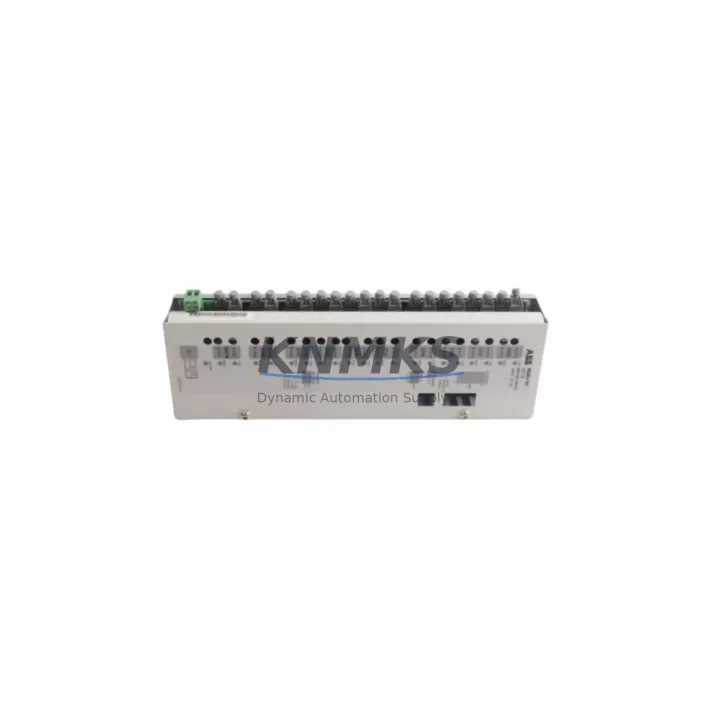
ABB DAI05 Maintenance-Proven Spare Part for Factory Uptime
The ABB DAI05 is a mixed digital/analog I/O module designed for the ABB AC500 PLC platform — one of the most widely deployed programmable logic controller families in process automation, machine control, and safety-critical industrial environments. As production lines age and original equipment manufacturers phase out legacy configurations, maintaining a verified stock of DAI05 modules is a proven strategy for minimizing unplanned downtime and protecting long-term system continuity.
This listing offers an original ABB DAI05 spare part, sourced through authorized industrial channels, pre-shipment tested, and backed by a support terms confirmed by quotation. Each unit is verified for electrical integrity and functional compatibility before dispatch, ensuring that maintenance engineers can install with confidence and restore operations without extended commissioning delays.
For maintenance planners and procurement engineers managing AC500-based control systems, the DAI05 represents a critical node in the I/O architecture. Its failure — whether from electrical surge, connector wear, or firmware incompatibility after a system update — can isolate entire process segments. Keeping at least one verified spare on the shelf is standard practice in facilities operating continuous production or safety-interlock-dependent processes.
Spare Maintenance Table
| Parameter | Specification / Notes |
|---|---|
| SKU / Part Number | DAI05 |
| Brand | ABB |
| Series | AC500 |
| Module Type | Mixed Digital/Analog I/O Module |
| Product Category | PLC I/O Module |
| Origin | Germany (DE) |
| Compatibility | ABB AC500 PLC family; compatible with PM5xx and PM5xx-ETH CPU modules |
| Installation | DIN rail mount; plug-in terminal block; hot-swap capable on supported configurations |
| Application Environment | Industrial automation, process control, machine safety, utility infrastructure |
| Maintenance Recommendation | Inspect connectors and terminal blocks annually; verify firmware version compatibility before replacement |
| Support terms | 12 months from date of shipment |
| Pre-Shipment Testing | Yes — functional and electrical verification performed before dispatch |
Maintenance Planning for Continuous Operation
When a DAI05 module is flagged during routine control cabinet inspection or fails during a fault isolation procedure, the replacement workflow should extend beyond the module itself. Experienced maintenance engineers know that I/O module failures in AC500 systems are rarely isolated events — they often coincide with or are caused by upstream or downstream component stress.
Before or during a DAI05 replacement, the following components in the same control cabinet or electrical circuit should be inspected and, where applicable, included in the spare parts order: the AC500 CPU module (PM5xx series) should be checked for firmware version alignment with the replacement DAI05, as mismatched firmware can cause I/O mapping errors after hot-swap. The TB5xx terminal base that the DAI05 plugs into should be inspected for pin wear, oxidation, or mechanical damage — a degraded terminal base will cause intermittent faults even with a new I/O module installed.
The 24 VDC power supply module feeding the I/O bus should be load-tested; a sagging supply rail is a common root cause of I/O module resets and false fault signals. If the cabinet includes signal isolators or analog signal conditioners on the DAI05’s analog channels, these should be verified for calibration drift, particularly in high-temperature or high-vibration environments. Fuse holders and miniature circuit breakers protecting the I/O supply lines are frequently overlooked during I/O module replacements — a blown or weakened fuse can cause the replacement module to appear faulty on first power-up. Finally, if the AC500 system communicates over PROFIBUS, Modbus, or EtherNet/IP, the communication module and associated cabling should be verified for continuity and correct termination resistance, as I/O module swaps can sometimes trigger bus address conflicts or communication timeouts that delay system restart.
Building a maintenance kit that includes the DAI05, a spare TB5xx terminal base, a replacement 24 VDC PSU module, and a set of fuse inserts for the I/O supply circuit is a practical approach for facilities that cannot tolerate extended downtime windows.
Site Replacement Workflow
Replacing a DAI05 in an operational AC500 system requires a structured approach to avoid configuration loss and minimize restart time. Begin by exporting the current PLC project from the engineering workstation using ABB Automation Builder, and confirm that the I/O configuration for the DAI05 slot is documented — including channel assignments, signal types, and any force values active at the time of failure.
Power down the affected I/O segment following the site’s lockout/tagout procedure. Remove the terminal block from the DAI05 before extracting the module from the terminal base — this preserves wiring integrity and reduces reconnection errors. Insert the replacement DAI05 into the TB5xx terminal base, reattach the terminal block, and restore power. In most AC500 configurations, the CPU will automatically recognize the new module and restore the I/O mapping without requiring a full project download, provided the firmware versions are compatible.
After power-up, verify all channel states in the AC500 diagnostic display or via the engineering software. Confirm that analog input channels are reading within expected engineering unit ranges and that digital outputs are responding correctly to PLC commands. Log the replacement in the site maintenance record, including the serial number of the removed module and the replacement unit, and update the spare parts inventory accordingly.
For older AC500 installations where the DAI05 is no longer available through standard distribution channels, this listing provides a verified alternative sourcing path with guaranteed compatibility, pre-shipment testing, and support terms confirmed by quotation coverage — reducing the procurement risk associated with aging system components.
Spare Parts Support FAQ
Q: Is this DAI05 compatible with all AC500 CPU variants?
A: The DAI05 is designed for the ABB AC500 PLC platform and is compatible with PM5xx series CPU modules when used with the appropriate TB5xx terminal base. Compatibility with specific firmware versions should be verified against the ABB AC500 system manual before installation. Contact our technical team if you need compatibility confirmation for your specific configuration.
Q: What testing is performed before shipment?
A: Each DAI05 unit undergoes functional and electrical verification prior to dispatch. This includes power-on self-test, I/O channel continuity checks, and visual inspection for connector and housing integrity. A test report is available upon request.
Q: What is the support terms coverage and what does it include?
A: All DAI05 units supplied through this listing carry a support terms confirmed by quotation from the date of shipment. The support terms covers manufacturing defects and functional failures under normal operating conditions. It does not cover damage resulting from incorrect installation, overvoltage events, or unauthorized modification. Support requests are processed within 5 business days of receipt of the returned unit.
Q: Can you support long-term or blanket purchase orders for AC500 spare parts?
A: Yes. We support scheduled delivery agreements and blanket purchase orders for maintenance teams managing multi-site AC500 installations. Long-term supply arrangements can be structured to include the DAI05 alongside related AC500 components such as CPU modules, terminal bases, and communication modules. Contact admin@knmks.com or +86 18359268345 to discuss volume pricing and delivery scheduling.
© 2026 KNMKS. All rights reserved.
Original Source: https://knmks.com
Contact: admin@knmks.com | +86 18359268345
Product Identification
- Brand / Ecosystem
-
ABB
ABB - Model / Series
-
DAI05
AC500 Series - Product Family
- PLCs & Controllers
- Availability Status
- Available on request after model and quantity confirmation
- Inquiry Type
- B2B RFQ, replacement inquiry and project spare-part request
- Pre-Quote Check
- Exact SKU, brand, series, quantity, nameplate photos and destination country are checked before quotation
System Path
Where this product fits in the KNMKS automation structure.
Specification & Inquiry Focus
- Control platform
- PLC, PAC and modular controllers
- Common needs
- CPU, rack, power and I/O expansion
- Project support
- Replacement, cabinet build and maintenance
Buyer Confirmation
Information KNMKS checks before replying.
- Exact model
- DAI05
- Brand / ecosystem
- ABB
- Product family
- PLCs & Controllers
- Application note
- Replacement, maintenance, project build or spare-part list
- Useful photos
- Nameplate, installed unit, cabinet layout or connector side
- Delivery details
- Quantity, destination country and target schedule
Document Support
Files and notes can be confirmed during quotation.
- Product photos or nameplate confirmation when available
- Packing and delivery notes before quotation confirmation
- Support scope and delivery terms confirmed per inquiry
- Export document coordination for qualified B2B requests
Inquiry Support
- Model cross-checking before quotation
- CPU, power, rack and expansion module matching
- Support for replacement and project inquiry
What to Send Us
- Brand and exact model number: ABB DAI05
- Quantity and required delivery time
- Application, replacement requirement or nameplate photo
- Destination country and shipping preference
RFQ Preparation
This is a product inquiry page built for RFQ communication.
Fast Model Check
Send this model to KNMKS for confirmation.
Include quantity, destination country and photos if this is a maintenance replacement. The inquiry will be saved with a reference number after submission.
Brand & Compatibility Note
KNMKS displays automation product information for well-known industrial brand ecosystems and compatible replacement references. Brand names are used for product identification and compatibility reference only; final availability and commercial terms are confirmed per quotation.
 Manufacturing
 Machine Tools
 Packaging
 Energy & Power



 HMI & Displays
 Servo Systems
 Variable Frequency Drives
 Sensors