
Overview
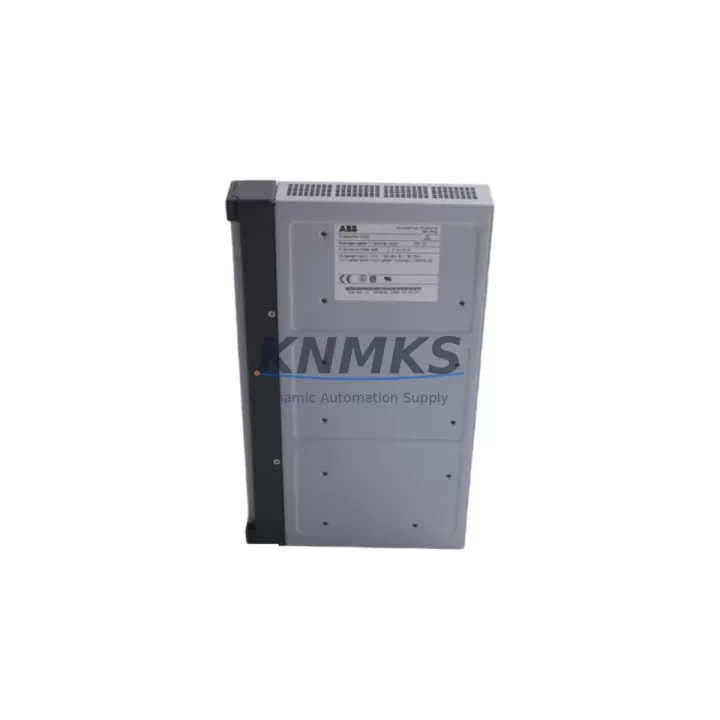
ABB DAI01 Migration-Ready Digital Input Module for Legacy Control Systems
The ABB DAI01 is a 24 VDC digital input module designed for the AC500 PLC platform, widely deployed across process automation, machine control, and utility infrastructure. As legacy AC500 installations approach end-of-service milestones, the DAI01 serves as a critical migration-ready replacement for aging or discontinued digital input hardware. Whether you are restoring a failed module in an active production line or executing a planned control cabinet upgrade, the DAI01 delivers direct compatibility with existing terminal bases, backplane interfaces, and program logic — minimizing engineering rework and unplanned downtime.
The DAI01 mounts directly onto ABB TB511 and TB521 terminal bases, preserving existing field wiring and eliminating the need for rewiring during replacement. It integrates seamlessly with AC500 CPUs including the PM571, PM572, PM581, PM582, PM591, and PM595, communicating over the internal K-Bus backplane without requiring additional configuration for drop-in substitution. For sites running legacy PM554 or PM556 CPUs, compatibility verification against firmware revision and rack configuration is recommended before deployment.
During retrofit planning, engineers frequently need to coordinate the DAI01 replacement alongside related AC500 components. The CP502 communication processor, for example, may require firmware alignment when the control platform is being partially upgraded. Similarly, the DA501 analog input module and the DO501 digital output module are often replaced in the same maintenance window to standardize the I/O layer across the rack. Where the control cabinet includes a CS31 remote I/O bus, the DC532 communication module must be verified for address mapping consistency before the new DAI01 is brought online.
For installations migrating from older S500 series hardware to the AC500 platform, the DAI01 supports a structured transition path. The S500 DI524 digital input module, while functionally similar, uses a different terminal base footprint and backplane protocol. Migration from DI524 to DAI01 requires terminal base substitution (TB511 or TB521), address reassignment in the PS501 Control Builder programming environment, and HMI screen updates if digital input status tags are mapped to operator panels such as the PP865 or CP635. These steps are standard in phased migration projects and can be completed during a scheduled maintenance window without full system shutdown.
Migration Compatibility Table
| Parameter | Details |
|---|---|
| SKU / Part Number | DAI01 |
| Brand / Series | ABB / AC500 |
| Module Type | Digital Input Module, 24 VDC |
| Compatible Terminal Bases | TB511, TB521 |
| Compatible CPUs | PM571, PM572, PM581, PM582, PM591, PM595 |
| Backplane Interface | K-Bus (internal AC500 backplane) |
| Legacy Replacement Target | ABB S500 DI524 (requires terminal base change) |
| Programming Environment | ABB PS501 Control Builder Plus |
| HMI Compatibility | PP865, CP635 (tag remapping required for S500 migration) |
| Communication Protocol | K-Bus / CS31 (via DC532 for remote I/O) |
| Installation Space | Standard AC500 rack slot; verify rack capacity before installation |
| Firmware Requirement | Align CPU firmware with module revision; verify via PS501 |
| Pre-Shipment Testing | Yes — functional test performed before dispatch |
| Support terms | 12 Months |
| Stock Status | availability confirmed by RFQ — Global Dispatch Available |
Retrofit Planning for Existing Automation Systems
A successful DAI01 retrofit begins with a rack audit. Confirm the number of occupied slots in the AC500 rack, verify that the target slot’s terminal base (TB511 or TB521) is undamaged and correctly seated, and document the existing module address assignments. In multi-rack configurations using the DC532 CS31 communication module, each remote rack’s node address must be recorded before any module swap to prevent address conflicts after restart.
Power budget verification is a mandatory pre-installation step. The AC500 rack’s internal power supply — typically a PS501 or PS502 power supply module — must have sufficient headroom to support the DAI01’s 24 VDC input current draw alongside all other installed modules. If the rack is near capacity, a power supply upgrade or load redistribution across racks may be required before the DAI01 can be safely installed.
Field wiring connected to the TB511 or TB521 terminal base does not need to be disturbed during a like-for-like DAI01 replacement. However, if migrating from S500 DI524 hardware, the terminal base must be physically replaced, requiring temporary disconnection of field cables. Label all wiring before removal and verify signal polarity against the original I/O list. After reinstallation, use a loop tester or field signal simulator to verify each input channel before returning the system to automatic mode.
Program logic in PS501 Control Builder should be reviewed for any hardcoded module slot references or I/O force commands that may have been applied during previous troubleshooting. Clear all forced I/O states before the new DAI01 is powered on. If the replacement is part of a broader upgrade that also involves the DA501 analog input module or DO501 digital output module, coordinate the program download sequence to avoid partial configuration mismatches during the transition window.
Downtime Control During System Migration
Minimizing downtime during a DAI01 replacement requires preparation before the maintenance window opens. Back up the current PS501 project file, including all program blocks, I/O configurations, and communication settings, to an offline archive. If the AC500 CPU supports online program modification, prepare the updated I/O configuration in advance so it can be downloaded immediately after the new module is seated and powered.
For critical processes where even brief interruptions are unacceptable, consider placing the affected digital input channels in a safe fallback state using program logic before the physical swap. This may involve latching the last known input state or switching the affected control loop to manual mode at the HMI — for example, via the PP865 operator panel — before the module is removed. Document the fallback procedure and assign a dedicated technician to monitor the HMI during the swap.
After the DAI01 is installed and the system is restarted, perform a structured commissioning check: verify that all input channels report the correct signal state, confirm that no diagnostic alarms are active in the CPU, and validate communication continuity across the K-Bus backplane. If the installation includes a CS31 remote I/O segment via the DC532 module, verify remote node status before releasing the system to production. Total commissioning time for a single DAI01 replacement in a prepared environment is typically under 30 minutes.
Retrofit Support FAQ
Q: Is the ABB DAI01 a direct drop-in replacement for the S500 DI524?
A: Not a direct drop-in — the DAI01 and DI524 use different terminal bases and backplane protocols. The DAI01 requires a TB511 or TB521 terminal base and is designed for the AC500 platform. Migration from DI524 to DAI01 involves terminal base replacement, I/O address reassignment in PS501, and HMI tag updates. Full compatibility documentation is available upon request.
Q: What commissioning steps are required after installing the DAI01?
A: After physical installation, download the updated I/O configuration from PS501 Control Builder, clear any forced I/O states, verify all input channel signal states against field conditions, and confirm no K-Bus diagnostic alarms are present. For remote I/O configurations using the DC532, verify CS31 node communication before returning to automatic mode.
Q: Is pre-shipment testing performed on the DAI01?
A: Yes. Every DAI01 unit undergoes functional testing before dispatch to verify input channel operation, backplane interface integrity, and module identification. A test report is available upon request. All units are covered by a support terms confirmed by quotation from the date of shipment.
Q: What is the lead time and stock availability for the ABB DAI01?
A: The DAI01 is held availability confirmed by RFQ for immediate dispatch. Global shipping is available with typical lead times of 3–7 business days depending on destination. For urgent requirements or bulk orders, contact our sales team directly to confirm allocation and expedited dispatch options.
© 2026 KNMKS. All rights reserved.
Original Source: https://knmks.com
Contact: admin@knmks.com | +86 18359268345
Product Identification
- Brand / Ecosystem
-
ABB
ABB - Model / Series
-
DAI01
AC500 Series - Product Family
- PLCs & Controllers
- Availability Status
- Available on request after model and quantity confirmation
- Inquiry Type
- B2B RFQ, replacement inquiry and project spare-part request
- Pre-Quote Check
- Exact SKU, brand, series, quantity, nameplate photos and destination country are checked before quotation
System Path
Where this product fits in the KNMKS automation structure.
Specification & Inquiry Focus
- Control platform
- PLC, PAC and modular controllers
- Common needs
- CPU, rack, power and I/O expansion
- Project support
- Replacement, cabinet build and maintenance
Buyer Confirmation
Information KNMKS checks before replying.
- Exact model
- DAI01
- Brand / ecosystem
- ABB
- Product family
- PLCs & Controllers
- Application note
- Replacement, maintenance, project build or spare-part list
- Useful photos
- Nameplate, installed unit, cabinet layout or connector side
- Delivery details
- Quantity, destination country and target schedule
Document Support
Files and notes can be confirmed during quotation.
- Product photos or nameplate confirmation when available
- Packing and delivery notes before quotation confirmation
- Support scope and delivery terms confirmed per inquiry
- Export document coordination for qualified B2B requests
Inquiry Support
- Model cross-checking before quotation
- CPU, power, rack and expansion module matching
- Support for replacement and project inquiry
What to Send Us
- Brand and exact model number: ABB DAI01
- Quantity and required delivery time
- Application, replacement requirement or nameplate photo
- Destination country and shipping preference
RFQ Preparation
This is a product inquiry page built for RFQ communication.
Fast Model Check
Send this model to KNMKS for confirmation.
Include quantity, destination country and photos if this is a maintenance replacement. The inquiry will be saved with a reference number after submission.
Brand & Compatibility Note
KNMKS displays automation product information for well-known industrial brand ecosystems and compatible replacement references. Brand names are used for product identification and compatibility reference only; final availability and commercial terms are confirmed per quotation.
 Manufacturing
 Machine Tools
 Packaging
 Energy & Power



 HMI & Displays
 Servo Systems
 Variable Frequency Drives
 Sensors