
Overview
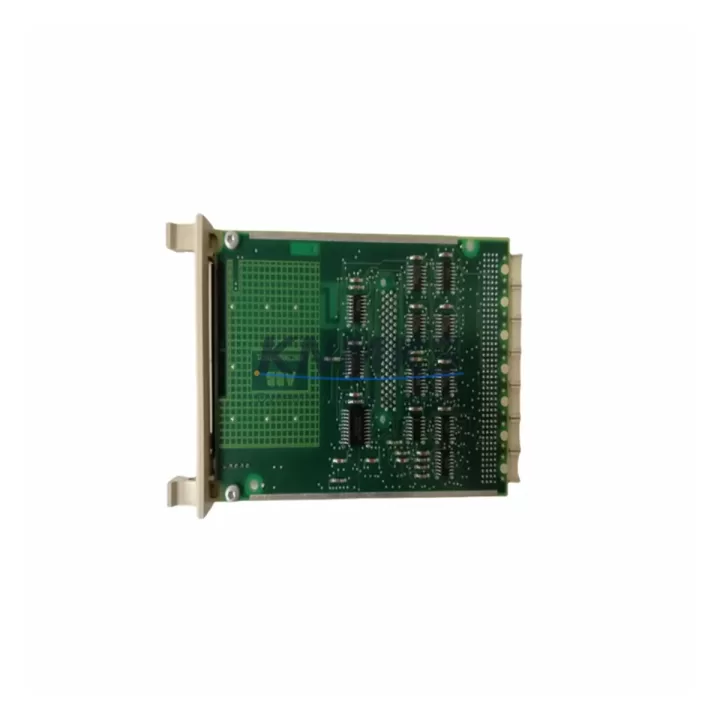
ABB CPS01-A Maintenance-Proven Spare Part for Factory Uptime
The ABB CPS01-A is a central power supply module designed for the ABB AC500 PLC platform — one of the most widely deployed programmable logic controller families in process automation, discrete manufacturing, and critical infrastructure worldwide. As production lines age and original equipment manufacturers phase out legacy support, maintaining a verified, pre-tested CPS01-A in your spare parts inventory is a frontline strategy for protecting factory uptime and avoiding unplanned shutdowns.
This unit is sourced as an original ABB spare, pre-shipment tested against ABB AC500 electrical specifications, and backed by a support terms confirmed by quotation. It is stocked across multiple regional warehouses to support fast global dispatch — whether you are managing a scheduled annual overhaul, responding to an emergency fault, or building out a preventive maintenance buffer for a multi-line facility.
Maintenance engineers and MRO procurement teams working with ABB AC500 systems recognize the CPS01-A as a load-bearing component in the control cabinet power architecture. Its failure — or degraded output — cascades directly into CPU module instability, I/O module dropout, and communication bus errors. Replacing it promptly with a verified original spare is the fastest path back to stable operation.
Spare Maintenance Table
| Parameter | Specification |
|---|---|
| SKU / Part Number | CPS01-A |
| Brand | ABB |
| Series | AC500 |
| Product Type | PLC Power Supply Module |
| Nominal Input Voltage | 24 V DC |
| Output Voltage | Internal backplane bus supply for AC500 CPU and I/O modules |
| Compatible CPU Modules | AC500 PM5xx / PM5xx-ETH series (verify rack configuration) |
| Mounting | AC500 backplane / rack-mount, DIN rail compatible enclosure |
| Operating Temperature | 0 °C to +60 °C (standard industrial environment) |
| Protection Class | IP20 (control cabinet installation) |
| Country of Origin | Germany (DE) |
| Weight | 740 g |
| Pre-Shipment Testing | Yes — functional and electrical verification before dispatch |
| Support terms | 12 Months |
| Typical Lead Time | In-stock: 1–3 business days global dispatch |
| Maintenance Recommendation | Inspect every 12–18 months; replace proactively at first sign of output instability |
Maintenance Planning for Continuous Operation
When a CPS01-A power supply module is flagged for replacement during a control cabinet inspection or fault diagnosis, experienced maintenance engineers treat it as a trigger for a broader system health check. The power supply sits at the foundation of the AC500 rack architecture — its output directly feeds the CPU module (such as the PM564-ETH or PM583-ETH), all installed I/O modules, and the internal backplane communication bus. A degraded or failed CPS01-A will often manifest first as intermittent CPU resets, I/O channel dropouts, or unexplained communication timeouts on the CS31 or Modbus networks before a hard fault is logged.
During a planned CPS01-A replacement, the following components should be inspected or tested in parallel to avoid repeat callouts and secondary failures:
- AC500 CPU Module (PM5xx series): Check firmware version, battery backup status, and memory integrity. A power event may have corrupted the program or clock settings.
- Digital and Analog I/O Modules (DA501, AI523, AO523 series): Verify channel-by-channel signal integrity after power restoration. Transient overvoltage during a supply failure can stress I/O input protection circuits.
- Terminal Blocks and Field Wiring: Inspect 24 V DC distribution terminals for loose connections, oxidation, or thermal discoloration — common in high-cycle environments.
- Communication Modules (CM572-DP for PROFIBUS, CM589-PNIO for PROFINET): Confirm bus status LEDs and re-establish network diagnostics after power cycling. Communication modules are sensitive to supply brownouts.
- Signal Isolators and Barriers: For analog loops connected to field instruments, verify that signal isolators have not been damaged by supply transients during the fault event.
- Panel Fuses and Circuit Breakers: Replace any blown fuses in the 24 V DC distribution circuit and verify breaker trip ratings are correctly sized for the AC500 rack load.
- HMI Panel (CP600 series or third-party): Confirm HMI communication to the CPU is restored and that display calibration has not drifted after the power interruption.
Stocking a CPS01-A alongside a spare CPU module and at least one I/O expansion module (such as the DC532 digital I/O module) is a recognized best practice for facilities running AC500-based control systems in 24/7 production environments. This three-component buffer covers the most common failure modes without requiring a full system spare.
Site Replacement Workflow
Replacing the CPS01-A in the field is a structured process that, when executed correctly, minimizes downtime to under two hours for a prepared maintenance team. The following workflow is recommended for sites transitioning from a failed or end-of-life power supply module:
- Pre-Replacement Verification: Confirm the replacement CPS01-A matches the installed unit’s hardware revision. Check the ABB AC500 system manual for any revision-specific compatibility notes with your CPU and I/O configuration.
- Safe Isolation: De-energize the control cabinet following your site’s lockout/tagout (LOTO) procedure. Discharge any residual capacitance in the 24 V DC bus before handling modules.
- Module Extraction: Remove the faulty CPS01-A from the AC500 backplane. Inspect the backplane connector for bent pins, carbon tracking, or moisture ingress before installing the replacement.
- Installation and Torque Check: Seat the new CPS01-A firmly on the backplane and verify all retaining screws are torqued to specification. Loose mechanical contact is a leading cause of intermittent power faults.
- Power-Up and Diagnostics: Re-energize the cabinet and observe the CPS01-A status LED. Confirm CPU boot sequence completes normally and all I/O modules report healthy status in the AC500 diagnostic interface or connected SCADA/HMI.
- Functional Test: Run a controlled I/O test cycle before returning the system to production. Verify all field signals are reading correctly and communication buses are error-free.
- Documentation: Log the replacement in your maintenance management system (CMMS) with the new module’s serial number, installation date, and support terms expiry (12 months from shipment date).
This workflow applies equally to emergency replacements during unplanned outages and to scheduled swap-outs during planned maintenance windows. Having a pre-tested, in-stock CPS01-A on hand compresses the critical path from fault detection to system restoration — often the difference between a two-hour recovery and a multi-day production loss.
Spare Parts Support FAQ
Q1: Is this CPS01-A an original ABB spare or a compatible aftermarket unit?
This is an original ABB CPS01-A spare part, sourced through verified supply channels. Each unit undergoes pre-shipment functional and electrical testing before dispatch. We do not supply aftermarket or remanufactured substitutes for this SKU.
Q2: What is the support terms coverage and how is it applied?
All CPS01-A units are covered by a support terms confirmed by quotation from the date of shipment. The support terms covers manufacturing defects and functional failures under normal operating conditions. It does not cover damage resulting from incorrect installation, overvoltage events, or environmental exposure beyond the rated IP20 specification.
Q3: Can I use the CPS01-A as a direct replacement for an older AC500 power supply revision?
Compatibility depends on your specific AC500 rack configuration and CPU revision. We recommend verifying the hardware revision of your installed unit against the ABB AC500 system documentation before ordering. Our technical team can assist with compatibility confirmation if you provide your existing module’s nameplate data and CPU part number.
Q4: Do you support long-term supply agreements for facilities with multiple AC500 systems?
Yes. For facilities managing multiple AC500 installations or running scheduled annual overhauls, we offer long-term supply agreements with reserved stock allocation, priority dispatch, and fixed pricing. Contact our sales team to discuss volume requirements and delivery scheduling tailored to your maintenance calendar.
© 2026 KNMKS. All rights reserved.
Original Source: https://knmks.com
Contact: admin@knmks.com | +86 18359268345
Product Identification
- Brand / Ecosystem
-
ABB
ABB - Model / Series
-
CPS01-A
AC500 Series - Product Family
- PLCs & Controllers
- Availability Status
- Available on request after model and quantity confirmation
- Inquiry Type
- B2B RFQ, replacement inquiry and project spare-part request
- Pre-Quote Check
- Exact SKU, brand, series, quantity, nameplate photos and destination country are checked before quotation
System Path
Where this product fits in the KNMKS automation structure.
Specification & Inquiry Focus
- Control platform
- PLC, PAC and modular controllers
- Common needs
- CPU, rack, power and I/O expansion
- Project support
- Replacement, cabinet build and maintenance
Buyer Confirmation
Information KNMKS checks before replying.
- Exact model
- CPS01-A
- Brand / ecosystem
- ABB
- Product family
- PLCs & Controllers
- Application note
- Replacement, maintenance, project build or spare-part list
- Useful photos
- Nameplate, installed unit, cabinet layout or connector side
- Delivery details
- Quantity, destination country and target schedule
Document Support
Files and notes can be confirmed during quotation.
- Product photos or nameplate confirmation when available
- Packing and delivery notes before quotation confirmation
- Support scope and delivery terms confirmed per inquiry
- Export document coordination for qualified B2B requests
Inquiry Support
- Model cross-checking before quotation
- CPU, power, rack and expansion module matching
- Support for replacement and project inquiry
What to Send Us
- Brand and exact model number: ABB CPS01-A
- Quantity and required delivery time
- Application, replacement requirement or nameplate photo
- Destination country and shipping preference
RFQ Preparation
This is a product inquiry page built for RFQ communication.
Fast Model Check
Send this model to KNMKS for confirmation.
Include quantity, destination country and photos if this is a maintenance replacement. The inquiry will be saved with a reference number after submission.
Brand & Compatibility Note
KNMKS displays automation product information for well-known industrial brand ecosystems and compatible replacement references. Brand names are used for product identification and compatibility reference only; final availability and commercial terms are confirmed per quotation.
 Manufacturing
 Machine Tools
 Packaging
 Energy & Power



 HMI & Displays
 Servo Systems
 Variable Frequency Drives
 Sensors