
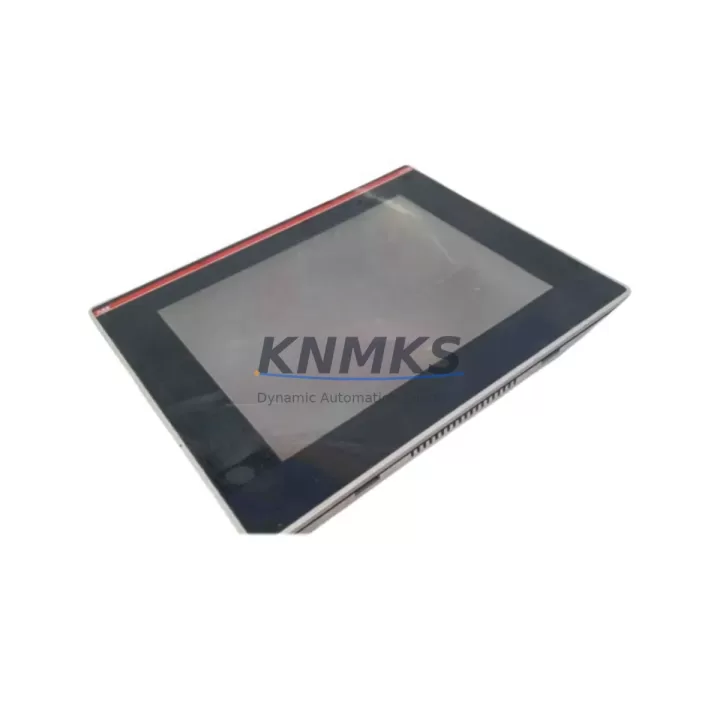
Overview
ABB CP561-WEB Maintenance-Proven Spare for AC500 Uptime
The ABB CP561-WEB is an Ethernet communication processor module designed for the AC500 PLC platform — one of ABB’s most widely deployed automation controllers in process, manufacturing, and infrastructure applications. As a maintenance-proven spare part, the CP561-WEB enables maintenance and procurement engineers to restore Ethernet-based communication links rapidly, minimizing unplanned downtime and protecting production continuity. Whether you are managing a scheduled annual overhaul, responding to an emergency fault, or building a strategic spare parts inventory, the CP561-WEB is a critical component to keep on hand.
Spare Maintenance Table
| Parameter | Specification |
|---|---|
| Part Number / SKU | CP561-WEB |
| Brand | ABB |
| Series | AC500 |
| Module Type | Ethernet Communication Processor (Web Server) |
| Communication Interface | 10/100 Mbps Ethernet (RJ45), Web Server, FTP, SNMP |
| Supported Protocols | Modbus TCP, IEC 61131-3, HTTP/HTTPS, FTP |
| Compatible PLC Platform | ABB AC500 Series (PM5xx, PM5xx-ETH, PM5xx-2ETH) |
| Mounting | AC500 backplane / terminal base TB5xx |
| Supply Voltage | Supplied via AC500 backplane (24 VDC system bus) |
| Operating Temperature | -25°C to +60°C |
| Protection Rating | IP20 |
| Country of Origin | Germany (DE) |
| Product Condition | Original, New or Tested Surplus |
| Outgoing Test | Function-tested before shipment |
| Support terms | 12 Months |
| Typical Application | Factory Ethernet backbone, SCADA integration, remote diagnostics, web-based PLC monitoring |
| Maintenance Recommendation | Inspect RJ45 port and firmware version during annual overhaul; verify IP configuration after replacement |
Maintenance Planning for Continuous Operation
When a CP561-WEB communication fault is detected — whether through a loss of SCADA visibility, a broken Modbus TCP link, or a web server timeout — the root cause is rarely isolated to the module alone. A thorough site investigation should include the surrounding electrical and communication infrastructure to prevent repeat failures after replacement.
Begin by inspecting the AC500 CPU module (such as the PM564-T or PM573-ETH) for firmware compatibility with the replacement CP561-WEB. Mismatched firmware versions between the CPU and communication processor are a common cause of post-replacement instability. Next, verify the AC500 terminal base (TB561) — the mechanical and electrical interface between the CP561-WEB and the backplane — for signs of oxidation, bent contacts, or mechanical damage that could cause intermittent communication errors.
The 24 VDC power supply module feeding the AC500 rack should be load-tested; a degraded power supply with marginal output voltage can cause communication modules to reset unexpectedly under peak network traffic. If the control cabinet includes a managed Ethernet switch (such as an ABB EKS or third-party industrial switch), inspect port configuration, VLAN settings, and cable integrity — a faulty patch cable or misconfigured switch port can mimic a failed CP561-WEB.
For systems using digital I/O expansion modules (such as the DC532 or DA501) connected via the AC500 internal bus, confirm that the I/O bus is stable and that no bus errors are logged in the CPU diagnostics. Communication faults on the Ethernet side can sometimes mask underlying I/O bus issues that surface after the network link is restored. Additionally, inspect any signal isolators or surge protection devices installed on the Ethernet line — industrial environments with variable-frequency drives or heavy motor loads are prone to transient surges that can damage communication ports over time.
If the system includes an HMI panel (such as an ABB CP600 series or a third-party SCADA workstation) communicating via Modbus TCP through the CP561-WEB, re-validate the HMI communication parameters — IP address, port, and polling interval — after module replacement, as these settings may need to be re-entered or confirmed. Finally, check the fuse or circuit breaker protecting the 24 VDC rail supplying the AC500 rack; a nuisance trip or a slow-blow fuse near its rated current can cause intermittent power dips that corrupt module initialization.
Site Replacement Workflow
Replacing the CP561-WEB on an active AC500 system requires a structured approach to minimize downtime and avoid configuration loss. Before removing the module, document the current IP address, subnet mask, gateway, and any custom web server or FTP settings stored in the module — these are not always retained in the CPU project file and must be re-entered manually after replacement.
Power down the AC500 rack or, if hot-swap is supported in your system configuration, follow ABB’s recommended procedure for communication module replacement without full rack shutdown. Remove the CP561-WEB from the TB561 terminal base by releasing the locking mechanism and sliding the module out. Inspect the terminal base contacts before inserting the replacement unit. Insert the new CP561-WEB, secure the locking clip, and power up the rack. The CPU will automatically detect the new module and load the stored communication configuration from the project. Verify the Ethernet link LED status and confirm SCADA or HMI connectivity before returning the system to production.
For legacy AC500 installations running older firmware, confirm that the replacement CP561-WEB firmware version is compatible with the installed CPU firmware. ABB publishes firmware compatibility matrices in the AC500 system documentation. If a firmware update is required, perform it during the maintenance window using ABB Automation Builder or the CP561-WEB web interface before reconnecting to the production network. This workflow ensures a clean, verified replacement that restores full Ethernet communication capability with minimal risk of configuration drift or compatibility issues.
Spare Parts Support FAQ
Q1: Is the CP561-WEB compatible with all AC500 CPU variants?
The CP561-WEB is designed for the ABB AC500 platform and is compatible with PM5xx series CPUs that support communication module expansion via the AC500 backplane. Compatibility depends on the CPU firmware version and the terminal base type (TB561 is required). Always verify the firmware compatibility matrix in the ABB AC500 system manual before installation. Our team can assist with compatibility confirmation prior to shipment.
Q2: What testing is performed before shipment?
Every CP561-WEB unit is function-tested before dispatch. Testing includes power-on verification, Ethernet port link detection, and basic communication protocol response checks. Units that do not pass functional testing are not shipped. A support terms confirmed by quotation is provided from the date of shipment, covering manufacturing defects and functional failures under normal operating conditions.
Q3: Can you support long-term or blanket order supply for the CP561-WEB?
Yes. For maintenance teams managing multiple AC500 installations or planning annual overhaul schedules, we support blanket purchase orders and reserved stock arrangements. Long-term supply agreements help protect against market shortages for legacy or end-of-life ABB modules and ensure your spare parts inventory remains aligned with your maintenance calendar. Contact our sales team to discuss volume pricing and lead time commitments.
Q4: What is the recommended spare parts strategy for the CP561-WEB?
For critical production lines relying on AC500-based Ethernet communication, we recommend maintaining at least one CP561-WEB as a cold standby spare per control cabinet. For multi-cabinet installations or systems with high uptime requirements, a ratio of one spare per three installed units is a practical benchmark. Pair the CP561-WEB spare with a spare TB561 terminal base and a documented IP configuration backup to enable the fastest possible field replacement without requiring engineering support on-site.
© 2026 KNMKS. All rights reserved.
Original Source: https://knmks.com
Contact: admin@knmks.com | +86 18359268345
Product Identification
- Brand / Ecosystem
-
ABB
ABB - Model / Series
-
CP561-WEB
AC500 Series - Product Family
- PLCs & Controllers
- Availability Status
- Available on request after model and quantity confirmation
- Inquiry Type
- B2B RFQ, replacement inquiry and project spare-part request
- Pre-Quote Check
- Exact SKU, brand, series, quantity, nameplate photos and destination country are checked before quotation
System Path
Where this product fits in the KNMKS automation structure.
Specification & Inquiry Focus
- Control platform
- PLC, PAC and modular controllers
- Common needs
- CPU, rack, power and I/O expansion
- Project support
- Replacement, cabinet build and maintenance
Buyer Confirmation
Information KNMKS checks before replying.
- Exact model
- CP561-WEB
- Brand / ecosystem
- ABB
- Product family
- PLCs & Controllers
- Application note
- Replacement, maintenance, project build or spare-part list
- Useful photos
- Nameplate, installed unit, cabinet layout or connector side
- Delivery details
- Quantity, destination country and target schedule
Document Support
Files and notes can be confirmed during quotation.
- Product photos or nameplate confirmation when available
- Packing and delivery notes before quotation confirmation
- Support scope and delivery terms confirmed per inquiry
- Export document coordination for qualified B2B requests
Inquiry Support
- Model cross-checking before quotation
- CPU, power, rack and expansion module matching
- Support for replacement and project inquiry
What to Send Us
- Brand and exact model number: ABB CP561-WEB
- Quantity and required delivery time
- Application, replacement requirement or nameplate photo
- Destination country and shipping preference
RFQ Preparation
This is a product inquiry page built for RFQ communication.
Fast Model Check
Send this model to KNMKS for confirmation.
Include quantity, destination country and photos if this is a maintenance replacement. The inquiry will be saved with a reference number after submission.
Brand & Compatibility Note
KNMKS displays automation product information for well-known industrial brand ecosystems and compatible replacement references. Brand names are used for product identification and compatibility reference only; final availability and commercial terms are confirmed per quotation.
 Manufacturing
 Machine Tools
 Packaging
 Energy & Power



 HMI & Displays
 Servo Systems
 Variable Frequency Drives
 Sensors