
Overview
ABB CP320 Maintenance-Proven Spare Part for Factory Uptime
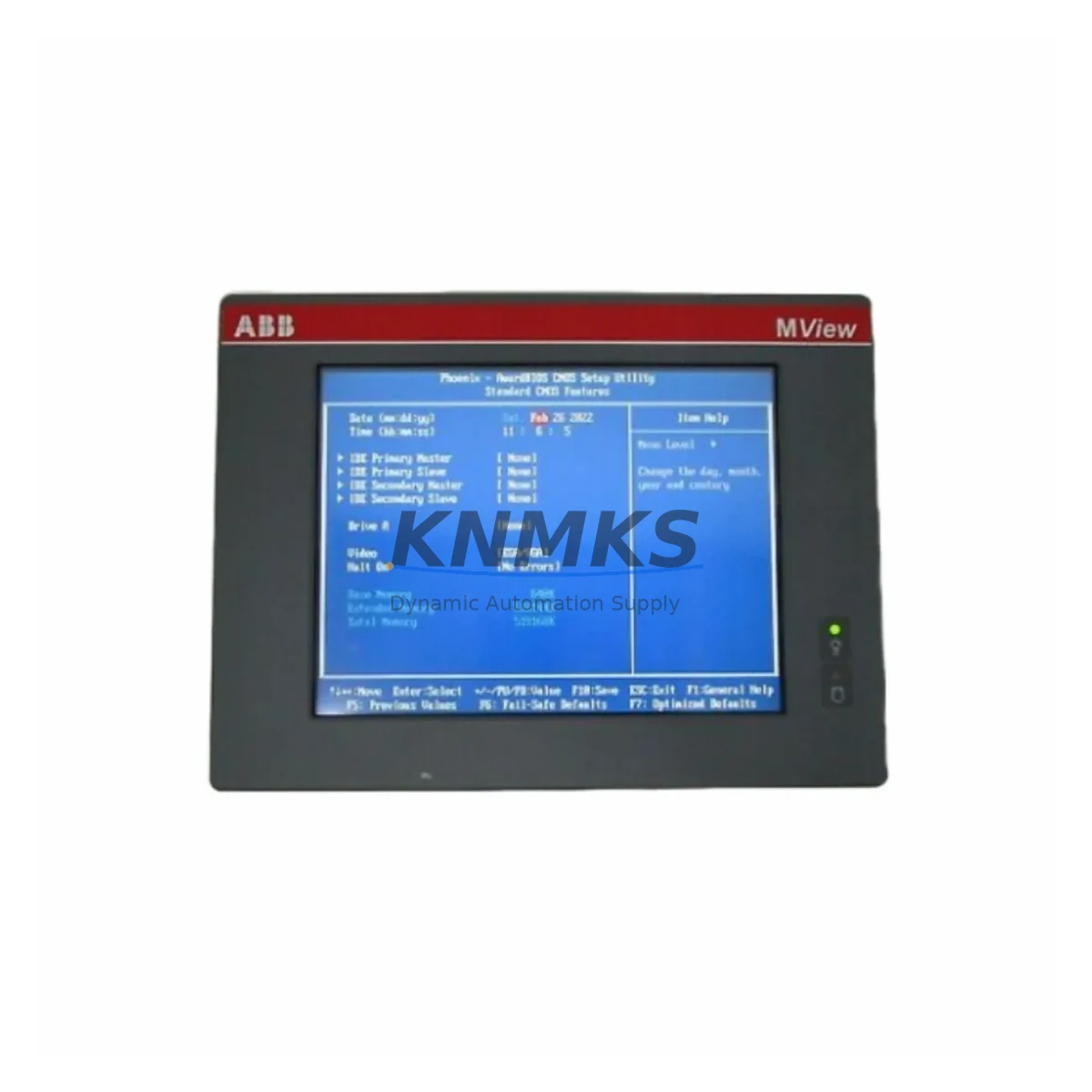
The ABB CP320 is a compact HMI operator panel designed for integration within ABB CP300 series automation and control cabinet environments. As a maintenance-proven spare part, the CP320 supports continuous factory operation by enabling rapid on-site replacement of failed or degraded operator interface units — minimizing unplanned downtime and restoring production visibility without requiring system-wide reconfiguration. Whether sourced for emergency replacement or planned annual maintenance stock, the CP320 is a critical component in sustaining legacy and active ABB control architectures.
For maintenance engineers managing ABB-based control systems, the CP320 represents a direct-fit solution for CP300 series panels. Its compatibility with existing backplane connections, communication interfaces, and power supply rails means that field replacement can be completed efficiently, with minimal risk of configuration drift or wiring errors. Procurement engineers benefit from a verified original spare with documented compatibility, pre-shipment electrical testing, and a support terms confirmed by quotation — reducing the risk of sourcing counterfeit or non-conforming components from unverified channels.
In industrial environments where operator panels serve as the primary interface between field personnel and control logic, a failed HMI unit can halt production reporting, alarm acknowledgment, and manual override capability. Stocking the ABB CP320 as a ready spare ensures that these critical functions are restored within the shortest possible timeframe. Our global dispatch capability supports urgent replacement scenarios across manufacturing, process, and utilities sectors.
Spare Maintenance Table
| Parameter | Specification / Detail |
|---|---|
| Part Number / SKU | CP320 |
| Brand | ABB |
| Series | CP300 |
| Product Type | HMI Operator Panel |
| Country of Origin | Germany |
| Compatibility | ABB CP300 series control systems; compatible backplane and communication interfaces |
| Application Environment | Industrial control cabinets, process automation, manufacturing HMI stations |
| Installation | Panel-mount; direct replacement for existing CP300 series HMI units |
| Communication Interface | Compatible with ABB CP300 series communication bus (verify with system documentation) |
| Power Supply Compatibility | 24 VDC nominal (verify with site power rail specification) |
| Weight | 220 g |
| Pre-Shipment Testing | Yes — electrical and functional verification before dispatch |
| Support terms | 12 Months |
| Delivery | Fast global dispatch; multi-region stock availability |
| Part Condition | Original spare; migration-ready |
Maintenance Planning for Continuous Operation
When replacing the ABB CP320 in a CP300 series control cabinet, a thorough site inspection of adjacent components is essential to prevent repeat failures and ensure full system restoration. Maintenance engineers should begin by verifying the 24 VDC power supply module feeding the HMI panel — a degraded or undersized power rail is a common root cause of premature HMI failure. The ABB CP300 series power supply units should be checked for output voltage stability and ripple before the new CP320 is commissioned.
Communication integrity is equally critical. The CP320 interfaces with the control system via the CP300 series communication bus; technicians should inspect the communication cable assemblies and connectors for wear, corrosion, or intermittent contact. If the system uses a dedicated communication module or gateway, such as an ABB CI series communication interface, its firmware version and configuration should be confirmed compatible with the replacement panel.
I/O wiring and terminal blocks connected to the operator panel should be inspected for loose terminations, insulation degradation, or overheating signs — particularly on high-cycle input channels. Signal isolators in the panel should also be verified, as a failed isolator can introduce noise or signal loss that mimics HMI faults. Fuse holders and protection fuses on the panel power circuit should be replaced as a precautionary measure during any HMI swap.
For sites running extended maintenance cycles, it is advisable to stock complementary components alongside the CP320: CP300 series backplane connectors, panel-mount terminal strips, and communication cables rated for the installation environment. Where the CP320 is part of a larger ABB AC500 or S500 I/O system, the associated I/O modules and CPU communication interfaces should be included in the annual inspection checklist to ensure the full control loop remains serviceable.
Procurement engineers managing multi-site ABB installations should consider establishing a minimum stock level of CP320 units at regional warehouses, particularly for facilities operating legacy CP300 series systems where OEM lead times may be extended. A verified original spare with pre-shipment testing and a support terms confirmed by quotation provides the procurement assurance needed for critical infrastructure environments.
Site Replacement Workflow
Step 1 — Isolation and Safety: De-energize the control cabinet following site lockout/tagout (LOTO) procedures. Confirm zero-energy state on the HMI power rail before proceeding.
Step 2 — Documentation: Photograph the existing CP320 installation, including wiring, connector positions, and any configuration labels. Record the current firmware or configuration version if accessible via the existing panel.
Step 3 — Removal: Disconnect communication cables and power connectors from the failed unit. Release panel-mount fasteners and extract the CP320 from the cabinet cutout or backplane mounting position.
Step 4 — Inspection: Inspect the mounting recess, backplane connector, and adjacent wiring for damage, contamination, or heat stress. Clean the mounting area before installing the replacement unit.
Step 5 — Installation: Seat the replacement CP320 into the mounting position. Reconnect power and communication connectors, verifying correct orientation and secure engagement. Restore power and confirm panel startup sequence.
Step 6 — Verification: Confirm HMI display, communication link status, and alarm acknowledgment functionality. Validate against the control system’s expected operator interface behavior before returning the system to production.
Step 7 — Documentation Close-Out: Update the maintenance log with the replacement date, part serial number, and post-installation test results. Flag the failed unit for return analysis if support terms or root-cause investigation is required.
Spare Parts Support FAQ
Q1: Is the ABB CP320 supplied as an original spare or a compatible replacement?
The CP320 is supplied as an original ABB spare part. Each unit undergoes pre-shipment electrical and functional testing to confirm conformance before dispatch. A support terms confirmed by quotation is included with every unit.
Q2: How do I confirm compatibility with my existing CP300 series installation?
Compatibility should be verified against your system’s hardware configuration documentation, including the CP300 series backplane type, communication bus version, and power supply specification. If you require compatibility confirmation prior to purchase, contact our technical team with your system details.
Q3: What is the recommended stock level for the CP320 in a multi-site ABB environment?
For facilities operating CP300 series systems in continuous production, a minimum of one CP320 unit per site is recommended. Multi-site operations with shared maintenance resources may consolidate stock at a regional level, provided logistics allow for same-day or next-day dispatch to any affected site.
Q4: Can the CP320 be used to replace older CP300 series HMI variants?
The CP320 is designed as a direct replacement within the CP300 series. Compatibility with earlier CP300 variants should be verified against ABB’s hardware compatibility matrix or confirmed with our technical support team before installation in legacy configurations.
© 2026 KNMKS. All rights reserved.
Original Source: https://knmks.com
Contact: admin@knmks.com | +86 18359268345
Product Identification
- Brand / Ecosystem
-
ABB
ABB - Model / Series
- CP320
- Product Family
- PLCs & Controllers
- Availability Status
- Available on request after model and quantity confirmation
- Inquiry Type
- B2B RFQ, replacement inquiry and project spare-part request
- Pre-Quote Check
- Exact SKU, brand, series, quantity, nameplate photos and destination country are checked before quotation
System Path
Where this product fits in the KNMKS automation structure.
Specification & Inquiry Focus
- Control platform
- PLC, PAC and modular controllers
- Common needs
- CPU, rack, power and I/O expansion
- Project support
- Replacement, cabinet build and maintenance
Buyer Confirmation
Information KNMKS checks before replying.
- Exact model
- CP320
- Brand / ecosystem
- ABB
- Product family
- PLCs & Controllers
- Application note
- Replacement, maintenance, project build or spare-part list
- Useful photos
- Nameplate, installed unit, cabinet layout or connector side
- Delivery details
- Quantity, destination country and target schedule
Document Support
Files and notes can be confirmed during quotation.
- Product photos or nameplate confirmation when available
- Packing and delivery notes before quotation confirmation
- Support scope and delivery terms confirmed per inquiry
- Export document coordination for qualified B2B requests
Inquiry Support
- Model cross-checking before quotation
- CPU, power, rack and expansion module matching
- Support for replacement and project inquiry
What to Send Us
- Brand and exact model number: ABB CP320
- Quantity and required delivery time
- Application, replacement requirement or nameplate photo
- Destination country and shipping preference
RFQ Preparation
This is a product inquiry page built for RFQ communication.
Fast Model Check
Send this model to KNMKS for confirmation.
Include quantity, destination country and photos if this is a maintenance replacement. The inquiry will be saved with a reference number after submission.
Brand & Compatibility Note
KNMKS displays automation product information for well-known industrial brand ecosystems and compatible replacement references. Brand names are used for product identification and compatibility reference only; final availability and commercial terms are confirmed per quotation.
 Manufacturing
 Machine Tools
 Packaging
 Energy & Power



 HMI & Displays
 Servo Systems
 Variable Frequency Drives
 Sensors