
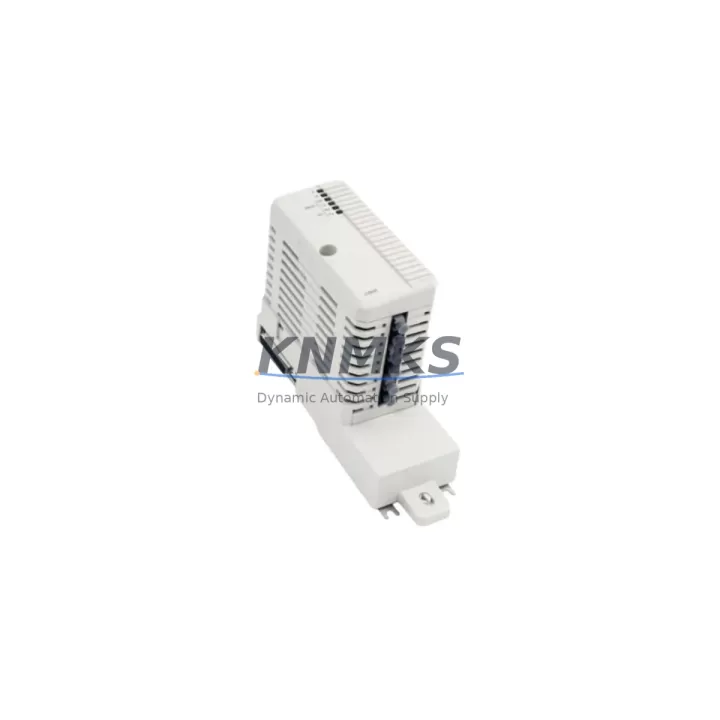
Overview
ABB CI858K01 Migration-Ready DriveBus Interface for Legacy Control Systems
The ABB CI858K01 is a DriveBus Interface Module designed for integration within the AC 800M controller platform and S800 I/O architecture. As legacy ABB control systems approach end-of-life, the CI858K01 serves as a critical migration-ready component for engineers tasked with upgrading aging drive communication infrastructure without full system replacement. Whether you are replacing a failed CI858 predecessor, expanding an existing DriveBus network, or executing a phased migration from an obsolete MASTERBUS or MODULEBUS topology, the CI858K01 provides a verified, drop-in compatible solution backed by a support terms confirmed by quotation and pre-shipment functional testing.
The CI858K01 mounts directly onto the S800 I/O station baseplate and communicates with the AC 800M PM865 or PM866 processor module via the internal ModuleBus. It supports DriveBus protocol for direct communication with ABB ACS drives — including ACS800, ACS600, and ACS550 series — enabling closed-loop speed and torque control without additional gateway hardware. Before installation, engineers must confirm the firmware version loaded on the AC 800M CPU is compatible with the CI858K01 module revision. Mismatched firmware can prevent module recognition during the hardware scan phase in ABB Control Builder M.
During retrofit planning, it is essential to verify the available slot positions on the S800 I/O baseplate (TB820 or TB840 series) and confirm that the backplane power budget accommodates the CI858K01’s current draw alongside co-installed modules such as AI810 analog input modules, DI810 digital input modules, or AO810 analog output modules. Overcrowded baseplates with high-density I/O configurations may require load redistribution or the addition of a supplementary TB840A baseplate to maintain stable operation.
Terminal wiring for the DriveBus connection follows a two-wire RS-485 topology. Polarity must be observed at both the CI858K01 terminal block and the drive’s RDBU-xx DriveBus adapter card. Shielded twisted-pair cable is mandatory for runs exceeding 10 meters to prevent signal degradation in electrically noisy panel environments. Termination resistors must be enabled at both ends of the DriveBus segment — a common oversight that causes intermittent communication faults during commissioning.
For sites migrating from older CI858 or CI857 PROFIBUS DP interface modules, the address mapping and drive parameter sets must be re-verified in Control Builder M. The CI858K01 uses a different channel configuration structure than PROFIBUS-based predecessors, and existing HMI faceplates built on ABB 800xA or Panel 800 operator stations will require tag remapping to reflect the new DriveBus channel assignments. Coordinate with the HMI engineering team to update graphic displays and alarm tag references before cutover.
In multi-drive cabinet installations, the CI858K01 supports up to 12 drives per DriveBus segment. When replacing a failed interface module in a running system, the recommended procedure is to export the current hardware configuration from Control Builder M, power down only the affected I/O station, swap the module, restore power, and perform a hardware rescan. This approach minimizes disruption to other I/O stations and preserves the active program logic in the PM865 or PM866 CPU without requiring a full cold restart.
All CI858K01 units supplied by KNMKS are sourced from verified industrial channels, inspected for physical integrity, and tested for communication handshake functionality prior to dispatch. Each unit ships with a support terms confirmed by quotation covering manufacturing defects and functional failures under normal operating conditions. Global logistics support ensures delivery to Europe, North America, and Asia-Pacific within standard lead times, with expedited options available for critical downtime situations.
Migration Compatibility Table
| Parameter | CI858K01 Specification | Retrofit Notes |
|---|---|---|
| Compatible Controller | AC 800M (PM865, PM866) | Verify CPU firmware version in Control Builder M before installation |
| Backplane Interface | S800 ModuleBus (TB820 / TB840) | Confirm available slot and baseplate power budget |
| Communication Protocol | DriveBus (RS-485, 2-wire) | Replaces CI857 PROFIBUS DP; requires tag remapping in HMI |
| Drive Compatibility | ACS800, ACS600, ACS550 (with RDBU adapter) | Confirm RDBU-xx adapter installed on each drive |
| Max Drives per Segment | 12 drives | Check segment load before adding nodes |
| Wiring Requirement | Shielded twisted-pair, RS-485 | Enable termination resistors at both segment ends |
| Installation Space | Standard S800 module footprint | No mechanical modification required for direct slot replacement |
| Firmware Compatibility | AC 800M firmware ≥ 5.1 recommended | Confirm version; update CPU firmware if required before module swap |
| HMI Impact | Tag remapping required | Update 800xA or Panel 800 faceplates post-migration |
| Support terms | 12 Months | Covers manufacturing defects and functional failures under normal use |
Retrofit Planning for Existing Automation Systems
A successful CI858K01 retrofit begins with a thorough audit of the existing control cabinet. Engineers should document the current S800 I/O baseplate layout, identifying all installed modules — including AI810 analog input, DI810 digital input, AO810 analog output, and DO810 digital output modules — to confirm available slot positions and calculate the aggregate current draw on the TB820 or TB840 baseplate power rail. If the baseplate is operating near its power limit, a TB840A extended baseplate may be required to safely accommodate the CI858K01 alongside existing I/O modules.
The AC 800M PM865 or PM866 processor module must be running a firmware version that supports the CI858K01 hardware revision. This can be verified in ABB Control Builder M under the hardware library version notes. If a firmware update is required, schedule it during a planned maintenance window to avoid unplanned process interruption. The SD821 or SD822 power supply module feeding the S800 station should also be checked to confirm it can sustain the additional load introduced by the CI858K01 without triggering an undervoltage alarm.
For sites where the existing drive communication relied on a CI857 PROFIBUS DP module or an older CI856 INSUM interface, the migration to CI858K01 DriveBus requires a parallel commissioning approach: configure the new DriveBus channel in Control Builder M while keeping the legacy PROFIBUS channel active, validate drive responses on the new channel, then cut over and decommission the old module. This staged approach protects production continuity and allows the control team to validate HMI tag updates on the Panel 800 or 800xA operator station before the legacy channel is removed.
Signal isolation requirements should be reviewed for any analog feedback loops that pass through the drive interface. In installations where the ACS800 drives provide process feedback signals routed through the CI858K01 channel, verify that the signal scaling parameters in the drive’s parameter group 51 (DriveBus configuration) match the engineering unit ranges configured in the AC 800M application program. Mismatched scaling is a common source of process deviation alarms during the first hours of post-migration operation.
Downtime Control During System Migration
Minimizing unplanned downtime during a CI858K01 module swap requires preparation at three levels: program backup, hardware staging, and cutover sequencing. Before any physical work begins, export a full hardware configuration backup from Control Builder M and archive the current application program version. This ensures that if the module swap triggers an unexpected hardware fault, the system can be restored to the previous configuration without re-engineering.
Hardware staging involves pre-configuring the CI858K01 in a bench environment where possible — assigning the module address, verifying the DriveBus termination switch position, and confirming the RDBU-xx adapter firmware on the target drives. Completing these steps offline eliminates the most common sources of commissioning delay and reduces the live cutover window to a module swap and hardware rescan, typically achievable within a single shift.
During the live cutover, power down only the affected S800 I/O station rather than the entire AC 800M rack. The PM865 or PM866 CPU will log a hardware fault for the missing station but will continue executing the application program in degraded mode, preserving control continuity for all other I/O stations and drive channels. After the CI858K01 is seated and the station is powered up, initiate a hardware rescan in Control Builder M and verify that the module appears with the correct address and status before resuming normal operation.
Post-cutover, monitor the DriveBus communication status in the AC 800M diagnostic view for a minimum of 30 minutes under normal process load. Check for intermittent communication errors that may indicate wiring issues, termination resistor misconfiguration, or address conflicts with other nodes on the DriveBus segment. Document the commissioning results and update the site’s as-built drawings to reflect the new module position and wiring configuration.
Retrofit Support FAQ
Q: Can the CI858K01 directly replace a CI857 PROFIBUS DP module in an existing AC 800M system?
A: The CI858K01 is not a direct protocol-for-protocol replacement for the CI857. The CI857 uses PROFIBUS DP while the CI858K01 uses DriveBus (RS-485). Replacement requires reconfiguring the drive communication channel in Control Builder M, updating drive adapter cards to RDBU-xx, and remapping HMI tags. A staged parallel commissioning approach is recommended to protect production continuity during the transition.
Q: What pre-shipment testing is performed on CI858K01 units?
A: Each CI858K01 unit supplied by KNMKS undergoes a functional communication handshake test and physical inspection prior to dispatch. Units are verified for connector integrity, module identification response, and absence of physical damage. A support terms confirmed by quotation is provided covering manufacturing defects and functional failures under normal operating conditions.
Q: How do I confirm the correct firmware version for my AC 800M system before installing the CI858K01?
A: Open ABB Control Builder M and navigate to the hardware library version information. Cross-reference the CI858K01 module revision against the supported hardware list for your installed firmware version. ABB firmware release notes (available from ABB Library) document the minimum firmware version required for each module revision. If a firmware update is needed, perform it during a planned maintenance window before the module swap.
Q: What is the lead time and inventory availability for the CI858K01?
A: KNMKS maintains stock of the CI858K01 to support urgent replacement and planned retrofit projects. Standard global shipping lead times apply, with expedited dispatch available for critical downtime situations. Contact admin@knmks.com or +86 18359268345 to confirm current stock levels and arrange shipment to your location.
© 2026 KNMKS. All rights reserved.
Original Source: https://knmks.com
Contact: admin@knmks.com | +86 18359268345
Product Identification
- Brand / Ecosystem
-
ABB
ABB - Model / Series
-
CI858K01
S800 Series - Product Family
- Variable Frequency Drives
- Availability Status
- Available on request after model and quantity confirmation
- Inquiry Type
- B2B RFQ, replacement inquiry and project spare-part request
- Pre-Quote Check
- Exact SKU, brand, series, quantity, nameplate photos and destination country are checked before quotation
System Path
Where this product fits in the KNMKS automation structure.
Specification & Inquiry Focus
- Drive range
- AC drives, VFDs and accessories
- Common needs
- Voltage, kW/HP and load type
- Project support
- Motor control, energy saving and spares
Buyer Confirmation
Information KNMKS checks before replying.
- Exact model
- CI858K01
- Brand / ecosystem
- ABB
- Product family
- Variable Frequency Drives
- Application note
- Replacement, maintenance, project build or spare-part list
- Useful photos
- Nameplate, installed unit, cabinet layout or connector side
- Delivery details
- Quantity, destination country and target schedule
Document Support
Files and notes can be confirmed during quotation.
- Product photos or nameplate confirmation when available
- Packing and delivery notes before quotation confirmation
- Support scope and delivery terms confirmed per inquiry
- Export document coordination for qualified B2B requests
Inquiry Support
- Input/output voltage and kW/HP confirmation
- Energy-saving motor control inquiry
- Accessory and spare-unit support
What to Send Us
- Brand and exact model number: ABB CI858K01
- Quantity and required delivery time
- Application, replacement requirement or nameplate photo
- Destination country and shipping preference
RFQ Preparation
This is a product inquiry page built for RFQ communication.
Fast Model Check
Send this model to KNMKS for confirmation.
Include quantity, destination country and photos if this is a maintenance replacement. The inquiry will be saved with a reference number after submission.
Brand & Compatibility Note
KNMKS displays automation product information for well-known industrial brand ecosystems and compatible replacement references. Brand names are used for product identification and compatibility reference only; final availability and commercial terms are confirmed per quotation.
 Manufacturing
 Machine Tools
 Packaging
 Energy & Power
 PLCs & Controllers
 HMI & Displays
 Servo Systems
 Sensors