
Overview
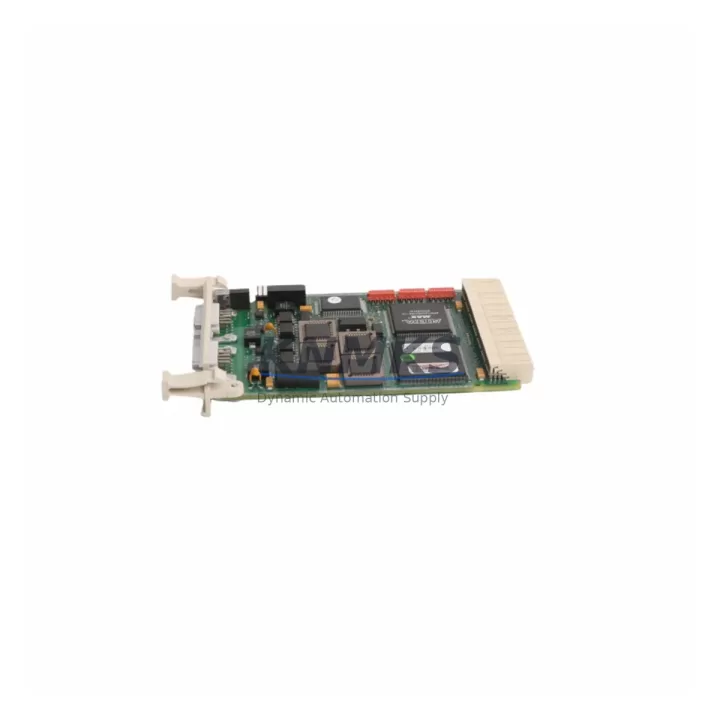
ABB CI541V1 3BSE014666R1 Spare Part for Factory Uptime
The ABB CI541V1 (catalog reference 3BSE014666R1) is a PROFIBUS DP communication interface module designed for the ABB AC500 programmable logic controller platform. In industrial environments where PROFIBUS DP fieldbus networks underpin distributed I/O, drives, and instrumentation, the CI541V1 serves as the critical communication bridge between the AC500 CPU and the field device layer. When this module fails or degrades, the entire PROFIBUS segment goes silent — halting production, triggering safety shutdowns, and forcing unplanned downtime that can cost thousands of dollars per hour.
Stocking a verified replacement CI541V1 (3BSE014666R1) is a fundamental element of any serious maintenance strategy for AC500-based control systems. Our supply covers both original ABB-manufactured units and migration-ready equivalents, each subjected to pre-shipment functional testing and backed by a support terms confirmed by quotation. Units are dispatched from multi-region stock to minimize lead time for emergency replacement scenarios.
Spare Maintenance Table
| Parameter | Specification |
|---|---|
| Part Number | CI541V1 |
| Catalog Reference | 3BSE014666R1 |
| Brand | ABB |
| Series | AC500 PLC |
| Module Type | PROFIBUS DP Interface Module (Master/Slave) |
| Fieldbus Protocol | PROFIBUS DP V0 / V1 |
| Communication Speed | Up to 12 Mbit/s |
| Connector Type | 9-pin D-Sub (DB9) |
| Compatible CPU | AC500 PM5xx / PM5xxV2 series |
| Backplane Interface | AC500 internal bus (left-side expansion) |
| Operating Voltage | Supplied via AC500 backplane (3.3 V / 5 V internal) |
| Operating Temperature | -25°C to +60°C |
| Protection Rating | IP20 |
| Country of Origin | Germany |
| Weight | Approx. 160 g |
| Support terms | 12 Months |
| Pre-Shipment Testing | Yes — functional communication test performed |
| Compatibility | Drop-in replacement for CI541V1 / 3BSE014666R1 in all AC500 installations |
Maintenance Planning for Continuous Operation
When a CI541V1 failure is diagnosed during a PROFIBUS segment fault, the replacement workflow rarely ends with the module alone. Maintenance engineers should treat the event as a trigger for a broader control cabinet inspection to prevent cascading failures and reduce the risk of repeat downtime.
Begin by verifying the AC500 CPU module (such as the PM554 or PM564 series) for firmware integrity and communication parameter retention after the module swap. The PROFIBUS DP segment relies on correct baud rate, station address, and GSD file configuration — all of which should be confirmed in the Automation Builder project before restarting the network.
Inspect the 24 VDC power supply module feeding the AC500 rack. Voltage sags or ripple on the backplane supply are a common root cause of intermittent communication module faults. If the power supply is original-generation hardware, consider scheduling a proactive replacement alongside the CI541V1 swap. The TB521-ETH or similar terminal base units should also be checked for contact oxidation and secure seating.
On the PROFIBUS network itself, examine the bus termination resistors at both ends of the segment and inspect the shielded twisted-pair cable for mechanical damage, especially at cabinet entry points and cable trays subject to vibration. A degraded cable shield is frequently misdiagnosed as a module fault. If the installation includes PROFIBUS repeaters or optical fiber converters for long-distance segments, these should be tested for signal integrity before the new CI541V1 is commissioned.
For sites running mixed fieldbus architectures, also review the status of any CI590-CS31 (CS31 interface) or CI501-PNIO (PROFINET IO) modules sharing the same AC500 rack. A backplane fault or firmware conflict can affect multiple communication modules simultaneously. Distributed I/O units connected downstream — such as ABB S500 I/O modules (DI524, DO524, AI523) — should be polled for diagnostic alarms once the PROFIBUS segment is restored.
Finally, verify the integrity of fuse protection on field device power circuits and check that all PROFIBUS slave devices (drives, valve positioners, transmitters) have retained their configuration parameters. Documenting the pre-failure network topology and slave address map in your CMMS will significantly reduce diagnostic time in future incidents.
Site Replacement Workflow
Step 1 — Isolate and document. Before removing the CI541V1, record the current PROFIBUS station address (set via rotary switches on the module face) and note the LED diagnostic status. Export the current Automation Builder project to a backup file to preserve all communication parameters.
Step 2 — Power down safely. Follow your site LOTO (Lockout/Tagout) procedure. The AC500 rack must be de-energized before removing or inserting communication modules to prevent backplane damage.
Step 3 — Physical swap. Remove the faulty CI541V1 by releasing the DIN rail latch and sliding the module free from the terminal base. Insert the replacement unit, ensuring the backplane connector seats fully. Set the rotary address switches to match the original configuration before powering up.
Step 4 — Commission and verify. Restore power and observe the RUN and BF (Bus Fault) LEDs. A solid green RUN LED with no BF indication confirms successful PROFIBUS DP communication. Use Automation Builder’s online diagnostic view to verify all slave devices are reporting correctly.
Step 5 — Update maintenance records. Log the replacement date, serial number of the new module, and any observations about the failed unit. If the failed CI541V1 shows signs of thermal stress or connector damage, escalate a root-cause review to prevent recurrence.
This workflow supports a typical replacement time of under 45 minutes for a prepared maintenance team, minimizing production line downtime and supporting rapid system recovery.
Spare Parts Support FAQ
Q1: Is this CI541V1 unit a direct drop-in replacement for my existing 3BSE014666R1?
Yes. The CI541V1 and its catalog reference 3BSE014666R1 are the same module. Our units are compatible with all AC500 CPU generations that support the CI541V1, including PM554, PM564, PM572, and PM581 series. No firmware changes or hardware modifications are required for a like-for-like swap.
Q2: What pre-shipment testing is performed before dispatch?
Each CI541V1 unit undergoes a functional communication test verifying PROFIBUS DP initialization, baud rate negotiation, and backplane interface integrity. Units that do not pass testing are not dispatched. A test report is available upon request for critical infrastructure procurement.
Q3: What is the support terms coverage and what does it include?
All units are covered by a support terms confirmed by quotation from the date of shipment. The support terms covers manufacturing defects and functional failures under normal operating conditions. It does not cover damage resulting from incorrect installation, overvoltage events, or physical mishandling. Support requests are processed with priority to minimize your downtime exposure.
Q4: Can you support long-term or blanket purchase orders for CI541V1 spares?
Yes. We support scheduled delivery agreements and blanket POs for customers managing multi-site AC500 installations or building strategic spare parts inventories. Long-term supply arrangements include price stability commitments and reserved stock allocation. Contact our sales team to discuss volume requirements and delivery schedules.
© 2026 KNMKS. All rights reserved.
Original Source: https://knmks.com
Contact: admin@knmks.com | +86 18359268345
Product Identification
- Brand / Ecosystem
-
ABB
ABB - Model / Series
-
CI541V1-3BSE014666R1
AC500 Series - Product Family
- PLCs & Controllers
- Availability Status
- Available on request after model and quantity confirmation
- Inquiry Type
- B2B RFQ, replacement inquiry and project spare-part request
- Pre-Quote Check
- Exact SKU, brand, series, quantity, nameplate photos and destination country are checked before quotation
System Path
Where this product fits in the KNMKS automation structure.
Specification & Inquiry Focus
- Control platform
- PLC, PAC and modular controllers
- Common needs
- CPU, rack, power and I/O expansion
- Project support
- Replacement, cabinet build and maintenance
Buyer Confirmation
Information KNMKS checks before replying.
- Exact model
- CI541V1-3BSE014666R1
- Brand / ecosystem
- ABB
- Product family
- PLCs & Controllers
- Application note
- Replacement, maintenance, project build or spare-part list
- Useful photos
- Nameplate, installed unit, cabinet layout or connector side
- Delivery details
- Quantity, destination country and target schedule
Document Support
Files and notes can be confirmed during quotation.
- Product photos or nameplate confirmation when available
- Packing and delivery notes before quotation confirmation
- Support scope and delivery terms confirmed per inquiry
- Export document coordination for qualified B2B requests
Inquiry Support
- Model cross-checking before quotation
- CPU, power, rack and expansion module matching
- Support for replacement and project inquiry
What to Send Us
- Brand and exact model number: ABB CI541V1-3BSE014666R1
- Quantity and required delivery time
- Application, replacement requirement or nameplate photo
- Destination country and shipping preference
RFQ Preparation
This is a product inquiry page built for RFQ communication.
Fast Model Check
Send this model to KNMKS for confirmation.
Include quantity, destination country and photos if this is a maintenance replacement. The inquiry will be saved with a reference number after submission.
Brand & Compatibility Note
KNMKS displays automation product information for well-known industrial brand ecosystems and compatible replacement references. Brand names are used for product identification and compatibility reference only; final availability and commercial terms are confirmed per quotation.
 Manufacturing
 Machine Tools
 Packaging
 Energy & Power



 HMI & Displays
 Servo Systems
 Variable Frequency Drives
 Sensors