
Overview
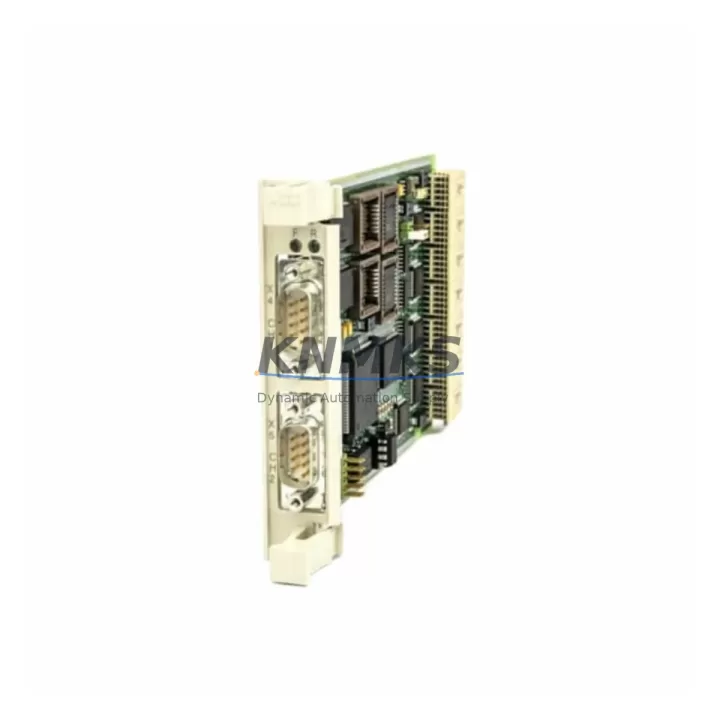
ABB CI534V02 3BSE010700R1 Spare Part for AC 500 Uptime
The ABB CI534V02 (3BSE010700R1) is an original MODBUS serial communication module designed for the ABB AC 500 PLC platform. As a maintenance-proven spare part, it supports uninterrupted factory operation by enabling reliable serial data exchange between the AC 500 CPU and field devices, drives, and third-party controllers. Whether you are executing a planned annual overhaul, responding to an unscheduled communication fault, or building a strategic spare parts inventory, the CI534V02 is a direct OEM-compatible replacement that restores system integrity without re-engineering your control architecture.
Sourced from verified supply channels and tested prior to shipment, each unit is backed by a support terms confirmed by quotation and is ready for immediate installation in AC 500 control cabinets. Long-term supply availability is maintained to support legacy system life extension programs and multi-site maintenance contracts.
Spare Maintenance Table
| Part Number | CI534V02 |
| Reference Number | 3BSE010700R1 |
| Brand | ABB |
| Series | AC 500 |
| Module Type | MODBUS Serial Communication Module |
| Protocol | MODBUS RTU / ASCII (Master & Slave) |
| Interface | RS-232 / RS-485 Serial |
| Compatibility | ABB AC 500 CPU modules (PM5xx series); AC 500 backplane |
| Installation | Direct plug-in to AC 500 backplane slot; no tools required |
| Operating Temperature | 0°C to +60°C |
| Country of Origin | Germany |
| Pre-shipment Testing | Function-verified before dispatch |
| Support terms | 12 Months |
| Maintenance Application | Emergency replacement, planned overhaul, spare inventory |
| Supply Status | Long-term availability supported |
Maintenance Planning for Continuous Operation
When replacing the CI534V02 3BSE010700R1 in an AC 500 control cabinet, a thorough site inspection of the surrounding electrical environment is essential to prevent repeat failures and ensure a clean restoration of communication integrity.
Begin by verifying the AC 500 backplane (TB5xx series) for any signs of connector wear, oxidation, or mechanical damage at the communication module slot. A degraded backplane can cause intermittent MODBUS faults even after a module swap. Inspect the AC 500 CPU module (PM5xx) firmware version to confirm compatibility with the CI534V02 revision installed — mismatched firmware can suppress communication initialization.
Check the 24 VDC power supply module feeding the AC 500 rack. Voltage ripple or under-voltage conditions are a leading cause of communication module resets and should be measured under full load before commissioning the replacement. If the cabinet includes an AC 500 digital or analog I/O module (DA5xx / AI5xx) on the same backplane, verify that no address conflicts exist in the MODBUS device table.
For serial wiring, inspect the RS-485 terminal block connections and shielded cable runs to field devices. Loose termination resistors, missing cable shields, or incorrect RS-232/RS-485 mode jumper settings are common root causes of MODBUS communication errors that are often misdiagnosed as module failure. Where the CI534V02 interfaces with ABB drives (ACS series) or third-party variable frequency drives via MODBUS, confirm that the drive MODBUS address and baud rate parameters match the PLC configuration after replacement.
If the control system includes a CP600 or CP400 series HMI panel communicating through the CI534V02, re-validate the HMI communication settings post-replacement to avoid operator screen faults. Finally, check any signal isolators or surge protection devices installed on the serial line — these components absorb transient damage and may require replacement alongside the communication module following a lightning strike or power surge event.
Site Replacement Workflow
Step 1 — Isolation: Place the AC 500 CPU in STOP mode via the programming tool (Automation Builder or PS501). De-energize the control cabinet following site lockout/tagout procedures. Do not remove the CI534V02 under live power.
Step 2 — Module Removal: Release the backplane locking tab and slide the CI534V02 out of its slot. Note the slot position — the replacement must be installed in the same physical slot to preserve the hardware configuration address.
Step 3 — Inspection: Inspect the backplane connector pins and the serial port terminals for contamination or damage before inserting the new module.
Step 4 — Installation: Slide the new CI534V02 3BSE010700R1 into the correct backplane slot until the locking tab engages. Reconnect serial cable connectors and verify termination resistor settings match the original configuration.
Step 5 — Commissioning: Re-energize the cabinet and set the CPU to RUN mode. Monitor the MODBUS communication status LEDs on the CI534V02 and verify device polling in the Automation Builder diagnostic view. Confirm all field devices are responding before returning the line to production.
This workflow minimizes downtime to under 30 minutes for a trained maintenance engineer and eliminates the need for PLC program modification, preserving full system compatibility with the existing AC 500 hardware configuration.
Spare Parts Support FAQ
Q1: Is the CI534V02 3BSE010700R1 compatible with all AC 500 CPU versions?
The CI534V02 is designed for the ABB AC 500 platform and is compatible with PM5xx series CPU modules. Compatibility with specific CPU firmware versions should be confirmed against the ABB AC 500 hardware compatibility matrix. Units supplied by KNMKS are sourced from verified channels and tested for standard AC 500 backplane operation.
Q2: How is each unit tested before shipment?
Every CI534V02 3BSE010700R1 unit undergoes functional verification prior to dispatch, including power-on testing and communication port integrity checks. A support terms confirmed by quotation is provided from the date of shipment, covering manufacturing defects and functional failures under normal operating conditions.
Q3: What is the recommended spare inventory strategy for the CI534V02?
For facilities operating multiple AC 500 PLC systems, maintaining one CI534V02 per control cabinet cluster is recommended. Given the module’s role in MODBUS field device communication, an unplanned failure without a spare on hand can result in extended production downtime. KNMKS supports blanket purchase orders and scheduled replenishment for multi-site maintenance programs.
Q4: Can the CI534V02 replace older or discontinued ABB MODBUS communication modules?
The CI534V02 is the current production revision for AC 500 MODBUS serial communication. It is the direct replacement for earlier CI534 revisions used in the same platform. For legacy AC 500 systems originally equipped with earlier communication module variants, the CI534V02 3BSE010700R1 provides a drop-in hardware replacement with no PLC program changes required in most standard configurations.
—
© 2026 KNMKS. All rights reserved.
Original Source: https://knmks.com
Contact: admin@knmks.com | +86 18359268345
Product Identification
- Brand / Ecosystem
-
ABB
ABB - Model / Series
-
CI534V02 3BSE010700R1
AC500 Series - Product Family
- PLCs & Controllers
- Availability Status
- Available on request after model and quantity confirmation
- Inquiry Type
- B2B RFQ, replacement inquiry and project spare-part request
- Pre-Quote Check
- Exact SKU, brand, series, quantity, nameplate photos and destination country are checked before quotation
System Path
Where this product fits in the KNMKS automation structure.
Specification & Inquiry Focus
- Control platform
- PLC, PAC and modular controllers
- Common needs
- CPU, rack, power and I/O expansion
- Project support
- Replacement, cabinet build and maintenance
Buyer Confirmation
Information KNMKS checks before replying.
- Exact model
- CI534V02 3BSE010700R1
- Brand / ecosystem
- ABB
- Product family
- PLCs & Controllers
- Application note
- Replacement, maintenance, project build or spare-part list
- Useful photos
- Nameplate, installed unit, cabinet layout or connector side
- Delivery details
- Quantity, destination country and target schedule
Document Support
Files and notes can be confirmed during quotation.
- Product photos or nameplate confirmation when available
- Packing and delivery notes before quotation confirmation
- Support scope and delivery terms confirmed per inquiry
- Export document coordination for qualified B2B requests
Inquiry Support
- Model cross-checking before quotation
- CPU, power, rack and expansion module matching
- Support for replacement and project inquiry
What to Send Us
- Brand and exact model number: ABB CI534V02 3BSE010700R1
- Quantity and required delivery time
- Application, replacement requirement or nameplate photo
- Destination country and shipping preference
RFQ Preparation
This is a product inquiry page built for RFQ communication.
Fast Model Check
Send this model to KNMKS for confirmation.
Include quantity, destination country and photos if this is a maintenance replacement. The inquiry will be saved with a reference number after submission.
Brand & Compatibility Note
KNMKS displays automation product information for well-known industrial brand ecosystems and compatible replacement references. Brand names are used for product identification and compatibility reference only; final availability and commercial terms are confirmed per quotation.
 Manufacturing
 Machine Tools
 Packaging
 Energy & Power



 HMI & Displays
 Servo Systems
 Variable Frequency Drives
 Sensors