
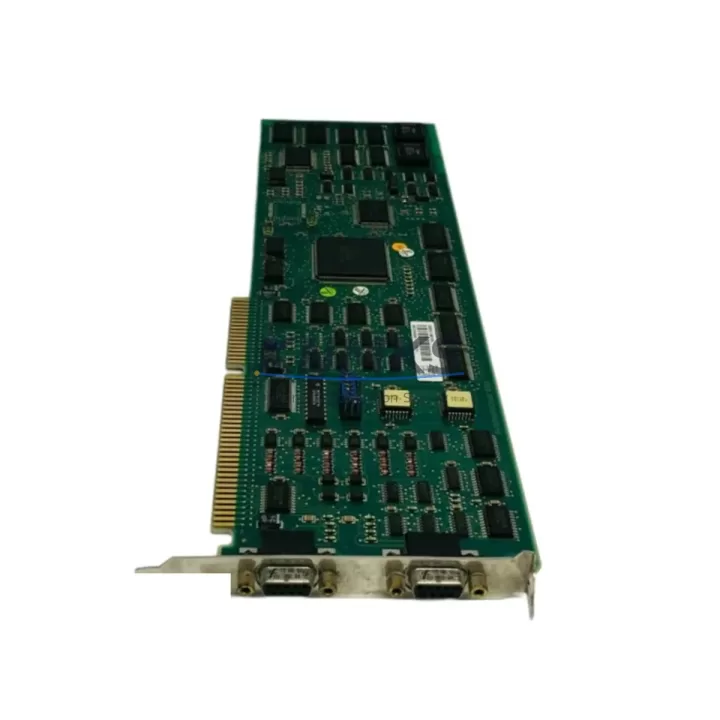
Overview
ABB CI526 Migration-Ready PROFIBUS Interface for AC500: Legacy System Retrofit & Compatibility Upgrade
The ABB CI526 is a PROFIBUS DP communication interface module engineered for the AC500 PLC platform, and it remains one of the most sought-after components in legacy control system modernization projects. Whether you are replacing a discontinued fieldbus card, expanding an aging control cabinet, or migrating an entire production line from an older DCS architecture to a current AC500-based system, the CI526 delivers the protocol compatibility and physical form factor that retrofit engineers depend on.
In industrial environments where PROFIBUS DP networks were installed in the 1990s and 2000s, the CI526 serves as the critical bridge between legacy field devices — including distributed I/O racks, variable frequency drives, and remote sensor clusters — and the modern AC500 CPU. Its backplane interface aligns with the AC500 rack architecture, allowing it to occupy a standard module slot without mechanical modification. Before installation, engineers should verify the rack generation (S500 vs. S500-eCo), confirm available backplane bandwidth, and cross-reference the module address assignment against the existing hardware configuration file in Automation Builder.
Replacement planning for the CI526 typically begins with a review of the original PROFIBUS master configuration. The GSD file associated with the legacy master must be validated against the CI526’s supported DP-V0 and DP-V1 profiles. In many retrofit scenarios, the existing GSD file can be reused directly, which significantly reduces the risk of I/O mapping errors and shortens commissioning time. Engineers should also confirm that the PROFIBUS baud rate — commonly 1.5 Mbit/s or 12 Mbit/s in legacy installations — is supported by all slave devices remaining on the network after the upgrade.
Power budget verification is a mandatory step before deploying the CI526 in an existing cabinet. The AC500 power supply module — such as the PS501 or PS502 — must have sufficient reserve capacity to support the CI526 alongside other installed modules including digital I/O cards, analog signal modules, and any co-installed communication processors. Failure to account for inrush current during module initialization is a common cause of nuisance trips during first power-on after retrofit.
Terminal wiring for the PROFIBUS segment connected to the CI526 follows the standard RS-485 differential pair topology. Existing cable shields, termination resistors, and connector pinouts from the legacy installation are typically reusable, provided cable integrity testing confirms acceptable impedance and continuity. Where the original installation used non-standard connectors or proprietary terminal blocks, adapters may be required before the CI526 can be integrated into the existing wiring harness.
For projects that also involve HMI migration, the CI526 retrofit often runs in parallel with updates to CP600 or CP400 series operator panels. PROFIBUS DP variable addresses referenced in legacy HMI screens must be remapped if the new AC500 program reorganizes the I/O data structure. Coordinating the CI526 commissioning with HMI screen validation prevents discrepancies between displayed process values and actual field signals.
Firmware compatibility is another key checkpoint. The CI526 firmware version must be confirmed against the Automation Builder project version and the AC500 CPU firmware. ABB periodically releases firmware updates that address PROFIBUS timing edge cases and improve diagnostic reporting. Upgrading the CI526 firmware before final commissioning is recommended practice, particularly in installations where the module will operate alongside third-party PROFIBUS slaves from vendors such as Siemens, Phoenix Contact, or Beckhoff.
Migration Compatibility Table
| Parameter | Detail |
|---|---|
| Module SKU | CI526 |
| Series | ABB AC500 |
| Communication Protocol | PROFIBUS DP (DP-V0, DP-V1) |
| Backplane Interface | AC500 S500 rack slot (standard) |
| Baud Rate Support | 9.6 kbit/s – 12 Mbit/s |
| Replacement Compatibility | Legacy AC500 PROFIBUS masters; compatible with DP-V0/V1 slaves |
| Power Supply Requirement | Verify PS501/PS502 budget before installation |
| Firmware Tool | ABB Automation Builder |
| Country of Origin | Germany |
| Support terms | 12 months from shipment date |
| Commissioning Support | GSD file validation, address mapping, baud rate confirmation |
| Installation Space | Standard AC500 module slot — no mechanical modification required |
Retrofit Planning for Existing Automation Systems
A complete CI526 retrofit typically involves more than swapping a single module. In practice, the upgrade touches multiple components across the control cabinet and field network. The AC500 CPU module — commonly a PM573 or PM583 — must have its hardware configuration updated in Automation Builder to recognize the CI526 at its assigned slot address. If the project also includes expanding the I/O count, additional SM500 series digital or analog I/O modules can be added to the same rack during the same maintenance window, minimizing future downtime.
Where the legacy system used a separate communications processor for PROFIBUS mastering, the CI526 consolidates that function into the AC500 rack, freeing cabinet space and reducing the number of discrete power rails required. This is particularly valuable in compact control cabinets where DIN rail space is constrained. In parallel, any CM589 or CM579 Ethernet communication modules already installed in the rack should be verified for slot conflict before the CI526 is inserted.
Signal isolation requirements should also be assessed during retrofit planning. Where PROFIBUS cable runs exceed 200 meters or pass through electrically noisy environments — common in heavy manufacturing, water treatment, and energy generation facilities — inline signal isolators or PROFIBUS repeaters may be required to maintain signal integrity alongside the CI526.
Downtime Control During System Migration
Minimizing production downtime is the primary constraint in any live-system retrofit. For CI526 replacements, the recommended approach is to pre-configure the replacement module offline using a duplicate Automation Builder project, validate the PROFIBUS slave list and GSD assignments in simulation mode, and prepare a tested program image before the maintenance window opens.
During the cutover, the original program logic should be exported and archived before any hardware changes are made. The CI526’s PROFIBUS master configuration — including slave addresses, I/O data lengths, and watchdog timers — should be documented from the legacy system and replicated exactly in the new configuration to avoid slave communication failures on first startup. Where possible, a staged cutover that keeps non-critical PROFIBUS segments live while the CI526 is initialized on a test segment further reduces risk.
Post-installation, a structured commissioning checklist covering LED diagnostic status, Automation Builder online diagnostics, PROFIBUS segment scan, and HMI value verification ensures that the retrofit is confirmed complete before production resumes. All commissioning records should be retained as part of the site’s maintenance documentation for future reference.
Retrofit Support FAQ
Q: Is the CI526 a direct drop-in replacement for older ABB PROFIBUS interface modules?
A: In most AC500 rack installations, yes. The CI526 occupies a standard module slot and uses the same backplane interface. However, the Automation Builder hardware configuration must be updated to reflect the new module, and the GSD file for the PROFIBUS master configuration should be validated before going live.
Q: What commissioning steps are required after installing the CI526?
A: After physical installation, update the AC500 hardware configuration in Automation Builder, download the updated program to the CPU, perform a PROFIBUS network scan to confirm all slaves are recognized, and verify I/O data values against field signals. Check the CI526 LED indicators for normal operating status before releasing the system to production.
Q: Can the CI526 be used with third-party PROFIBUS slaves not originally part of the ABB system?
A: Yes. The CI526 supports standard PROFIBUS DP-V0 and DP-V1 protocols, making it compatible with slaves from other manufacturers provided their GSD files are correctly imported into the Automation Builder project and their baud rate settings match the segment configuration.
Q: What support terms and supply terms apply to this module?
A: All CI526 units ship with a support terms confirmed by quotation covering manufacturing defects and functional failures under normal operating conditions. Pre-shipment functional testing is performed on every unit. Stock availability is maintained for prompt dispatch, and lead time confirmation is provided at the time of order.
© 2026 KNMKS. All rights reserved.
Original Source: https://knmks.com
Contact: admin@knmks.com | +86 18359268345
Product Identification
- Brand / Ecosystem
-
ABB
ABB - Model / Series
-
CI526
AC500 Series - Product Family
- PLCs & Controllers
- Availability Status
- Available on request after model and quantity confirmation
- Inquiry Type
- B2B RFQ, replacement inquiry and project spare-part request
- Pre-Quote Check
- Exact SKU, brand, series, quantity, nameplate photos and destination country are checked before quotation
System Path
Where this product fits in the KNMKS automation structure.
Specification & Inquiry Focus
- Control platform
- PLC, PAC and modular controllers
- Common needs
- CPU, rack, power and I/O expansion
- Project support
- Replacement, cabinet build and maintenance
Buyer Confirmation
Information KNMKS checks before replying.
- Exact model
- CI526
- Brand / ecosystem
- ABB
- Product family
- PLCs & Controllers
- Application note
- Replacement, maintenance, project build or spare-part list
- Useful photos
- Nameplate, installed unit, cabinet layout or connector side
- Delivery details
- Quantity, destination country and target schedule
Document Support
Files and notes can be confirmed during quotation.
- Product photos or nameplate confirmation when available
- Packing and delivery notes before quotation confirmation
- Support scope and delivery terms confirmed per inquiry
- Export document coordination for qualified B2B requests
Inquiry Support
- Model cross-checking before quotation
- CPU, power, rack and expansion module matching
- Support for replacement and project inquiry
What to Send Us
- Brand and exact model number: ABB CI526
- Quantity and required delivery time
- Application, replacement requirement or nameplate photo
- Destination country and shipping preference
RFQ Preparation
This is a product inquiry page built for RFQ communication.
Fast Model Check
Send this model to KNMKS for confirmation.
Include quantity, destination country and photos if this is a maintenance replacement. The inquiry will be saved with a reference number after submission.
Brand & Compatibility Note
KNMKS displays automation product information for well-known industrial brand ecosystems and compatible replacement references. Brand names are used for product identification and compatibility reference only; final availability and commercial terms are confirmed per quotation.
 Manufacturing
 Machine Tools
 Packaging
 Energy & Power



 HMI & Displays
 Servo Systems
 Variable Frequency Drives
 Sensors