
Overview
ABB CEP400.201.11.00 Maintenance-Proven Spare Part for Factory Uptime
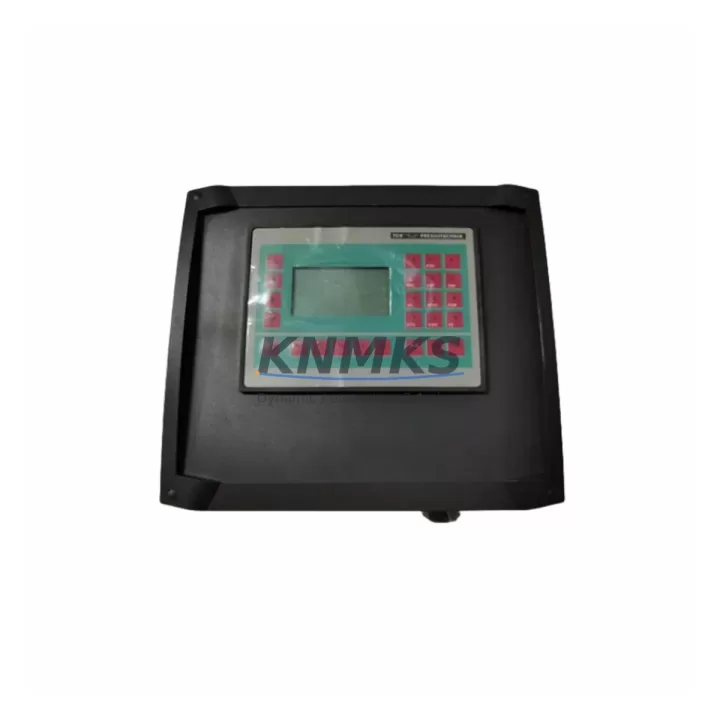
The ABB CEP400.201.11.00 is a communication and Ethernet processor module designed for ABB’s CEP400 series control architecture, widely deployed in process automation, discrete manufacturing, and utility control systems. As a maintenance-proven original spare, this module supports uninterrupted data exchange between PLC/DCS controllers and field networks, making it a critical component in any plant’s spare parts inventory strategy. Whether you are managing a scheduled annual overhaul, responding to an unplanned communication fault, or building a resilience buffer for aging control cabinets, the CEP400.201.11.00 delivers verified compatibility and reliable performance from day one of installation.
Every unit dispatched from our warehouse undergoes pre-shipment functional testing to confirm signal integrity, port communication, and module initialization. With multi-region stock availability and rapid global dispatch, maintenance engineers and procurement teams can count on short lead times even for emergency replacement scenarios. All units are covered by a support terms confirmed by quotation, providing long-term supply assurance for facilities operating legacy ABB control systems that are no longer supported by standard OEM channels.
Spare Maintenance Table
| Parameter | Specification / Detail |
|---|---|
| Part Number | CEP400.201.11.00 |
| Brand | ABB |
| Series | CEP400 |
| Module Type | Communication / Ethernet Processor Module |
| Compatible Systems | ABB AC500 PLC Series, CEP400 Control Architecture, ABB DCS Integration Nodes |
| Communication Interface | Ethernet (10/100 Mbps), PROFIBUS, Modbus TCP (series-dependent) |
| Installation Type | DIN Rail / Backplane Slot Mount |
| Operating Temperature | 0°C to +60°C (standard industrial range) |
| Power Supply Compatibility | 24 VDC via backplane bus |
| Origin | Germany (DE) |
| Condition | Original Spare — New or Refurbished-to-OEM-Spec |
| Pre-Shipment Testing | Yes — functional communication and initialization verified |
| Support terms | 12 Months from date of dispatch |
| Lead Time | In-stock: 1–3 business days global dispatch |
| Application Environment | Process automation, discrete manufacturing, utility control, SCADA integration |
| Maintenance Recommendation | Inspect every 12–18 months; replace on first communication fault or port degradation |
Maintenance Planning for Continuous Operation
When a CEP400.201.11.00 communication module fails or shows intermittent Ethernet faults, the impact extends well beyond the module itself. A structured maintenance inspection should accompany any replacement to prevent repeat failures and ensure the control cabinet returns to full operational status. Maintenance engineers should begin by verifying the 24 VDC backplane power supply — a degraded ABB CP-E 24/10.0 or equivalent power supply unit can cause erratic module resets that mimic communication faults. Confirm supply voltage stability under load before inserting the replacement module.
Next, inspect the backplane bus connector and slot integrity. In CEP400-series cabinets, the backplane carries both power and data; a corroded or mechanically stressed slot can cause the new module to fail within weeks of installation. Alongside the backplane, review the I/O expansion modules connected downstream — ABB DC532 or similar digital I/O modules may have accumulated fault states during the communication outage and may require a cold restart or configuration reload via the programming tool.
Signal isolation should also be assessed. If the CEP400.201.11.00 interfaces with field instruments through analog signal conditioners or signal isolators (such as ABB ISOCON series or equivalent DIN-rail isolators), verify that no ground loops or surge events have damaged the isolation barrier. Ethernet patch cables and RJ45 connectors within the cabinet are frequently overlooked — replace any cable showing physical damage or exceeding 5 meters without shielding in high-EMI environments.
For facilities running PROFIBUS segments alongside Ethernet, inspect the PROFIBUS DP termination resistors and cable shielding at both ends of the segment. A missing terminator after a module swap is a common cause of post-maintenance bus errors. Finally, review the fuse protection on the 24 VDC rail feeding the communication module rack — a blown or weakened fuse can cause intermittent power cycling that damages replacement modules prematurely. Stocking a set of spare fuses (typically 2A–6A, glass or ceramic, DIN-rail fuse holders) alongside the CEP400.201.11.00 is a best practice for any emergency maintenance kit.
Site Replacement Workflow
Step 1 — Isolation and Safety: Place the affected PLC/DCS node in safe state. Notify the control room and document the current fault codes displayed on the HMI or engineering workstation. Export the current project configuration backup from the ABB Automation Builder or equivalent programming environment before any hardware change.
Step 2 — Module Removal: De-energize the backplane slot (follow ABB hot-swap guidelines for the specific rack version). Remove the CEP400.201.11.00 by releasing the locking lever and sliding the module out of the slot. Inspect the slot connector pins for corrosion or mechanical damage before inserting the replacement.
Step 3 — Replacement Installation: Insert the new CEP400.201.11.00 into the designated slot. Confirm the module locks securely. Re-energize the backplane and observe the module status LEDs — a solid green RUN indicator confirms successful initialization. If the module enters fault state, verify firmware version compatibility with the existing project configuration.
Step 4 — Configuration Restore: Download the saved project configuration to the replacement module via the programming tool. Verify all Ethernet IP addresses, PROFIBUS node addresses, and communication parameters match the original settings. Perform a full I/O scan to confirm all field devices are responding correctly.
Step 5 — Commissioning Verification: Run the system in manual mode for a minimum of 15 minutes, monitoring communication cycle times and error counters. Confirm HMI data refresh rates are within normal range. Document the replacement in the plant maintenance log and update the spare parts inventory record.
This workflow is designed to minimize total downtime to under 2 hours for a prepared maintenance team, compared to 8–24 hours when sourcing the module reactively without stock. Maintaining at least one CEP400.201.11.00 in the on-site spare parts cabinet is strongly recommended for any facility with more than two CEP400-series nodes in production.
Spare Parts Support FAQ
Q1: Is the CEP400.201.11.00 compatible with all ABB AC500 PLC generations?
The CEP400.201.11.00 is designed for the CEP400 series communication architecture. Compatibility with specific AC500 CPU generations (PM571, PM581, PM591, PM595) depends on the firmware version and backplane configuration. We recommend confirming the existing rack generation and firmware level before ordering. Our technical team can assist with compatibility verification based on your system’s nameplate data.
Q2: What does pre-shipment testing cover for this module?
Each CEP400.201.11.00 unit undergoes functional initialization testing, Ethernet port communication verification, and LED status confirmation prior to dispatch. Modules that fail any test parameter are quarantined and not shipped. A test report is available upon request for quality-critical procurement processes.
Q3: How should this module be stored if purchased as a long-term inventory spare?
Store the CEP400.201.11.00 in its original anti-static packaging in a dry environment between 0°C and 40°C with relative humidity below 75% (non-condensing). Avoid proximity to strong magnetic fields or high-vibration areas. Inspect the module annually and confirm packaging integrity. Properly stored, the module maintains full operational readiness for 3–5 years.
Q4: What is covered under the support terms confirmed by quotation?
The support terms confirmed by quotation cover manufacturing defects, premature component failure under normal operating conditions, and communication port failures not caused by external surge or incorrect installation. Support requests are processed with a replacement-first policy to minimize your downtime. Contact admin@knmks.com with your order reference and fault description to initiate a support terms claim.
© 2026 KNMKS. All rights reserved.
Original Source: https://knmks.com
Contact: admin@knmks.com | +86 18359268345
Product Identification
- Brand / Ecosystem
-
ABB
ABB - Model / Series
-
CEP400.201.11.00
AC500 Series - Product Family
- PLCs & Controllers
- Availability Status
- Available on request after model and quantity confirmation
- Inquiry Type
- B2B RFQ, replacement inquiry and project spare-part request
- Pre-Quote Check
- Exact SKU, brand, series, quantity, nameplate photos and destination country are checked before quotation
System Path
Where this product fits in the KNMKS automation structure.
Specification & Inquiry Focus
- Control platform
- PLC, PAC and modular controllers
- Common needs
- CPU, rack, power and I/O expansion
- Project support
- Replacement, cabinet build and maintenance
Buyer Confirmation
Information KNMKS checks before replying.
- Exact model
- CEP400.201.11.00
- Brand / ecosystem
- ABB
- Product family
- PLCs & Controllers
- Application note
- Replacement, maintenance, project build or spare-part list
- Useful photos
- Nameplate, installed unit, cabinet layout or connector side
- Delivery details
- Quantity, destination country and target schedule
Document Support
Files and notes can be confirmed during quotation.
- Product photos or nameplate confirmation when available
- Packing and delivery notes before quotation confirmation
- Support scope and delivery terms confirmed per inquiry
- Export document coordination for qualified B2B requests
Inquiry Support
- Model cross-checking before quotation
- CPU, power, rack and expansion module matching
- Support for replacement and project inquiry
What to Send Us
- Brand and exact model number: ABB CEP400.201.11.00
- Quantity and required delivery time
- Application, replacement requirement or nameplate photo
- Destination country and shipping preference
RFQ Preparation
This is a product inquiry page built for RFQ communication.
Fast Model Check
Send this model to KNMKS for confirmation.
Include quantity, destination country and photos if this is a maintenance replacement. The inquiry will be saved with a reference number after submission.
Brand & Compatibility Note
KNMKS displays automation product information for well-known industrial brand ecosystems and compatible replacement references. Brand names are used for product identification and compatibility reference only; final availability and commercial terms are confirmed per quotation.
 Manufacturing
 Machine Tools
 Packaging
 Energy & Power



 HMI & Displays
 Servo Systems
 Variable Frequency Drives
 Sensors