
Overview
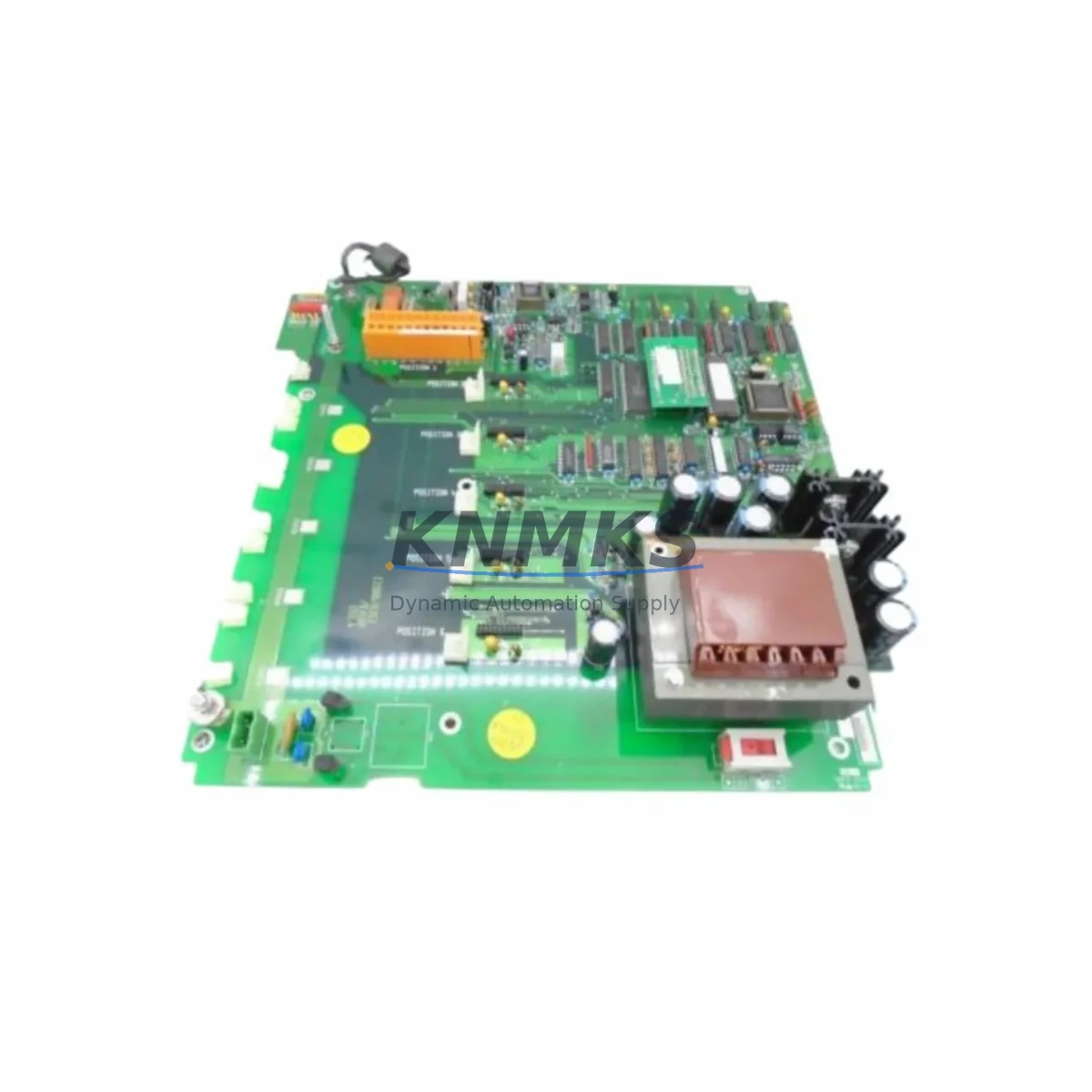
ABB C1900/0363/0360A Migration-Ready DCS Board: Legacy Control System Retrofit & Upgrade
The ABB C1900/0363/0360A is a DCS control board engineered for the C1900 Series platform, widely deployed across process industries including oil & gas, chemical, power generation, and pulp & paper. As legacy ABB Advant and MOD 300 installations approach end-of-life, the C1900/0363/0360A remains a critical spare and migration component — enabling engineers to extend operational continuity, defer full system overhauls, and execute phased modernization without disrupting live production.
For facilities managing aging control cabinets built around the C1900 rack architecture, sourcing a verified, tested replacement board is the first step in any retrofit plan. The C1900/0363/0360A supports direct installation into existing C1900 backplanes, preserving original I/O wiring, terminal block assignments, and module addressing — dramatically reducing the engineering hours required for a like-for-like swap. Before installation, engineers should confirm backplane slot compatibility, verify the firmware revision against the site’s existing controller version, and review the original loop drawings to ensure terminal wiring matches the replacement board’s pinout.
Power supply capacity is a frequent oversight in legacy retrofits. The C1900 Series backplane distributes 24 VDC and 5 VDC rails across installed modules; adding or replacing boards without auditing the existing ABB DSQC power supply loading can introduce instability. A pre-retrofit power budget review — accounting for all occupied slots including communication modules, I/O expansion cards, and the replacement C1900/0363/0360A — is strongly recommended before any live cutover.
Migration Compatibility Table
| Parameter | Details |
|---|---|
| SKU / Part Number | C1900/0363/0360A |
| Brand / Manufacturer | ABB |
| Series | C1900 Series (Advant / MOD 300 Platform) |
| Module Type | DCS Control Board |
| Origin | Germany |
| Backplane Interface | C1900 Series backplane (direct slot installation) |
| Communication Compatibility | Compatible with PROFIBUS, MODBUS, and proprietary ABB Advant communication links as configured in original system |
| Replacement Scope | Like-for-like drop-in replacement for failed or end-of-life C1900/0363/0360A boards |
| Terminal Wiring | Verify against original loop drawings before installation; terminal block assignments preserved |
| Firmware Compatibility | Confirm firmware revision matches site controller version prior to commissioning |
| Installation Space | Standard C1900 rack slot; confirm physical clearance in existing control cabinet |
| Commissioning Notes | Module address configuration, HMI tag mapping verification, and communication link test required post-installation |
| Support terms | support terms confirmed by quotation |
| Stock Status | availability confirmed by RFQ — available for immediate dispatch |
Retrofit Planning for Existing Automation Systems
A successful C1900/0363/0360A retrofit begins well before the board arrives on site. Engineers working within the ABB C1900 platform should prepare a complete slot inventory of the existing rack, documenting each installed module — including any ABB DSQC 532 or DSQC 509 I/O modules, communication adapters, and signal conditioning cards — to establish a baseline for the post-retrofit system state.
In installations where the C1900 rack interfaces with an ABB AC 800M or Freelance controller via a communication bridge, the replacement board must be validated against the active communication protocol configuration. PROFIBUS DP segment addresses, baud rate settings, and GSD file versions should all be documented before the cutover window opens. If the site uses an ABB Panel 800 or CP600 HMI, tag database exports should be taken prior to any hardware change to allow rapid restoration of display graphics and alarm setpoints.
For facilities undertaking broader control cabinet upgrades — moving from the C1900 platform toward a modern ABB System 800xA architecture — the C1900/0363/0360A can serve as a bridging component, maintaining legacy loop control while new I/O marshalling panels and ABB S800 I/O modules are installed in parallel. Signal isolators and terminal adapters are frequently required at the interface boundary to reconcile legacy 4–20 mA field wiring with new module input specifications. Programming cable access to the existing controller should be maintained throughout the migration to allow live program monitoring and rollback if required.
Where I/O expansion is part of the upgrade scope, engineers should assess whether existing ABB DSQC 651 or DSQC 652 digital I/O boards can be retained alongside the replacement C1900/0363/0360A, or whether a full rack migration is more cost-effective given the age and condition of surrounding modules. Partial rack replacements are common in phased retrofit projects and require careful attention to module addressing to avoid conflicts in the controller’s I/O map.
Downtime Control During System Migration
Minimizing unplanned downtime is the primary constraint in any legacy DCS retrofit. For the C1900/0363/0360A replacement, a structured cutover plan should define a maintenance window of sufficient length to complete physical installation, firmware verification, communication link testing, and a controlled restart of the affected control loops — typically 4 to 8 hours for a single-board swap in a well-documented system.
Before the cutover window, the original program logic should be exported and archived from the controller using the site’s engineering workstation and the appropriate ABB programming tool. This backup protects against configuration loss in the event of an unexpected fault during the board swap. If the C1900/0363/0360A controls loops that feed into a safety instrumented system or interlock chain, the relevant SIS bypasses should be formally activated and documented in accordance with site MOC procedures.
During installation, the replacement board should be handled with appropriate ESD precautions, inserted into the correct backplane slot with the rack powered down, and secured before power is restored. After power-up, the controller’s diagnostic display or engineering workstation should be used to confirm that the new board is recognized at the correct module address and that all configured I/O channels report healthy status before returning the loops to automatic control.
Post-commissioning, a 24-hour monitoring period is recommended to confirm stable operation across all affected loops, with field instrumentation readings cross-checked against historian data from the pre-retrofit baseline. This step is particularly important in temperature, pressure, and flow control applications where subtle wiring differences between the old and replacement board can produce offset errors that are not immediately apparent during the initial startup check.
Retrofit Support FAQ
Q1: Is the C1900/0363/0360A a direct drop-in replacement for the original ABB board?
Yes. The C1900/0363/0360A is designed for direct installation into the C1900 Series backplane. Terminal wiring, module addressing, and backplane interface are preserved. Engineers should verify the firmware revision and confirm slot position against the original rack layout drawing before installation to ensure full compatibility with the site’s controller configuration.
Q2: What pre-commissioning checks are required before returning loops to automatic control?
After physical installation, confirm module address recognition via the engineering workstation, verify all I/O channel status indicators, test communication link continuity to the controller and any connected HMI, and perform a loop check on critical channels before enabling automatic control. For systems with PROFIBUS communication, confirm the board appears correctly on the segment diagnostic scan.
Q3: Has the board been tested before shipment?
Yes. All units are function-tested prior to dispatch. Each C1900/0363/0360A is inspected for physical integrity, connector condition, and basic operational verification. A support terms confirmed by quotation is provided from the date of shipment, covering manufacturing defects and functional failures under normal operating conditions.
Q4: What is the typical lead time and stock availability?
The C1900/0363/0360A is held availability confirmed by RFQ and available for immediate dispatch. For urgent breakdown situations, expedited shipping options are available. Contact our sales team to confirm current inventory levels and arrange priority fulfillment for time-critical maintenance requirements.
© 2026 KNMKS. All rights reserved.
Original Source: https://knmks.com
Contact: admin@knmks.com | +86 18359268345
Product Identification
- Brand / Ecosystem
-
ABB
ABB - Model / Series
- C1900/0363/0360A
- Product Family
- Other Components
- Availability Status
- Available on request after model and quantity confirmation
- Inquiry Type
- B2B RFQ, replacement inquiry and project spare-part request
- Pre-Quote Check
- Exact SKU, brand, series, quantity, nameplate photos and destination country are checked before quotation
System Path
Where this product fits in the KNMKS automation structure.
Specification & Inquiry Focus
- Component range
- Breakers, terminals and cabinet accessories
- Common needs
- Model, photo and installation requirement
- Project support
- Maintenance and mixed spare-part inquiry
Buyer Confirmation
Information KNMKS checks before replying.
- Exact model
- C1900/0363/0360A
- Brand / ecosystem
- ABB
- Product family
- Other Components
- Application note
- Replacement, maintenance, project build or spare-part list
- Useful photos
- Nameplate, installed unit, cabinet layout or connector side
- Delivery details
- Quantity, destination country and target schedule
Document Support
Files and notes can be confirmed during quotation.
- Product photos or nameplate confirmation when available
- Packing and delivery notes before quotation confirmation
- Support scope and delivery terms confirmed per inquiry
- Export document coordination for qualified B2B requests
Inquiry Support
- Mixed automation spare parts inquiry
- Cabinet component and accessory support
- Model identification from photos or labels
What to Send Us
- Brand and exact model number: ABB C1900/0363/0360A
- Quantity and required delivery time
- Application, replacement requirement or nameplate photo
- Destination country and shipping preference
RFQ Preparation
This is a product inquiry page built for RFQ communication.
Fast Model Check
Send this model to KNMKS for confirmation.
Include quantity, destination country and photos if this is a maintenance replacement. The inquiry will be saved with a reference number after submission.
Brand & Compatibility Note
KNMKS displays automation product information for well-known industrial brand ecosystems and compatible replacement references. Brand names are used for product identification and compatibility reference only; final availability and commercial terms are confirmed per quotation.
 Manufacturing
 Machine Tools
 Packaging
 Energy & Power

 PLCs & Controllers
 HMI & Displays
 Servo Systems
 Variable Frequency Drives