
Overview
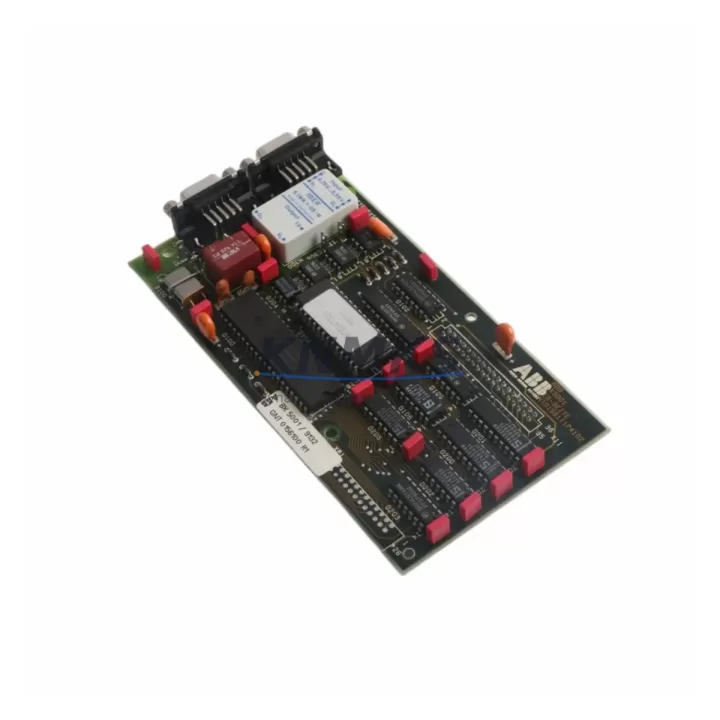
ABB BX5001 GNT0156100R1 Maintenance-Proven Spare for Factory Uptime
The ABB BX5001 GNT0156100R1 is an original expansion module designed for the ABB AC500 PLC series — one of the most widely deployed programmable logic controller platforms in industrial automation, process control, and discrete manufacturing environments. As a certified spare part sourced from verified supply channels, this module is a direct drop-in replacement for aging or failed units in existing AC500 control architectures. Every unit is inspected and tested prior to shipment, backed by a support terms confirmed by quotation, and supported by long-term availability commitments for MRO and capital project procurement teams.
For maintenance engineers managing aging control cabinets, the BX5001 GNT0156100R1 represents a critical line item in any AC500-based spare parts inventory. Whether you are responding to an unplanned shutdown, executing a scheduled annual overhaul, or building a buffer stock for a multi-line facility, having a verified original module on hand eliminates the diagnostic uncertainty that comes with counterfeit or refurbished alternatives.
Spare Maintenance Table
| Parameter | Specification / Notes |
|---|---|
| Part Number | BX5001 GNT0156100R1 |
| Manufacturer | ABB (Germany) |
| Series | AC500 |
| Module Type | PLC Expansion Module |
| Country of Origin | Germany (DE) |
| Compatibility | ABB AC500 PLC family; compatible with PM5xx CPU modules and AC500 backplane bus |
| Installation | DIN rail or panel mount; plug-in to AC500 expansion bus connector |
| Operating Temperature | -25°C to +60°C (typical AC500 range) |
| Application Environment | Industrial automation, process control, discrete manufacturing, utilities |
| Maintenance Recommendation | Inspect bus connectors and backplane contacts during annual overhaul; replace if corrosion or mechanical wear is detected |
| Pre-shipment Testing | Functional test performed on every unit before dispatch |
| Support terms | 12 months from date of shipment |
| Long-term Supply | Available for ongoing MRO and project procurement |
Maintenance Planning for Continuous Operation
When replacing the BX5001 GNT0156100R1 in an AC500 control cabinet, a thorough site inspection of adjacent components is essential to prevent repeat failures and ensure full system restoration. Maintenance engineers should begin by verifying the AC500 backplane integrity — loose or oxidized bus connectors are a common root cause of module communication faults that are often misdiagnosed as module failure.
The 24VDC power supply feeding the AC500 rack should be load-tested before the new module is installed. ABB CP series power supply modules, commonly paired with AC500 systems, should be checked for output voltage stability and ripple under load. A degraded power supply can cause intermittent module resets that mimic hardware faults.
I/O wiring terminations at the associated terminal blocks should be inspected for loose connections, insulation degradation, and correct labeling. If the BX5001 is part of a digital or analog I/O expansion chain, verify that the I/O configuration in the AC500 programming environment (Automation Builder) matches the physical slot assignment after module replacement.
Communication modules in the same cabinet — such as AC500 fieldbus adapters for PROFIBUS, PROFINET, or Modbus — should be checked for firmware version compatibility with the replacement module. Mismatched firmware versions between expansion modules and the CPU (PM5xx series) can cause bus initialization errors after a cold restart.
Relay output modules and signal isolators connected downstream of the BX5001 should be tested for correct switching behavior after the replacement is complete. Inductive load suppression components (RC snubbers or varistors) on relay outputs should be inspected, as these are frequently overlooked during emergency replacements and can cause premature contact wear on adjacent relay modules.
For facilities running legacy AC500 systems, it is also advisable to review the HMI panel (CP600 or CP400 series) communication link to the CPU to confirm that the replacement module does not alter the PLC program scan cycle time in a way that affects HMI data refresh rates. Fuse protection on the 24VDC bus should be verified as part of the post-replacement commissioning checklist.
Site Replacement Workflow
Step 1 — Isolate and document: Before removing the failed BX5001 GNT0156100R1, photograph the wiring, record the slot position, and export the current AC500 project backup from Automation Builder. Confirm the CPU is in STOP mode.
Step 2 — Power down safely: De-energize the 24VDC supply to the AC500 rack. Do not hot-swap expansion modules unless the specific AC500 configuration explicitly supports it — consult the system documentation for your CPU variant.
Step 3 — Remove and inspect: Extract the failed module and inspect the backplane bus connector for bent pins or contamination. Clean with isopropyl alcohol if necessary before installing the replacement.
Step 4 — Install replacement: Seat the new BX5001 GNT0156100R1 firmly into the correct slot. Reconnect all field wiring per the documented terminal layout.
Step 5 — Power up and verify: Restore 24VDC power, set the CPU to RUN mode, and verify all I/O status indicators. Confirm HMI communication is restored and that no diagnostic alarms are active in Automation Builder.
Step 6 — Update maintenance records: Log the replacement date, module serial number, and any observations. Update the spare parts inventory to trigger reorder if buffer stock falls below the minimum threshold.
This workflow minimizes downtime to under 30 minutes for experienced maintenance teams and ensures system compatibility is maintained without requiring PLC program modifications.
Spare Parts Support FAQ
Q1: Is the BX5001 GNT0156100R1 compatible with all AC500 CPU variants?
The BX5001 GNT0156100R1 is designed for the ABB AC500 expansion bus architecture and is compatible with PM5xx series CPUs. Compatibility with specific CPU firmware versions should be verified against the ABB AC500 system manual. We recommend confirming your CPU model and firmware revision before ordering if you are replacing a module in a legacy installation.
Q2: What does the support terms confirmed by quotation cover?
The support terms confirmed by quotation cover manufacturing defects and functional failures under normal operating conditions. Each unit is tested before shipment. Support requests are supported with replacement or refund, subject to inspection of the returned unit. The confirmed support period begins from the date of shipment.
Q3: How should I manage long-term spare parts inventory for AC500 systems?
For facilities with multiple AC500 racks, we recommend maintaining a minimum of one BX5001 GNT0156100R1 per five installed units as a buffer stock. For critical production lines, a one-to-one spare ratio is advisable. We support blanket purchase orders and scheduled delivery programs for procurement teams managing multi-site MRO inventories.
Q4: Can this module replace older or discontinued ABB AC500 expansion modules?
The BX5001 GNT0156100R1 is the current production part number for this module type. If you are replacing an older variant with a different suffix, please contact our technical team with your existing module’s full part number and CPU model to confirm cross-compatibility before installation. We maintain cross-reference records for common AC500 legacy part substitutions.
© 2026 KNMKS. All rights reserved.
Original Source: https://knmks.com
Contact: admin@knmks.com | +86 18359268345
Product Identification
- Brand / Ecosystem
-
ABB
ABB - Model / Series
-
BX5001 GNT0156100R1
AC500 Series - Product Family
- PLCs & Controllers
- Availability Status
- Available on request after model and quantity confirmation
- Inquiry Type
- B2B RFQ, replacement inquiry and project spare-part request
- Pre-Quote Check
- Exact SKU, brand, series, quantity, nameplate photos and destination country are checked before quotation
System Path
Where this product fits in the KNMKS automation structure.
Specification & Inquiry Focus
- Control platform
- PLC, PAC and modular controllers
- Common needs
- CPU, rack, power and I/O expansion
- Project support
- Replacement, cabinet build and maintenance
Buyer Confirmation
Information KNMKS checks before replying.
- Exact model
- BX5001 GNT0156100R1
- Brand / ecosystem
- ABB
- Product family
- PLCs & Controllers
- Application note
- Replacement, maintenance, project build or spare-part list
- Useful photos
- Nameplate, installed unit, cabinet layout or connector side
- Delivery details
- Quantity, destination country and target schedule
Document Support
Files and notes can be confirmed during quotation.
- Product photos or nameplate confirmation when available
- Packing and delivery notes before quotation confirmation
- Support scope and delivery terms confirmed per inquiry
- Export document coordination for qualified B2B requests
Inquiry Support
- Model cross-checking before quotation
- CPU, power, rack and expansion module matching
- Support for replacement and project inquiry
What to Send Us
- Brand and exact model number: ABB BX5001 GNT0156100R1
- Quantity and required delivery time
- Application, replacement requirement or nameplate photo
- Destination country and shipping preference
RFQ Preparation
This is a product inquiry page built for RFQ communication.
Fast Model Check
Send this model to KNMKS for confirmation.
Include quantity, destination country and photos if this is a maintenance replacement. The inquiry will be saved with a reference number after submission.
Brand & Compatibility Note
KNMKS displays automation product information for well-known industrial brand ecosystems and compatible replacement references. Brand names are used for product identification and compatibility reference only; final availability and commercial terms are confirmed per quotation.
 Manufacturing
 Machine Tools
 Packaging
 Energy & Power



 HMI & Displays
 Servo Systems
 Variable Frequency Drives
 Sensors