
Overview
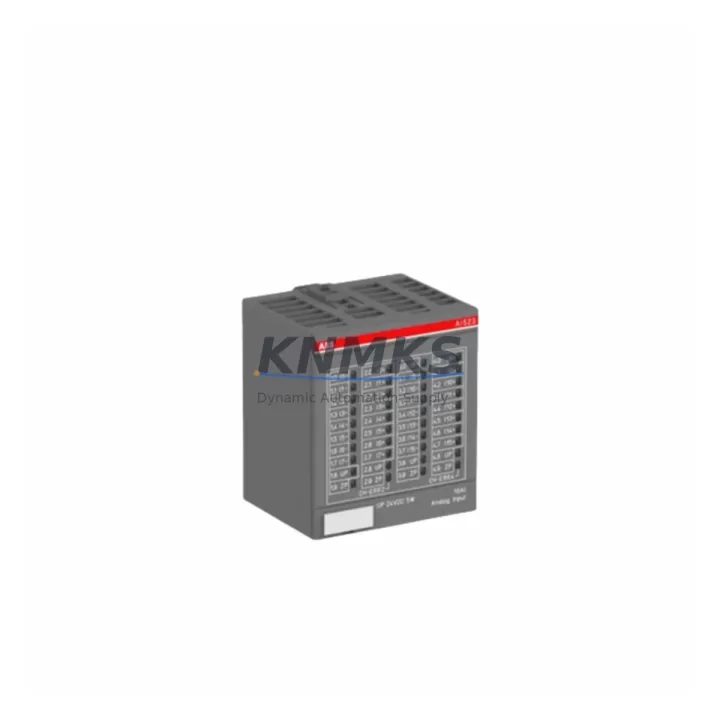
ABB AI523 Maintenance-Proven Spare Part for Factory Uptime
The ABB AI523 is an 8-channel HART-capable analog input module designed for the ABB AC500 PLC platform — one of the most widely deployed programmable automation controllers in process and discrete manufacturing environments. Sourced as an original spare, the AI523 is a critical component for maintenance engineers managing aging AC500 control cabinets, scheduled outages, and emergency line recovery. Every unit shipped by KNMKS is pre-tested, covered by a support terms confirmed by quotation, and dispatched from multi-region stock to minimize lead time and downtime exposure.
Whether you are executing a planned annual inspection, responding to an unplanned I/O failure, or building a strategic spare parts inventory ahead of a summer shutdown, the AI523 delivers the signal integrity and HART communication capability your process loops depend on. Its compatibility with the AC500 backplane and CPU families — including the PM573, PM583, and PM595 — makes it a direct drop-in replacement without firmware reconfiguration in most standard installations.
Spare Maintenance Table
| Parameter | Specification |
|---|---|
| SKU / Part Number | AI523 |
| Brand | ABB |
| Series | AC500 |
| Module Type | Analog Input Module (8-channel, HART) |
| Signal Range | 4–20 mA / 0–10 V (configurable per channel) |
| HART Communication | Supported (per channel) |
| Resolution | 16-bit |
| Backplane Compatibility | AC500 I/O bus (TB511, TB521, TB541, TB561) |
| CPU Compatibility | PM573, PM583, PM591, PM595 |
| Operating Temperature | -25°C to +60°C |
| Protection Rating | IP20 |
| Origin | Germany (DE) |
| Condition | Original, New / Refurbished-Tested |
| Support terms | 12 Months |
| Pre-Shipment Test | Yes — functional and signal integrity verified |
| Dispatch | Multi-region stock, global delivery details confirmed by RFQ |
| Application | Process control, discrete manufacturing, utilities, oil & gas |
Maintenance Planning for Continuous Operation
When replacing the AI523 in an AC500 control cabinet, a disciplined maintenance engineer will not stop at the module itself. The analog input signal chain involves multiple interdependent components, and a failure in any one of them can mask the root cause or introduce new faults after the module swap.
Begin by inspecting the TB521 or TB541 terminal base that the AI523 plugs into — worn or corroded terminal contacts are a common source of intermittent signal errors that are incorrectly attributed to the module. Check the 24 VDC field power supply feeding the transmitter loop; an undersized or aging power supply unit (PSU) can cause HART communication dropouts even when the AI523 itself is fully functional. If your installation uses signal isolators or loop-powered barriers between the field transmitter and the AI523 input, verify their output impedance and loop current compliance — these are frequently overlooked during module replacement.
For cabinets running mixed I/O, also inspect the adjacent AO523 analog output module and any DI524 or DO524 digital I/O modules sharing the same backplane segment. Backplane bus errors can propagate across modules, and a failing neighbor can cause the AI523 to report diagnostic faults. Review the AC500 CPU diagnostic buffer (accessible via Automation Builder) for any logged I/O bus errors before and after the swap.
If your process uses HART field devices — flow transmitters, pressure sensors, or level instruments — confirm that the HART master configuration in the CPU project still maps correctly to the new module’s channel assignments. Finally, check the cabinet fusing on the 24 VDC supply rail: a slow-blow fuse rated for the loop current budget protects both the AI523 and the connected transmitters from surge damage during power restoration.
Site Replacement Workflow
Step 1 — Isolate and document. Before removing the AI523, capture the current channel configuration from Automation Builder (signal type, range, HART enable/disable per channel). Export the project backup to a USB or engineering workstation. Tag all field wiring on the terminal base with channel labels if not already marked.
Step 2 — Power down the I/O segment. Use the AC500 CPU’s selective I/O bus power control or shut down the relevant 24 VDC supply rail. Do not hot-swap the AI523 unless your AC500 firmware version and terminal base explicitly support hot-plug operation — verify in the AC500 hardware manual before attempting.
Step 3 — Remove and inspect. Slide the AI523 out of the terminal base. Inspect the backplane connector pins for damage or oxidation. Clean the terminal base contacts with isopropyl alcohol if corrosion is present.
Step 4 — Install the replacement unit. Seat the new AI523 firmly into the terminal base until the locking tab clicks. Restore power and observe the module’s LED status indicators — a solid green RUN LED confirms successful backplane communication.
Step 5 — Verify signal integrity. Use Automation Builder’s online monitoring or a HART communicator to confirm all 8 channels are reading correctly. Compare live PV values against field instrument displays to validate loop accuracy before returning the system to automatic control.
Step 6 — Update maintenance records. Log the replacement date, module serial number, and any observations in your CMMS. Schedule the next inspection interval based on your site’s preventive maintenance policy.
Spare Parts Support FAQ
Q1: Is the AI523 compatible with all AC500 CPU generations?
The AI523 is compatible with the AC500 V2 and V3 CPU families, including PM573, PM583, PM591, and PM595, when used with a compatible terminal base (TB521, TB541, or TB561). Confirm your Automation Builder project version supports the module firmware before installation. For legacy V1 CPUs, contact our technical team for compatibility verification.
Q2: What does the support terms confirmed by quotation cover?
Every AI523 unit shipped by KNMKS is covered by a support terms confirmed by quotation from the date of dispatch. The support terms covers manufacturing defects and functional failures under normal operating conditions. Each unit undergoes pre-shipment functional testing and signal integrity verification. In the event of a support terms claim, we provide a replacement unit or documented resolution support — no lengthy RMA delays.
Q3: How quickly can I receive the AI523 for an emergency replacement?
KNMKS maintains multi-region stock of the AI523 to support emergency dispatch. For urgent orders, contact our sales team directly at admin@knmks.com or +86 18359268345 to confirm stock availability and arrange priority shipping. Most in-stock orders are dispatched within 24–48 hours.
Q4: Can KNMKS support long-term supply agreements for the AI523?
Yes. For maintenance teams managing multiple AC500 installations or planning multi-year spare parts programs, KNMKS offers long-term supply agreements with reserved stock, fixed pricing, and scheduled delivery. This eliminates procurement risk for end-of-availability parts and ensures your maintenance budget is predictable. Contact admin@knmks.com to discuss your requirements.
© 2026 KNMKS. All rights reserved.
Original Source: https://knmks.com
Contact: admin@knmks.com | +86 18359268345
Product Identification
- Brand / Ecosystem
-
ABB
ABB - Model / Series
-
AI523
AC500 Series - Product Family
- PLCs & Controllers
- Availability Status
- Available on request after model and quantity confirmation
- Inquiry Type
- B2B RFQ, replacement inquiry and project spare-part request
- Pre-Quote Check
- Exact SKU, brand, series, quantity, nameplate photos and destination country are checked before quotation
System Path
Where this product fits in the KNMKS automation structure.
Specification & Inquiry Focus
- Control platform
- PLC, PAC and modular controllers
- Common needs
- CPU, rack, power and I/O expansion
- Project support
- Replacement, cabinet build and maintenance
Buyer Confirmation
Information KNMKS checks before replying.
- Exact model
- AI523
- Brand / ecosystem
- ABB
- Product family
- PLCs & Controllers
- Application note
- Replacement, maintenance, project build or spare-part list
- Useful photos
- Nameplate, installed unit, cabinet layout or connector side
- Delivery details
- Quantity, destination country and target schedule
Document Support
Files and notes can be confirmed during quotation.
- Product photos or nameplate confirmation when available
- Packing and delivery notes before quotation confirmation
- Support scope and delivery terms confirmed per inquiry
- Export document coordination for qualified B2B requests
Inquiry Support
- Model cross-checking before quotation
- CPU, power, rack and expansion module matching
- Support for replacement and project inquiry
What to Send Us
- Brand and exact model number: ABB AI523
- Quantity and required delivery time
- Application, replacement requirement or nameplate photo
- Destination country and shipping preference
RFQ Preparation
This is a product inquiry page built for RFQ communication.
Fast Model Check
Send this model to KNMKS for confirmation.
Include quantity, destination country and photos if this is a maintenance replacement. The inquiry will be saved with a reference number after submission.
Brand & Compatibility Note
KNMKS displays automation product information for well-known industrial brand ecosystems and compatible replacement references. Brand names are used for product identification and compatibility reference only; final availability and commercial terms are confirmed per quotation.
 Manufacturing
 Machine Tools
 Packaging
 Energy & Power



 HMI & Displays
 Servo Systems
 Variable Frequency Drives
 Sensors