
Overview
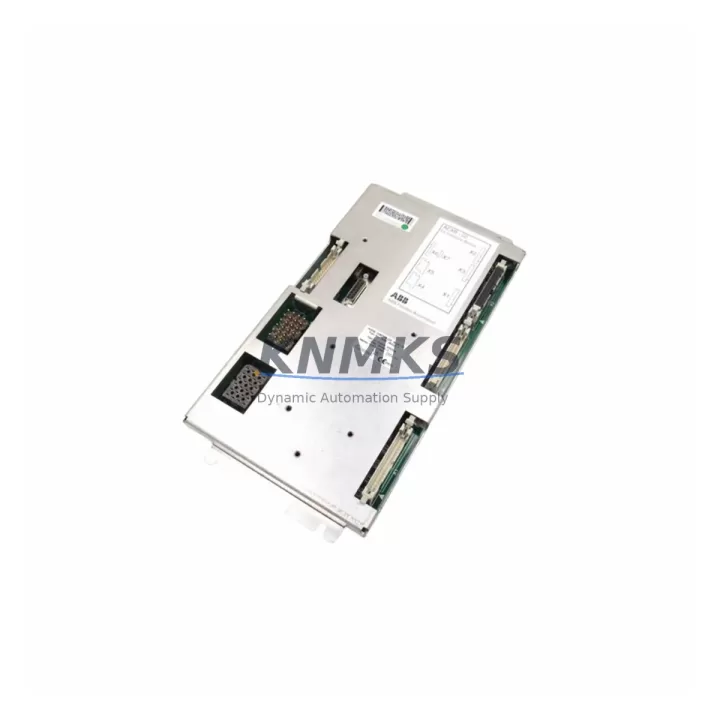
ABB AEXB-02 3HNE06225-1 Migration-Ready EX Interface for IRC5: Legacy System Migration and Compatible Upgrade
The ABB AEXB-02 (3HNE06225-1) is a critical EX Interface Board designed for the IRC5 robot controller platform. As ABB continues to evolve its robotics control architecture, many facilities operating legacy IRC5 cabinets face the challenge of sourcing reliable replacement boards for the AEXB-02 interface — a module responsible for managing the communication bridge between the main computer unit and the axis computer in multi-axis robot systems. Whether you are executing a planned maintenance replacement, responding to an unplanned board failure, or undertaking a broader control cabinet modernization, the AEXB-02 3HNE06225-1 remains a migration-ready solution that preserves your existing program logic, axis configuration, and communication topology without requiring a full controller overhaul.
In IRC5 environments, the AEXB-02 interfaces directly with the DSQC 639 main computer board and the DSQC 668 axis computer, forming the backbone of the robot’s motion control and safety interlock chain. When replacing a failed AEXB-02, engineers must verify the firmware revision loaded on the replacement board against the RobotWare version installed on the IRC5 controller — mismatched firmware can prevent the controller from completing its boot sequence or cause axis calibration errors during the first power-on cycle. Pre-shipment firmware verification is part of our standard dispatch protocol for this SKU.
For facilities running multiple IRC5 units in a coordinated cell, the AEXB-02 also plays a role in the MultiMove configuration, where synchronization between robot controllers depends on stable EX interface communication. Replacing a board in a MultiMove setup requires careful attention to the system parameter backup, the IP address assignment for the controller, and the re-establishment of the DeviceNet or PROFIBUS communication link to the PLC or SCADA layer — typically a Siemens S7-300 or Allen-Bradley ControlLogix acting as the cell master.
Migration Compatibility Table
| Parameter | Details |
|---|---|
| SKU / Part Number | AEXB-02 / 3HNE06225-1 |
| Compatible Controller | ABB IRC5 (Single Cabinet, Dual Cabinet, Panel Mounted) |
| Interface Type | EX Interface Board — Axis Computer to Main Computer Link |
| Replaces / Supersedes | Earlier AEXB-01 revisions in IRC5 cabinets (verify RobotWare compatibility) |
| Communication Compatibility | DeviceNet, PROFIBUS DP, EtherNet/IP (via IRC5 option boards) |
| Backplane / Rack Interface | IRC5 internal backplane — direct board-to-board connector |
| Power Supply Requirement | Supplied via IRC5 internal PSU (DSQC 661 or equivalent); no external supply required |
| Firmware Compatibility | RobotWare 5.x and 6.x — verify revision before installation |
| Installation Space | Standard IRC5 cabinet slot; no mechanical modification required |
| Terminal / Connector Type | Board-edge and ribbon connectors — no field wiring on this board |
| Retrofit Recommendation | Direct drop-in replacement; system parameter restore required post-swap |
| Pre-Shipment Testing | Yes — functional and communication verification performed before dispatch |
| Support terms | 12 Months from date of shipment |
Retrofit Planning for Existing Automation Systems
A successful AEXB-02 replacement begins well before the board arrives on site. The first step is a full system parameter backup using RobotStudio or the IRC5 FlexPendant, capturing the current tool data, work object definitions, load data, and I/O configuration. This backup is your recovery baseline — if the replacement board triggers any configuration mismatch, restoring from this backup eliminates the need for manual re-entry of hundreds of parameters.
The IRC5 cabinet’s internal power supply — typically the DSQC 661 24V PSU — must be verified for output stability before the new AEXB-02 is installed. A degraded PSU delivering marginal voltage to the backplane is a common root cause of repeated EX interface board failures, and replacing the AEXB-02 without addressing the PSU will result in premature failure of the new board. Similarly, the DSQC 668 axis computer should be inspected for connector wear and any signs of thermal stress, as the AEXB-02 and axis computer form a tightly coupled pair in the IRC5 architecture.
For cells where the IRC5 communicates with a field bus network — whether DeviceNet to a remote I/O rack, PROFIBUS DP to a Siemens ET 200 distributed I/O station, or EtherNet/IP to an Allen-Bradley PLC — the communication link must be re-established and verified after the board swap. This includes confirming the MAC ID or node address assignment, checking the bus termination resistors, and running a full I/O diagnostic from the FlexPendant to confirm that all digital inputs and outputs are responding correctly before the robot is returned to automatic mode.
In larger retrofit projects where the IRC5 cabinet itself is being relocated or integrated into a new control panel layout, the DSQC 639 main computer board and the teach pendant cable routing should also be reviewed. The IRC5 teach pendant — connected via the FlexPendant interface unit — must maintain its cable integrity, as a damaged pendant cable can produce intermittent communication faults that are easily misdiagnosed as EX interface board failures. Keeping a spare AEXB-02 3HNE06225-1 in your site inventory eliminates this diagnostic ambiguity and reduces mean time to repair significantly.
Downtime Control During System Migration
Minimizing downtime during an AEXB-02 replacement requires a structured approach that protects the existing program logic and maintains production continuity. The recommended sequence is: complete the system parameter backup, power down the IRC5 controller following the correct shutdown procedure (never hard-cut power during a write operation), discharge the cabinet capacitors, and then proceed with the board swap. The entire physical replacement — removing the failed AEXB-02 and seating the new board — typically takes under 15 minutes for a technician familiar with the IRC5 cabinet layout.
After power-on, the IRC5 will perform its internal self-test sequence. If the system detects a new board, it may prompt for a system restart or a parameter synchronization step. Restoring the pre-swap system parameter backup at this stage ensures that the robot’s axis calibration data, tool center point definitions, and I/O mappings are preserved exactly as they were before the failure. In MultiMove configurations, the cell master PLC should be held in a safe state — with all robot motion inhibited — until all IRC5 units in the cell have completed their restart sequence and confirmed ready status on the fieldbus.
For facilities with strict OEE targets, maintaining a site-level spare of the AEXB-02 3HNE06225-1 is the most effective downtime mitigation strategy. Our global stock availability and same-day dispatch capability for in-stock units means that even without a site spare, replacement boards can typically reach most major industrial regions within 24–72 hours, keeping unplanned downtime within manageable bounds.
Retrofit Support FAQ
Q1: Is the AEXB-02 3HNE06225-1 a direct drop-in replacement for earlier AEXB-02 revisions in my IRC5 cabinet?
In most cases, yes. The 3HNE06225-1 is the current production revision of the AEXB-02 and is mechanically and electrically compatible with standard IRC5 single and dual cabinet configurations. However, you should verify the RobotWare version running on your controller against the firmware pre-loaded on the replacement board. We provide firmware revision documentation with each shipment and can advise on compatibility before dispatch.
Q2: What commissioning steps are required after installing the replacement board?
After seating the new AEXB-02 and powering on the IRC5, restore your pre-swap system parameter backup via the FlexPendant or RobotStudio. Verify that all axis calibration data is intact, run a full I/O diagnostic to confirm fieldbus communication, and perform a low-speed test cycle before returning the robot to automatic production mode. In MultiMove cells, coordinate the restart sequence across all controllers before releasing the cell master interlock.
Q3: How do I confirm the board is pre-tested before shipment?
Every AEXB-02 3HNE06225-1 unit dispatched from our inventory undergoes functional verification and communication testing prior to packaging. A test report is available upon request. All units are shipped with a support terms confirmed by quotation covering manufacturing defects and functional failures under normal operating conditions.
Q4: What is your stock availability and lead time for the AEXB-02 3HNE06225-1?
We maintain multi-region stock of the AEXB-02 3HNE06225-1 to support emergency replacement requirements. In-stock units are dispatched same day for orders confirmed before the daily cut-off. For volume requirements or scheduled maintenance programs, contact our sales team to arrange reserved allocation and staggered delivery. All units carry a support terms confirmed by quotation from the date of shipment.
© 2026 KNMKS. All rights reserved.
Original Source: https://knmks.com
Contact: admin@knmks.com | +86 18359268345
Product Identification
- Brand / Ecosystem
-
ABB
ABB - Model / Series
-
AEXB-02 3HNE 06225-1
IRC5 Series - Product Family
- PLCs & Controllers
- Availability Status
- Available on request after model and quantity confirmation
- Inquiry Type
- B2B RFQ, replacement inquiry and project spare-part request
- Pre-Quote Check
- Exact SKU, brand, series, quantity, nameplate photos and destination country are checked before quotation
System Path
Where this product fits in the KNMKS automation structure.
Specification & Inquiry Focus
- Control platform
- PLC, PAC and modular controllers
- Common needs
- CPU, rack, power and I/O expansion
- Project support
- Replacement, cabinet build and maintenance
Buyer Confirmation
Information KNMKS checks before replying.
- Exact model
- AEXB-02 3HNE 06225-1
- Brand / ecosystem
- ABB
- Product family
- PLCs & Controllers
- Application note
- Replacement, maintenance, project build or spare-part list
- Useful photos
- Nameplate, installed unit, cabinet layout or connector side
- Delivery details
- Quantity, destination country and target schedule
Document Support
Files and notes can be confirmed during quotation.
- Product photos or nameplate confirmation when available
- Packing and delivery notes before quotation confirmation
- Support scope and delivery terms confirmed per inquiry
- Export document coordination for qualified B2B requests
Inquiry Support
- Model cross-checking before quotation
- CPU, power, rack and expansion module matching
- Support for replacement and project inquiry
What to Send Us
- Brand and exact model number: ABB AEXB-02 3HNE 06225-1
- Quantity and required delivery time
- Application, replacement requirement or nameplate photo
- Destination country and shipping preference
RFQ Preparation
This is a product inquiry page built for RFQ communication.
Fast Model Check
Send this model to KNMKS for confirmation.
Include quantity, destination country and photos if this is a maintenance replacement. The inquiry will be saved with a reference number after submission.
Brand & Compatibility Note
KNMKS displays automation product information for well-known industrial brand ecosystems and compatible replacement references. Brand names are used for product identification and compatibility reference only; final availability and commercial terms are confirmed per quotation.
 Manufacturing
 Machine Tools
 Packaging
 Energy & Power



 HMI & Displays
 Servo Systems
 Variable Frequency Drives
 Sensors