
Overview
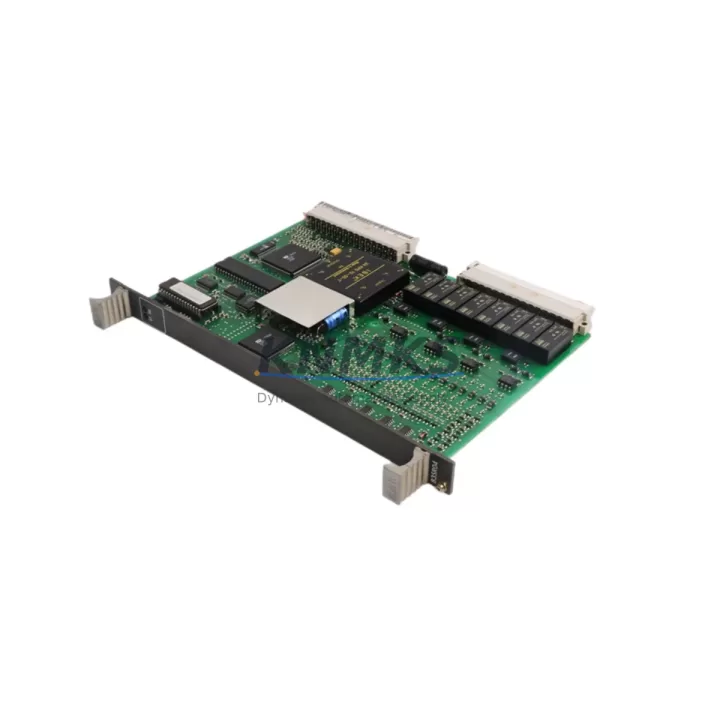
ABB 83SR04D-E GJR2390200R1210 Maintenance-Proven Spare Part for Factory Uptime
The ABB 83SR04D-E (catalog reference GJR2390200R1210) is a channel control card designed for the ABB AC500 programmable logic controller platform — one of the most widely deployed modular PLC families in process automation, machine control, and utility infrastructure worldwide. For maintenance engineers managing aging AC500 installations, securing a verified, original spare of this card is a direct investment in plant uptime and control system reliability.
This listing supplies the 83SR04D-E as a maintenance-ready spare part: inspected, function-tested prior to shipment, and backed by a support terms confirmed by quotation. Whether you are responding to an unplanned fault, building a preventive spare inventory, or executing a scheduled annual overhaul, this card ships ready for immediate installation into your AC500 rack.
Spare Maintenance Table
| Part Number | 83SR04D-E |
| Catalog / Order Reference | GJR2390200R1210 |
| Manufacturer | ABB |
| Series | AC500 PLC Platform |
| Module Type | Channel Control Card |
| Country of Origin | Germany |
| Compatible Platform | ABB AC500 modular PLC series (PM5xx / PM5xx-ETH CPU families) |
| Backplane Interface | AC500 internal bus via rack-mount connector |
| Operating Temperature | 0 °C to +60 °C (standard industrial enclosure) |
| Storage Temperature | -25 °C to +70 °C |
| Supply Voltage | Supplied via AC500 backplane (no external power wiring required) |
| Weight (approx.) | 420 g |
| Condition | Original, unused or refurbished-to-spec; function-tested before shipment |
| Support terms | 12 months from date of shipment |
| Typical Application | Process control, machine automation, utility SCADA, panel replacement |
| Maintenance Recommendation | Inspect connector pins and backplane slot contacts during annual overhaul; replace if channel fault codes persist after firmware reload |
Maintenance Planning for Continuous Operation
When a channel control card such as the 83SR04D-E is flagged for replacement, experienced maintenance engineers treat the event as a trigger for a broader cabinet inspection — not an isolated swap. The AC500 platform distributes I/O and control functions across multiple modules sharing a common backplane, so a fault in one card can mask or accelerate degradation in adjacent components.
Before or alongside replacing the 83SR04D-E, your maintenance checklist should include the following areas:
Power Supply Module: Verify the AC500 power supply module (such as the PS501 or PS502 series) is delivering stable 24 VDC within tolerance. A marginal power supply is a common root cause of intermittent channel card faults and should be load-tested during the same maintenance window.
CPU Module: Confirm the AC500 CPU module (PM564, PM566, or equivalent) firmware is current and that no persistent diagnostic error codes remain after the card swap. A corrupted project image or outdated firmware can cause a new card to report faults immediately after installation.
I/O Expansion Modules: Inspect adjacent digital and analog I/O modules (DI524, DO524, AI523, AO523 series or equivalent) for loose field wiring, corroded terminal blocks, or blown channel fuses. A failed I/O module in the same rack can generate misleading diagnostics that implicate the channel control card.
Communication Modules: If the AC500 system uses fieldbus communication — PROFIBUS, Modbus TCP, or EtherNet/IP — check the corresponding communication module (CM572-DP, CM579-ETHIP, or similar) for link errors. Loss of fieldbus communication during a card replacement can delay restart and complicate fault isolation.
Terminal Blocks and Field Wiring: Inspect all terminal block connections in the control cabinet. Loose or oxidized terminals are a leading cause of intermittent I/O faults that are incorrectly attributed to the control card itself.
Signal Isolators and Fuse Protection: Where analog signals pass through signal isolators or where individual channel fuses protect field circuits, verify isolator output levels and replace any blown fuses before commissioning the new card. Sending an out-of-range signal into a freshly installed card risks immediate damage.
Stocking one spare 83SR04D-E alongside a spare power supply module and a set of terminal block fuses covers the most common failure modes in an AC500 cabinet and allows a maintenance team to restore production within a single shift rather than waiting for emergency procurement.
Site Replacement Workflow
The 83SR04D-E is designed for tool-free removal and insertion within the AC500 rack, but a structured replacement workflow minimizes risk and reduces total downtime:
Step 1 — Isolate and Document: Place the AC500 CPU in STOP mode via the programming tool (Automation Builder or PS501 Control Builder). Record all active diagnostic messages and export the current project backup before touching hardware.
Step 2 — De-energize the Cabinet: Switch off the cabinet main breaker and verify zero voltage at the backplane power input using a calibrated meter. Do not rely on the CPU STOP state alone as a safety interlock.
Step 3 — Remove the Faulty Card: Release the card locking mechanism, extract the 83SR04D-E from its slot, and inspect the backplane connector for bent pins or contamination. Clean the slot contacts with approved contact cleaner if necessary.
Step 4 — Install the Replacement: Insert the new 83SR04D-E firmly until the locking tab engages. Verify the card is seated flush with adjacent modules.
Step 5 — Power-Up and Verify: Restore cabinet power, set the CPU to RUN, and monitor the diagnostic display for any residual fault codes. Confirm all channel status indicators return to normal operating state before releasing the line.
Step 6 — Update Maintenance Records: Log the replacement date, card serial number, and any associated findings. Update your spare parts inventory to trigger reorder of the consumed spare.
This workflow applies equally to emergency replacements during unplanned downtime and to scheduled swaps during planned maintenance windows. The key difference is preparation: a pre-staged spare and a pre-downloaded project backup reduce emergency replacement time to under 30 minutes in most AC500 installations.
Spare Parts Support FAQ
Q1: Is this 83SR04D-E compatible with all AC500 CPU variants?
The 83SR04D-E is designed for the ABB AC500 modular PLC platform. Compatibility is confirmed for standard AC500 rack configurations using PM5xx-series CPUs. If your installation uses an AC500-S (Safety) or AC500-XS (extreme environment) variant, please contact us with your full system configuration before ordering to confirm slot and firmware compatibility.
Q2: What testing is performed before shipment?
Each unit undergoes functional verification prior to dispatch. For original new-stock units, factory test records are referenced. For refurbished-to-specification units, bench testing covers power-up, channel initialization, and backplane communication. A support terms confirmed by quotation cover defects in materials and workmanship from the date of shipment.
Q3: Can this spare replace older or discontinued ABB channel control card variants?
The GJR2390200R1210 reference identifies a specific hardware revision. ABB periodically releases hardware revisions that maintain backward compatibility within the AC500 platform. If you are replacing an older revision card, confirm the revision suffix on your existing unit and contact us — we can advise on cross-compatibility and whether a firmware update is required after installation.
Q4: What is your lead time and long-term supply capability?
Standard orders ship within 3–7 business days. For customers requiring ongoing supply — annual maintenance contracts, multi-site programs, or OEM service operations — we support blanket order arrangements and reserved inventory allocation. Contact our sales team to discuss long-term supply agreements for AC500 spare parts.
© 2026 KNMKS. All rights reserved.
Original Source: https://knmks.com
Contact: admin@knmks.com | +86 18359268345
Product Identification
- Brand / Ecosystem
-
ABB
ABB - Model / Series
-
83SR04D-E GJR2390200R1210
AC500 Series - Product Family
- PLCs & Controllers
- Availability Status
- Available on request after model and quantity confirmation
- Inquiry Type
- B2B RFQ, replacement inquiry and project spare-part request
- Pre-Quote Check
- Exact SKU, brand, series, quantity, nameplate photos and destination country are checked before quotation
System Path
Where this product fits in the KNMKS automation structure.
Specification & Inquiry Focus
- Control platform
- PLC, PAC and modular controllers
- Common needs
- CPU, rack, power and I/O expansion
- Project support
- Replacement, cabinet build and maintenance
Buyer Confirmation
Information KNMKS checks before replying.
- Exact model
- 83SR04D-E GJR2390200R1210
- Brand / ecosystem
- ABB
- Product family
- PLCs & Controllers
- Application note
- Replacement, maintenance, project build or spare-part list
- Useful photos
- Nameplate, installed unit, cabinet layout or connector side
- Delivery details
- Quantity, destination country and target schedule
Document Support
Files and notes can be confirmed during quotation.
- Product photos or nameplate confirmation when available
- Packing and delivery notes before quotation confirmation
- Support scope and delivery terms confirmed per inquiry
- Export document coordination for qualified B2B requests
Inquiry Support
- Model cross-checking before quotation
- CPU, power, rack and expansion module matching
- Support for replacement and project inquiry
What to Send Us
- Brand and exact model number: ABB 83SR04D-E GJR2390200R1210
- Quantity and required delivery time
- Application, replacement requirement or nameplate photo
- Destination country and shipping preference
RFQ Preparation
This is a product inquiry page built for RFQ communication.
Fast Model Check
Send this model to KNMKS for confirmation.
Include quantity, destination country and photos if this is a maintenance replacement. The inquiry will be saved with a reference number after submission.
Brand & Compatibility Note
KNMKS displays automation product information for well-known industrial brand ecosystems and compatible replacement references. Brand names are used for product identification and compatibility reference only; final availability and commercial terms are confirmed per quotation.
 Manufacturing
 Machine Tools
 Packaging
 Energy & Power



 HMI & Displays
 Servo Systems
 Variable Frequency Drives
 Sensors