
Overview
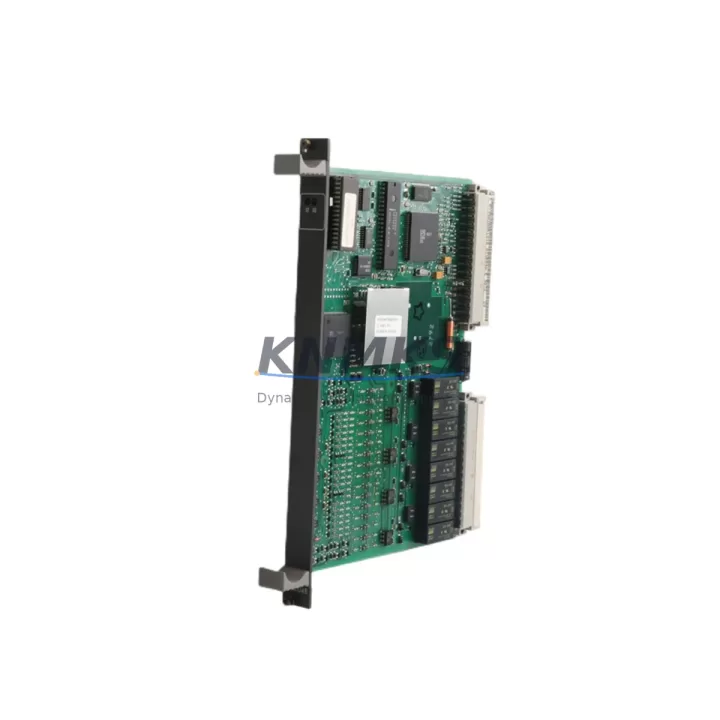
ABB 83SR04A-E GJR2390200R1010 Maintenance-Proven Spare Part for Factory Uptime
The ABB 83SR04A-E (catalog reference GJR2390200R1010) is a 4-channel analog output module designed for the ABB AC500 PLC platform — one of the most widely deployed programmable automation controllers in process, power, and discrete manufacturing industries. As a maintenance-proven spare part, this module is essential for facilities that depend on continuous analog signal control for drives, valves, positioners, and process instrumentation. Sourced as an original ABB component, each unit at KNMKS is inspected, function-tested, and shipped with a support terms confirmed by quotation to support your plant’s uptime strategy.
Whether you are managing a scheduled annual overhaul, responding to an unplanned I/O failure, or building a strategic spare parts inventory for aging AC500 systems, the 83SR04A-E delivers the signal fidelity and rack compatibility your control architecture requires. Its 0–10 V and 4–20 mA output ranges make it directly interchangeable in most AC500 cabinet configurations without firmware reconfiguration, reducing mean time to repair (MTTR) significantly on the production floor.
Spare Maintenance Table
| Parameter | Specification |
|---|---|
| Part Number | 83SR04A-E |
| Catalog / Order Number | GJR2390200R1010 |
| Brand | ABB |
| Series | AC500 |
| Module Type | Analog Output Module |
| Number of Channels | 4-Channel |
| Output Signal Range | 0–10 V DC / 4–20 mA (configurable per channel) |
| Resolution | 12-bit |
| Supply Voltage | 24 V DC (via AC500 backplane bus) |
| Backplane Compatibility | AC500 S500 I/O bus — compatible with TB511, TB521, TB541, TB561 CPUs |
| Country of Origin | Germany |
| Weight | 460 g |
| Operating Temperature | -25°C to +60°C |
| Protection Class | IP20 |
| Mounting | DIN rail via AC500 terminal unit (e.g., TA521) |
| Certifications | CE, UL (AC500 platform) |
| Condition | Original, function-tested before shipment |
| Support terms | 12 Months |
| Lead Time | availability confirmed by RFQ — ships within 1–3 business days |
Maintenance Planning for Continuous Operation
When a 4-channel analog output module such as the 83SR04A-E is flagged during a control cabinet inspection or fails during production, the replacement scope rarely ends at the module itself. Experienced maintenance engineers know that analog output faults are often symptomatic of broader signal chain degradation. A thorough site assessment should include the following components in the same cabinet or I/O loop:
Terminal Units and Backplane Integrity: The 83SR04A-E mounts on an AC500 terminal unit — typically the TA521 or equivalent S500 terminal unit. Inspect the terminal unit for oxidized contacts, cracked housing, or loose field wiring before installing the replacement module. A faulty terminal unit will cause recurring output errors even with a new module installed.
CPU and Communication Modules: Verify that the AC500 CPU — such as the PM573, PM583, or PM591 — is operating within normal parameters. Check the CPU’s diagnostic buffer for analog output channel errors logged prior to the failure. If the system uses a CS31 or PROFIBUS communication module for distributed I/O, confirm that the fieldbus segment serving this module is free of CRC errors or timeout faults.
Power Supply Modules: Analog output accuracy is directly dependent on a stable 24 V DC supply. Inspect the AC500 power supply module (e.g., CP501 or CP502) for output ripple or voltage sag under load. A degraded power supply is a common root cause of analog drift and should be part of any preventive maintenance checklist when replacing I/O modules.
Signal Wiring and Field Instruments: Check the 4–20 mA or 0–10 V field wiring for insulation breakdown, ground loops, or excessive loop resistance. Instruments connected to the analog outputs — such as electropneumatic positioners, variable frequency drives, or control valves — should be verified for correct impedance and loop integrity before commissioning the replacement module.
Analog Input Modules for Cross-Verification: If the process loop includes feedback via an analog input module such as the AI523 or AI531, verify that the input readings correspond correctly to the output commands after replacement. Discrepancies may indicate field instrument calibration drift rather than a module fault.
Fuses and Surge Protection: Inspect any inline fuses or surge protection devices on the analog output field terminals. Overcurrent events that caused the original module failure may have also degraded protective components, which should be replaced as part of the corrective maintenance action.
Maintaining a minimum of one spare 83SR04A-E per AC500 cabinet cluster is a widely adopted practice in facilities with high-availability requirements. For plants operating legacy AC500 systems where OEM supply lead times are unpredictable, holding two units in bonded inventory provides a practical buffer against extended downtime.
Site Replacement Workflow
Replacing the ABB 83SR04A-E (GJR2390200R1010) on-site is a structured process that, when followed correctly, minimizes downtime and eliminates the risk of configuration errors:
Step 1 — Isolate and Document: Before removal, record the current analog output values and channel configurations from the AC500 engineering tool (Automation Builder or PS501 Control Builder). Capture a screenshot of the I/O configuration page for the affected module slot. This ensures rapid recommissioning after replacement.
Step 2 — De-energize and Remove: Switch the AC500 system to STOP mode. De-energize the 24 V DC field supply to the analog output terminals. Disconnect field wiring from the terminal unit, labeling each conductor. Remove the faulty 83SR04A-E from the terminal unit by releasing the module latch.
Step 3 — Inspect Terminal Unit: Before inserting the replacement module, inspect the TA521 terminal unit contacts for contamination or mechanical damage. Clean with isopropyl alcohol if necessary. A damaged terminal unit should be replaced before the new module is installed.
Step 4 — Install Replacement Module: Insert the new 83SR04A-E into the terminal unit until the latch clicks. Reconnect field wiring in the documented order. The AC500 platform supports hot-swap on certain CPU configurations — verify your CPU firmware version supports this before attempting live insertion.
Step 5 — Recommission and Verify: Restore power and switch the CPU to RUN mode. Verify that all four analog output channels are producing the expected signal values. Use a calibrated loop tester or multimeter to confirm 4–20 mA or 0–10 V output at the field terminals. Log the replacement in your CMMS with the module serial number and support terms start date.
This workflow is compatible with both direct OEM replacement and cross-reference substitution scenarios, making the 83SR04A-E a reliable choice for maintenance teams managing multi-generation AC500 installations.
Spare Parts Support FAQ
Q1: Is the ABB 83SR04A-E (GJR2390200R1010) compatible with all AC500 CPU variants?
The 83SR04A-E is designed for the ABB AC500 S500 I/O bus and is compatible with the full range of AC500 CPUs including the PM571, PM573, PM581, PM583, PM591, and PM595 series when used with the appropriate S500 terminal unit. Compatibility with specific firmware versions should be confirmed against the ABB AC500 system manual. KNMKS technical support can assist with compatibility verification prior to purchase.
Q2: What testing is performed before shipment?
Every 83SR04A-E unit shipped by KNMKS undergoes functional verification including power-on self-test, channel output signal verification across the full 4–20 mA and 0–10 V ranges, and visual inspection for physical damage. Units that do not pass all test criteria are not offered for sale. A test report is available upon request for critical procurement applications.
Q3: What does the support terms confirmed by quotation cover?
The support terms confirmed by quotation cover manufacturing defects and functional failures under normal operating conditions as specified in the ABB AC500 product documentation. It does not cover damage resulting from incorrect installation, overvoltage events, or operation outside the rated environmental parameters. Support requests are processed directly through KNMKS with a target response time of 48 hours.
Q4: Can KNMKS support long-term supply for AC500 spare parts programs?
Yes. KNMKS maintains ongoing sourcing relationships for ABB AC500 platform components including CPU modules, analog and digital I/O modules, communication modules, and power supply units. For facilities managing planned obsolescence or building multi-year spare parts inventories, KNMKS can provide volume pricing, reserved stock agreements, and scheduled delivery programs. Contact our team at admin@knmks.com to discuss your long-term supply requirements.
© 2026 KNMKS. All rights reserved.
Original Source: https://knmks.com
Contact: admin@knmks.com | +86 18359268345
Product Identification
- Brand / Ecosystem
-
ABB
ABB - Model / Series
-
83SR04A-E GJR2390200R1010
AC500 Series - Product Family
- PLCs & Controllers
- Availability Status
- Available on request after model and quantity confirmation
- Inquiry Type
- B2B RFQ, replacement inquiry and project spare-part request
- Pre-Quote Check
- Exact SKU, brand, series, quantity, nameplate photos and destination country are checked before quotation
System Path
Where this product fits in the KNMKS automation structure.
Specification & Inquiry Focus
- Control platform
- PLC, PAC and modular controllers
- Common needs
- CPU, rack, power and I/O expansion
- Project support
- Replacement, cabinet build and maintenance
Buyer Confirmation
Information KNMKS checks before replying.
- Exact model
- 83SR04A-E GJR2390200R1010
- Brand / ecosystem
- ABB
- Product family
- PLCs & Controllers
- Application note
- Replacement, maintenance, project build or spare-part list
- Useful photos
- Nameplate, installed unit, cabinet layout or connector side
- Delivery details
- Quantity, destination country and target schedule
Document Support
Files and notes can be confirmed during quotation.
- Product photos or nameplate confirmation when available
- Packing and delivery notes before quotation confirmation
- Support scope and delivery terms confirmed per inquiry
- Export document coordination for qualified B2B requests
Inquiry Support
- Model cross-checking before quotation
- CPU, power, rack and expansion module matching
- Support for replacement and project inquiry
What to Send Us
- Brand and exact model number: ABB 83SR04A-E GJR2390200R1010
- Quantity and required delivery time
- Application, replacement requirement or nameplate photo
- Destination country and shipping preference
RFQ Preparation
This is a product inquiry page built for RFQ communication.
Fast Model Check
Send this model to KNMKS for confirmation.
Include quantity, destination country and photos if this is a maintenance replacement. The inquiry will be saved with a reference number after submission.
Brand & Compatibility Note
KNMKS displays automation product information for well-known industrial brand ecosystems and compatible replacement references. Brand names are used for product identification and compatibility reference only; final availability and commercial terms are confirmed per quotation.
 Manufacturing
 Machine Tools
 Packaging
 Energy & Power



 HMI & Displays
 Servo Systems
 Variable Frequency Drives
 Sensors