
Overview
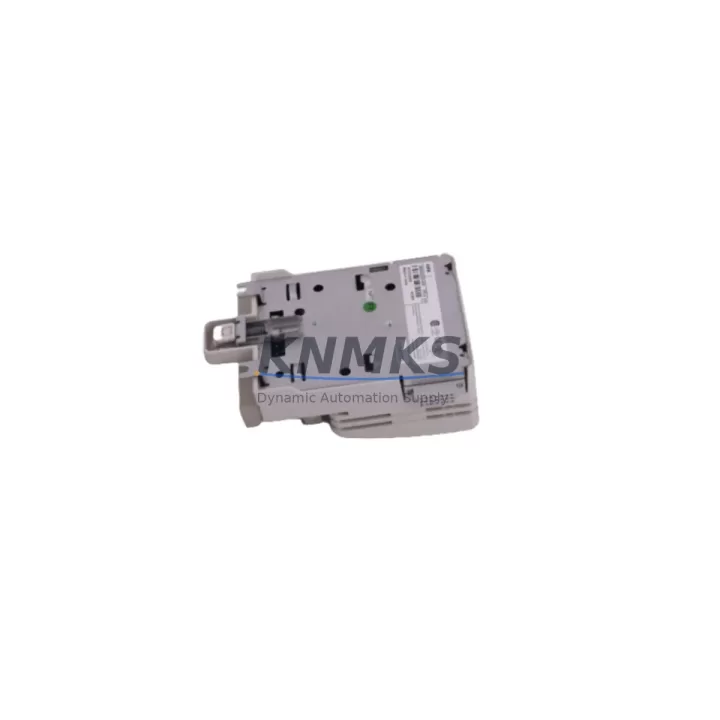
ABB 81AB03 GJR2392500R1210 Migration-Ready AC500 Module: Legacy System Retrofit & Compatibility Upgrade
The ABB 81AB03 (part number GJR2392500R1210) is a proven expansion module within the ABB AC500 PLC platform, purpose-built for industrial control environments where reliability, backward compatibility, and minimal downtime are non-negotiable. As legacy automation systems approach end-of-life and OEM support windows close, the 81AB03 GJR2392500R1210 has become a critical component in retrofit projects across process control, machine automation, and infrastructure modernization programs worldwide.
Whether you are replacing a failed module in an existing AC500 rack, upgrading a control cabinet originally built around the AC500 V1 or V2 architecture, or migrating from a third-party PLC platform to ABB’s AC500 ecosystem, the 81AB03 GJR2392500R1210 delivers the electrical and mechanical compatibility required to complete the transition without redesigning the control system from scratch.
Migration Compatibility Table
| Parameter | Details |
|---|---|
| SKU / Part Number | 81AB03 / GJR2392500R1210 |
| Platform | ABB AC500 PLC Series |
| Module Type | PLC Expansion Module |
| Backplane Interface | AC500 internal bus — compatible with TB511, TB521, TB541 terminal bases |
| Installation | DIN rail mount; standard AC500 rack slot; no additional hardware required |
| Communication Compatibility | PROFIBUS DP, Modbus RTU/TCP, CANopen (subject to CPU firmware version) |
| Replacement Guidance | Direct slot-for-slot replacement in existing AC500 racks; verify CPU firmware ≥ V2.x for full feature support |
| Commissioning Notes | Confirm module address assignment in Automation Builder; re-download I/O configuration after installation |
| Origin | Germany (DE) |
| Pre-Shipment Testing | Yes — functional test performed before dispatch |
| Support terms | support terms confirmed by quotation |
| Stock Status | availability confirmed by RFQ — ready for immediate dispatch |
Retrofit Planning for Existing Automation Systems
Successful integration of the ABB 81AB03 GJR2392500R1210 into a legacy or aging control system requires a structured pre-installation review. Engineers undertaking a retrofit should begin by auditing the existing AC500 CPU module — typically a PM571, PM581, or PM591 — to confirm the installed firmware version supports the 81AB03’s I/O mapping and module addressing scheme. Mismatched firmware between the CPU and expansion module is one of the most common causes of commissioning delays in AC500 retrofit projects.
Terminal base selection is equally critical. The 81AB03 GJR2392500R1210 is designed to seat on ABB TB511 or TB521 terminal bases, which provide the field wiring interface. If the existing cabinet uses an older or non-standard terminal base, a base replacement may be required before the module can be installed. Wiring diagrams from the original system should be cross-referenced against the new module’s I/O channel assignments to prevent signal inversion or address conflicts.
Power supply capacity must be verified before adding any expansion module to an existing rack. The AC500 system’s internal bus draws power from the rack’s power supply module — commonly an ABB CP501 or CP502 power supply unit. Adding the 81AB03 increases the total bus current draw, and engineers should confirm that the existing power supply has sufficient headroom to support the expanded configuration without triggering undervoltage faults or causing instability in adjacent modules such as communication modules or analog I/O cards.
For systems that include an HMI panel — such as an ABB CP600 series operator panel or a third-party SCADA terminal connected via Modbus TCP — the I/O tag database and screen variable bindings must be reviewed after the module swap. If the 81AB03 replaces a module at a different rack address or slot position, HMI variable addresses may shift, requiring updates to the panel project before the system is returned to service. This step is frequently overlooked during rapid replacement scenarios and can result in incorrect process readings or failed interlock logic.
Communication link integrity should also be validated post-installation. In AC500 systems using PROFIBUS DP or CANopen networks, each expansion module participates in the network as a slave device. After installing the 81AB03 GJR2392500R1210, the network master — whether the AC500 CPU or an external PROFIBUS master — must recognize the new module’s GSD file entry and confirm that the bus cycle time remains within acceptable limits. For Modbus RTU configurations, baud rate and parity settings should be verified against the existing network parameters to avoid communication timeouts.
Installation space within the control cabinet should be confirmed before ordering. The 81AB03 occupies a standard AC500 rack slot and requires adequate clearance for cable routing and ventilation. In densely populated cabinets, engineers may need to reorganize adjacent modules or relocate signal isolators and marshalling terminals to accommodate the new module and its associated wiring harness.
Downtime Control During System Migration
Minimizing production downtime during an AC500 module replacement requires careful pre-staging and a disciplined commissioning sequence. Before the maintenance window begins, the existing PLC program should be backed up from the CPU using ABB Automation Builder, with the full project archive — including hardware configuration, I/O mapping, and communication settings — saved to a secure location. This backup serves as the recovery baseline if the replacement module requires configuration adjustments or if the system needs to be rolled back to the previous state.
Where possible, the 81AB03 GJR2392500R1210 should be pre-configured offline using Automation Builder’s hardware configuration editor before the physical installation takes place. Assigning the correct module address, verifying the I/O channel configuration, and compiling the updated project in advance reduces the time the system spends in a non-operational state during the actual swap. For critical processes, a parallel test rack can be used to validate the new module’s behavior against the expected I/O response before the live system is touched.
During the physical installation, the AC500 rack should be powered down in a controlled sequence — disabling field outputs before removing bus power — to protect connected field devices and prevent unintended actuator movement. After the 81AB03 is seated and the terminal base wiring is confirmed, the system should be powered up in stages, with the CPU entering RUN mode only after the module’s status LED confirms successful initialization and bus communication.
Post-installation verification should include a channel-by-channel I/O check against the original signal list, confirmation that all communication links have re-established, and a review of the CPU’s diagnostic buffer for any fault codes generated during startup. With pre-shipment functional testing completed on every 81AB03 GJR2392500R1210 unit dispatched from our facility, field commissioning time is significantly reduced — most experienced engineers complete the full replacement and verification sequence within a single planned maintenance shift.
Retrofit Support FAQ
Q: Is the ABB 81AB03 GJR2392500R1210 a direct replacement for the module currently installed in my AC500 rack?
A: In most AC500 configurations, the 81AB03 GJR2392500R1210 is a slot-compatible replacement. However, you should verify the terminal base type (TB511 vs TB521), the CPU firmware version, and the module address assignment in your existing Automation Builder project before installation. If your system uses an older AC500 V1 CPU, a firmware update may be required to ensure full compatibility.
Q: What commissioning steps are required after installing the 81AB03 GJR2392500R1210?
A: After physical installation, connect to the CPU via Automation Builder, confirm the module is recognized in the hardware configuration, re-download the I/O configuration if required, and perform a channel-by-channel signal verification against your existing I/O list. For systems with PROFIBUS DP or CANopen communication, confirm that the network master has re-established communication with the module before returning the system to automatic mode.
Q: Does the unit come with pre-shipment testing, and what support terms is provided?
A: Yes. Every ABB 81AB03 GJR2392500R1210 unit is functionally tested before dispatch to confirm correct operation. All units are supplied with a support terms confirmed by quotation covering manufacturing defects and functional failures under normal operating conditions. In-stock units are available for immediate dispatch to minimize system downtime.
Q: Can this module be used in a system that is migrating from a non-ABB PLC platform?
A: The 81AB03 GJR2392500R1210 is designed for use within the ABB AC500 platform and requires an AC500 CPU and compatible rack infrastructure. If you are migrating from a Siemens S7, Allen-Bradley ControlLogix, or Schneider Modicon platform, the AC500 system can support protocol bridging via PROFIBUS DP or Modbus TCP gateways, but the 81AB03 itself must be installed in an AC500 rack with a compatible terminal base and CPU.
© 2026 KNMKS. All rights reserved.
Original Source: https://knmks.com
Contact: admin@knmks.com | +86 18359268345
Product Identification
- Brand / Ecosystem
-
ABB
ABB - Model / Series
-
81AB03 GJR2392500R1210
AC500 Series - Product Family
- PLCs & Controllers
- Availability Status
- Available on request after model and quantity confirmation
- Inquiry Type
- B2B RFQ, replacement inquiry and project spare-part request
- Pre-Quote Check
- Exact SKU, brand, series, quantity, nameplate photos and destination country are checked before quotation
System Path
Where this product fits in the KNMKS automation structure.
Specification & Inquiry Focus
- Control platform
- PLC, PAC and modular controllers
- Common needs
- CPU, rack, power and I/O expansion
- Project support
- Replacement, cabinet build and maintenance
Buyer Confirmation
Information KNMKS checks before replying.
- Exact model
- 81AB03 GJR2392500R1210
- Brand / ecosystem
- ABB
- Product family
- PLCs & Controllers
- Application note
- Replacement, maintenance, project build or spare-part list
- Useful photos
- Nameplate, installed unit, cabinet layout or connector side
- Delivery details
- Quantity, destination country and target schedule
Document Support
Files and notes can be confirmed during quotation.
- Product photos or nameplate confirmation when available
- Packing and delivery notes before quotation confirmation
- Support scope and delivery terms confirmed per inquiry
- Export document coordination for qualified B2B requests
Inquiry Support
- Model cross-checking before quotation
- CPU, power, rack and expansion module matching
- Support for replacement and project inquiry
What to Send Us
- Brand and exact model number: ABB 81AB03 GJR2392500R1210
- Quantity and required delivery time
- Application, replacement requirement or nameplate photo
- Destination country and shipping preference
RFQ Preparation
This is a product inquiry page built for RFQ communication.
Fast Model Check
Send this model to KNMKS for confirmation.
Include quantity, destination country and photos if this is a maintenance replacement. The inquiry will be saved with a reference number after submission.
Brand & Compatibility Note
KNMKS displays automation product information for well-known industrial brand ecosystems and compatible replacement references. Brand names are used for product identification and compatibility reference only; final availability and commercial terms are confirmed per quotation.
 Manufacturing
 Machine Tools
 Packaging
 Energy & Power



 HMI & Displays
 Servo Systems
 Variable Frequency Drives
 Sensors