
Overview
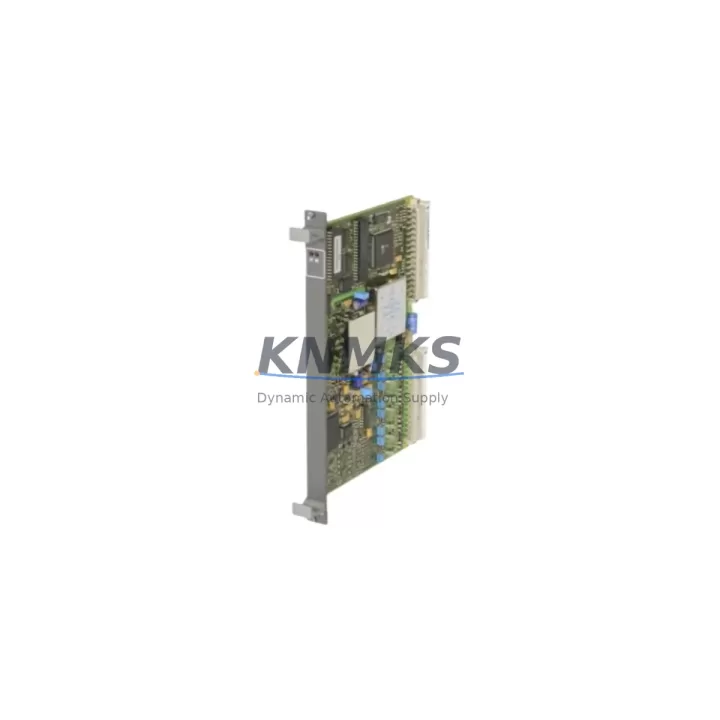
ABB 81AA03 GJR2394100R1210 Migration-Ready Analog Output Module: Legacy System Retrofit & Compatibility Upgrade
The ABB 81AA03 (part number GJR2394100R1210) is a proven analog output module engineered for the ABB AC500 PLC platform. As legacy control systems approach end-of-life and OEM support windows close, this module has become a critical component in retrofit projects across process automation, power distribution, and discrete manufacturing environments. Whether you are replacing a failed unit in an aging control cabinet or executing a planned migration from an obsolete platform, the 81AA03 delivers the signal integrity, form factor compatibility, and firmware alignment required to minimize engineering risk and reduce commissioning time on site.
In retrofit scenarios, the 81AA03 is typically deployed alongside the ABB AC500 CPU modules such as the PM573 or PM583, sharing the same S500 I/O backplane and terminal base architecture. This means existing field wiring — including 4–20 mA analog loops connected to control valves, variable frequency drives, and positioners — can be preserved without re-termination, provided the terminal base type (TB511 or TB521 series) matches the original installation. Before committing to a direct swap, engineers should verify the backplane slot address assignment in the PS501 Control Builder Plus project file, confirm that the analog output channel scaling parameters are correctly mapped, and check that the firmware version loaded on the replacement module is compatible with the resident CPU firmware. Mismatched firmware revisions between the CPU and I/O modules are a common source of diagnostic faults during first power-up after a module swap.
For sites migrating from older ABB Advant or MOD 300 distributed control architectures, the 81AA03 is frequently specified as part of a phased migration strategy where the AC500 platform serves as an intermediate controller layer. In these projects, the communication link between the legacy DCS and the new AC500 rack is typically established via PROFIBUS DP or Modbus RTU, using a dedicated communication module such as the CM572-DP or CM574-RS installed in the same rack. Ensuring that the communication module’s node address and baud rate settings are correctly configured before the cutover window is essential to maintaining process continuity during the transition.
HMI integration is another area that requires careful planning during analog output module replacement. If the existing operator interface is a CP600 series panel or a third-party SCADA system connected via OPC DA, the tag database entries associated with the analog output channels must be verified against the new module’s channel numbering. Any discrepancy between the HMI tag address and the actual I/O module slot position will result in incorrect setpoint transmission to field devices, which can cause process upsets during the commissioning phase. It is strongly recommended to perform a full I/O loop check on all analog output channels before returning the system to automatic control.
Physical installation considerations are equally important. The 81AA03 occupies a standard S500 I/O slot and mounts on a 35 mm DIN rail via its terminal base. Cabinet space allocation should account for the combined depth of the module and terminal base assembly, particularly in retrofit projects where the original cabinet was designed around a different I/O form factor. Power supply capacity must also be reviewed: the AC500 system power supply (PS501 or PS502 series) must have sufficient reserve current to support the additional analog output channels without exceeding its rated output. A power budget calculation covering all installed I/O modules, the CPU, and any communication modules is a standard pre-commissioning step that prevents nuisance tripping of the system power supply during startup.
All units supplied by KNMKS undergo pre-shipment functional testing, including analog output channel verification across the full 4–20 mA range, terminal continuity checks, and firmware version confirmation. Each module is shipped with a support terms confirmed by quotation covering manufacturing defects and is accompanied by documentation confirming the part number, firmware revision, and test results. Global inventory is maintained across regional distribution hubs to support urgent replacement requirements with short lead times.
Migration Compatibility Table
| Parameter | Details |
|---|---|
| Module SKU | 81AA03 / GJR2394100R1210 |
| Platform Compatibility | ABB AC500 S500 I/O System |
| Signal Type | Analog Output, 4–20 mA / 0–10 V |
| Terminal Base Compatibility | TB511, TB521 series (field wiring preserved) |
| Backplane Interface | S500 I/O backplane, standard slot |
| Communication Compatibility | PROFIBUS DP, Modbus RTU (via CM572-DP / CM574-RS) |
| Firmware Requirement | Must match resident AC500 CPU firmware revision |
| Installation | 35 mm DIN rail, standard S500 slot |
| Replacement Recommendation | Direct drop-in for same-series 81AA03 units; verify slot address |
| Commissioning Focus | I/O loop check, HMI tag verification, firmware alignment |
| Origin | Germany |
| Support terms | 12 Months — Manufacturing Defects Covered |
Retrofit Planning for Existing Automation Systems
A successful retrofit using the ABB 81AA03 begins with a thorough audit of the existing control cabinet. The audit should document the current slot assignments of all S500 I/O modules, the terminal base types in use, the CPU model and firmware version, and the communication modules installed in the rack. In many legacy installations, the rack also contains a CM572-DP PROFIBUS communication module linking the AC500 to a field device network, and any changes to the I/O configuration must be reflected in the PROFIBUS GSD file to avoid network faults after the module swap.
Signal isolation is a frequent requirement in retrofit projects where the analog output channels drive field devices in electrically noisy environments. If the original installation included external signal isolators between the 81AA03 output terminals and the field device input, these isolators should be retained and their calibration verified as part of the commissioning process. In some cases, the retrofit project also involves upgrading the system power supply from a PS501 to a PS502 to accommodate the increased current demand of additional I/O modules added during the expansion.
Programming cable access is required if the CPU firmware needs to be updated prior to installing the replacement module. The standard programming interface for the AC500 platform is an Ethernet connection to the CPU’s built-in port, using ABB’s PS501 Control Builder Plus software. If the site does not have a licensed copy of the engineering software available, this should be arranged in advance of the maintenance window to avoid delays during the cutover.
Downtime Control During System Migration
Minimizing unplanned downtime during an analog output module replacement requires a structured approach to the cutover sequence. The recommended practice is to export the current PS501 project file and create a verified backup before any hardware changes are made. If the process allows, the replacement 81AA03 module should be pre-configured and tested on a bench setup using a spare terminal base before being installed in the live cabinet, reducing the time the control system is offline.
During the physical swap, the field wiring connected to the terminal base remains undisturbed, which eliminates re-termination errors and preserves the loop integrity of all connected analog output channels. After the new module is seated and the system is powered up, the CPU will perform an automatic I/O configuration check. If the module firmware version is compatible, the CPU will recognize the module without requiring a project download, allowing the system to return to automatic control within minutes. If a firmware mismatch is detected, a targeted firmware update can be performed via the PS501 software without affecting the rest of the I/O configuration.
For critical processes where even brief interruptions are unacceptable, a hot-standby strategy using a redundant AC500 CPU configuration can be implemented to allow the module swap to occur without interrupting the control output to field devices. This approach requires that the redundant CPU pair and the associated I/O modules are already configured for redundancy in the PS501 project, and that the communication links between the primary and standby CPUs are verified before the maintenance window begins.
Retrofit Support FAQ
Q: Is the ABB 81AA03 GJR2394100R1210 a direct replacement for the original unit?
A: Yes. The 81AA03 with part number GJR2394100R1210 is a direct replacement for same-series units installed in ABB AC500 S500 I/O racks. The terminal base and backplane interface are preserved, so field wiring does not need to be disturbed. Verify the slot address assignment in your PS501 project file before powering up.
Q: What commissioning steps are required after installing the replacement module?
A: After installation, perform a firmware version check to confirm compatibility with the resident CPU. Execute a full I/O loop check on all analog output channels, verify HMI tag addresses against the module’s channel mapping, and confirm that all PROFIBUS or Modbus communication links are active before returning the system to automatic control.
Q: Does KNMKS provide pre-shipment testing for the 81AA03?
A: Yes. Every unit undergoes functional testing covering analog output channel verification across the full signal range, terminal continuity checks, and firmware revision confirmation before shipment. Test documentation is included with each unit.
Q: What is the support terms coverage and lead time?
A: All ABB 81AA03 GJR2394100R1210 modules supplied by KNMKS carry a support terms confirmed by quotation against manufacturing defects. Stock is maintained across global distribution hubs to support urgent replacement requirements. Contact our team for current availability and lead time confirmation.
© 2026 KNMKS. All rights reserved.
Original Source: https://knmks.com
Contact: admin@knmks.com | +86 18359268345
Product Identification
- Brand / Ecosystem
-
ABB
ABB - Model / Series
-
81AA03 GJR2394100R1210
AC500 Series - Product Family
- PLCs & Controllers
- Availability Status
- Available on request after model and quantity confirmation
- Inquiry Type
- B2B RFQ, replacement inquiry and project spare-part request
- Pre-Quote Check
- Exact SKU, brand, series, quantity, nameplate photos and destination country are checked before quotation
System Path
Where this product fits in the KNMKS automation structure.
Specification & Inquiry Focus
- Control platform
- PLC, PAC and modular controllers
- Common needs
- CPU, rack, power and I/O expansion
- Project support
- Replacement, cabinet build and maintenance
Buyer Confirmation
Information KNMKS checks before replying.
- Exact model
- 81AA03 GJR2394100R1210
- Brand / ecosystem
- ABB
- Product family
- PLCs & Controllers
- Application note
- Replacement, maintenance, project build or spare-part list
- Useful photos
- Nameplate, installed unit, cabinet layout or connector side
- Delivery details
- Quantity, destination country and target schedule
Document Support
Files and notes can be confirmed during quotation.
- Product photos or nameplate confirmation when available
- Packing and delivery notes before quotation confirmation
- Support scope and delivery terms confirmed per inquiry
- Export document coordination for qualified B2B requests
Inquiry Support
- Model cross-checking before quotation
- CPU, power, rack and expansion module matching
- Support for replacement and project inquiry
What to Send Us
- Brand and exact model number: ABB 81AA03 GJR2394100R1210
- Quantity and required delivery time
- Application, replacement requirement or nameplate photo
- Destination country and shipping preference
RFQ Preparation
This is a product inquiry page built for RFQ communication.
Fast Model Check
Send this model to KNMKS for confirmation.
Include quantity, destination country and photos if this is a maintenance replacement. The inquiry will be saved with a reference number after submission.
Brand & Compatibility Note
KNMKS displays automation product information for well-known industrial brand ecosystems and compatible replacement references. Brand names are used for product identification and compatibility reference only; final availability and commercial terms are confirmed per quotation.
 Manufacturing
 Machine Tools
 Packaging
 Energy & Power



 HMI & Displays
 Servo Systems
 Variable Frequency Drives
 Sensors