
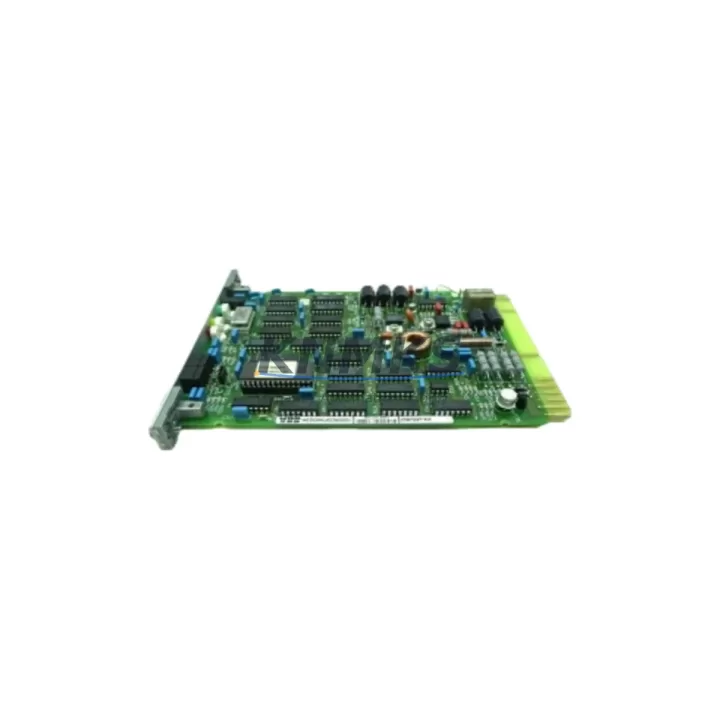
Overview
ABB 70BV05a-ES Migration-Ready Analog Input for AC500: Legacy System Retrofit & Compatibility Upgrade
The ABB 70BV05a-ES is a migration-ready analog input module designed for the ABB AC500 programmable logic controller platform. As legacy DCS and PLC installations approach end-of-life, the 70BV05a-ES provides a verified drop-in replacement path for facilities operating aging AC500 racks, enabling control engineers to extend system service life, reduce unplanned downtime, and maintain full I/O compatibility without rewriting existing control logic.
Manufactured in Germany and tested against ABB factory specifications, the 70BV05a-ES supports standard analog signal ranges including 4–20 mA and 0–10 V DC inputs, making it directly interchangeable with earlier-generation ABB analog input cards installed in AC500 CPU racks. The module slots into standard AC500 backplane positions and is recognized by PS501 Control Builder Plus without requiring driver updates or hardware reconfiguration in most retrofit scenarios.
For plants running mixed-generation AC500 installations — particularly those combining older PM571, PM581, or PM591 CPUs with newer expansion I/O — the 70BV05a-ES provides a stable analog front-end that preserves existing channel addressing and signal scaling parameters. Engineers replacing failed or end-of-life analog input cards can swap the 70BV05a-ES into the existing terminal block position, verify channel mapping in the Control Builder project, and return the loop to service with minimal configuration changes.
Migration Compatibility Table
| Parameter | Detail |
|---|---|
| SKU / Part Number | 70BV05a-ES |
| Brand / Series | ABB / AC500 |
| Module Type | Analog Input Module |
| Signal Range | 4–20 mA / 0–10 V DC (standard AC500 analog input ranges) |
| Backplane Interface | AC500 standard backplane bus — compatible with TB511, TB521, TB541 terminal units |
| Installation Requirement | Mounts into standard AC500 I/O slot; no additional mounting hardware required |
| Communication Compatibility | Communicates via AC500 internal I/O bus; compatible with PROFIBUS DP, Modbus RTU, and CANopen master configurations on supported CPUs |
| Replacement Recommendation | Direct replacement for equivalent-generation ABB AC500 analog input modules; verify channel count and signal type before installation |
| Commissioning Focus | Confirm channel address mapping in PS501 Control Builder; verify terminal block wiring polarity; check signal scaling parameters in existing PLC program |
| Origin | Germany (DE) |
| Support terms | 12 Months — covers manufacturing defects and functional failure under normal operating conditions |
Retrofit Planning for Existing Automation Systems
Successful retrofit of the ABB 70BV05a-ES into an existing AC500 control system requires a structured pre-installation review. Before removing the legacy analog input card, engineers should document the existing terminal block wiring layout, confirm the module slot address assigned in the PS501 Control Builder project, and record the current signal scaling and filter settings for each active channel. This baseline documentation reduces commissioning time and protects against configuration drift during the swap.
Power budget verification is a critical first step. The AC500 rack power supply — typically an ABB CP-E series or equivalent 24 V DC supply module — must have sufficient headroom to support the replacement module. In racks where multiple I/O modules share a common power rail, adding or replacing an analog input card without checking the aggregate current draw can cause intermittent supply faults or CPU communication errors after restart.
Terminal block compatibility should also be confirmed before ordering. The 70BV05a-ES is designed for use with ABB TB511 or TB521 terminal units. If the existing installation uses an older terminal unit variant, a terminal adapter or rewiring of field cables may be required. In control cabinets with limited rail space, engineers should measure the available slot width and depth before scheduling the replacement outage.
For systems that include ABB CI501 or CI502 PROFIBUS DP communication interface modules, the analog input channel data is mapped through the CPU’s I/O configuration table. After installing the 70BV05a-ES, the PROFIBUS GSD file and I/O mapping in the master PLC or DCS should be verified to ensure the replacement module’s data word positions align with the existing process variable assignments. Similarly, installations using ABB CI511 CANopen or CI531 Modbus communication modules should confirm that the analog input data addresses remain consistent with the upstream SCADA or HMI tag database.
HMI screen updates are often overlooked during analog input module replacements. If the legacy module used a different channel resolution or data format, process variable displays on ABB CP600 operator panels or third-party SCADA systems may require scaling adjustments to maintain accurate engineering unit readouts. Coordinating HMI tag verification with the control logic review before the maintenance window prevents post-restart discrepancies that can delay return-to-service.
In multi-rack AC500 installations, the 70BV05a-ES slot position determines its logical I/O address. Engineers should confirm that the replacement module is inserted into the same physical slot as the removed card, or update the PS501 project hardware configuration to reflect any slot change before downloading the revised program to the CPU.
Downtime Control During System Migration
Minimizing control system downtime during an analog input module replacement requires preparation that begins well before the maintenance window. The most effective approach is to pre-stage the 70BV05a-ES alongside the existing installation, perform a visual and dimensional check against the installed module, and confirm firmware compatibility with the target AC500 CPU version before scheduling the outage.
Where process conditions allow, engineers should place the affected control loops in manual mode at the DCS or SCADA level before de-energizing the rack. This preserves the last known output state on downstream actuators and prevents process upsets caused by loss of analog feedback during the module swap. For critical loops — such as flow, pressure, or temperature control — coordinating with the operations team to hold process setpoints manually during the replacement window is standard practice.
The existing PLC program should be backed up to an offline archive before any hardware change. ABB PS501 Control Builder Plus supports full project export including hardware configuration, variable tables, and program logic. This backup serves as the recovery baseline if the replacement module requires a hardware configuration update or if the CPU fails to recognize the new card on first power-up.
After installing the 70BV05a-ES and restoring power, engineers should verify that all analog input channels report valid process values before returning loops to automatic control. Channel-by-channel signal injection testing — using a loop calibrator to simulate 4 mA, 12 mA, and 20 mA inputs — confirms that the module’s A/D conversion and scaling are functioning correctly before live process signals are reconnected. This step is particularly important in safety-instrumented or interlock-critical applications where a misconfigured analog input could trigger an unplanned shutdown.
Each 70BV05a-ES unit shipped by KNMKS undergoes pre-shipment functional testing to verify analog input accuracy, channel isolation, and backplane communication integrity. Units are shipped with a support terms confirmed by quotation covering manufacturing defects and functional failure under normal operating conditions, providing assurance for maintenance teams managing critical spare parts inventories.
Retrofit Support FAQ
Q1: Is the ABB 70BV05a-ES a direct drop-in replacement for my existing AC500 analog input module?
In most AC500 installations, the 70BV05a-ES is a direct slot-compatible replacement for equivalent-generation ABB analog input cards. Before installation, confirm that the channel count, signal type (current or voltage), and terminal unit type match your existing configuration. If your installation uses an older terminal unit variant, a terminal adapter may be required. Contact our technical team with your existing module part number for a confirmed compatibility assessment.
Q2: What commissioning steps are required after installing the 70BV05a-ES?
After physical installation, verify the module slot address in PS501 Control Builder, confirm that channel signal scaling parameters match the original configuration, and perform a loop check on each active analog input channel using a calibrated signal source. For systems with PROFIBUS DP or Modbus communication interfaces, verify that the I/O data mapping in the master controller or SCADA system remains consistent with the replacement module’s channel data format.
Q3: Does KNMKS provide pre-shipment testing for the 70BV05a-ES?
Yes. Every 70BV05a-ES unit undergoes functional testing prior to shipment, including analog input accuracy verification, channel isolation testing, and backplane communication checks. Units are shipped with a test report on request and are covered by a support terms confirmed by quotation against manufacturing defects and functional failure under normal operating conditions.
Q4: What is the typical lead time and stock availability for the ABB 70BV05a-ES?
KNMKS maintains regional inventory of the 70BV05a-ES to support urgent replacement requirements. Standard orders ship within 3–5 business days. For emergency breakdown situations, expedited shipping options are available. Contact our sales team at admin@knmks.com or +86 18359268345 to confirm current stock levels and delivery timelines for your location.
© 2026 KNMKS. All rights reserved.
Original Source: https://knmks.com
Contact: admin@knmks.com | +86 18359268345
Product Identification
- Brand / Ecosystem
-
ABB
ABB - Model / Series
-
70BV05a-ES
AC500 Series - Product Family
- PLCs & Controllers
- Availability Status
- Available on request after model and quantity confirmation
- Inquiry Type
- B2B RFQ, replacement inquiry and project spare-part request
- Pre-Quote Check
- Exact SKU, brand, series, quantity, nameplate photos and destination country are checked before quotation
System Path
Where this product fits in the KNMKS automation structure.
Specification & Inquiry Focus
- Control platform
- PLC, PAC and modular controllers
- Common needs
- CPU, rack, power and I/O expansion
- Project support
- Replacement, cabinet build and maintenance
Buyer Confirmation
Information KNMKS checks before replying.
- Exact model
- 70BV05a-ES
- Brand / ecosystem
- ABB
- Product family
- PLCs & Controllers
- Application note
- Replacement, maintenance, project build or spare-part list
- Useful photos
- Nameplate, installed unit, cabinet layout or connector side
- Delivery details
- Quantity, destination country and target schedule
Document Support
Files and notes can be confirmed during quotation.
- Product photos or nameplate confirmation when available
- Packing and delivery notes before quotation confirmation
- Support scope and delivery terms confirmed per inquiry
- Export document coordination for qualified B2B requests
Inquiry Support
- Model cross-checking before quotation
- CPU, power, rack and expansion module matching
- Support for replacement and project inquiry
What to Send Us
- Brand and exact model number: ABB 70BV05a-ES
- Quantity and required delivery time
- Application, replacement requirement or nameplate photo
- Destination country and shipping preference
RFQ Preparation
This is a product inquiry page built for RFQ communication.
Fast Model Check
Send this model to KNMKS for confirmation.
Include quantity, destination country and photos if this is a maintenance replacement. The inquiry will be saved with a reference number after submission.
Brand & Compatibility Note
KNMKS displays automation product information for well-known industrial brand ecosystems and compatible replacement references. Brand names are used for product identification and compatibility reference only; final availability and commercial terms are confirmed per quotation.
 Manufacturing
 Machine Tools
 Packaging
 Energy & Power



 HMI & Displays
 Servo Systems
 Variable Frequency Drives
 Sensors