
Overview
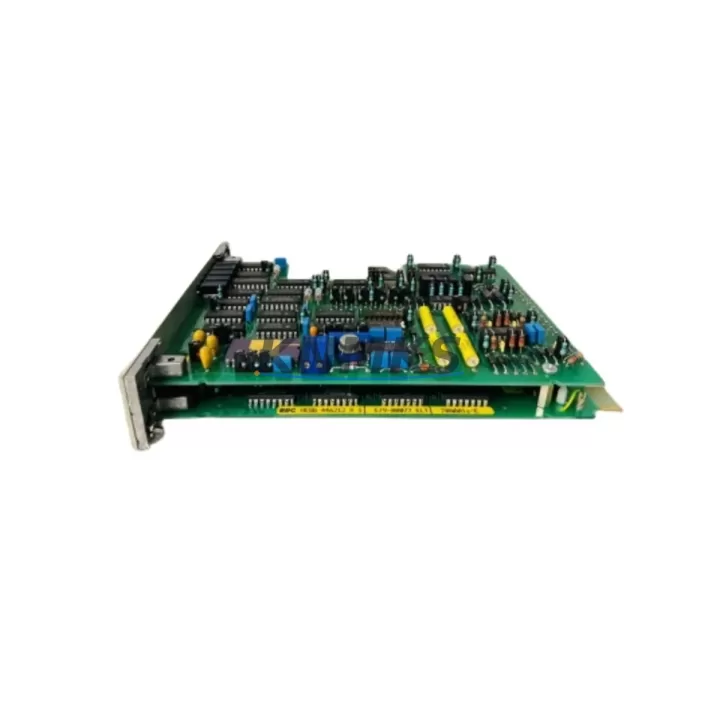
ABB 70AA01 a-E Migration-Ready Analog Output Module: Legacy System Retrofit & Compatible Upgrade
The ABB 70AA01 a-E is a migration-ready analog output module engineered for engineers and maintenance teams managing the lifecycle of ABB AC500 programmable logic controller platforms. As legacy AC500 installations age across petrochemical plants, power generation facilities, water treatment stations, and port automation systems, the 70AA01 a-E provides a validated, stock-backed replacement path that minimizes unplanned downtime and preserves existing control logic investments.
Sourced directly from authorized supply chains and subjected to rigorous pre-shipment functional testing, each unit ships with a support terms confirmed by quotation and full traceability documentation. Whether you are executing a like-for-like spare parts swap or planning a phased control cabinet modernization, the 70AA01 a-E integrates into existing AC500 rack architectures without requiring firmware rewrites or HMI screen redesigns.
Migration Compatibility Table
| Parameter | Details |
|---|---|
| Compatible Platform | ABB AC500 PLC Series (PM571, PM581, PM591, PM595) |
| Module Type | Analog Output Module |
| Backplane Interface | AC500 S500 I/O bus — direct slot insertion, no adapter required |
| Terminal Wiring | Compatible with existing field wiring; verify terminal pitch and signal range (0–10 V / 4–20 mA) before swap |
| Communication Compatibility | Profibus DP, Modbus RTU, CANopen (via AC500 CPU configuration) |
| Installation Space | Standard AC500 S500 module footprint — confirm rack slot availability before ordering |
| Firmware Requirement | Compatible with existing AC500 CPU firmware; no forced upgrade required for drop-in replacement |
| Replacement Recommendation | Direct replacement for discontinued or end-of-life 70AA01 a-E units in AC500 installations |
| Commissioning Notes | Verify module address assignment in Automation Builder; re-download I/O configuration if slot position changes |
| Support terms | support terms confirmed by quotation — covers manufacturing defects and functional failure under normal operating conditions |
Retrofit Planning for Existing Automation Systems
Successful integration of the ABB 70AA01 a-E into a running AC500 system requires a structured pre-installation review. Begin by auditing the existing rack configuration: confirm that the target slot is physically available and that the AC500 backplane bus is not saturated by adjacent high-current modules such as the ABB TU515 or TU516 terminal units, which define the physical connection interface between the 70AA01 a-E and field wiring. Mismatched terminal units are one of the most common causes of commissioning delays during analog output retrofits.
Power budget verification is equally critical. The AC500 CPU module — whether a PM571, PM581, or PM591 — supplies backplane power to all connected I/O modules. Adding or replacing an analog output module changes the total current draw on the internal bus. Before installation, calculate the aggregate power consumption of all installed modules and confirm headroom against the CPU’s rated backplane supply capacity.
For systems where the 70AA01 a-E is being introduced alongside communication protocol migration — for example, transitioning from a legacy Profibus DP segment to a Modbus TCP architecture via an ABB CM572-DP or CM575-DN communication module — the analog output channel mapping must be re-verified in the Automation Builder project. Channel addresses assigned in the original program may shift if the module is inserted into a different rack slot than the unit it replaces.
HMI screens connected to AC500 via ABB CP600 or CP620 operator panels typically reference analog output tags by symbolic name rather than absolute address. In most retrofit scenarios, tag names are preserved and HMI screens require no modification — but this must be confirmed in the project database before go-live. Signal isolators or ABB RISH series signal conditioners installed upstream of the analog output loop should also be checked for output range compatibility (0–10 V vs. 4–20 mA) to avoid field device miscalibration after the swap.
Programming cable access is required if the CPU firmware needs to be refreshed or if the I/O configuration must be re-downloaded after the module swap. Ensure that an ABB TK501 or compatible USB programming cable is available on-site before scheduling the maintenance window. Remote access via Ethernet is possible on PM591 and PM595 CPUs, which can reduce the need for physical cable connections during commissioning.
Downtime Control During System Migration
Minimizing production interruption during an analog output module replacement requires advance preparation at three levels: program backup, field signal documentation, and staged commissioning.
Before any hardware is removed, export a full backup of the Automation Builder project from the running CPU. This preserves the current I/O configuration, variable table, and communication settings. Store the backup on an isolated engineering workstation — not on the plant network — to protect against accidental overwrite during the maintenance window.
Document all field wiring connected to the existing 70AA01 a-E terminal unit before disconnection. Photograph terminal assignments and record signal ranges for each channel. This step is especially important in installations where the original wiring documentation is incomplete or has not been updated to reflect field modifications made after initial commissioning.
During the swap itself, insert the replacement 70AA01 a-E into the same rack slot as the removed unit. If the slot position is unchanged and the terminal unit remains in place, the CPU will recognize the module automatically on power-up without requiring a full project re-download. Verify this behavior in Automation Builder’s online diagnostics before releasing the system to production. Monitor analog output channel values in real time during the first 15–30 minutes of operation to confirm that field devices — control valves, variable frequency drives, or positioners — are responding correctly to the restored signal outputs.
For planned migrations where multiple modules are being replaced in a single maintenance window, sequence the replacements by criticality: restore the highest-priority control loops first and validate each before proceeding to the next. This staged approach limits the blast radius of any unexpected commissioning issue and allows partial system restoration if the full migration cannot be completed within the scheduled downtime window.
Retrofit Support FAQ
Q1: Is the ABB 70AA01 a-E a direct drop-in replacement for the original unit in my AC500 rack?
Yes, in the vast majority of AC500 installations the 70AA01 a-E is a direct slot-compatible replacement. The module uses the standard S500 backplane interface and is compatible with TU515 and TU516 terminal units. Confirm that your existing terminal unit model matches the 70AA01 a-E’s terminal assignment before installation to avoid rewiring.
Q2: Do I need to update my AC500 CPU firmware before installing the 70AA01 a-E?
In most cases, no firmware update is required for a like-for-like replacement. The 70AA01 a-E is recognized by the AC500 CPU using the existing I/O configuration. If you are upgrading from a significantly older firmware version or changing the rack slot position, a configuration re-download via Automation Builder may be necessary. We recommend confirming firmware compatibility with your project’s hardware catalog version before the maintenance window.
Q3: What pre-shipment testing is performed on the 70AA01 a-E before delivery?
Every 70AA01 a-E unit undergoes functional output verification across all analog channels prior to shipment. Testing confirms signal accuracy, channel isolation, and backplane communication integrity. A test report is available upon request. Units are shipped in anti-static packaging with full traceability documentation and are covered by a support terms confirmed by quotation from the date of delivery.
Q4: What is the typical lead time and stock availability for the ABB 70AA01 a-E?
We maintain stock of the 70AA01 a-E to support urgent spare parts requirements and planned retrofit projects. Standard orders ship within 3–5 business days. For large-quantity orders or multi-site procurement programs, contact our sales team to confirm availability and discuss volume pricing. Long-term supply agreements are available for customers managing 12–36 month spare parts strategies across multiple AC500 installations.
© 2026 KNMKS. All rights reserved.
Original Source: https://knmks.com
Contact: admin@knmks.com | +86 18359268345
Product Identification
- Brand / Ecosystem
-
ABB
ABB - Model / Series
-
70AA01 a-E
AC500 Series - Product Family
- PLCs & Controllers
- Availability Status
- Available on request after model and quantity confirmation
- Inquiry Type
- B2B RFQ, replacement inquiry and project spare-part request
- Pre-Quote Check
- Exact SKU, brand, series, quantity, nameplate photos and destination country are checked before quotation
System Path
Where this product fits in the KNMKS automation structure.
Specification & Inquiry Focus
- Control platform
- PLC, PAC and modular controllers
- Common needs
- CPU, rack, power and I/O expansion
- Project support
- Replacement, cabinet build and maintenance
Buyer Confirmation
Information KNMKS checks before replying.
- Exact model
- 70AA01 a-E
- Brand / ecosystem
- ABB
- Product family
- PLCs & Controllers
- Application note
- Replacement, maintenance, project build or spare-part list
- Useful photos
- Nameplate, installed unit, cabinet layout or connector side
- Delivery details
- Quantity, destination country and target schedule
Document Support
Files and notes can be confirmed during quotation.
- Product photos or nameplate confirmation when available
- Packing and delivery notes before quotation confirmation
- Support scope and delivery terms confirmed per inquiry
- Export document coordination for qualified B2B requests
Inquiry Support
- Model cross-checking before quotation
- CPU, power, rack and expansion module matching
- Support for replacement and project inquiry
What to Send Us
- Brand and exact model number: ABB 70AA01 a-E
- Quantity and required delivery time
- Application, replacement requirement or nameplate photo
- Destination country and shipping preference
RFQ Preparation
This is a product inquiry page built for RFQ communication.
Fast Model Check
Send this model to KNMKS for confirmation.
Include quantity, destination country and photos if this is a maintenance replacement. The inquiry will be saved with a reference number after submission.
Brand & Compatibility Note
KNMKS displays automation product information for well-known industrial brand ecosystems and compatible replacement references. Brand names are used for product identification and compatibility reference only; final availability and commercial terms are confirmed per quotation.
 Manufacturing
 Machine Tools
 Packaging
 Energy & Power



 HMI & Displays
 Servo Systems
 Variable Frequency Drives
 Sensors