
Overview
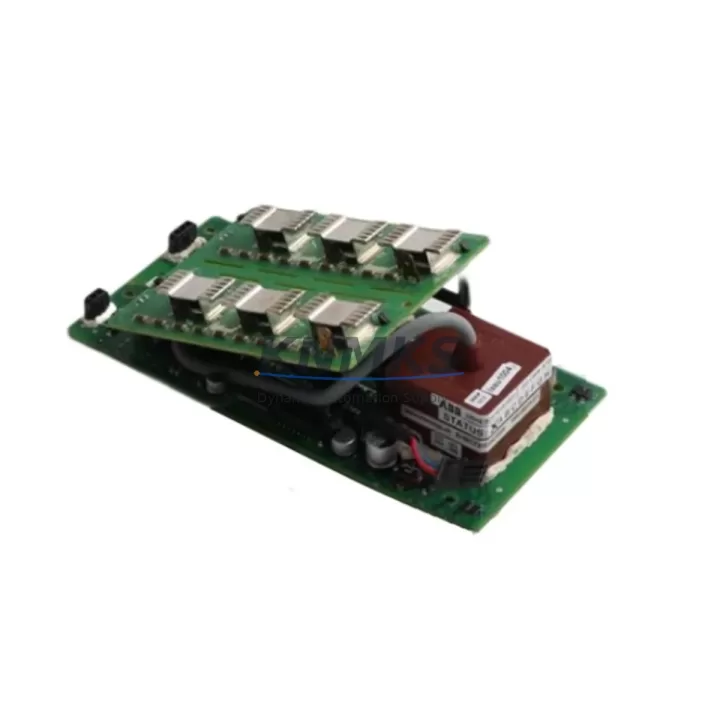
ABB 6636166A3 Maintenance-Proven Spare Part for Factory Uptime
The ABB 6636166A3 is an original front-panel keyboard assembly designed for the ABB AC500 PLC series — one of the most widely deployed programmable logic controller platforms in industrial automation worldwide. Sourced directly from authorized supply channels, this spare part is intended for maintenance engineers and procurement teams who require a verified, drop-in replacement to restore control system functionality with minimal downtime.
In high-availability production environments, the front-panel keyboard assembly is a critical human-machine interface component. Wear, contamination, membrane fatigue, or physical impact can render the operator interface unresponsive, effectively disabling local parameter access, diagnostic navigation, and manual override capability on the AC500 CPU module. Stocking the 6636166A3 as a ready spare eliminates the lead-time risk associated with emergency procurement and ensures that planned maintenance windows remain on schedule.
Every unit supplied by KNMKS undergoes pre-shipment functional verification. Electrical continuity, connector integrity, and membrane response are checked prior to packaging. Each order is accompanied by a support terms confirmed by quotation covering manufacturing defects and functional failure under normal operating conditions. Long-term supply continuity is supported through established sourcing relationships, making KNMKS a reliable partner for ongoing spare parts programs.
Spare Maintenance Table
| Part Number | 6636166A3 |
| Brand | ABB |
| Series | AC500 |
| Product Type | PLC Keyboard / Front-Panel Operator Interface Assembly |
| Compatible Platform | ABB AC500 PLC CPU Modules (PM5xx / PM5xx-ETH series) |
| Origin | Germany (DE) |
| Mounting | Direct front-panel snap-fit; no additional hardware required |
| Operating Temperature | 0 °C to +60 °C (standard industrial cabinet environment) |
| Protection Rating | IP20 (panel-mounted, cabinet interior) |
| Connector Interface | Integrated ribbon/flex connector to CPU module |
| Application Environment | Discrete manufacturing, process automation, utilities, building automation |
| Maintenance Recommendation | Inspect annually; replace immediately upon membrane failure or unresponsive keys |
| Pre-Shipment Testing | Continuity check, connector integrity, membrane response verification |
| Support terms | 12 Months — manufacturing defects and functional failure under normal use |
Maintenance Planning for Continuous Operation
Replacing the 6636166A3 keyboard assembly is rarely an isolated task. A thorough maintenance engineer will treat this intervention as an opportunity to audit the surrounding AC500 control cabinet for components that share the same operational age and environmental stress profile.
Begin with the AC500 CPU power supply module (such as the PS501 or compatible DC/DC converter fitted to the rack). A degraded power rail is a common root cause of intermittent keyboard response and display anomalies that are often misdiagnosed as keyboard assembly failure. Verify output voltage stability under load before condemning the 6636166A3.
Inspect the AC500 digital I/O expansion modules (DI524, DO524, or equivalent) mounted on the same backplane. Backplane connector oxidation can introduce signal noise that manifests as erratic HMI behavior. Clean or replace backplane connectors as part of the same maintenance window.
Check the communication module installed in the AC500 rack — typically a CM572-DP (PROFIBUS) or CM589-PNIO (PROFINET) card. Firmware version alignment between the CPU and communication module should be confirmed after any hardware replacement to prevent bus initialization errors on restart.
Review the 24 VDC panel power supply feeding the AC500 rack (e.g., ABB CP-E series or equivalent third-party DIN-rail PSU). Measure output ripple and verify that the supply is within its rated load capacity. An undersized or aging panel PSU is a frequent contributor to CPU module resets and keyboard interface faults.
Examine terminal blocks and field wiring connected to I/O modules in the same cabinet. Loose terminations and corroded contacts increase ground noise, which can affect the CPU’s internal reference and degrade operator interface reliability. Torque-check all terminal screws and apply contact protection spray where corrosion is present.
Finally, if the AC500 system includes an HMI panel (such as an ABB CP600 or third-party touch panel connected via Ethernet or serial), verify that the HMI firmware and project file are backed up before performing the keyboard assembly replacement. A CPU restart following hardware maintenance may trigger an HMI reconnection sequence that exposes outdated project versions.
Site Replacement Workflow
Step 1 — Preparation: Download and retain the current AC500 CPU program backup using ABB Automation Builder or PS501 Control Builder. Confirm the backup is complete and readable before proceeding. Note the CPU firmware version for post-replacement compatibility verification.
Step 2 — Safe Isolation: Follow site LOTO (Lockout/Tagout) procedures. De-energize the control cabinet. Allow capacitors in the power supply section to discharge for a minimum of 60 seconds before opening the CPU module enclosure.
Step 3 — Removal: Disconnect the flex/ribbon connector linking the existing keyboard assembly to the CPU module PCB. Release the snap-fit retaining clips on the front panel. Remove the worn 6636166A3 assembly and inspect the connector receptacle on the CPU module for damage or contamination.
Step 4 — Installation: Seat the replacement 6636166A3 assembly into the front-panel frame. Engage all retaining clips. Reconnect the flex connector, ensuring correct orientation and full seating. Do not force the connector — misalignment will damage the CPU module interface.
Step 5 — Verification: Re-energize the cabinet. Confirm that the AC500 CPU boots normally and that all keyboard functions respond correctly. Navigate through the local HMI menu to verify display integrity and key mapping. Confirm that the program loaded from memory matches the pre-maintenance backup.
Step 6 — Documentation: Record the replacement in the site maintenance log. Update the spare parts inventory to reflect consumption of one 6636166A3 unit and initiate a restock order to maintain minimum buffer stock levels.
Spare Parts Support FAQ
Q1: Is the 6636166A3 a direct replacement for all AC500 CPU variants?
The 6636166A3 keyboard assembly is designed for the ABB AC500 PLC front-panel interface. Compatibility should be confirmed against the specific CPU module variant (PM5xx series) installed at your site. KNMKS technical support can assist with cross-reference verification prior to order placement.
Q2: What is the recommended minimum stock level for this spare part?
For facilities operating multiple AC500 PLC stations, a minimum buffer of one unit per five installed CPUs is a common industry practice. Sites with high-criticality processes or extended supplier lead times should maintain a higher buffer. KNMKS supports blanket order arrangements for customers with ongoing spare parts programs.
Q3: How is the unit tested before shipment?
Each 6636166A3 unit undergoes electrical continuity testing, connector integrity inspection, and membrane response verification before packaging. A test record is retained internally. Units that do not pass all checks are quarantined and not shipped.
Q4: What does the support terms confirmed by quotation cover?
The support terms covers manufacturing defects and functional failure under normal operating conditions for 12 months from the date of shipment. It does not cover damage resulting from incorrect installation, overvoltage, physical impact, or use outside the specified environmental parameters. Support requests are processed through admin@knmks.com with a fault description and order reference.
© 2026 KNMKS. All rights reserved.
Original Source: https://knmks.com
Contact: admin@knmks.com | +86 18359268345
Product Identification
- Brand / Ecosystem
-
ABB
ABB - Model / Series
-
6636166A3
AC500 Series - Product Family
- PLCs & Controllers
- Availability Status
- Available on request after model and quantity confirmation
- Inquiry Type
- B2B RFQ, replacement inquiry and project spare-part request
- Pre-Quote Check
- Exact SKU, brand, series, quantity, nameplate photos and destination country are checked before quotation
System Path
Where this product fits in the KNMKS automation structure.
Specification & Inquiry Focus
- Control platform
- PLC, PAC and modular controllers
- Common needs
- CPU, rack, power and I/O expansion
- Project support
- Replacement, cabinet build and maintenance
Buyer Confirmation
Information KNMKS checks before replying.
- Exact model
- 6636166A3
- Brand / ecosystem
- ABB
- Product family
- PLCs & Controllers
- Application note
- Replacement, maintenance, project build or spare-part list
- Useful photos
- Nameplate, installed unit, cabinet layout or connector side
- Delivery details
- Quantity, destination country and target schedule
Document Support
Files and notes can be confirmed during quotation.
- Product photos or nameplate confirmation when available
- Packing and delivery notes before quotation confirmation
- Support scope and delivery terms confirmed per inquiry
- Export document coordination for qualified B2B requests
Inquiry Support
- Model cross-checking before quotation
- CPU, power, rack and expansion module matching
- Support for replacement and project inquiry
What to Send Us
- Brand and exact model number: ABB 6636166A3
- Quantity and required delivery time
- Application, replacement requirement or nameplate photo
- Destination country and shipping preference
RFQ Preparation
This is a product inquiry page built for RFQ communication.
Fast Model Check
Send this model to KNMKS for confirmation.
Include quantity, destination country and photos if this is a maintenance replacement. The inquiry will be saved with a reference number after submission.
Brand & Compatibility Note
KNMKS displays automation product information for well-known industrial brand ecosystems and compatible replacement references. Brand names are used for product identification and compatibility reference only; final availability and commercial terms are confirmed per quotation.
 Manufacturing
 Machine Tools
 Packaging
 Energy & Power



 HMI & Displays
 Servo Systems
 Variable Frequency Drives
 Sensors