
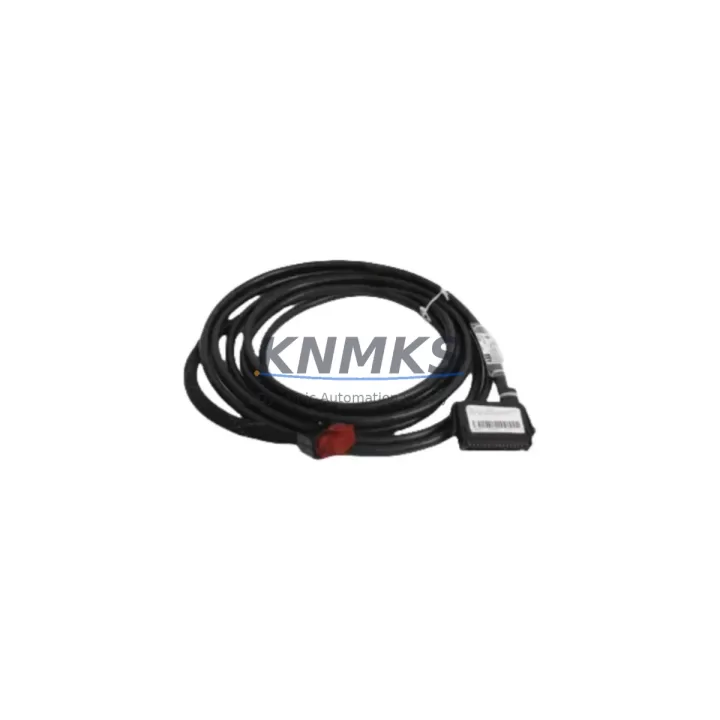
Overview
ABB 6634512A26N4 Migration-Ready I/O Module for AC500: Legacy System Retrofit & Compatibility Upgrade
The ABB 6634512A26N4 is a proven I/O module designed for the ABB AC500 programmable logic controller platform, widely deployed across process automation, power distribution, water treatment, and discrete manufacturing environments. As legacy AC500 installations age and original spare parts reach end-of-life, the 6634512A26N4 serves as a migration-ready replacement that preserves existing wiring infrastructure, backplane slot assignments, and control logic without requiring a full system redesign.
For maintenance engineers managing aging control cabinets, the 6634512A26N4 offers a direct-fit solution that eliminates the need to re-engineer terminal blocks, re-address I/O channels in the PLC program, or retrain operators on new HMI screens. Its compatibility with the AC500 backplane architecture means the module slots into the existing rack without mechanical modification, and the channel-to-channel signal mapping remains consistent with the original configuration — a critical requirement when minimizing planned downtime windows during scheduled turnarounds.
When planning a retrofit around the 6634512A26N4, engineers should verify the power supply capacity of the existing AC500 rack. Modules such as the ABB PS501 or PS502 power supply units must be confirmed to deliver sufficient current headroom for the replacement I/O module, particularly in high-density I/O configurations where multiple modules share a common bus. Terminal wiring should be documented and photographed before removal, and the existing I/O list cross-referenced against the 6634512A26N4 channel specification to confirm signal type compatibility — whether digital input, digital output, or mixed I/O — before installation.
Backplane interface alignment is another key checkpoint. The AC500 uses a proprietary internal bus, and the 6634512A26N4 must be confirmed against the specific CPU module in use — such as the PM573, PM583, or PM595 — to ensure firmware-level recognition. In installations where the CPU firmware has not been updated in several years, a firmware compatibility check is recommended prior to hot-swap or cold-swap replacement to avoid module recognition errors on startup.
For sites running PROFIBUS DP or Modbus RTU communication alongside the AC500 I/O layer, the 6634512A26N4 retrofit should be coordinated with a review of the communication module configuration — particularly if the site uses an ABB CI502 or CI504 fieldbus coupler. Any changes to I/O module addressing must be reflected in the GSD file or Modbus register map to prevent communication faults after replacement. HMI screens linked to specific I/O tags should also be validated post-replacement to confirm that analog or digital signal values are displaying correctly.
Installation space confirmation is straightforward for standard AC500 rack configurations, but in compact control cabinet installations where DIN rail space is constrained, the physical dimensions of the 6634512A26N4 should be verified against the available slot width and adjacent module clearance. In multi-rack configurations, the module address assignment must be set correctly to avoid address conflicts with other I/O modules on the same backplane segment.
KNMKS maintains ready stock of the ABB 6634512A26N4 to support urgent replacement requirements, planned maintenance shutdowns, and long-term spare parts programs. Each unit is sourced from verified supply channels, functionally tested prior to dispatch, and covered by a support terms confirmed by quotation. Fast international shipping is available to support global maintenance programs across Asia, Europe, and the Middle East.
Migration Compatibility Table
| Parameter | Details |
|---|---|
| SKU / Part Number | 6634512A26N4 |
| Brand / Series | ABB / AC500 |
| Module Function | I/O Module (Digital/Mixed I/O) |
| Backplane Interface | AC500 Internal Bus (proprietary) |
| Compatible CPUs | PM573, PM583, PM595 (verify firmware version) |
| Communication Protocols | PROFIBUS DP, Modbus RTU (via CI502/CI504 coupler) |
| Power Supply Requirement | Confirm with PS501/PS502 rack power budget |
| Installation Format | AC500 rack slot, DIN rail compatible enclosure |
| Terminal Wiring | Retain existing terminal block wiring; verify signal type per channel |
| Replacement Recommendation | Direct drop-in for same-series legacy I/O modules |
| Commissioning Note | Verify I/O address, firmware recognition, and HMI tag mapping post-install |
| Support terms | support terms confirmed by quotation — covered from date of dispatch |
| Origin | Germany (DE) |
| Stock Status | Available — contact KNMKS for lead time and quantity |
Retrofit Planning for Existing Automation Systems
A successful retrofit centered on the ABB 6634512A26N4 requires a structured pre-installation audit of the existing control system. Begin by documenting the current I/O module slot position within the AC500 rack and recording the module address as configured in the PLC program. This address must be preserved in the replacement module configuration to avoid forcing a full I/O remapping exercise in the control software.
Power budget verification is the next critical step. The AC500 rack power supply — typically an ABB PS501 Control Builder Plus power supply or equivalent — must be confirmed to support the current draw of the 6634512A26N4 alongside all other modules in the rack. In aging installations, power supply derating due to component wear can reduce available headroom, making a current measurement under live conditions advisable before committing to the replacement schedule.
Terminal block wiring documentation should capture wire color, signal label, and channel assignment for every I/O point connected to the outgoing module. Where the existing installation uses ABB TA526 or similar terminal adapters, confirm that the adapter pinout is compatible with the 6634512A26N4 terminal interface to avoid rewiring during the replacement window. Signal isolators — particularly for 4–20 mA analog loops routed through the I/O module — should be checked for loop continuity before and after module swap.
For sites using ABB Automation Builder or Control Builder Plus as the programming environment, the project file should be backed up before any hardware change. The I/O configuration tree within the project must reflect the 6634512A26N4 module type to ensure correct compilation and download after replacement. If the site is running an older version of Control Builder, a compatibility check between the software version and the module’s firmware revision is recommended to prevent configuration mismatch errors.
HMI integration — whether through an ABB CP600 operator panel or a third-party SCADA system — should be validated by confirming that all I/O tags linked to the replaced module are correctly mapped and that alarm setpoints, trend displays, and interlock logic referencing those tags remain intact after the module swap. A short functional test of all I/O channels under controlled conditions before returning the system to full production is strongly recommended.
Downtime Control During System Migration
Minimizing unplanned downtime during an AC500 I/O module replacement requires preparation that begins well before the maintenance window opens. The 6634512A26N4 should be on-site and pre-inspected before the scheduled outage, with all tools, terminal documentation, and firmware files staged and ready. A cold-swap procedure — where the rack power is removed before module extraction — is the standard approach for AC500 I/O modules and eliminates the risk of backplane bus errors during removal.
Before powering down, capture a snapshot of the current PLC program running in the CPU — including the I/O force table and any active diagnostic flags — to provide a baseline for post-replacement verification. If the site operates a redundant control architecture, confirm that the standby controller can assume full control before initiating the replacement on the primary rack, allowing the process to continue running without interruption during the module swap.
After installing the 6634512A26N4, power the rack and allow the CPU to complete its startup diagnostic cycle before enabling I/O. Check the module status LED indicators for normal operation and review the CPU diagnostic buffer for any module recognition errors. Perform a channel-by-channel I/O verification against the documented signal list before releasing the system to production. This structured commissioning sequence typically adds 15–30 minutes to the replacement window but significantly reduces the risk of post-restart process upsets caused by undetected wiring or configuration errors.
For sites with strict change management requirements, a pre-approved test protocol and sign-off checklist aligned to the site’s MOC (Management of Change) procedure should be prepared in advance. KNMKS can provide module datasheets, wiring diagrams, and compatibility documentation to support the MOC package upon request.
Retrofit Support FAQ
Q1: Is the ABB 6634512A26N4 a direct replacement for the original module in my AC500 rack?
A: Yes. The 6634512A26N4 is designed for the AC500 backplane and maintains the same slot form factor and internal bus interface as the original module series. In most cases, no mechanical modification or wiring change is required. Confirm the module address and firmware version compatibility with your specific CPU before installation.
Q2: What commissioning steps are required after installing the 6634512A26N4?
A: After physical installation, power the rack and verify module recognition in the CPU diagnostic buffer. Confirm I/O channel addressing in the PLC program, check HMI tag mapping, and perform a functional I/O test on all connected signals before returning the system to automatic mode. For PROFIBUS or Modbus-connected systems, verify communication status on the fieldbus coupler after restart.
Q3: Can the existing terminal wiring be reused without modification?
A: In standard AC500 I/O replacement scenarios, existing terminal wiring can be retained provided the signal types (digital input, digital output, or analog) match the channel configuration of the 6634512A26N4. If the site uses terminal adapter plates such as the ABB TA526, confirm adapter pinout compatibility before installation to avoid rewiring during the maintenance window.
Q4: What support terms and stock availability does KNMKS offer for the 6634512A26N4?
A: KNMKS maintains ready stock of the ABB 6634512A26N4 and covers each unit with a support terms confirmed by quotation from the date of dispatch. All units are sourced from verified supply channels and functionally tested before shipment. Contact our team for current stock levels, lead times, and volume pricing for blanket-stock programs.
© 2026 KNMKS. All rights reserved.
Original Source: https://knmks.com
Contact: admin@knmks.com | +86 18359268345
Product Identification
- Brand / Ecosystem
-
ABB
ABB - Model / Series
-
6634512A26N4
AC500 Series - Product Family
- PLCs & Controllers
- Availability Status
- Available on request after model and quantity confirmation
- Inquiry Type
- B2B RFQ, replacement inquiry and project spare-part request
- Pre-Quote Check
- Exact SKU, brand, series, quantity, nameplate photos and destination country are checked before quotation
System Path
Where this product fits in the KNMKS automation structure.
Specification & Inquiry Focus
- Control platform
- PLC, PAC and modular controllers
- Common needs
- CPU, rack, power and I/O expansion
- Project support
- Replacement, cabinet build and maintenance
Buyer Confirmation
Information KNMKS checks before replying.
- Exact model
- 6634512A26N4
- Brand / ecosystem
- ABB
- Product family
- PLCs & Controllers
- Application note
- Replacement, maintenance, project build or spare-part list
- Useful photos
- Nameplate, installed unit, cabinet layout or connector side
- Delivery details
- Quantity, destination country and target schedule
Document Support
Files and notes can be confirmed during quotation.
- Product photos or nameplate confirmation when available
- Packing and delivery notes before quotation confirmation
- Support scope and delivery terms confirmed per inquiry
- Export document coordination for qualified B2B requests
Inquiry Support
- Model cross-checking before quotation
- CPU, power, rack and expansion module matching
- Support for replacement and project inquiry
What to Send Us
- Brand and exact model number: ABB 6634512A26N4
- Quantity and required delivery time
- Application, replacement requirement or nameplate photo
- Destination country and shipping preference
RFQ Preparation
This is a product inquiry page built for RFQ communication.
Fast Model Check
Send this model to KNMKS for confirmation.
Include quantity, destination country and photos if this is a maintenance replacement. The inquiry will be saved with a reference number after submission.
Brand & Compatibility Note
KNMKS displays automation product information for well-known industrial brand ecosystems and compatible replacement references. Brand names are used for product identification and compatibility reference only; final availability and commercial terms are confirmed per quotation.
 Manufacturing
 Machine Tools
 Packaging
 Energy & Power



 HMI & Displays
 Servo Systems
 Variable Frequency Drives
 Sensors