
Overview
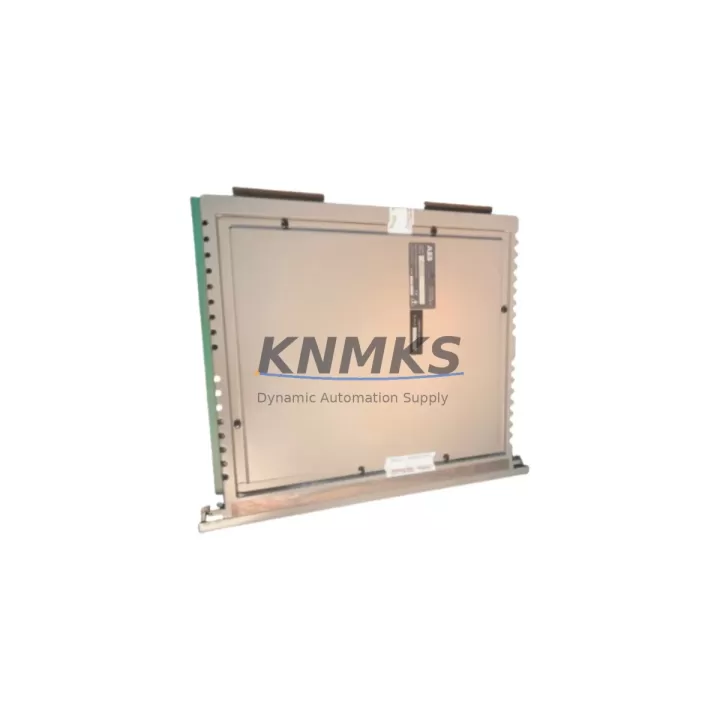
ABB 40CN3211B Maintenance-Proven Spare Part for Factory Uptime
The ABB 40CN3211B is a proven control module within the ABB AC500 PLC platform, widely deployed across process automation, discrete manufacturing, and utility control systems. For maintenance engineers managing aging AC500 installations, securing a verified 40CN3211B spare is a direct investment in plant continuity. Whether you are responding to an unplanned fault, executing a scheduled annual overhaul, or building a strategic buffer stock for a multi-line facility, this module delivers the original ABB specification, factory-tested performance, and a support terms confirmed by quotation that supports your maintenance SLA commitments.
KNMKS supplies the ABB 40CN3211B as an original spare part, sourced through established industrial distribution channels and subject to pre-shipment functional verification. Each unit is inspected for physical integrity, connector condition, and firmware compatibility before dispatch. This process eliminates the risk of receiving a counterfeit or degraded component — a critical concern when the module controls safety-relevant I/O or high-availability production sequences.
Spare Maintenance Table
| Parameter | Specification |
|---|---|
| Part Number | 40CN3211B |
| Brand | ABB |
| Series | AC500 |
| Product Type | PLC Control Module |
| Compatible Platform | ABB AC500 PLC System |
| Supply Voltage | 24 V DC (nominal, per AC500 backplane spec) |
| Communication Interface | AC500 internal bus; CS31 / PROFIBUS / Modbus per system config |
| Mounting | AC500 backplane / rack-mount DIN rail assembly |
| Operating Temperature | 0 °C to +60 °C (standard industrial range) |
| Protection Class | IP20 (cabinet-mounted) |
| Origin | Germany (DE) |
| Condition | Original spare, pre-shipment tested |
| Support terms | 12 months from shipment date |
| Lead Time | Subject to stock availability — contact sales for confirmation |
| Maintenance Recommendation | Inspect connector pins, backplane seating, and firmware version at each annual overhaul |
Maintenance Planning for Continuous Operation
Replacing the ABB 40CN3211B in a live AC500 system is rarely an isolated task. Experienced maintenance engineers treat a control module swap as an opportunity to audit the surrounding electrical environment and reduce the probability of a repeat fault. Before or during the replacement of the 40CN3211B, the following components and subsystems should be inspected or tested as part of a structured maintenance round:
AC500 Power Supply Module (e.g., PS501 or PS502 series): Verify output voltage stability under load. A degraded power supply is a common root cause of intermittent PLC faults and can shorten the service life of a newly installed control module. Measure ripple and confirm the supply is within ABB’s specified tolerance before commissioning the replacement 40CN3211B.
AC500 I/O Expansion Modules (DI, DO, AI, AO): During a control module replacement, validate that all connected I/O modules are responding correctly on the internal bus. Modules such as the DC532 digital I/O or DA501 analog output are frequently co-located in the same rack and should be checked for loose terminal connections, blown fuses on output channels, and correct address configuration.
AC500 Communication Modules (CM572-DP, CM577-ETHCAT): If the 40CN3211B interfaces with a PROFIBUS DP or EtherCAT network, confirm that the communication module firmware is compatible with the replacement unit. A firmware mismatch between the CPU module and the communication coupler is a known source of startup failures after a module swap.
Backplane and Rack Assembly: Inspect the AC500 backplane for oxidized contacts, mechanical damage, or signs of thermal stress. A faulty backplane connector can cause intermittent communication errors that are difficult to distinguish from a module fault, leading to unnecessary repeat replacements.
Signal Isolation Barriers and Terminal Blocks: For analog signal loops connected to the AC500 system, verify that signal isolators and Zener barriers are within calibration and that terminal block connections are torqued to specification. Loose or corroded terminals introduce noise that can cause erratic analog readings and false fault conditions.
HMI and SCADA Communication Link: After restoring the 40CN3211B, confirm that the HMI panel (such as an ABB CP600 series or third-party Siemens TP panel) re-establishes communication with the PLC without requiring a manual restart. A clean reconnection confirms that the replacement module has loaded the correct program and communication parameters.
Maintaining a minimum buffer stock of one 40CN3211B per AC500 system cluster — alongside a matched power supply module and at least one I/O expansion module — is a widely adopted practice in facilities with zero-tolerance downtime requirements. KNMKS supports blanket-stock programs for customers managing multiple AC500 installations across regional sites.
Site Replacement Workflow
The 40CN3211B is designed as a direct replacement for the same part number within the AC500 platform. The following workflow is recommended to minimize downtime and ensure a clean commissioning:
Step 1 — Pre-replacement backup: Use ABB Automation Builder or the legacy Control Builder Plus software to export the current PLC program, hardware configuration, and communication settings. Store the backup on a local engineering laptop and a network share. Confirm the backup is readable before proceeding.
Step 2 — Safe isolation: Follow your site’s lockout/tagout procedure. De-energize the AC500 rack via the upstream circuit breaker. Confirm zero voltage at the power supply module terminals before touching any module.
Step 3 — Module removal and inspection: Remove the faulty 40CN3211B by releasing the locking lever and sliding the module from the backplane slot. Inspect the backplane connector for bent pins or contamination. Clean with isopropyl alcohol if required.
Step 4 — Replacement installation: Insert the new 40CN3211B into the correct slot position. Confirm the locking lever engages fully. Re-energize the rack and observe the module status LEDs. A solid green RUN LED indicates successful initialization.
Step 5 — Program restore and verification: Download the backed-up program to the replacement module. Verify all I/O points, communication links, and HMI screens are operating correctly. Conduct a functional test of all critical control loops before returning the system to automatic mode.
Step 6 — Documentation: Record the replacement in your CMMS (Computerized Maintenance Management System), including the new module serial number, installation date, and technician sign-off. Update your spare parts inventory to trigger a reorder for the consumed 40CN3211B unit.
Spare Parts Support FAQ
Q1: Is the 40CN3211B supplied by KNMKS an original ABB component or a compatible substitute?
All 40CN3211B units supplied by KNMKS are original ABB spare parts sourced through established industrial distribution channels. We do not supply compatible substitutes or remanufactured units for this part number. Each unit undergoes pre-shipment functional verification and is covered by a support terms confirmed by quotation from the shipment date.
Q2: How do I confirm compatibility between the 40CN3211B and my existing AC500 system configuration?
Compatibility is determined by your AC500 CPU generation, firmware version, and hardware configuration file. Provide your existing module part number, CPU type, and Automation Builder project version to our technical team at admin@knmks.com, and we will confirm compatibility before shipment. We recommend cross-referencing the ABB AC500 system manual for your specific hardware generation.
Q3: What is the typical lead time, and do you support emergency or blanket-stock orders?
Lead time varies by stock availability. In-stock units are dispatched within 1–3 business days. For facilities with critical uptime requirements, KNMKS offers blanket-stock programs that reserve allocated inventory against a purchase order, ensuring immediate availability when a replacement is needed. Contact admin@knmks.com or call +86 18359268345 to discuss a stock reservation agreement.
Q4: What does the support terms confirmed by quotation cover, and what is the claims process?
The support terms confirmed by quotation cover manufacturing defects and functional failures under normal operating conditions as specified in the ABB AC500 product documentation. It does not cover damage resulting from incorrect installation, overvoltage events, or environmental conditions outside the rated specification. To initiate a support terms claim, contact admin@knmks.com with the order reference, module serial number, and a description of the fault. KNMKS will arrange return logistics and replacement dispatch upon verification.
© 2026 KNMKS. All rights reserved.
Original Source: https://knmks.com
Contact: admin@knmks.com | +86 18359268345
Product Identification
- Brand / Ecosystem
-
ABB
ABB - Model / Series
-
40CN3211B
AC500 Series - Product Family
- PLCs & Controllers
- Availability Status
- Available on request after model and quantity confirmation
- Inquiry Type
- B2B RFQ, replacement inquiry and project spare-part request
- Pre-Quote Check
- Exact SKU, brand, series, quantity, nameplate photos and destination country are checked before quotation
System Path
Where this product fits in the KNMKS automation structure.
Specification & Inquiry Focus
- Control platform
- PLC, PAC and modular controllers
- Common needs
- CPU, rack, power and I/O expansion
- Project support
- Replacement, cabinet build and maintenance
Buyer Confirmation
Information KNMKS checks before replying.
- Exact model
- 40CN3211B
- Brand / ecosystem
- ABB
- Product family
- PLCs & Controllers
- Application note
- Replacement, maintenance, project build or spare-part list
- Useful photos
- Nameplate, installed unit, cabinet layout or connector side
- Delivery details
- Quantity, destination country and target schedule
Document Support
Files and notes can be confirmed during quotation.
- Product photos or nameplate confirmation when available
- Packing and delivery notes before quotation confirmation
- Support scope and delivery terms confirmed per inquiry
- Export document coordination for qualified B2B requests
Inquiry Support
- Model cross-checking before quotation
- CPU, power, rack and expansion module matching
- Support for replacement and project inquiry
What to Send Us
- Brand and exact model number: ABB 40CN3211B
- Quantity and required delivery time
- Application, replacement requirement or nameplate photo
- Destination country and shipping preference
RFQ Preparation
This is a product inquiry page built for RFQ communication.
Fast Model Check
Send this model to KNMKS for confirmation.
Include quantity, destination country and photos if this is a maintenance replacement. The inquiry will be saved with a reference number after submission.
Brand & Compatibility Note
KNMKS displays automation product information for well-known industrial brand ecosystems and compatible replacement references. Brand names are used for product identification and compatibility reference only; final availability and commercial terms are confirmed per quotation.
 Manufacturing
 Machine Tools
 Packaging
 Energy & Power



 HMI & Displays
 Servo Systems
 Variable Frequency Drives
 Sensors